In short: an eSIM for Burkina Faso gives you mobile data as soon as you land in Ouagadougou, without expensive roaming or having to look for a local SIM in French. It's installed before you leave home and activated upon arrival. Coverage is good in Ouagadougou, Bobo-Dioulasso, and on main roads; it's weaker outside of these areas. With 3-5 GB, you'll cover a week of maps, messaging, and email.
What is an eSIM and why it's useful for Burkina Faso
An eSIM is a SIM card that doesn't exist physically: it's a digital profile installed on your phone by scanning a QR code. There's no need to open the phone tray or look for a counter upon arrival. If you've never used one and have basic questions, the guide on what an eSIM is will answer them in five minutes.
Burkina Faso, located in the Sahel region of West Africa, is not a weekend getaway destination: people go for work, cooperation, research, or as part of a longer regional trip. And precisely for this reason, it's convenient to have internet sorted out right from the airport. The traditional alternative—waiting to find an operator store in Ouagadougou, queuing with your passport, and buying a physical SIM in French—works, but it takes up an afternoon of your first day. With an eSIM, that process is already done before you even board the plane.
The other option, leaving your Spanish operator's roaming activated, is the most expensive: outside the European Union, per-megabyte rates skyrocket, and the cost becomes noticeable as soon as you open Google Maps a couple of times. With an eSIM, you keep your Spanish number intact for WhatsApp and calls on your main line, and use the Burkina Faso data plan only for browsing. If you want to understand the difference between both options before deciding, compare eSIM vs. roaming and what data roaming is and why it's often expensive.

Coverage and local operators
The eSIM automatically connects to the local network with the best available signal, without you having to choose anything. In Burkina Faso, the three operators that provide coverage are Orange Burkina Faso, Moov Africa, and Telecel Faso, and between them, they cover cities and major road axes.
Ouagadougou, the capital
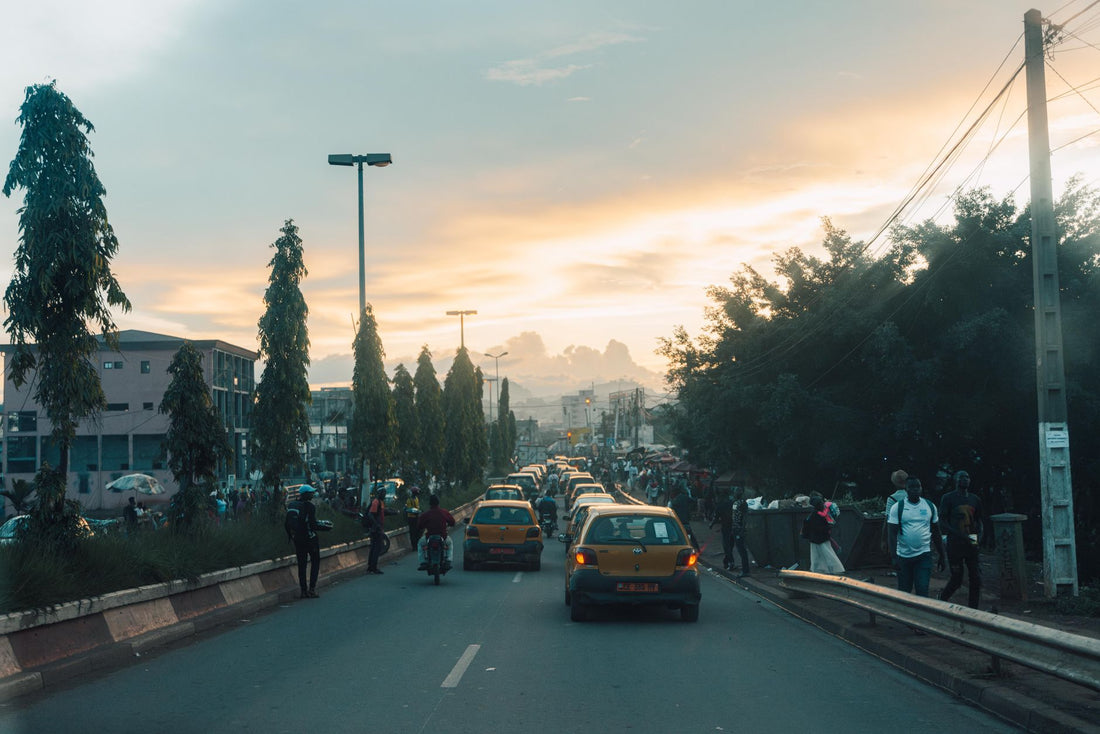
In the center and commercial districts of Ouagadougou, 4G is stable: sufficient for maps, messaging, email, and occasional video calls. Near the central Rood Woko market and on the main avenues, the signal usually doesn't pose problems. However, you will notice drops inside thick-walled buildings or basements, which is common in any city with such infrastructure.
Bobo-Dioulasso, the second city
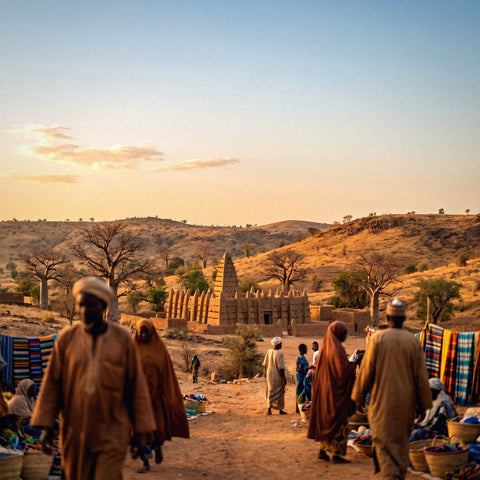
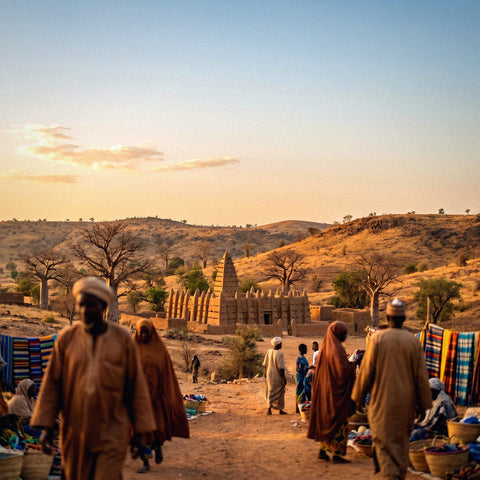
Bobo-Dioulasso, with its historic center and the Grand Mosque made of adobe, has solid urban coverage. It's a good intermediate point if your route connects Ouagadougou with the southwest of the country or with Ivory Coast.
Roads, airport, and rural areas
On the main roads connecting large cities, the signal is reasonable, although with some weak sections. Ouagadougou International Airport has coverage as soon as you get off the plane, so the eSIM connects immediately upon landing. Where the connection truly drops is in rural and remote areas: there it can disappear completely for long stretches, which is normal in much of the Sahel. The practical recommendation is simple: download offline maps of the area you'll be traveling in while you have a good signal in the city, not when you're already on the road.
Tip: In West Africa, the connection is much more solid in cities than in the countryside. Plan downloads, maps, and important documents when you have Wi-Fi or a good signal in Ouagadougou or Bobo-Dioulasso.
How many GB to get depending on your trip
Most trips to Burkina Faso last between one and two weeks, often for professional reasons or as part of a route through the Sahel. To calculate the gigabytes you need, think about what you will actually use: maps, WhatsApp, email, and some video calls, not HD streaming all day.
| Duration | Intended use | Recommended GB |
|---|---|---|
| 3-5 days | Maps, WhatsApp, occasional email | 1 - 3 GB |
| 1 week | Daily browsing, photos, social media | 3 - 5 GB |
| 2 weeks or more | Intensive use, video calls, hotspot for laptop | 5 GB or more |
If you're traveling for work and need to make video calls or share your connection with a laptop, always opt for more: running out of data in the middle of an online meeting is the worst time to realize it. The eSIM for Burkina Faso is rechargeable, so if you miscalculate, it's fine: you can add gigabytes from the app in a minute, without changing cards or losing your assigned number.

How to activate the eSIM step-by-step
The most convenient way is to install the eSIM at home, using your Wi-Fi, and leave it ready to activate only upon landing. The process is done only once:
- Purchase the Burkina Faso plan and instantly receive the QR code or direct installation link by email.
- Scan the QR code from your phone's mobile data settings (or open the direct link if purchasing from the phone itself).
- Give it a recognizable name, like "Burkina," so you don't confuse it with your Spanish line when both are active.
- Upon landing in Ouagadougou, activate the eSIM data and deactivate roaming on your primary SIM to avoid any charges.
If it's your first time installing an eSIM, the guide on how to install an eSIM walks you through each screen. And if you're torn between also carrying a physical backup SIM, check out the comparison of international chip vs. eSIM before deciding.
Language, currency, and practical information
Knowing these specifics about Burkina Faso will help you navigate more smoothly and make the most of your connection from day one:
- Language: French is the official language and is used by the administration, on signs, and by most tour operators. Moore, Diula, and other local languages are also spoken on the streets. An installed translator with the offline language pack downloaded is a great help in markets and outside the most touristy areas.
- Currency: The West African CFA franc (XOF), shared with Ivory Coast, Mali, Senegal, and other neighboring countries in the region.
- Capital: Ouagadougou, home to FESPACO (Panafrican Film and Television Festival of Ouagadougou), one of the continent's major film festivals, and a common air entry point.
- Type C and E plugs, 230V: The same standard as in Spain, so your charger works without an adapter.
Always check official travel recommendations before you go, as the situation in the country can change. With an active eSIM, you'll have maps, a translator, and constant contact with home, which is especially important in a destination where language and logistics don't always play in your favor.
Myths and what almost no one tells you
There are circulating ideas about staying connected in West Africa that should be debunked before leaving home, and small details that make a difference once you're there.
"With an eSIM, I don't need an unlocked phone." False, and it's the silliest mistake people make. If your phone is locked to your Spanish operator, an eSIM from another provider won't install, no matter how many QR codes you scan. Check that it's unlocked before buying, not at Ouagadougou airport with your luggage already checked.
"The eSIM replaces my Spanish line." Not necessarily. Most modern phones support two active profiles at once: your Spanish SIM or eSIM for calls and WhatsApp as usual, and the Burkina Faso eSIM only for data. This way, you don't change your number or lose banking app verifications that arrive via SMS to your usual line.
"If there's Wi-Fi at the hotel, I don't need anything else." The Wi-Fi in many accommodations in Burkina Faso is unreliable and drops out with power cuts, which are not uncommon outside of peak hours. Relying solely on hotel Wi-Fi leaves you without coverage just when you go out, which is when a map is most needed.
"Buying a local SIM is always cheaper." Sometimes yes, but the process takes time: registration with a passport, queuing at the operator's store, and in some cases, paperwork not designed for a short trip. For a short stay, the time saved with an already activated eSIM usually more than compensates for the difference.
"French is understood just like Spanish." They look similar on paper, but in a quick conversation in a market or with a taxi driver, it's not as automatic. Having a translator handy—with the French language pack downloaded offline, not relying on data at that moment—prevents more than one misunderstanding about prices or directions.
One detail that surprises those traveling to the region for the first time: in Ouagadougou, it's common to haggle over taxi fares before getting in, not after. And in the Rood Woko market, it's advisable to have the approximate amount already mentally calculated in CFA francs, because mental conversion from euros on the fly can lead to errors.
When you DON'T need it (or it's not worth it)
Here, we need to be honest, because not everyone needs this plan. If you're going to be in a hotel with good Wi-Fi the whole time, barely going out or moving between cities, it's possible that connecting only to the hotel's Wi-Fi and using data very occasionally will be enough. And if your stay is just a single day for a technical stopover without leaving the airport, you probably won't even need mobile data.
Nor does it make sense to buy more gigabytes than you'll use "just in case." If your usage profile is low—checking your phone a couple of times a day, without constant browsing or social media—the lowest tier of the table above will be plenty, and topping up later takes a minute if you need it. The eSIM is a tool to move around the country easily; if your trip is very static and with a good fixed network, first consider if you really need it before spending on gigabytes you won't use.
On-the-ground connection tips
To make the most of your data in a country where coverage isn't uniform between city and countryside, these habits help more than they seem:
- Download offline maps of Ouagadougou, Bobo-Dioulasso, and any road routes while you have a good signal in the city, not when you need them.
- Keep an offline copy of hotel reservations, tickets, and emergency contacts, in case you lose coverage in a rural area.
- Save heavy tasks—uploading photos, long video calls, updating apps—for when you have stable 4G in the capital, not in the middle of a trip between cities.
- Share your real-time location with someone you trust when you move outside the most touristy areas; with the eSIM active, you can keep it on without fear of incurring roaming charges.
- Carry a portable charger. Occasional power outages are part of daily life in much of the region, and a phone without battery is useless no matter how many gigabytes it has.
If your trip doesn't end in Burkina Faso and continues to other nearby French-speaking countries, check out our guide to eSIM for Comoros as a reference for another African destination with a similar approach, and the tricks for how to save eSIM data on a trip to stretch your gigabytes if your trip lasts longer than expected. And if you're concerned about privacy when connecting to public networks at the airport or a hotel, it's worth reading eSIM, VPN, and privacy when traveling beforehand.
Frequently Asked Questions
What is an eSIM for Burkina Faso and how does it work?
It's a mobile data profile that is digitally installed on your phone via a QR code, without a physical card. It connects to Burkina Faso's local network from the moment you activate data, giving you internet for maps, messaging, and email without relying on your Spanish operator's roaming.
Does the eSIM work as soon as I land in Ouagadougou?
Yes, if you have installed it before traveling. Upon arrival at Ouagadougou International Airport, you just need to activate the eSIM data from your phone's settings, and it will connect to the local network in seconds. There's no need to find a store or complete any in-person registration. Remember to deactivate roaming on your Spanish SIM to avoid any charges.
What operators does the eSIM use in Burkina Faso?
It relies on the networks of local operators, mainly Orange Burkina Faso, Moov Africa, and Telecel Faso. You don't manually choose which one to use: the system connects to the network with the best available signal at each point, which is especially useful when you're moving between Ouagadougou, Bobo-Dioulasso, and the roads connecting them.
How many GB do I need for a week in Burkina Faso?
For a week including maps, messaging, email, and some social media, 3 to 5 GB is usually sufficient. If you're traveling for work and rely on video calls or sharing your connection with a laptop, it's better to opt for 5 GB or more. Since the plan is rechargeable, if you underestimate, you can add gigabytes in a minute without changing cards.
Is there good coverage outside Ouagadougou and Bobo-Dioulasso?
On the main roads connecting large cities, the signal is usually reasonable, although with weaker sections. In rural and remote areas, coverage can drop significantly or disappear entirely, which is common in much of the Sahel. Therefore, it's advisable to download important maps and documents offline while you have a good connection in the city.
Do I keep my Spanish number when using the eSIM in Burkina Faso?
Yes. The Burkina Faso eSIM provides only data; your Spanish number remains active on your primary SIM or eSIM for WhatsApp, SMS, and calls, provided your phone supports dual profiles, which is common in recent mobile phones. It's recommended to browse with the data from the Burkina Faso plan and deactivate data roaming on your Spanish line.
Do I need an unlocked phone to install the eSIM?
Yes, it is an essential requirement. If your phone is locked to your original operator, it will not be able to install an eSIM profile from another provider, no matter how correct the QR code is. Check this point with your current operator before purchasing the plan, not once you are already at the airport.
Conclusion
Burkina Faso is a demanding yet very rewarding destination, one of those where being well-connected is not a luxury but a matter of safety and making the most of your trip: navigation, translation, and constant contact when language and logistics don't always align. With an eSIM, you avoid expensive roaming and queuing with your passport at an operator's store, and you arrive in Ouagadougou with internet ready from the first minute. Activate your eSIM for Burkina Faso before leaving home and land already connected.