
In summary: to travel through Seoul and Busan with a South Korea eSIM, you don't need pocket WiFi or to queue at the airport: you install the profile before leaving home and land already connected in Incheon or Gimhae. It covers both cities, the Korean high-speed train (KTX) and virtually every corner with mobile coverage, from the subway to Haeundae beaches.
Seoul and Busan: two cities, one eSIM
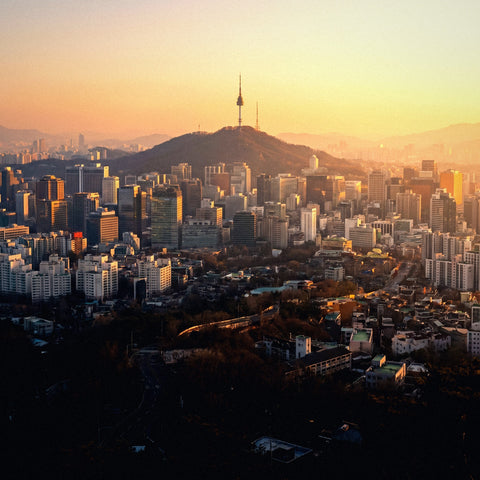
Seoul and Busan are the most common destination pair on any South Korea itinerary, and also two completely different travel experiences. Seoul is vertical, dense, with neighborhoods that change personality every two blocks: polished and corporate Gangnam, noisy and university-centric Hongdae, Ikseondong with its hanok houses converted into cafes. Busan is horizontal, port-centric, with the Jagalchi fish market, Haeundae beach, and the colorful Gamcheon Culture Village clinging to the hillside. What they share is the mobile network: the three major operators—SK Telecom, KT, and LG U+—provide service in both cities with compatible eSIM profiles for travelers, so you don't need to arrange anything different when moving from one to the other.
The practical advantage of a single eSIM for the entire route is that you don't waste time managing anything when you arrive in Busan: you continue with the same data number, the same balance, and the same configuration you had since Seoul. No need to look for a phone store at Busan station or reactivate a new QR code halfway through your trip.

Real coverage by zone
South Korea, along with Japan and Singapore, is one of the countries with the densest mobile networks in Asia, and this is noticeable in a traveler's daily life: it is not common to lose signal in urban areas. That said, there are nuances worth knowing before assuming that everything will work the same everywhere:
- Seoul Subway: has mobile coverage on platforms and, on most lines, also inside moving trains. It is one of the best-connected subway networks you will find on a trip.
- Historic palaces such as Gyeongbokgung or Changdeokgung: stable coverage in open courtyards, but it may weaken slightly when entering interior rooms with thick stone and wood walls.
- Mountain areas such as Bukhansan National Park, on the outskirts of Seoul, or the Seoraksan trails: the signal becomes irregular in wooded sections and disappears completely in some valleys. If you are going on a hike, download the offline map before going up.
- Jeju and other islands: solid coverage in tourist areas and the center of the island; somewhat weaker on remote beaches on the south coast.
- Busan: excellent in the center, Haeundae, Seomyeon, and the port area; inside the Bujeon underground market or in some multi-story car parks, the signal drops, as happens with any mobile network under several floors of concrete.
The following table summarizes which operators provide eSIM coverage in each area and what type of network they use, without going into speed figures that no traveler can verify themselves and that vary constantly depending on the operator and device:
| Operator | Seoul | Busan | Rural areas / islands |
|---|---|---|---|
| SK Telecom | 4G/5G, very dense | 4G/5G, very dense | Stable 4G, limited 5G |
| KT Corporation | 4G/5G, very dense | 4G/5G, very dense | Stable 4G, limited 5G |
| LG U+ | 4G/5G, very dense | 4G/5G, very dense | Stable 4G, limited 5G |
The Seoul–Busan KTX journey
If your itinerary includes both cities, you'll most likely take the KTX high-speed train, which connects Seoul and Busan in just under three hours, crossing the center of the country. This is one of the segments where having your own data is most appreciated: you can work, watch downloaded content, or simply check your itinerary without relying on the train's WiFi, which exists but is shared among all passengers and gets saturated during peak hours, especially on weekends and for last-minute electronic reservations.
Coverage along the track is generally good because the route passes through relatively populated areas, but there are some long tunnels where the signal cuts out for a few seconds, which is normal for any mobile network in the world when the train travels underground at high speed. It's nothing to worry about: it recovers as soon as you exit the tunnel.
The K-culture route: K-pop, K-drama, and streaming
Many of those who travel to South Korea do so, wholly or partially, following the trail of K-culture: drama locations, official K-pop stores in Myeongdong, the agency neighborhood in Gangnam, or simply the desire to upload content to social networks instantly. This is where the difference between having your own data or relying on cafe WiFi is most noticeable:
- Recording and uploading video instantly: if you make stories or reels from the street, you need stable data, not the excuse of "I'll upload the video at the next cafe." With eSIM, you upload it from wherever you are.
- Real-time translation apps: essential for reading menus or signs in Korean, and they constantly consume data while you use them with the camera active.
- Last-minute reservations: many official merchandise stores and some themed cafes limit capacity and sell tickets via app; without data at the moment, you might be left out.
- Streaming K-dramas or music: if you're going to use Netflix, YouTube, or Spotify on the subway or KTX to make the journey more enjoyable, data consumption quickly increases, especially for high-resolution video.
None of these uses are exotic or require a special eSIM: it is exactly the type of consumption that any data plan for South Korea is designed to cover. What changes is how much data you need depending on how much video you consume.
How much data do you really need?
There isn't a universal figure, but there is a reasonable guideline depending on how you travel. The following table is approximate and is designed for you to choose according to your actual usage profile, not what people "usually" buy:
| Trip duration | Usage profile | What that usage includes |
|---|---|---|
| 3-5 days | Layover or single city | Maps, messaging, social media without intensive video |
| 7-10 days | Seoul + Busan route | The above + real-time translation, some streaming, frequent video uploads |
| 10-15 days | Complete route (Seoul, Busan, Jeju, Gyeongju) | The above + constant GPS navigation by car or bus, more safety margin |
If you're unsure between two data tiers, the honest recommendation is to step up if your plan includes a lot of video content (streaming or uploading recordings), and stick to the lower tier if your usage is mainly maps, WhatsApp, and social media without heavy video. Check the eSIM for South Korea catalog on purasim.com to see available durations and data amounts, and the current price for each.
How to activate it before you leave
The process is the same whether you do it from Spain or any other country, and it does not require your phone to already be in Korea:
- Purchase your eSIM at purasim.com from home, before packing your bags.
- Install the profile (QR code) with WiFi, calmly, without airport rush.
- Keep the data plan deactivated until you land; nothing is consumed by having it installed.
- Upon landing in Incheon, Gimpo, or Gimhae (Busan), activate mobile data for the eSIM line in your phone's settings.
- Keep your physical SIM with your Spanish number active only for calls and SMS, and use the eSIM as your data line.
If this is your first time installing an eSIM profile, it is advisable to review the step-by-step guide on how to install an eSIM: the process varies slightly between iPhone and Android, and some older models or outdated operating system versions are not compatible.
eSIM vs. roaming vs. physical SIM in South Korea
All three options exist and all three work, but they are not equivalent. Before deciding, it's worth understanding what you give up with each:
| Option | Indicative cost | Management | Your Spanish number |
|---|---|---|---|
| Roaming from Spanish operator | Cost skyrockets outside the EU; check current price with your operator | Zero management, but risk of surprise bill | Maintained |
| Local physical SIM | Moderate, varies by operator and point of sale | In-person process at store or airport, sometimes with passport and queue | Lost while using it |
| PuraSIM eSIM | Check current price at purasim.com | 100% digital, activation before leaving home | Maintained (separate data line) |
If you want to delve deeper into the difference between roaming and eSIM beyond South Korea, we have a dedicated comparison in eSIM vs. roaming that explains when each option is worthwhile depending on the country and the type of plan you have contracted in Spain.
What almost no one tells you
Beyond the obvious, there are a number of details that are only learned by traveling or thoroughly studying the destination:
- Seoul's public WiFi isn't as ubiquitous as it seems. There's an extensive public network in streets and parks, but it often requires registration with a Korean phone number or only covers a small area around the access point. Don't count on it as your primary plan.
- Google Maps doesn't function normally in South Korea. Due to local regulations, Google Maps' turn-by-turn navigation is very limited within the country. The app everyone uses there is Naver Map or KakaoMap, and both depend entirely on having active mobile data, not intermittent WiFi.
- Inside large underground shopping centers (like COEX in Gangnam or the galleries under Seoul Station), the signal loses strength several floors below street level, although it recovers almost immediately upon ascending.
- Temples in mountain areas, such as Bulguksa near Gyeongju, have good coverage in the main enclosure but lose it on the forest trails leading to more secluded hermitages.
- The plug isn't the problem, the battery is. South Korea uses the same type of plug (type C/F) as much of continental Europe, so you don't need an adapter. But with mobile data active all day, camera, and translation apps, the battery runs out faster than you think: bring a power bank if you plan long days of sightseeing.
- Jagalchi Market in Busan and night markets get crowded on weekends, and with such high concentrations of people in a small space, it's common for the network to feel a bit slower at those times, as happens in any mass gathering in any city worldwide.
When is it NOT worth it?
Being honest about this builds more trust than just selling. There are situations where spending on an eSIM for South Korea doesn't make sense:
- A few-hour layover in Incheon without leaving the transit area: the airport has plenty of free WiFi to check your boarding gate or send a message.
- If your Spanish plan already includes roaming in South Korea at no extra cost (uncommon, but some premium plans include it): check the exact terms with your operator before buying anything extra.
- Combined trips with Japan where you are already going to buy a regional eSIM: in that case, a joint eSIM like Japan and South Korea eSIM may be more suitable than buying two separate products per country.
If your route continues to Japan or China
South Korea is rarely the only country on a route. If after Seoul and Busan you continue to Tokyo, Osaka, or any Japanese city, it makes more sense to directly contract an eSIM for Japan and South Korea that covers both countries with a single profile, instead of managing two independent purchases. And if the itinerary also includes China, there is the combined option of an eSIM for China, Japan, and South Korea, designed for multi-country Asian routes on the same trip.
For those coming from outside the European Union who want to first understand what an eSIM is exactly and why it replaces a physical SIM for roaming, the guide international chip vs. eSIM resolves that basic doubt before going into specific details for each destination. And if data consumption is a concern because the plan is tight, in how to save data while traveling there are specific tricks that also apply to a trip through South Korea, such as deactivating automatic app updates or limiting streaming quality when you are outside of WiFi.
If your interest is broader and you want a general overview of the country before focusing on Seoul and Busan, the complete guide to internet in South Korea covers the rest of the country's cities and areas in more detail.
Frequently asked questions
Does the eSIM work on the Seoul subway?
Yes, there is mobile coverage on platforms and, on most lines, also inside moving trains. It is one of the best-connected subways you will find while traveling.
Do I need a different eSIM for Seoul and Busan?
No. All three Korean operators provide eSIM service to travelers in Seoul, Busan, and on the KTX train ride between the two cities. A single plan is enough for your entire route.
How many GB do I need for a 7-10 day trip to Seoul and Busan?
It depends on how much video you consume. If you plan to do real-time translation, upload content to social media frequently, and do some streaming on the KTX, a generous plan is advisable; if your use is mainly maps and messaging, fewer GB will suffice. Check the available durations on eSIM South Korea.
Does Google Maps work with an eSIM in South Korea?
The app works, but Google Maps' turn-by-turn navigation is limited by local regulations within the country. Most travelers use Naver Map or KakaoMap, which do offer full directions and also require active data.
Does the eSIM work on the KTX train between Seoul and Busan?
Yes, coverage is good for most of the journey because it crosses populated areas, with some brief and normal interruptions in longer tunnels that recover upon exiting them.
Are there internet restrictions in South Korea that affect travelers?
South Korea blocks certain content related to North Korea and some adult websites. The services normally used by a traveler—social media, Google, YouTube, messaging—are available without restriction.
Can I still receive calls and SMS from my Spanish number while using the data eSIM?
Yes. The data eSIM works as a second line alongside your physical SIM, which remains active for calls and SMS. You won't lose your Spanish number at any point during your trip.