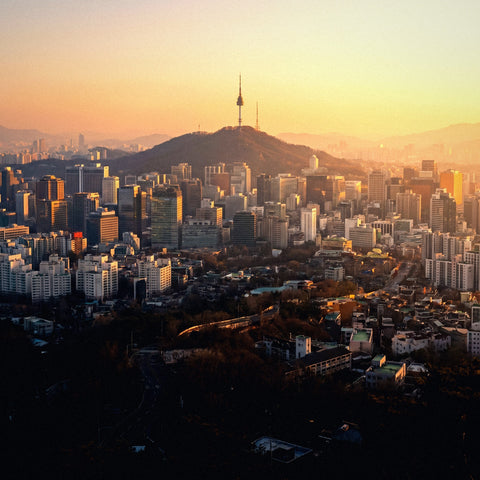
If you've made it here looking for how many GB you need for South Korea, I'll save you the suspense: almost certainly fewer than you think. Korea is one of the most connected countries on the planet, and that's not marketing: there's free Wi-Fi on the subway, on buses, in cafés, and on half the streets. That said, it's also a destination where your phone never stops (you can't guess Hangul, and the camera translator is going to work overtime), so going without data isn't an option either. Let's get to the numbers.
The quick number, no fluff
For 10 days in South Korea, 5 GB is plenty for most people, and anyone who leans on hotel and subway Wi-Fi can get by on 3 GB. If you're working from there or sharing the connection with family, budget 15-20 GB. Korea is one of those destinations where you need the least data.
Here's where that number comes from. A typical traveler in Seoul uses between 200 and 400 MB per day of actual mobile data: maps, messages, looking up places, translating restaurant menus, and uploading a few photos. Everything heavy (watching videos, backing up, updating apps, long video calls home) happens over Wi-Fi without you even noticing, because in Korea there's always a decent network nearby.
That said, there are three things in this particular country that push usage up, and you should keep them in mind before choosing a plan:
- The camera translator. English won't save you here, and neither will guessing the word: Hangul is a different alphabet, and you'll be pointing your phone at menus, labels, and signs dozens of times a day.
- Local maps. Naver Map and KakaoMap are almost always used online, so the map keeps pulling data every time you walk.
- Photos and videos. Seoul, Busan, and the palaces give you plenty to shoot, and uploading them on the go is the heaviest thing of all.
If you want the general rule for any country, I've covered it in the guide on how much data you need for travel. Here I'm focusing on what's specific to Korea.
Why you use less data in Korea than you think
South Korea treats public Wi-Fi as basic infrastructure, not a nice-to-have. The government itself once published open data on about 220,000 public Wi-Fi hotspots across the country, and there's free Wi-Fi on more than 35,000 city buses. Subway stations offer speeds from 30 to 100 Mbps, and Seoul keeps investing every year to swap old access points for faster ones.
Translated to your wallet: on a normal day in Seoul, you're connected to Wi-Fi for more hours than you realize. Hotel, café, subway platform, bus, shopping mall, airport. You end up using mobile data on the street, between places, which is exactly when you're using maps and messages — in other words, pocket change.
Now, the honest part, because not everything is that rosy:
- Some public networks require a login or accepting terms on a screen, and it's not always in English.
- During rush hour, with a packed platform, speeds drop quite a bit from what the sign promises.
- They're open networks: I wouldn't enter banking info or sensitive passwords without a VPN.
- Outside the big cities (mountain trails, coastal towns, temples), public Wi-Fi is no longer so ubiquitous.
That's why the recommendation isn't "don't buy data," it's "buy less than they'd try to sell you." If you want the full picture on how to get connected there, I explain it in internet in South Korea.
What each app really consumes
Almost everyone overestimates their usage because they think of "internet" as one big block. In reality, 90% of your data goes to video, and the rest is background noise. These are the reference figures I use, in MB per hour of active use:
| Activity | Approximate usage | What it weighs on a trip to Korea |
|---|---|---|
| Maps and navigation (Naver Map, KakaoMap) | 5-10 MB/hour | Heavy use, light cost |
| Text messaging (WhatsApp, KakaoTalk) | 5-10 MB/hour | Almost irrelevant |
| Voice calls via app | 15-30 MB/hour | Low |
| Camera translator (estimate) | 1-3 MB per query | 20-60 MB/day if you translate everything |
| Social media (Instagram, TikTok) | 600 MB - 1.2 GB/hour | The big drain |
| Uploading photos | 3-5 MB per photo | 100 photos ≈ 300-500 MB |
| Uploading 1080p video | 60-130 MB per minute | Real danger |
| Video calls (WhatsApp) | 200-700 MB/hour | High: do it on Wi-Fi |
| Work video calls (Meet, Zoom) | 540 MB - 2.5 GB/hour | Only for nomads |
| Music streaming | 40 MB/hour (normal), 150 MB/hour (high) | Medium-low |
| YouTube 480p / 720p / 1080p | 560 MB / 1.9 GB / 3 GB per hour | Eats the whole plan by itself |
Look at the table and draw your own conclusion: you can use maps for eight straight hours and spend less than watching ten minutes of video. If you're into the finer numbers, I have the full breakdown in the mobile data usage statistics by activity.
The camera translator: the cost nobody calculates
This is Korea's particular quirk that doesn't show up in any generic data calculator. In Japan, kanji helps if you know some Chinese; in Greece, you can guess half the words. In Korea, no. Hangul is its own alphabet, and in many places (neighborhood menus, supermarket labels, hotel instructions, temple signs) there's no English translation. So you point your camera, translate, and repeat. And repeat.
Each camera query moves little, on the order of 1 to 3 MB between the image and the response. The problem is frequency: if you do thirty a day, you're looking at 30-90 MB daily just for translating, which over a ten-day trip is a good half gigabyte. Not dramatic, but it's exactly the kind of invisible usage that makes people run out.
The solution is free and takes five minutes from your couch, on your Wi-Fi:
- Google Translate: download the Korean offline pack. It usually takes between 50 and 150 MB and, once installed, camera translation works without a connection.
- Papago (Naver's translator, much better with colloquial Korean): also lets you download the Korean-English pair for offline use.
- Download both. They take up little space and each handles a different type of text better.
With that, the translator stops counting against your data budget. And as a bonus, it still works in the deep subway or in a valley with no coverage.
Maps: Google Maps won't work for you
This is the fact that surprises most first-time travelers, and it's verifiable: Google Maps only half-works in South Korea. It's not an app bug, it's legal. Korea restricts the export of high-precision cartography for national security reasons, under regulations dating back to the armistice, so Google works there with less detailed maps (1:25,000 scale) while Naver and Kakao use 1:5,000. The practical result: Google Maps doesn't give you turn-by-turn driving navigation in Korea, and on foot or public transit it misses businesses, entrances, and hours.
In February 2026 the government conditionally approved Google's ability to export cartographic data, but the process has been slow and as of mid-2026 don't count on the app working like it does in Europe. Go prepared with the local ones:
- Naver Map: the reference, with over 30 million monthly users. Best for public transit and finding places.
- KakaoMap: second option, very good on foot and with a somewhat simpler interface.
- Subway Korea / Kakao Metro: for the subway, with last-train times.
And what does this mean in terms of data? That you depend more on the online map than in other destinations, because these apps don't have as solid an offline mode as Google's. Still, relax: maps are among the lightest consumers, between 5 and 10 MB per hour. You'll have the map open all day and won't notice the dent.
Transportation, Taxis, and KakaoTalk
South Korea runs on its own app ecosystem, and that changes how you use data a bit. The good news is that almost all of them are lightweight.
- KakaoTalk: the national messaging app. If you book something, the restaurant or guide will message you there, not on WhatsApp. It uses about as much data as any chat app: next to nothing.
- KakaoT: the taxi app. Calling a taxi, watching it approach, and paying uses a few MB per trip.
- Naver Map for combining subway, bus, and KTX; high-speed trains and many buses have onboard Wi-Fi, so long trips barely touch your data.
- T-money: the physical transit card. You top it up at machines, no app and no data needed.
One practical tip that's worth more than any gigabyte: create your KakaoTalk and KakaoT accounts before you leave home, while you still have your regular line receiving SMS. Registering mid-trip with a data-only connection is the kind of headache that eats up an entire afternoon.
Another thing working in your favor: in South Korea you'll spend a lot of time on the subway and train. Those are long stretches where, if you connect to the carriage or station Wi-Fi, you can do exactly what uses the most data (watch videos, send the day's video to the family group, download episodes) without touching your plan. In the eSIM for South Korea guide I cover the technical side of getting everything ready before you take off.
How Many GB Based on Your Profile and Trip Length
Here's the heart of the article. These figures are designed specifically for South Korea, meaning they already account for the huge impact of public Wi-Fi. Find your profile, check your days, and you have your answer:
| Profile | 5 days | 10 days | 15 days | 30 days |
|---|---|---|---|---|
| Maps & WhatsApp tourist | 2 GB | 3 GB | 5 GB | 8-10 GB |
| Photos & social traveler | 3-5 GB | 8 GB | 10 GB | 20 GB |
| Family sharing (2-4 phones) | 8 GB | 15 GB | 20 GB | 30-40 GB |
| Digital nomad / remote work | 10 GB | 20 GB | 30 GB | 50 GB or unlimited |
How to read it without getting it wrong:
- Maps & WhatsApp tourist: about 200-300 MB per day. Maps, messages, finding a place to eat, the occasional photo. This is the profile for most people, and yes, 3 GB covers a ten-day trip.
- Photos & social: 600-800 MB per day. You post stories daily and the occasional video. This is where people vary the most.
- Family: don't just multiply by four. Kids watch video at the hotel, and that goes over Wi-Fi. Multiply by two and a half.
- Nomad: 1.5-2 GB per day. Video calls, uploading files, and screen sharing from cafés or your AirBnB.
If you're torn between two sizes, go with the smaller one and top up if needed. In the next section I explain why that strategy almost always works out cheaper.
Calculate Your Actual Usage Before You Fly
Everything above is an average. Your actual usage is in your pocket right now and takes thirty seconds to check:
- Android: Settings → Network & Internet → Data usage (or SIM) → you'll see the GB for the current cycle and the breakdown by app.
- iPhone: Settings → Cellular → scroll down to the app list. If you've never reset the statistics, the data is cumulative from day one, so reset it a month before your trip and measure cleanly.
Take your monthly usage, divide by 30, and you have your daily usage at home. Now apply the South Korea factor: you'll have Wi-Fi available more hours than at home, but you'll also use your phone more while out and about. In practice they balance out and usually end up around half of what you use at home, because at home a lot of your traffic is also on Wi-Fi. This table does the math for you:
| Your monthly mobile data at home | Equals per day | For 10 days in South Korea | For 20 days |
|---|---|---|---|
| Less than 5 GB | ~150 MB | 2-3 GB | 5 GB |
| 5-10 GB | ~250 MB | 3-5 GB | 8 GB |
| 10-20 GB | ~500 MB | 8 GB | 10-15 GB |
| 20-40 GB | ~1 GB | 10-15 GB | 20 GB |
| More than 40 GB | ~1.5 GB or more | 20 GB | 30 GB or more |
This method is much more reliable than any calculator, because it starts from how you use your phone, not how some average traveler who doesn't exist uses theirs. If the number you get and the one from the profile table roughly match, you can buy with confidence.
How to stretch your data in Seoul
With these tweaks, made before you leave, your daily usage can drop by half without you even noticing:
- Backups over Wi-Fi only. Google Photos and iCloud are the biggest data hogs when traveling: uploading 300 photos can use over 1 GB. Force them to upload only on Wi-Fi and sleep easy.
- Turn off autoplay on Instagram, TikTok, and X. This single change saves more data than anything else on this list.
- Lower video quality to 480p on YouTube: you go from 3 GB to 560 MB per hour.
- Turn on data saver mode on your phone and in any apps that have it.
- App updates on Wi-Fi only. One big update can cost you 300 MB.
- Download at home: translation packs, your Spotify playlist, Netflix episodes for the flight, and your guide as a PDF.
In Korea, the trick isn't to deprive yourself of anything: it's to shift the heavy stuff to Wi-Fi, which you have in your hotel, cafés, buses, and subway platforms. Use your mobile data for what gets you through the day (maps, translator, messages) and save video for when you're on a free network.
I have a longer list with screenshots in the travel data-saving tips, but with these six you'll be more than fine. The key is to set it up at home: nobody feels like tweaking settings at Incheon Airport at six in the morning.
What happens if you run out
Let me tell you straight: it's better to run out and top up than to overbuy. If you buy too many gigabytes, you've paid for data you won't use and you don't get it back. If you run short, just buy another pack from the hotel Wi-Fi in five minutes and carry on. The cost of the error is all one way — so play the cheap side.
How to know you're running low — and what to do:
- Check the counter on day three. If you burned more than a third of your plan by then, you know you need to top up: better find out with a buffer than on a Sunday evening.
- If you run out, you're not stranded. Public Wi-Fi is everywhere to buy your top-up, message home, or order a taxi.
- Write your hotel details on paper or a note offline (including the address in Hangul). It's the classic old-school advice that will save your night.
- Don't rely on a single app to get you back: take screenshots of your route to the accommodation and you're done.
And one real advantage of digital data that you'll appreciate in a country like Korea: topping up is instant and you don't have to hunt for a physical store or deal with a Korean form at a counter. If you're still not clear on how all this works, I explain it from scratch in what is an eSIM.
Frequently asked questions
How many GB do I need for one week in South Korea?
3 GB is enough for 7 days if you're a normal tourist using maps, messages, and a few photos. Go up to 5 GB if you post on social media every day, and 10-15 GB if you'll be working remotely. Korea's public Wi-Fi does most of the work for you.
Can I just use public Wi-Fi and buy no data at all?
You could, but I wouldn't recommend it. Wi-Fi covers stations, buses, and cafés, but not the street in between — which is exactly where you need the map and translator. Plus, many networks require registration. A small 3 GB package takes that stress away for very little money.
Does Google Maps work in South Korea?
It works only partially and doesn't offer turn-by-turn navigation for driving. Korea restricts detailed map exports for security reasons, so Google works with less precise maps than the local ones. Download Naver Map and KakaoMap before you fly: they're what everyone uses there.
Does the camera translator use a lot of data?
Very little per query (1-3 MB), but it adds up fast. Translating menus and signs all day can eat 30-90 MB daily. Download the Korean offline pack in Google Translate and in Papago from home — that usage disappears entirely.
Do I need a VPN in South Korea, and does it use more data?
No need for normal use; Google, YouTube, Instagram, and WhatsApp all work just fine. It is a good idea to enable your VPN when you connect to open Wi-Fi networks. Bear in mind that encryption adds a small extra data overhead — roughly 5–10%.
How many GB for South Korea if I'm traveling with kids?
Budget for 15 GB for ten days with a family of four. Don't multiply by the number of phones: the little ones' heavy use (video, games, downloads) mostly happens on hotel Wi-Fi. Share a single connection and turn on data saver on their phones.
Is it better to overbuy just in case?
No: buy the right amount and top up if you need to. Unused data is wasted money, whereas a top-up takes minutes from the hotel Wi-Fi. Start with the size the profile table suggests and check the meter on day three.
Conclusion
South Korea is one of those destinations where the honest answer is "less than you'd expect." 3 GB for ten days works for most people; with 5 GB you'll be comfortable even with social media; and only if you're working from there or sharing between several phones does it make sense to go for 15-20 GB. The Wi-Fi in the subway, on buses, and in cafés does a job that in other countries you'd pay for.
Complete your prep at home (download translation packs, install Naver Map, set backups to Wi-Fi only, create Kakao accounts) and you'll arrive at Incheon with everything sorted. When you're clear, choose your data plan in the eSIM for South Korea and forget about it from minute one of your trip. See you in Seoul.