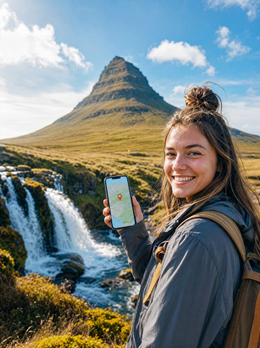
In short: An eSIM for Iceland gives you local mobile data as soon as you land in Keflavík, with no roaming, no physical SIM, and no bill surprises. It installs in minutes with a QR code, and for a week in Reykjavik and the Golden Circle, 5 to 8 GB is usually enough. You land with internet, stress-free.
Iceland hooks you from the very first minute: roaring waterfalls, creaking glaciers, black lava fields, and auroras that leave you speechless. But arriving without data can spoil those first moments. No Google Maps to navigate the airport, no way to open your car rental voucher, no way to let those waiting for you know you’ve arrived. The solution has been the standard among seasoned travelers for years: an eSIM for Iceland that activates before you leave home and works as soon as you touch down on Icelandic soil.
In this guide, we tell you what really matters: what coverage you'll find in Reykjavik, on the Ring Road, and in the Highlands, how many gigabytes you need depending on your travel style, how to install the eSIM step by step, and the tricks almost no one tells you so you don't get stranded in the middle of a glacier. All explained clearly, without technical jargon or hype.
What is an eSIM and why it's the best option for Iceland
An eSIM is a digital SIM that is already integrated into your mobile phone. Instead of inserting a plastic card, you download a profile using a QR code and that's it: your phone connects to the local networks of the country you visit. There's no need to go to a store, wait for a shipment, or struggle with an ejection pin. If you want to understand the technology in depth, we have a guide on what a virtual eSIM is and how it works.
For a destination like Iceland, where tourism involves driving on very long roads with sparse population, stable data isn't a luxury: it's a matter of safety. An eSIM solves the problem at its root because you purchase data at local prices and forget about roaming.
Roaming in Iceland: beware of the fine print
It's important to clarify something here. Iceland does not belong to the European Union, but it is part of the European Economic Area. Many Spanish plans include roaming as if you were at home within the EEA, so in theory you could use your normal plan. The problem lies in the nuances: operators apply data limits on roaming (the famous fair use policy), and once exceeded, they charge an extra per gigabyte that can exceed several euros. If you are traveling from Latin America, the situation is worse: traditional roaming outside your country can cost between 10 and 30 dollars per day, often with speed capped at 3G.
A local eSIM frees you from all that. You know exactly how much you've paid, you use data at the speed the network allows, and there's no surprise bill waiting for you when you return. If you want to delve deeper into the difference, read our honest comparison of eSIM vs. roaming and the explanation of what data roaming is.
Another advantage: the eSIM coexists with your physical SIM in a separate virtual slot. You can keep your usual number active to receive calls and SMS (for example, bank verification codes) and use the eSIM only for data. You don't have to choose.
Coverage in Iceland: what to expect by region
Iceland has a very low population density, but its mobile network is surprisingly good in the areas where people live and travel. 4G coverage, and even 5G in several places, is the norm in the capital and the busiest tourist corridors. The challenge comes when you venture into the uninhabited interior.
| Area | Typical Coverage | What you can do |
|---|---|---|
| Reykjavik and metropolitan area | Stable 4G / 5G | Streaming, video calls, seamless browsing |
| Golden Circle (Þingvellir, Geysir, Gullfoss) | Good 4G | Maps, social media, upload photos |
| Ring Road / South Coast (Vík, Jökulsárlón) | 4G in towns, variable between them | Navigation and messaging; some stretches without signal |
| Westfjords and Eastfjords | Irregular, 3G in some areas | Basic messaging; offline map recommended |
| Highlands (F-roads) | Sparse or none | Practically no data; essential to be prepared |
The honest summary: the Ring Road (Route 1 that circles the island) has coverage in towns and populated areas, but in the Highlands, the signal can disappear completely. That's why PuraSim's eSIM relies on local networks with the best infrastructure through roaming agreements, and your phone automatically connects to the one offering the best signal at each point. Even so, no operator covers 100% of the Icelandic interior, so offline preparation is your best ally. We detail this below, along with our specific guide on coverage in rural and mountain areas.
How many GB do you need for Iceland?
The million-dollar question. The short answer for a typical one-week trip with normal usage: between 5 and 8 GB. The long answer depends on how you use your phone on the ground. A traveler who only checks maps and sends a few WhatsApp messages uses much less data than someone who uploads reels of every waterfall.
This table helps you calculate your actual daily consumption:
| Usage Profile | What you do | Approx. daily consumption | For 7 days |
|---|---|---|---|
| Basic | Maps, messaging, some searching | 300–500 MB | 3–4 GB |
| Moderate | Social media, photos, continuous browsing | 800 MB–1.5 GB | 6–10 GB |
| Intensive | Remote work, streaming, video calls | 2–4 GB | 14–28 GB |
For most travelers doing Reykjavik plus the Golden Circle and a stretch of the south coast, 6-8 GB for a week is more than enough: Google Maps open all day, Instagram, WhatsApp, and occasional inquiries. If you're going to telework, make frequent video calls, or share your connection with a laptop, step up a tier. And if you run short, it's okay: PuraSim plans can be recharged, so you won't suddenly lose coverage. If you want to get the most out of every megabyte, check out our tips for saving data on your eSIM.
You can see the available data and duration options on the page for our eSIM plans for Iceland. And if your route continues to the continent, an eSIM for Europe that covers several countries with a single plan might suit you better.
How to activate your eSIM for Iceland step by step
Installing a PuraSim eSIM is as simple as scanning a QR code. The entire process takes less than five minutes and you only do it once:
- Purchase your plan on purasim.com. You will receive an email with the QR code and instructions.
- Begin installation: on iPhone, go to Settings → Cellular → Add eSIM. On Android (Samsung, Pixel, etc.), Settings → Connections → SIM Manager → Add eSIM.
- Scan the QR code or enter the activation details manually if you prefer.
- Select the PuraSim eSIM as the default data line.
- Activate data roaming in the settings for that eSIM. This is essential for it to work on local Icelandic networks, and it does not incur extra costs: it is simply the technical switch that allows it to connect.
Our advice: install the eSIM at home, using your Wi-Fi, a few days before you fly. That way, everything is ready when you arrive and you just have to activate it when you land. If you get confused with any step, this guide to installing an eSIM breaks it down with screenshots.
Before purchasing, confirm that your phone supports eSIM. Most iPhones from XS, Samsung Galaxy from S20, and Google Pixel from 3 are compatible. You can quickly check this in Settings by looking for the "Add eSIM" option or by dialing the digital IMEI (*#06# and see if an EID appears).
What almost no one tells you about staying connected in Iceland
Here are the tips that separate a smooth trip from a headache. They're not obvious, and I wish someone had told us before our first time on the island.
- Download offline maps, no exceptions. Before you leave, with Wi-Fi, download the entire south of Iceland and your intended route on Google Maps. When you cross a stretch without signal (and there will be some), you'll still navigate without using data. It's the difference between staying on track and driving around aimlessly in a lava field.
- The weather changes your plan, don't fight it with data. In Iceland, the weather rules. Save the official road website (road.is) and the aurora and weather website (vedur.is) as direct access links offline, and check road conditions before venturing onto any F-road. Many close without warning.
- Hotspot devours battery and data. Sharing your connection with a laptop or tablet consumes gigabytes at high speed and heats up your phone. In the Icelandic cold, the battery already suffers enough; use the hotspot only when necessary and carry a power bank.
- Use WhatsApp or Telegram for calls, not international calls. A call over data consumes a fraction of the cost of a traditional call. To talk to home, always use data-based apps or Wi-Fi.
- Accommodation Wi-Fi isn't always available. In rural cabins and remote farms, Wi-Fi can be slow or nonexistent. Don't count on it for work: if you're telecommuting, your eSIM with good gigabytes is Plan A, not Plan B.
- Strategic airplane mode during waits. On long journeys through areas without coverage, putting your phone in airplane mode prevents it from draining battery by constantly searching for a signal. Reactivate it when you reach the next town.
With these habits and a well-sized data plan, connectivity ceases to be a concern, and you can focus on what matters: chasing waterfalls and waiting for the aurora.
Common mistakes when choosing an eSIM for Iceland
To conclude, here are the most frequent pitfalls we see and how to avoid them:
- Buying too few gigabytes "to save money". Google Maps open all day on the road consumes more than you think. It's better to have some leeway or know that you can top up.
- Forgetting to activate data roaming. This is the number one mistake. The eSIM is installed correctly, but without that switch, it won't provide data. Check it if you don't have internet when you land.
- Installing it right after landing without Wi-Fi. Profile installation requires an internet connection. Do it at home or with airport Wi-Fi, never in the middle of nowhere.
- Expecting perfect coverage in the Highlands. No operator guarantees it. Offline maps are key there, not the eSIM.
- Not checking phone compatibility. An old or imported phone might not support eSIM. Verify it before paying.
Frequently Asked Questions about eSIM for Iceland
Does the eSIM work all over Iceland?
It works on local networks, which provide very good 4G/5G coverage in Reykjavik, the Golden Circle, and the towns along the Ring Road. In the Highlands and some interior roads, the signal can be scarce or non-existent, as is the case for any operator. For those areas, download offline maps and do not rely on data.
Do I need roaming if my Spanish plan already covers the EEA?
Iceland is in the European Economic Area, so your plan might work as if you were at home up to a certain data limit. The problem is that exceeding this fair use limit will incur an extra charge per gigabyte. A local eSIM provides abundant data at a fixed price without that risk, and you keep your Spanish number active for calls and SMS.
How many GB should I buy for a week in Iceland?
For normal use (maps, photos, social media, and messaging), between 5 and 8 GB will comfortably cover seven days. If you telework, make video calls, or share your connection, estimate 2-4 GB per day and choose a larger plan. Remember that you can always top up if you run short.
When should I activate the eSIM?
Install it at home a few days before with your Wi-Fi. Many PuraSim eSIMs can be configured in advance and activate automatically upon arrival, or manually when you want to start using your data. This way, you land with internet from the first minute.
Is my phone compatible with eSIM?
Most smartphones from 2018-2019 are: iPhone XS onwards, Samsung Galaxy S20 onwards, Google Pixel 3 onwards, and many more. Check it in Settings by looking for the "Add eSIM" option, or dial *#06# to see if your phone displays an EID.
What happens if I run out of data?
You won't suddenly lose communication. You can buy a top-up from your PuraSim customer panel, and it will be applied within minutes, without changing your plan or installing a new eSIM. This is practical if your trip extends or you use more data than expected.
Can I use the same eSIM in other Nordic countries?
The Iceland plan is for Iceland. If your route includes Norway, Denmark, or other European destinations, a regional eSIM plan for Europe that covers several countries with a single profile will be more cost-effective than buying one for each country.
Activate your eSIM before you leave and land in Keflavík with internet, no roaming, and no stress.
View eSIM plans for Iceland →