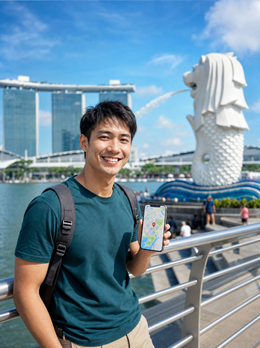

In summary: Singapore is Asia's best-connected city: its three operators (Singtel, StarHub, and M1) cover the entire island with 4G and 5G, even underground in the MRT. With an eSIM for Singapore, you'll have data as soon as you land at Changi, without queues or expensive roaming, and you can extend it if you continue your trip through Malaysia or Thailand.
There are cities where arriving and searching for Wi-Fi is part of the journey. Singapore is not one of them. The island-state has been among the global leaders in mobile broadband for years — Ookla's Speedtest Global Index regularly ranks it among the top for mobile speed, something you'll notice as soon as you open Google Maps upon leaving the terminal. There are no dead zones here or operators failing in shifts: all three compete on the same playing field, and the fiber infrastructure supporting the antennas is one of the densest on the planet. For travelers, this translates into something very specific: no matter which operator activates your eSIM, you'll have solid coverage anywhere on the island.
Why Singapore is different from the rest of Asia
The key is not just speed, but consistency. In many Asian capitals, good coverage is concentrated in the city center and degrades as soon as you leave the financial district. In Singapore, this rarely happens: the island is just over 700 km², is fully urbanized, and the government has aggressively pushed a digital infrastructure policy (Smart Nation) for years. The result is that whether you're staying in Marina Bay or sleeping in a Little India hostel, the signal you receive is practically the same.
This changes how you should plan your data. In destinations with irregular coverage, we recommend saving offline maps "just in case." In Singapore, that "just in case" almost doesn't exist — what is advisable is to have active data from the airport, because the first part of the trip (getting to the hotel, finding the correct MRT platform, locating the nearest Grab) is when you use your phone the most.
Operator Coverage
| Operator | Island Coverage | Network | eSIM Compatible |
|---|---|---|---|
| Singtel | Very high, including east area (Changi) and Sentosa | 4G / 5G | Yes |
| StarHub | Very high, good performance inside shopping malls | 4G / 5G | Yes |
| M1 | Very high in the center and northern residential areas | 4G / 5G | Yes |
The actual difference between the three for a traveler staying a few days is minimal. It's not worth obsessing over which offers "a little more" speed: in Singapore, all perform well, so the decision of which eSIM to buy depends more on the amount of data and whether you'll cross into a neighboring country, not on the underlying operator.
Does the eSIM work on the subway (MRT)?
Yes, and this surprises anyone coming from a European capital used to losing signal as soon as the train enters a tunnel. Singapore's MRT has mobile coverage in practically all its stations and underground routes thanks to a distributed antenna system (DAS) installed within the tunnels themselves. You can continue a call, load a map, or buy a ticket while crossing the island underground, something that in cities like London or even Madrid is still the exception, not the norm.
Real Speed: What You'll Notice Upon Arrival
We won't give you a specific Mbps figure — any speed measurement varies depending on your phone, time of day, and exact location, and giving a fixed number would be misleading. What you can consistently expect, however, is seamless streaming, stable video calls, and fast downloads of apps or maps, both in the city center and in distant residential neighborhoods like Jurong or Tampines. If you're coming from a country where 5G is still patchy, you'll notice the difference as soon as you leave the Changi terminal: the airport has benchmark mobile coverage even in transit areas before immigration.
Which eSIM plan is right for your trip
The amount of data you need in Singapore mainly depends on two things: how many days you're staying and whether you'll be using maps and transport apps intensively (normal for a first-timer) or if you already know the city and move more by routine.
| Trip Type | Typical Duration | Usage Profile |
|---|---|---|
| Changi Layover | Few hours to 2 days | Maps, messaging, and occasional browsing — low GB |
| Weekend Getaway | 3-4 days | Constant use of Google Maps, Grab, and social media |
| Standard Trip | 5-7 days | High daily use, photos and video, some video calls |
| Southeast Asia Base | 10 days or more | Singapore + trips to Malaysia, Thailand, or Indonesia |
To check the exact GB and current price of each plan, it's best to look at the eSIM plan for Singapore directly, because mobile data prices change and we prefer not to give you a figure that might become outdated. If your route includes leaving the island — for example, crossing to Kuala Lumpur or heading south to Malaysia by road — you'll be more interested in the regional plan that covers Singapore, Malaysia, and Thailand, because an eSIM bought only for Singapore stops working as soon as you change countries.
How to activate your eSIM before arriving in Singapore
- Purchase the plan from home, using Wi-Fi, a few days before your flight.
- Install the profile by scanning the QR code — this step requires an internet connection, so do it before you leave, not on the plane.
- Leave the eSIM installed but deactivated until you land, to avoid using data while you are still in Spain.
- Upon landing at Changi, activate the data line in Settings → Mobile and select the Singapore eSIM as your data line.
- Make sure data roaming is enabled for that line — this is a step many people forget and is the most common reason for "it's not working."
If this is your first time installing an eSIM and you want step-by-step instructions with screenshots for your specific phone model, we have a dedicated guide on how to install an eSIM that covers iPhone and Android separately.
What almost no one tells you about staying connected in Singapore
Here are the details that don't appear in generic guides on "how to get internet in Singapore":
- Airport Wi-Fi is not a reason to skip the eSIM. Changi has free, fast Wi-Fi, but it only works within the building. The moment you step out to find a taxi or go to the MRT, you lose it. If you activate your eSIM before leaving the arrivals area, you won't notice that disruption.
- Singapore has no internet restrictions, unlike several neighbors in the region. You don't need a VPN to use WhatsApp, Instagram, Google, or any Western app — something worth noting if you're planning a longer trip through Asia, as it might be necessary in other countries on your itinerary. If your route includes restricted destinations, check out our guide on eSIM, VPN, and travel privacy before you leave.
- Crossing to Johor Bahru (Malaysia) via the Causeway is more common than it seems — many travelers take a day trip. Your Singapore eSIM will stop working the moment you cross the land border. If you plan this trip, activate a plan that includes Malaysia in advance; don't leave it for the same day.
- Physical SIM cards still exist, but no longer make sense for a short trip. Buying a physical SIM at Changi involves going to a counter, showing your passport, and sometimes waiting in line during peak hours. With an eSIM, this hassle disappears because you do it from your phone.
- The plug is Type G, the same as in the UK. If you're coming from Spain, you'll need an adapter — this has nothing to do with eSIMs, but it's the other detail you might forget and discover too late, usually with your battery at 10%.
Roaming, Local SIM, or eSIM: What's Best in Singapore
| Option | Cost | Management | When it makes sense |
|---|---|---|---|
| Roaming with your Spanish operator | Cost skyrockets outside the EU | None, it's already active | Only if your plan includes roaming in Asia without surcharge — uncommon |
| Local physical SIM | In-store price at the time | Queue at counter, passport, changing physical SIM | Very long stays where the hassle is worth it |
| PuraSIM eSIM | Purchased by GB/days as needed | 100% digital, no touching physical SIM | Most tourist or business trips to Singapore |
If you're unsure what exactly differentiates roaming from an eSIM, we explain it in detail in eSIM vs. Roaming, and if you also want to understand what data roaming technically is before deciding, we have this guide on what data roaming is.
When it's NOT worth buying an eSIM for Singapore
Let's be honest: not everyone needs to buy data for Singapore. If your Spanish operator already includes roaming in Asia at no extra cost within your plan (more and more plans offer this for certain countries), check it before spending on a new plan — you might already be covered. And if your layover in Changi lasts less than two or three hours and you won't leave the transit area, the free airport Wi-Fi will probably suffice without needing to activate any data line. Buying an eSIM then would be spending on something you won't use.
Is my phone compatible?
Most iPhones from iPhone XR/XS onwards and recent high-end Android phones (Samsung Galaxy S20 onwards, Pixel 3 onwards, among others) support eSIM. If you have doubts about your specific model or want to understand exactly what a virtual eSIM is before buying it, we explain it in plain language in what is a virtual eSIM. And if you ever hesitate between a physical card bought at an airport kiosk and the digital option, the comparison of international chip vs. eSIM quickly resolves the doubt.
To make your data last longer
Although Singapore is not a destination where you need to be overly concerned about data, there are habits that will help any plan last longer: downloading playlists or series before leaving the hotel instead of streaming on the street, disabling automatic app updates while traveling, and using hotel Wi-Fi for heavy tasks (uploading photos, long video calls) while saving mobile data for getting around. If you want more tips like these applicable to any destination, we've gathered them in how to save data with your eSIM while traveling.
If Singapore is just one stop on a longer trip through Asia, we have specific guides for other destinations in the region — for example, eSIM for South Korea (Seoul and Busan) or, if you're heading south, eSIM for Australia and New Zealand.
Conclusion
Singapore makes things easy: consistent coverage, three competent operators, and no content restrictions. The only real decision you need to make is how many GB to buy and whether your route stays within the island or crosses into a neighboring country. Activate it from home, prepare the line, and the moment you land at Changi, you'll have data, without searching for a counter or waiting in line.
Frequently Asked Questions
Are there internet restrictions in Singapore?
No. Unlike other countries in the region, Singapore does not block social media, messaging, or most Western apps. You do not need a VPN to use your phone normally.
Does the eSIM work on Singapore's MRT (subway)?
Yes, even on underground sections. The MRT has distributed antennas within the tunnels, so you maintain mobile coverage throughout the journey, which is unusual compared to other capitals.
How many GB do I need for a week in Singapore?
It depends on how much you use maps and streaming, but as it's a compact city, map consumption quickly decreases after the first few days once you're familiar with your accommodation area.
Will my Singapore eSIM work if I cross into Malaysia via the Causeway?
No. An eSIM purchased specifically for Singapore stops providing service as soon as you cross the land border. If you plan such an excursion, activate it with a plan that includes Malaysia from the start.
Can I use Changi Airport's Wi-Fi instead of buying an eSIM?
For a short layover within the terminal, yes. But as soon as you leave the airport, you lose that coverage, so if you plan to move around the city, you'll need your own mobile data.
Is Singtel, StarHub, or M1 better for eSIM?
For a normal trip, the difference is minimal: all three have very high coverage throughout the island. It's not worth choosing a plan based on the operator.
Do I need to activate data roaming even if I have an eSIM?
Yes. This step is often forgotten: after installing the profile, go to Settings → Mobile, select the eSIM line, and activate data roaming for that specific line.