
eSIM plans for Indonesia
Get connected in Indonesia from minute one: the eSIM for Indonesia gives you 4G/5G internet in Bali, Jakarta, and Lombok without roaming, without changing your SIM.


We couldn’t find that destination. Try another name or browse the full list.
Why do you need an eSIM for Indonesia?
Indonesia is not part of the European Union or the European Economic Area, so the "roam like home" tariff does not apply in this destination. As soon as your mobile connects to an Indonesian network like Telkomsel or Indosat, your Spanish operator activates international roaming at distant zone prices: capped data, expensive speeds, and a bill that will shock you when you return from vacation.
You have three inconvenient options to deal with this: put up with your company's extremely expensive roaming, queue at Denpasar (Bali) or Jakarta airport to buy a local SIM —with passport and IMEI registration involved— or carry a pocket WiFi that needs to be recharged and returned. A PuraSIM eSIM solves it in a minute: you buy it online, receive a QR code, scan it, and land with 4G/5G internet working without touching your physical Spanish SIM.
How much does roaming cost in Indonesia?
Being outside the European zone, roaming in Indonesia is truly expensive. With the daily bundles from Spanish operators, we're talking about between €6 and €12 per day for a few hundred megabytes, and if you browse without a bundle, the price per MB skyrockets: an afternoon uploading photos can cost you more than a domestic flight. A data eSIM will cover the same trip for a few euros for the entire stay, and the savings compared to roaming easily exceed 80%.
How much does an eSIM for Indonesia cost?
At PuraSIM, Indonesian eSIMs start no contract or hidden fees. You choose the GB and days according to your trip: a short plan for a Bali getaway or a more extensive one for exploring Java, Lombok, and the Gili Islands. You pay once, activate the QR, and you're good to go. If you want to compare capacities and durations, check out all eSIM plans for Indonesia and pick the one that fits your travel pace.
How many GB do I need for Indonesia?
It depends on how much you use your mobile. For maps, WhatsApp, and reservations, a little is enough; if you post daily stories in Bali or stream, upgrade your plan. This table will guide you based on the number of days and your type of use:
| Duration | Light use | Normal use | Intense use |
|---|---|---|---|
| 3-4 days | 1 GB | 2 GB | 4 GB |
| 1 week | 3 GB | 5 GB | 10 GB |
| 2 weeks | 5 GB | 10 GB | 20 GB |
What is the best eSIM for Indonesia?
The best eSIM is one that relies on the networks with the most coverage in the country. In Indonesia, the main operators are Telkomsel (the one with the widest reach in islands and rural areas), Indosat Ooredoo Hutchison and XL Axiata. PuraSIM eSIMs connect to these local networks automatically, so you have the same signal as an Indonesian without battling with menus or recharges:
- Connection to premium local networks (Telkomsel / Indosat) with 4G/LTE and 5G in major cities.
- Activation in 1 minute by scanning the QR, without passport or IMEI registration.
- Share data via hotspot with your tablet, laptop, or travel companions.
- No contract and 24/7 Spanish support if anything goes wrong.
Coverage in Indonesia: city by city
- Jakarta: full 4G coverage and 5G in much of the capital, Soekarno-Hatta airport, and the MRT train.
- Bali (Denpasar, Kuta, Seminyak, Canggu, Ubud): excellent 4G and 5G in tourist areas; Ngurah Rai airport works perfectly.
- Yogyakarta and Borobudur: good signal in the city and stable coverage in the temple area.
- Surabaya and Bandung: solid 4G and increasing 5G in the center of these large Java cities.
- Lombok and the Gili Islands: decent 4G in Senggigi and the ports; signal is weaker in the Gilis, better with Telkomsel.
- Labuan Bajo (Flores) and Komodo: 4G in the town and port; coverage drops at sea and on some islets, which is normal.
eSIM, local SIM, or pocket WiFi
A local SIM is cheap for data, but requires queuing, showing your passport, and dealing with the IMEI registration that Indonesia requires for foreign phones; you also lose your Spanish number. A pocket WiFi supports several devices, but you have to carry the device, monitor its battery, and return it. The eSIM wins in convenience: you install it before leaving home, keep your Spanish SIM for calls and WhatsApp, and connect as soon as you land. For most trips to Indonesia, it is the most practical option.
How to activate the eSIM for Indonesia?
- Purchase your plan on PuraSIM and receive the QR code instantly by email.
- Install it at home with WiFi: scan the QR from your mobile settings (mobile data / add eSIM).
- Activate it upon arrival in Indonesia by setting it as your primary data line.
- Turn on data roaming for the eSIM and connect; you'll have internet in seconds.
Tips for not overspending
- Turn off data roaming on your Spanish SIM so that expensive roaming doesn't accidentally activate.
- Install the QR with WiFi before you fly: that way, you arrive with everything ready and no airport stress.
- Download offline maps of Bali or Java to use less data while moving around.
- If you're into lots of stories or videos, choose a plan with more GB from the start: upgrading is more cost-effective than running out.
Are you traveling to more destinations?
If Indonesia is just one stop on a longer route, we have eSIMs for the entire region. Combine it with an eSIM for Thailand or an eSIM for Vietnam if you're doing the classic Southeast Asia circuit, check out all Asia plans, or, if your trip crosses several continents, look at our global plans so you don't have to change eSIMs at every border.
Guides for travelling to Indonesia
See all guides → eSIM for Indonesia and Bali: The Complete Guide
 eSIM for Bali (Indonesia): Internet Without Roaming – Coverage, GB Plans & Setup
 Internet in Indonesia and Bali: how to get connected
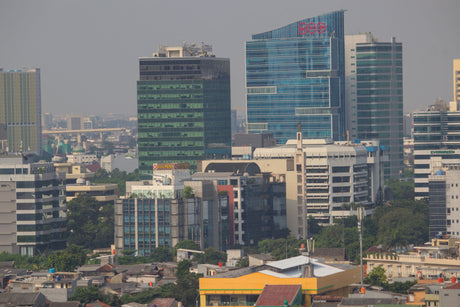 eSIM Indonesia: Complete Guide for Internet in Bali, Jakarta, Java & Lombok
 How Many GB Do I Need for Indonesia? A Guide by Traveler Profile

