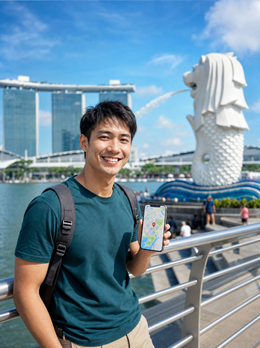
In short: an eSIM in Singapore gives you mobile data as soon as you land at Changi, with almost perfect 4G/5G coverage throughout the city, including the subway. Install it before you fly, it activates automatically upon arrival, and it avoids expensive roaming charges outside the EU. 1-5 GB covers anything from a layover to a full week.
Singapore is a hyper-connected city-state where arriving with data ready changes your first day. With a Singapore eSIM, you leave Changi Airport browsing, without looking for a SIM card shop or wrestling with vending machines. In this guide, we'll tell you about the actual coverage, local operators, how many GB you need for a layover or a few days, and how to get it ready in 1 minute before flying.
Why an eSIM in Singapore
An eSIM gives you internet as soon as you land in Singapore, without queues to buy a card or relying on hotel Wi-Fi. It's installed before you leave home, activates automatically upon arrival, and lets you use maps, Grab, translators, and messaging from the first minute in the city.
Singapore is small but intense: you'll move around a lot by subway, look for places to eat in every neighborhood, and want to show off photos of Marina Bay live. All of that requires reliable data. The eSIM prevents the classic first-day connection hiccup, when you don't have a local card yet and are lost between the airport and the hotel. Plus, you keep your home country number for bank SMS or calls, because the eSIM works as a separate data line. If this is your first trip using this system, it will help to understand the differences between a physical international chip and an eSIM before deciding.
If this is the first time you've heard of this: an eSIM is a digital SIM card integrated into the phone itself, with no plastic to insert or tray to open. It's installed via QR or directly from the operator, works in parallel with your physical SIM, and gives you mobile data for the country you're in, in this case, Singapore's networks. It doesn't replace your number: it just adds a data line. It's simply the easiest way to have internet in Singapore from minute zero, without relying on public Wi-Fi or a card shop at the airport.

Coverage and local operators
Coverage in Singapore is among the best in the world. As a dense and wealthy city-state, it has 4G and 5G practically everywhere, including the subway (MRT), underground shopping malls, and even tunnels. The eSIM connects to national operators without you having to configure anything.
The three major operators are Singtel, StarHub, and M1, and the eSIM relies on their networks to give you the best available signal at every point. Since the country is about 730 km², there are no significant dead zones: you'll browse just as well in Chinatown, Sentosa, Gardens by the Bay, or the airport. 5G speed in Singapore is among the highest in Asia, so uploading videos or making video calls is not a problem. Compared to other destinations in the region, here you won't have to worry about coverage drops outside the capital, because the city is the entire country.
Useful fact: Singapore's subway (MRT) has mobile coverage in almost all stations and routes, so you can follow your route on the map even underground, something that doesn't happen in many Asian cities.
Data from Changi Airport
Changi Airport is the gateway and one of the best-rated airports in the world. With the eSIM already installed, it activates as soon as you land and detects the network, so you can order a Grab or find out how to get to the city without connecting to the airport Wi-Fi or looking for a card shop.
This matters because, although Changi has excellent free Wi-Fi, the Wi-Fi doesn't follow you when you get into a taxi or the MRT towards the city center. With the eSIM, the transition from plane to city is seamless: you leave the terminal with Google Maps open and your route calculated. The MRT journey from Changi to the center takes about 40-50 minutes, and by Grab or taxi between 20 and 30 depending on traffic; in both cases, you'll want data to orient yourself or announce your arrival. Prepare the eSIM at home following our guide on how to install an eSIM and land already connected.

How many GB for a layover or a few days
For a long layover or a day in Singapore, 1-2 GB is more than enough if you only use maps and messaging. For 3-5 days of active tourism with photos, social media, and constant browsing, estimate between 3 and 5 GB. If you share your connection or watch videos, go for the higher end or get a top-up plan.
Consumption depends a lot on your habits. Many travelers pass through Singapore on a layover to Australia or Southeast Asia and only need a small plan for the airport and one night. Others stay for several days and use maps, translators, and social media non-stop. This table guides you based on the type of trip:
| Type of trip | Duration | Suggested Data | Typical Usage |
|---|---|---|---|
| Layover / Connection | 1 day | 1 GB | Maps, Grab, messaging |
| Weekend | 2-3 days | 3 GB | Sightseeing, photos, social media |
| Full stay | 4-6 days | 5 GB | Intensive daily use |
| Regional base | 7+ days | Top-up plan | Work + tourism |
If you're unsure about the exact number, check our tips for saving data with an eSIM on a trip: it's cheaper to start with a medium plan and top up than to run out during a stroll down Orchard Road.
Singapore as a base for Southeast Asia
Many use Singapore as a hub to jump to Malaysia, Thailand, or Indonesia. If your trip doesn't end here, you might consider a regional eSIM instead of just a Singapore one, so you don't have to buy a new plan in each Southeast Asian country.
Singapore is a stone's throw from Malaysia (with Kuala Lumpur just over an hour's flight away) and is a natural gateway to Bali, Bangkok, or Jakarta. If your itinerary includes Malaysia and Thailand in addition to the city-state, directly consider the combined eSIM for Singapore, Malaysia, and Thailand, which covers the entire route without buying a different plan at each border. If, on the other hand, you prefer to compare with your own operator's roaming first, check out our guide on eSIM vs. roaming. The Singapore-only eSIM—which you can buy on the Singapore product page—is perfect if your trip starts and ends in the city-state; for multi-country routes, the regional plan is usually more cost-effective.
Step-by-step installation and activation
Installing the eSIM is quick: you receive a QR by email, scan it from your phone's settings with Wi-Fi, and the plan is loaded. It activates automatically when you land at Changi and detect a network, without you having to do anything else.
The essential preliminary step is to check if your phone supports eSIM; almost all recent iPhones and many Androids have it, but if you have doubts about what it is exactly and how it works, review it in our guide on what a virtual eSIM is. Once confirmed, the flow is: scan the QR at home, label the eSIM as "Singapore," activate the data for that line upon arrival, and you're done. Keep your main SIM for calls to your number. The whole process, from scanning to having internet, takes no more than 1 minute, and Spanish support is available 24/7 in case any questions arise upon landing.
Myths and what almost no one tells you about eSIM in Singapore
Before you decide to stick only with free Wi-Fi or rely on your operator's roaming, it's worth clarifying some common misunderstandings among those traveling to Singapore for the first time.
"Since it's a small city, free Wi-Fi is enough for me"
Singapore has plenty of free Wi-Fi in shopping malls, the airport, and many cafes, yes. The problem is the public Wireless@SG network: in many places, to register, it asks for a code sent by SMS to a phone number, and with only your home country number, that step becomes complicated. In practice, public Wi-Fi covers the places where you stop well, but it doesn't accompany you on the journey between them, which is exactly when you most need an open map.
"Since roaming is free in Europe, it is in Singapore too"
No. The EU requires that your home country operator not charge you extra for using data within the Union, but Singapore is outside that zone. There, your operator applies international roaming rates, which usually skyrocket as soon as you open a few photos or a video. This is the main reason why it pays to carry a separate local data line instead of relying on your usual plan.
"I can install the eSIM already at Changi Airport"
Technically yes, because Changi has free Wi-Fi and you could download the profile there. But it's the worst option: you arrive tired from a long flight, eager to get out as soon as possible, and you have to wrestle with airport Wi-Fi registration first. Install it at home, calmly and with your own Wi-Fi, and in Singapore you just have to activate it.
"With the eSIM activated, I don't have to touch anything else"
Almost, but there's one detail many people forget: check that mobile data for your home country line (the physical one) has roaming disabled, or that the eSIM is set as the primary data line. If you don't, your phone may still try to use your home country SIM in the background for updates or notifications, and that will generate roaming charges even if you think you're only using the eSIM.
Frequently asked questions
What exactly is an eSIM?
It's a digital SIM card integrated into the phone itself: there's no plastic to insert or change. It's installed by scanning a QR code or with a direct installation from the operator, and it works as a data line independent of your physical SIM. In Singapore, it serves to give you local internet without affecting your home country number.
Does the Singapore eSIM also work for calls?
No, the data eSIM is designed for internet, not for calls or SMS. For that, continue using your home country SIM, which you can keep active on the phone's second line while the eSIM handles data in Singapore.
Does the eSIM work on Singapore's subway (MRT)?
Yes. Singapore's mobile network covers almost all of the MRT, including tunnels and underground stations. You'll be able to follow your route on the map, chat, or check schedules during your journeys, which is uncommon in the subways of other Asian cities.
Is the Singapore eSIM useful if I'm just on a layover?
Yes, and it's actually an ideal case. With a small 1 GB plan, you have data to order a Grab, orient yourself, and announce your arrival during a long layover, without relying on airport Wi-Fi or buying a physical card for just a few hours.
Can I use Grab and payment apps with the eSIM?
Yes. The eSIM provides normal data, so Grab, maps, payment apps, and messaging work just like with any connection. Remember that bank SMS verifications arrive at your home country number, which remains active on your main SIM.
Does the Singapore eSIM also cover Malaysia or Indonesia?
No. The Singapore eSIM covers only the city-state. If your trip includes Malaysia, Thailand, or Indonesia, you'll want a regional Southeast Asia eSIM that covers the entire route, so you don't have to buy a different plan in each country.
How much battery does the eSIM consume?
Practically the same as your normal SIM. An eSIM doesn't consume more battery just because it's digital; consumption depends on data usage and 5G. If you're looking to save battery on a long day in the city, lower the brightness and close background apps, not the eSIM.
Conclusion
Singapore is a destination where an eSIM shines: excellent coverage throughout the city, fast 5G even on the subway, and data from the moment you set foot in Changi. Choose your GB based on whether you're on a layover or staying for several days, and get it ready before you fly.
For your next trip to the city-state, land at Changi already connected and without queues with the Singapore eSIM and start exploring from the first minute.