
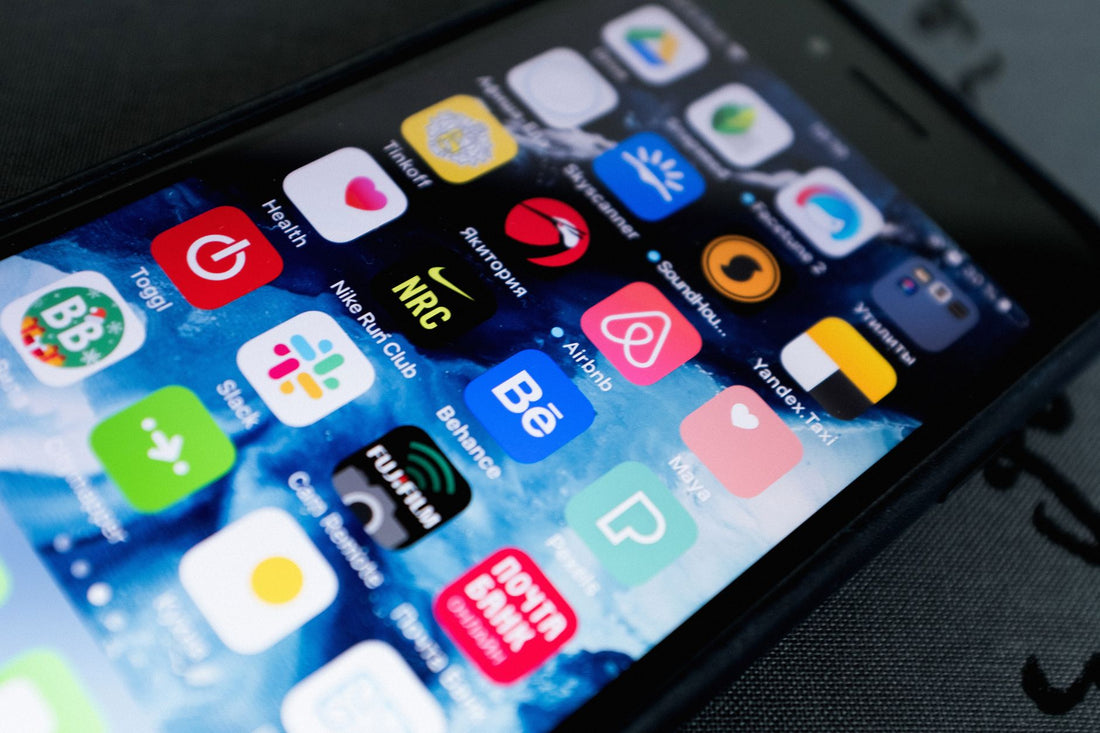
In short: WhatsApp and Google Maps use very little data (a few MBs a day), video calls are at a medium level, and Instagram, TikTok, or YouTube videos are what really spike consumption. Understanding this distribution, calculating your eSIM data consumption for your trip stops being a blind estimate and becomes a simple rule of three.
The question almost everyone asks before traveling is the same: how many GBs should I buy so I don't run out or pay too much? The answer isn't in the number of apps you use, but in which ones involve video. Let's go into detail, app by app, with real figures and no guessing.
Data consumption per app: the quick table
Here's the summary you need before reading anything else. Save this table or come back to it when you're calculating your plan:
| Usage | Approximate consumption |
|---|---|
| WhatsApp messages (text/photo) | 5-15 MB per day |
| WhatsApp live location | 1-2 MB per hour |
| WhatsApp video call | 150-350 MB per hour |
| WhatsApp voice-only call | 15-20 MB per hour |
| Google Maps navigation (online) | 5-10 MB per hour |
| Google Maps with offline map downloaded | virtually 0 MB |
| Instagram / TikTok (video scroll) | 300-800 MB per hour |
| YouTube in high quality | 1-1.5 GB per hour |
| Music streaming | 50-100 MB per hour |
The distribution is far from balanced: video accounts for the vast majority of consumption. If you only monitor that section, a few well-managed GBs will be enough for an entire trip, even if you're someone who can't put their phone down.
WhatsApp: messages, calls, and live location
WhatsApp is one of the lightest apps you'll use when you're away from home. Sending and receiving text, compressed photos, and short audio messages barely uses a few megabytes a day: you could spend the entire trip texting family without noticing the expense on your plan.
Things change with video calls. A video call consumes between 150 and 350 MB per hour depending on the connection quality, so if you make a long video call every night to show off your trip, add it to your calculation. Voice-only calls, on the other hand, consume much less: 15-20 MB per hour, a figure that goes almost unnoticed.
How much data does WhatsApp's live location use?
It's one of the most useful features when traveling in a group and one of the least understood. Sharing your live location on WhatsApp consumes very little, between 1 and 2 MB per hour: the app only sends your GPS position at intervals, not constant video or image. You can leave it active all day so your group knows where you are—on an excursion, in a city with complex streets, or simply to avoid getting lost at a fair—without it significantly affecting your GBs. What you should monitor, however, is the duration: if you leave it active for several days in a row with several people sharing at the same time, the consumption accumulates, although it's still negligible compared to any video.
If you also want to keep receiving messages on your usual number while using data from another country, you can find the step-by-step guide on how to install an eSIM, with the exact settings for WhatsApp to continue working without interruptions during activation.
Google Maps: the myth that needs to be debunked
There's a widespread and mistaken idea here: many people believe that Google Maps is one of the apps that consumes the most battery and data on a trip. This is not the case. Navigating with active GPS consumes between 5 and 10 MB per hour, because what's data-intensive is not calculating your position or route—that's text and coordinates, almost nothing—but downloading map tiles for an area you haven't loaded.
Real tip: Download the map of your destination in offline mode before leaving the hotel. Search for the city or region name in Google Maps, tap on your profile picture, and go to "Offline maps." This way, you navigate with hardly any data consumption and, more importantly, you still have directions even if you lose coverage.
This is not a minor detail if you are going to areas with irregular coverage: on a trek to Machu Picchu, for example, the signal disappears in several mountain sections and the offline map is the only thing that will clear up any doubts when your phone shows "no service". You can find all the data logistics for that route in the eSIM for Peru and Machu Picchu guide. The same applies on the road: if you are going to travel long distances through sparsely populated areas, it's better to download the map for the entire route before starting, not just the departure city.
Instagram, TikTok, and YouTube: the real data guzzlers
And here are the real culprits. Instagram and TikTok are based on videos with autoplay, so just scrolling will gobble up data at a good pace: between 300 and 800 MB per hour depending on the playback quality you have configured. Uploading video stories and Reels also adds up, and quite a bit. YouTube in high definition is even more ravenous, with 1 to 1.5 GB per hour.
- Scrolling through Reels or TikTok: the biggest data guzzler; on an active trip, it can account for more than half of your total consumption without you even realizing it.
- Uploading video stories: weighs much more than a photo; do it using the accommodation's Wi-Fi whenever possible.
- Streaming series or movies: reserve this for Wi-Fi. No travel eSIM is designed for streaming platform marathons.
The solution isn't to stop using these apps on your trip, but to lower the playback quality in each app's settings and save heavy video viewing for when you have Wi-Fi. With this small habit, you cut your data usage in half without giving up anything important. If you want more specific tips like these, they're all gathered in how to save data with your travel eSIM.
How to calculate your GBs according to your travel style
With the numbers above, you can now make the calculation without guessing. The formula is simple: estimate your daily consumption based on how you use your phone and multiply it by the number of travel days, leaving a small margin for unforeseen events.
| Traveler profile | Daily consumption | For 10 days |
|---|---|---|
| Basic (messages + maps) | 0.3-0.5 GB | 3-5 GB |
| Medium (social media in moderation, Wi-Fi at accommodation) | 1-1.5 GB | 10-15 GB |
| Intensive (daily video and stories) | 2-3 GB | 20-30 GB or unlimited |
Most travelers fall into the medium profile. If you know you'll have decent Wi-Fi at your hotel or Airbnb, you can opt for a lower plan without fear: save heavy video use for those times. And if you're traveling between several countries on the same trip, it's good to first understand exactly what you're avoiding by not relying on roaming; we explain it in detail in what is data roaming.
What almost no one tells you: myths and common mistakes
There are several ideas circulating about data consumption while traveling that don't hold up when you actually measure them. These are the ones that cause the most confusion:
- "Google Maps eats up battery and data." It's the other way around: GPS itself barely consumes data; what drains the battery is the screen being on constantly with the map open. If you're going to navigate a lot, lower the brightness and use offline mode.
- "With Wi-Fi at the hotel, I don't need mobile data anymore." The Wi-Fi at many accommodations, especially in rural areas or small establishments, is slow and unstable. It's not uncommon for a video call to cut out precisely because of this. Mobile data is your safety net, not an extra.
- "If I leave my phone in the background, it doesn't consume anything." False: many messaging apps, maps, and social networks update content in the background even if you're not looking at them. Check your phone settings to see which apps have permission to "update in the background" and disable it for those you don't need instantly.
- "All GBs are consumed at the same rate." No: the same GB can last you a full day if you use it for messages and maps, or two hours if you use it to watch HD video. The problem is almost never "too few GBs," but not knowing what they're being used for.
- "Live location uses a lot of data because it's always active." As we've seen, it barely uses 1-2 MB per hour. It's one of the most underrated features: use it freely when traveling in groups in large cities or historic centers with confusing streets, where it's easy to get lost in alleyways and lose sight of the rest of the group.
Specific tips to spend less data abroad
With a few quick adjustments, any data plan can last much longer. These aren't sacrifices or renunciations; they're habits you won't even notice once you've set them up before leaving home.
- Download maps, music, and TV show episodes on Wi-Fi before leaving your accommodation each day.
- Lower the default video quality in Instagram, TikTok, and YouTube from the app settings.
- Disable autoplay videos and background app refresh.
- Save heavy photo and video uploads for hotel Wi-Fi; don't send them using mobile data.
- If traveling with a partner or group, consider sharing the connection from a single eSIM with more GBs instead of buying separate small plans.
With these tips, even a modest plan will last your entire trip. The idea isn't to deprive yourself of anything, but to spend wisely where it truly matters. And if you're also concerned about what your carrier or public airport Wi-Fi networks see about your traffic, check out eSIM, VPN, and travel privacy.
When NOT to buy more data
And here's something few eSIM stores will tell you: you don't always need to buy a large plan. If your trip is a short weekend to a European city and your Spanish plan already includes roaming in the EU at no extra cost, you don't need anything additional for those two or three days; European roaming within your own plan usually covers that occasional use perfectly. Where an eSIM does make sense is on longer trips, outside the EU, or when you want to separate your data consumption from your usual carrier's roaming to avoid bill surprises upon your return. If you have doubts about when each option is best, the comparison of international chip vs. eSIM helps you decide without getting bogged down in theory.
You also don't need to buy the biggest plan "just in case." As you've seen in the profile table, most people fall into the average consumption category, and an eSIM can be topped up in a couple of minutes from your phone if you run out mid-trip. It's better to start with a modest plan and upgrade if necessary than to overpay for GBs you'll never use.
Frequently asked questions
How much data does a WhatsApp video call use?
Between 150 and 350 MB per hour depending on the connection quality. Voice-only calls use much less, about 15-20 MB per hour, so for talking without video, you'll barely notice the consumption on your plan.
How much data does WhatsApp's live location use?
Very little: between 1 and 2 MB per hour, because the app only sends your GPS position at intervals, not image or video. You can leave it active for a whole day's excursion without it significantly impacting your eSIM.
Does Google Maps consume a lot of data when I navigate?
Much less than commonly thought: between 5 and 10 MB per hour when navigating online. If you download the map in offline mode before you leave, consumption drops to virtually zero, and you still have directions even if you lose coverage.
Which app uses the most data when I travel?
Video, without a doubt. Instagram and TikTok can use between 300 and 800 MB per hour of scrolling, and YouTube in high quality exceeds 1 GB per hour. Lowering the playback quality in the settings is the biggest saving you can make without stopping using the apps.
How many GB do I need for a 10-day trip?
An average traveler (moderate social media use and Wi-Fi at accommodation) usually has plenty with 10-15 GB. If you only use messages and maps, 3-5 GB is enough; if you rely on daily video and stories, it's better to go up to 20-30 GB or consider an unlimited data plan.
Do I need to buy data if my plan already includes roaming in Europe?
If you're traveling within the European Union and your Spanish plan includes roaming, for a short getaway, you probably don't need anything extra. An eSIM makes more sense for longer trips, outside the EU, or when you prefer not to use your regular plan's roaming.
Can I extend my data plan if I run out halfway through the trip?
Yes, an eSIM can be topped up directly from your phone in a couple of minutes, without needing to find a store or change physical cards. That's why there's no need to buy too much "just in case": start with a smaller plan and only extend if you need to.
Conclusion
Now you know the real breakdown: messages and maps barely count, video calls are at a medium level, and video takes the lion's share. With that clear, choosing the exact GBs for your next trip stops being a blind estimate. Calculate your consumption with the profile table and choose your eSIM from eSIM for Europe or eSIM for the United States according to your destination, and forget about running out of data halfway through your journey.






