
Ireland is one of those destinations that you fall in love with from the first moment: cobblestone streets in Dublin, dramatic cliffs over the Atlantic, colorful villages on the Dingle Peninsula, and hospitality that makes you feel at home. But to enjoy all of this to the fullest—finding that hidden pub you were recommended, navigating rural roads without clear signage, or sharing the sunset at the Cliffs of Moher in real time—you need to be connected.
The problem is that international roaming can be very expensive, especially if you're traveling from Latin America. And buying a physical SIM at Dublin airport means queuing, presenting documents, and dealing with plans that are often not optimized for tourists. That's where eSIM comes in: a digital solution that you install in minutes from your phone, without changing chips or losing your WhatsApp number.
In this guide, I'll tell you everything you need to know to choose your eSIM for Ireland: how much data you really need, what the coverage is like in Dublin and along the Wild Atlantic Way, which operators work best, and some local tips I learned while exploring the island. Let's get to it.

Why use eSIM in Ireland
Ireland may be a small country in terms of area, but its winding roads and rugged geography make connectivity essential. Google Maps is not optional when driving the Ring of Kerry or looking for that ruined castle you saw on Instagram. And although many accommodations and cafes offer WiFi, relying exclusively on public networks severely limits your travel experience.
eSIM elegantly solves this. Instead of looking for a Vodafone or Three store in Dublin (which will probably be closed when your night flight arrives), you simply scan a QR code from your hotel or even before leaving home. The profile installs on your phone in less than two minutes, and when you land in Ireland, your connection activates automatically. No adapters, no losing your physical SIM at the bottom of your backpack.
Another key point: you keep your main number active. This means you continue to receive WhatsApp messages, two-factor authentication from your bank, and important calls, while using the eSIM data to browse, search for restaurants, or update your social media. It's like having two lines on one phone, without technical complications.
Furthermore, the flexibility is incomparable. Did your 7-day plan extend to 10? You top up data in seconds from the app. Did you run out of gigabytes in the middle of Connemara? You add more without leaving your car. And if your trip includes other European countries—say you cross into Northern Ireland or fly to Scotland—many eSIM plans cover multiple destinations at no extra cost, something impossible with traditional local SIMs.
Coverage and operators in Ireland
Ireland has three main operators: Three, Vodafone, and Eir (formerly Meteor). The good news is that 4G coverage in major cities and towns is excellent. In Dublin, Cork, Galway, and Limerick, you'll have consistent signal practically everywhere, from Temple Bar to the furthest parks. Average speeds are around 30-50 Mbps, more than enough for video calls, streaming, and smooth browsing.
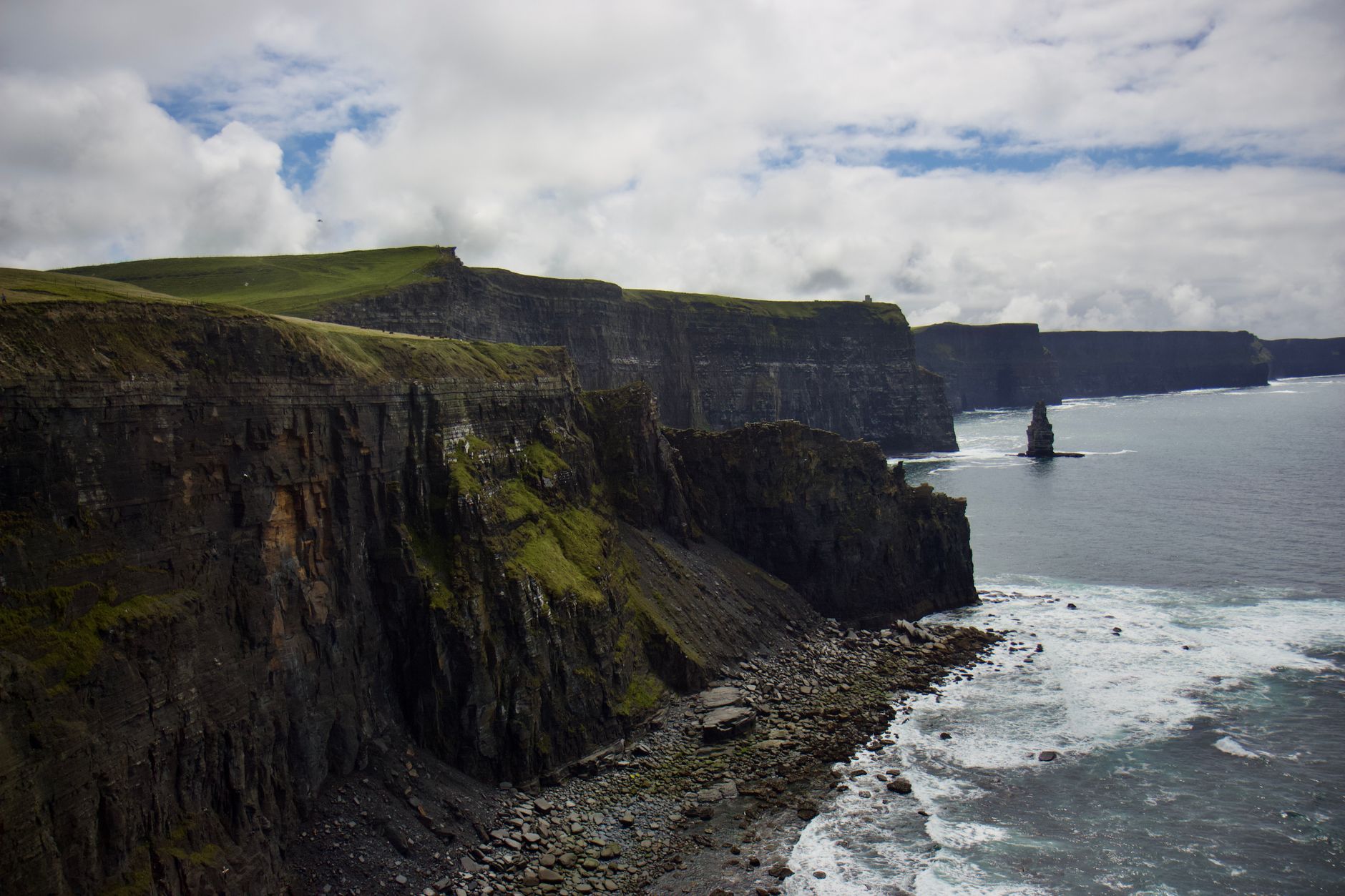
The challenge comes when you venture into rural areas, especially in the west. The Wild Atlantic Way—that 2,500 km coastal route stretching from Cork to Donegal—passes through areas where the population is sparse and cliffs are the main feature. In places like the Cliffs of Moher, the signal is patchy: the visitor center has acceptable coverage, but if you walk along the paths to the north or south, be prepared for intermittent connection loss.
The same applies to Connemara, that mountainous region of lunar landscapes west of Galway. Small towns like Clifden or Leenane have coverage, but between them, there are stretches where the signal disappears completely. This isn't a problem if you've downloaded your offline maps beforehand (Google Maps and Maps.me allow you to do so), but it can be frustrating if you rely on real-time navigation.
eSIMs for Ireland generally connect automatically to the operator with the best signal in each area. In my experience, Three usually has better penetration in rural areas of the west, while Vodafone dominates in the east and south. Eir is more irregular. The advantage of eSIM is that this selection is automatic: your phone switches networks without you having to do anything, maximizing your connectivity at all times.
An important note: Northern Ireland (Belfast, Giant's Causeway, Derry) is part of the United Kingdom, not the Republic of Ireland. If your route includes crossing the border, make sure your eSIM plan covers the UK. Many European plans include both, but some only cover EU countries, and although there are no physical border controls, your phone will detect the network change and could start charging roaming fees if you're not covered.

How much data you need for your trip
The million-dollar question: how many GB should you get? The answer depends on your travel style, but for a typical 10-day itinerary in Ireland, between 6 and 8 GB is the sweet spot. Let me break it down with concrete examples so you can calculate your usage.
Google Maps with active navigation consumes approximately 5-10 MB per hour. If you drive 3-4 hours daily (very common on the Wild Atlantic Way), that's about 20-40 MB per day, or 200-400 MB over 10 days. Add in searches for restaurants, attractions, and hotels, and you easily reach 500-600 MB just for navigation and maps. WhatsApp with moderate use (messages, audios, some photos) consumes about 10-15 MB daily, totaling 100-150 MB for the trip.
Social media is the real data hog. Instagram can devour 100-150 MB per hour if you scroll actively, watch stories, and upload content. If you spend an hour a day on it, that's 1-1.5 GB in 10 days. Facebook and TikTok have similar consumption. Video calls via WhatsApp or FaceTime are around 300-500 MB per hour; a daily 15-minute call adds another 1-1.5 GB to the total.
Adding all this up: navigation (600 MB) + messaging (150 MB) + moderate social media (1.5 GB) + occasional video calls (1 GB) + web browsing and searches (1 GB) + safety margin (1.5 GB) = approximately 6 GB. If you're more active on social media, upload videos, or make a lot of video calls, go for 8-10 GB. If you travel light digitally and primarily use maps and messaging, 4-5 GB might suffice.
A tip that saves a lot of data: download content before leaving the hotel. Netflix, Spotify, and YouTube allow you to download episodes and music for offline consumption. Google Maps can also download entire regions. This is especially useful for those rural stretches where the signal is weak or nonexistent. And if you visit museums or castles, many offer free WiFi where you can take advantage to upload photos or back up to the cloud.
Comparison: roaming vs eSIM
Let's talk real numbers, because this is where eSIM truly shines. If you're traveling from Spain, roaming in Ireland is included in your rate thanks to European "roam like at home" regulations. Sounds perfect, right? The problem is that many low-cost rates have roaming data limits (typically 5-10 GB even if your national plan is "unlimited"), and if you exceed them, they start charging you between 3-6 euros per additional GB.
From Latin America, the story is completely different. Mexican operators like Telcel or Movistar charge between 10-15 USD per day for roaming in Ireland, with limits of 100-200 MB daily. For 10 days, we're talking about 100-150 USD, and if you exceed the daily limit, additional charges can be brutal: up to 20 USD per extra GB. Of course, AT&T Mexico offers 1 GB packages for 200 pesos (about 10 USD), but it's still 100 USD to cover a 10-day trip with limited data.
In Argentina, operators like Personal and Movistar charge around 1,000-1,500 Argentine pesos per day for roaming (approximately 5-7 USD at the exchange rate), again with restrictive limits. In Chile, Entel and Movistar are around 6-8 USD daily. Colombia, Peru, and other countries have similar structures: between 5-10 USD per day with data caps that fall short for real use.
Now let's compare with an eSIM: an 8 GB plan for 10 days in Ireland typically costs between 25-35 USD. Do the math: 35 USD vs 100-150 USD for roaming from Latin America. The savings are 65-115 USD, almost the cost of an extra night's accommodation or several pints of Guinness in Dublin. Even from Spain, where roaming is "free," an eSIM gives you peace of mind if your rate has limits or if you want to keep your national data intact for when you return.
Furthermore, eSIM eliminates billing surprises. You pay upfront, you know exactly how much you spent, and there are no hidden charges or unexpected consumption. With roaming, many travelers return home with bills of 200-300 USD because an app updated in the background or because Google Photos synchronized the entire gallery without WiFi. With eSIM, when the data runs out, it simply runs out; you top up if you need more, but there are never any unpleasant surprises.
How to activate your eSIM and practical tips
Activating an eSIM is surprisingly simple, but there are a few details worth knowing to avoid headaches. First, verify that your phone is compatible. Most iPhones from XS onwards (2018+) have eSIM, as do Google Pixel 3 and later, Samsung Galaxy S20 onwards, and many recent Huawei, Oppo, and Xiaomi models. If you're not sure, look in your phone's settings for "Add cellular plan" or "eSIM"; if it appears, you're good to go.
Once you purchase your plan, you'll receive a QR code by email, usually within minutes. Here's the first important tip: install the eSIM profile before traveling, connected to your home WiFi. Go to Settings > Cellular Data > Add Cellular Plan (on iPhone) or Settings > Connections > SIM Card Manager > Add eSIM Card (on Android). Scan the QR code, assign it a name like "Ireland" to easily identify it, and you're done. The profile is installed but inactive; it doesn't consume data or activate until you decide.
When you arrive in Ireland and turn on your phone after the flight, go to settings and activate data roaming on your eSIM line. Deactivate roaming on your main line to avoid accidental charges. On iPhone, you can configure which line you use for cellular data, calls, and messages independently; I recommend leaving the main line for calls/SMS (in case you need to receive verification codes) and the eSIM exclusively for data.
The connection usually establishes in 30-60 seconds. If it doesn't connect immediately, try these steps: restart your phone, toggle airplane mode on and off, or manually select the network (look for Three, Vodafone, or Eir in the list of operators). In 95% of cases, the connection is automatic and instant, but it's good to know these tricks just in case.
Now, the practical tips I learned while exploring Ireland. First: download offline Google Maps maps before leaving Dublin. Cover the entire Wild Atlantic Way, Connemara, and any rural area you plan to visit. This will save you in those stretches with no coverage and significantly reduce your data consumption. Second: at the Cliffs of Moher, the signal is patchy but exists near the visitor center; if you need to make a video call or upload photos, do it there before venturing onto the trails.
Third: many castles and tourist attractions have free but slow WiFi. Take advantage of it for non-urgent tasks, like backing up photos to the cloud, but don't rely on it for navigation or real-time searches. Fourth: if you rent a car (highly recommended for the Wild Atlantic Way), set Google Maps to download complete routes before you leave each morning. This allows it to work offline if you lose signal, and only consumes data when recalculating if you deviate.
Finally, monitor your consumption from your phone settings. Both iPhone and Android show how much data each app has consumed. If you notice an app is consuming too much, restrict its background usage. Facebook and Instagram are the usual culprits; you can configure them to only load high-quality content when you're on WiFi, easily saving 1-2 GB during your trip.
Frequently asked questions
How many GB do I need for 10 days in Ireland?
For a 10-day trip to Ireland, we recommend between 6 and 8 GB. This covers real-time map usage along the Wild Atlantic Way, searches, social media, and occasional video calls. If you plan to upload many videos or stream, consider 10-12 GB. If you travel light digitally and primarily use maps and messaging, 4-5 GB may be sufficient.
Does eSIM work at the Cliffs of Moher?
Coverage at the Cliffs of Moher is patchy. There is acceptable signal at the visitor center, but at some points along the trail, the connection may be intermittent or nonexistent. Download offline maps before visiting and take advantage of uploading photos or making video calls when you are near the visitor center, where the signal is more stable.
When should I activate my eSIM for Ireland?
You can install the eSIM profile before traveling (with WiFi), but activation and data consumption begin when you activate data roaming in Ireland. We recommend installing it 1-2 days before your trip to avoid last-minute problems at the airport. Once in Ireland, simply activate data roaming on your eSIM line and the connection will be established automatically.
Can I use my eSIM throughout Northern Ireland?
Northern Ireland is part of the United Kingdom, not the Republic of Ireland. Verify that your eSIM plan includes coverage in the UK if you plan to visit Belfast or the Giant's Causeway. Some European plans cover both territories, others require a separate plan. Although there are no physical border controls between the two Irelands, your phone will automatically detect the network change.
Which operator does the eSIM use in Ireland?
eSIMs for Ireland generally connect to the networks of Three, Vodafone, or Eir, the main operators in the country. The connection is automatic to the operator with the best available signal in each area, without the need for manual configuration. In urban areas like Dublin, coverage is excellent with any of them; in rural areas, Three usually has better penetration in the west.
Activate your eSIM before you leave and arrive connected from the very first moment.
View eSIM plans →