

In short: an eSIM for online gaming while traveling works well because it uses the same local mobile network as a physical SIM from the country: with 5G and good coverage, ping is around 30-80 ms, more than enough for most games. What spikes latency is not the eSIM, but the distance to the game server and a weak signal.
Playing a match of your favorite shooter or joining a ranked game from a hotel abroad is possible, but ping is key. A mobile data eSIM can give you perfectly playable latency if you choose the local operator well and understand what to expect from a mobile network compared to your home fiber. In this guide, we'll give you real latency figures, how to measure it, and the tricks that truly lower ping when gaming on the go.
Is an eSIM suitable for online gaming?
Yes. A travel eSIM connects to the 4G or 5G network of the country you're visiting, and those networks are perfectly valid for online gaming. With good coverage, you'll see pings between 30 and 80 ms to nearby servers, enough for most matches. The decisive factor is not the eSIM itself, but the distance to the game server and antenna saturation.
The common misconception is thinking that gaming over mobile data will be slow. This isn't the case: modern 5G has very low base latency, often below 20 ms within the network itself. What increases the number is the journey to the datacenter where your game resides. If you're in Tokyo playing on a European server, ping will skyrocket even if your local connection is impeccable. That's why, when traveling, it's advisable to select the closest regional server within the game.
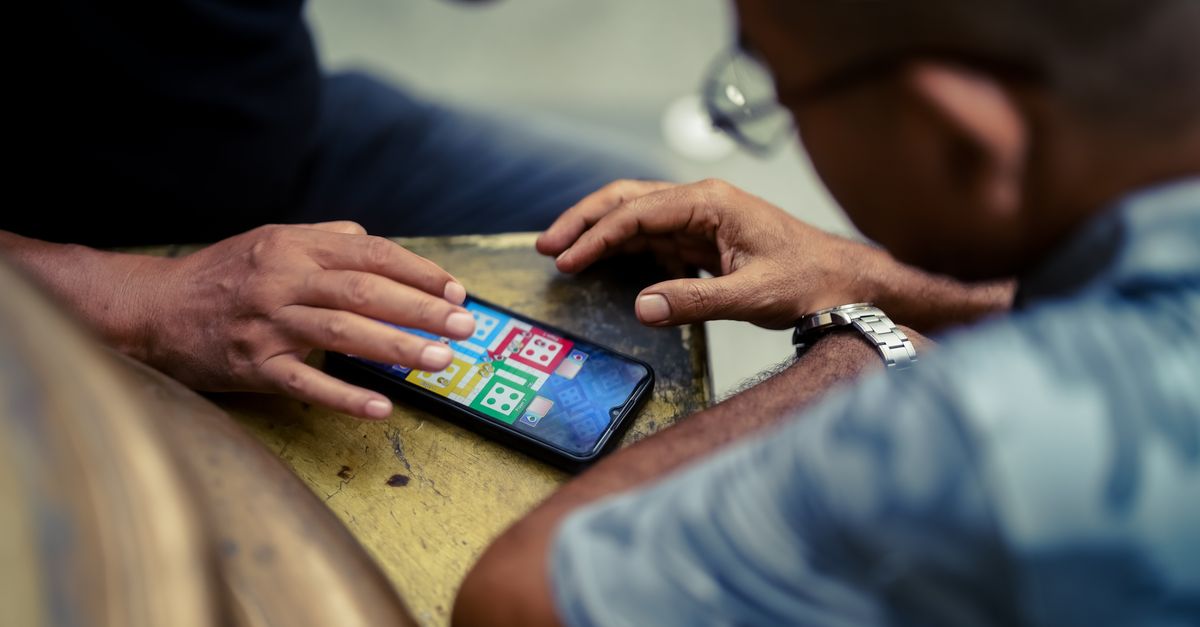
Ping and latency: what it is and how much you need
Ping is the time, in milliseconds, it takes for a data packet to travel from your mobile to the server and back. Less than 60 ms is excellent, up to 100 ms is playable in almost everything, and above 150 ms you'll notice lag in fast-paced games. For turn-based games or strategy games, even 200 ms goes unnoticed.
It's important not to confuse ping with download speed. You can have 300 Mbps download and still terrible ping if the route to the server is long or the network is saturated. For gaming, what matters is low and stable latency, not raw megabytes. In fact, most competitive games consume very little data: an online shooter uses barely 40-80 MB per hour, so you don't even need a huge plan.
Another key concept is jitter: the variation in ping between packets. A stable 50 ms ping plays great; one that jumps between 40 and 200 ms will throw you out of the game in fits. Mobile networks have slightly more jitter than fiber, but with a good signal, it's manageable.
| Latency (ping) | Experience | Game Type |
|---|---|---|
| <40 ms | Excellent, competitive | Shooters, MOBA, fighting games |
| 40-80 ms | Very good, fluid | Battle royale, sports |
| 80-150 ms | Playable with slight delay | MMO, open world |
| >150 ms | Noticeable, better for turn-based | Strategy, card games |
What latency to expect by network type
Network technology sets the floor for your ping. With 5G in a large city, you can get close to 20-30 ms to national servers; with well-covered 4G, 40-60 ms; and with 3G or a weak signal, you'll easily go above 120 ms. That's why when traveling, it's worth positioning yourself where there's a good signal before joining an important match.
A travel eSIM relies on the local operators' networks at your destination, so its performance is the same as what a tourist would get with a SIM from that country. If you travel to Korea, Japan, or the Emirates, you'll have some of the best networks in the world for gaming. In rural areas or countries with less developed infrastructure, expect higher ping and more jitter. The difference between 4G and 5G is mostly noticeable in jitter, not so much in average ping, so don't dismiss a solid 4G network just because it's not 5G.
Gamer traveler tip: reserve competitive matches for when you have 5G and a full battery. For casual 4G games, lower the graphics and disable background downloads.

How to measure your ping before a match
Before jumping into a ranked game, take a minute to check your connection. Any mobile speed test will give you ping and jitter to a nearby server; many games also show latency on screen or in the server selector. If you see a stable ping below 80 ms, go ahead.
Here are the quick steps to measure and choose wisely:
- Open a speed test and note ping and jitter (not just megabytes).
- Within the game, go to the server menu and choose the geographically closest one.
- Play a test or practice match to feel the actual delay.
- If ping fluctuates a lot, change your location (next to a window, on another floor) looking for a better signal.
If you suspect your problem isn't ping but running out of data, apply these tricks to save data with your travel eSIM and avoid being stranded mid-session. And if you're still weighing between a physical prepaid chip or an eSIM for data ready as soon as you land, we compare the two options in international chip vs. eSIM.
Tricks to lower latency with an eSIM
Travel latency can be significantly reduced with simple habits. First, force 5G when available and avoid 3G. Second, close apps that consume network in the background (cloud, updates, streaming) because they compete for bandwidth and increase jitter.
Other measures that really work:
- Regional server: always play on the datacenter closest to your actual location, not your home country.
- No VPN unless necessary: a VPN adds hops and increases ping; only use it if the game requires it by region. If your concern is privacy and not a regional restriction, there are ways to protect yourself without penalizing latency — we explain it in VPN and travel privacy with eSIM.
- Low power mode off: battery saving sometimes limits CPU and radio, penalizing the connection.
- Restricted background data: leave only the game with full network access during the session.
And something obvious but key: don't play while sharing the connection with someone streaming or downloading on the same hotspot; each device adds packet queue and increases jitter. If you're going to play for several days in a row, start your trip with a generous data plan — our eSIM for Europe is designed for long stays without running out mid-game.
Games that handle mobile better
Not all genres suffer mobile latency equally. Turn-based games, card games, strategy games, and many online RPGs perfectly tolerate 100-150 ms because they don't rely on millisecond reflexes. There, a travel eSIM gives you an experience almost identical to being at home.
The games that notice ping the most are competitive shooters, fighting games, and some MOBAs, where an extra 20 ms translates into deaths. For these, prioritize playing with 5G, a nearby server, and a good signal. Battle royale and sports fall somewhere in the middle: they work well with 40-80 ms. An eSIM with sufficient data and solid coverage covers all these scenarios; the important thing is to manage the connection, not accumulate gigabytes you won't spend playing.
What almost no one tells you about ping and eSIMs
There are a handful of technical details that no one explains when you decide to game while traveling, and they make more difference than choosing between 4G or 5G.
Myth: your Spanish operator's roaming is as fast as a local eSIM
This is usually not the case, even if you have "roaming like at home" included in your plan. When you use your Spanish company's roaming in, for example, Italy, a large part of the traffic is first routed to the domestic network in Spain before going out to the internet — this is what the industry calls tromboning. That detour adds tens of milliseconds that have nothing to do with the quality of the Italian antenna. A local eSIM, on the other hand, goes directly to the internet from the country you are in, without that detour. If you want to understand the difference well, we explain it in eSIM vs. roaming.
Myth: if your local 5G works perfectly, ping will always be low
False if the game server is far away. In Australia or New Zealand, you can have an impeccable 5G signal and still see 180-250 ms in a competitive shooter, because the nearest datacenter is thousands of kilometers across the sea, in Singapore or on the west coast of the United States. There, no eSIM or operator can fix the geography: you have to choose games that tolerate more ping or resign yourself to turn-based matches for that part of the trip. You have more context on coverage by area in our guide to eSIM for Australia and New Zealand.
When you do NOT need to buy an eSIM for gaming
If you travel within the European Union with a Spanish plan that includes EU roaming at no extra cost, don't buy anything: your own operator already gives you the same network you would use at home, without changes or configuration. Saving the eSIM for destinations outside the EU, where your operator's roaming price skyrockets or simply stops working, is where it truly pays off.
The detail almost no one checks: local peak hours
Jitter is not constant throughout the day. During peak demand hours—late evening local time, when half the hotel is on Netflix or video calls—the network becomes saturated and ping increases even if you have excellent coverage on paper. If you have an important match, try it first thing in the morning or in the mid-afternoon: the difference is more noticeable than it seems.
Frequently Asked Questions
Can I play online with a travel eSIM without problems?
Yes. An eSIM connects you to the local 4G/5G network of the country, which is perfectly suitable for gaming. With good coverage, you'll have pings from 30 to 80 ms, more than enough for most games. The limit is set by the distance to the server and the signal, not the eSIM.
How much data does online mobile gaming consume?
Less than you think. A competitive shooter uses about 40-80 MB per hour, and turn-based games even less. What devours data are game downloads and updates, not actual gameplay. A moderate data plan gives you many hours of gaming.
How do I lower ping when gaming while traveling?
Force 5G when you can, choose the closest regional server, close background apps, and avoid using a VPN unless absolutely essential. Position yourself where there's a good signal and disable battery saving mode during the game.
Does an eSIM give more ping than a physical SIM?
No. An eSIM uses exactly the same antennas and networks as a physical SIM; in terms of latency, they are identical. What changes ping is the operator, network technology, and the game server's location, not the card format.
Does 4G work or do I need 5G for gaming?
Well-covered 4G is perfectly playable, with typical pings of 40-60 ms. 5G further reduces latency and jitter, ideal for competitive gaming. If you only have 3G or a very weak signal, you'll notice lag and should look for better coverage.
Will my Spanish operator's roaming give less ping than a local eSIM?
Normally not. Traditional roaming usually routes traffic first to your operator's network in Spain before going to the internet, which adds extra latency. A local eSIM connects directly to the internet from the country you are in, so it generally gives you lower and more stable ping.
Which eSIM is best for gaming for several consecutive days while traveling?
For long stays, a plan with plenty of data is better than trying to conserve gigabytes: this way you avoid running out mid-session. And set up the installation before leaving home, so you arrive with everything ready and don't waste gaming time setting up your phone as soon as you land.
Conclusion
Gaming online while traveling with an eSIM is totally feasible: ping depends on the local network and the game server, not your card format. With 5G, a nearby server, and good habits, you'll have fluid games almost like at home. To avoid losing connection in the middle of a ranked game, travel with a reliable data eSIM and activate it in 1 minute before landing, and don't worry about the signal.






