
In short: To receive SMS with an eSIM abroad, you need to keep your Spanish line active with voice and SMS roaming enabled: this is where bank and 2FA codes arrive. A travel data eSIM only provides internet and does not have a number. Use both simultaneously with Dual SIM.
You're at the hotel reception, or about to confirm a payment from your bank's app during your trip, and the usual screen appears: "we've sent you a code via SMS." And then comes the doubt that spoils your evening: will I receive that message while outside of Spain? The short answer is yes, but with a nuance that almost no one explains properly. Here's how we break it down: no ridiculously expensive roaming and no getting stuck at the worst possible moment.
Receiving SMS with an eSIM: What really matters to understand
The fundamental mistake is thinking that "receiving SMS" and "having a data eSIM" are the same thing. They are not. Your Spanish number (from your usual SIM or eSIM) is what receives bank codes, WhatsApp SMS, or any verification. A travel data eSIM is something else: it gives you internet at your destination, period. Most do not have an associated number for receiving messages, so they won't receive your codes no matter how much you have them installed.
In other words: for cheap browsing, you use the data eSIM, but for verification SMS, you still depend on your lifelong number. The savvy traveler's trick isn't to "switch to eSIM," but to have both lines coexisting on your phone. If you're still unsure about what exactly this virtual card is, we explain it without jargon in what is an eSIM and in what is a virtual eSIM.
When you land, your phone connects to a local network (Orange in France, TIM in Italy, whichever is available) and that network forwards any incoming SMS to your Spanish number. This forwarding is seamless: the message comes in just like at home, sometimes with a few seconds' delay, as long as your line is active and roaming is enabled.
Can I receive SMS abroad? Yes, and it's free
Let's get straight to one of the most searched questions: receiving an SMS abroad costs no money. Your Spanish operator does not charge you for incoming messages, no matter where you are, as long as your phone has coverage and your line is active with voice and SMS roaming enabled. What might cost money is sending SMS outside the European Union, or browsing with data roaming. But the code your bank sends you, that comes in free.
Here's the key that almost no one clearly distinguishes: there are two different types of roaming. Voice/SMS roaming (for calls and messages) and data roaming (for internet). You can have data roaming turned off to avoid spending a single cent on browsing, and at the same time have voice/SMS roaming turned on to receive all codes. They are independent switches on your phone. If you want to fully understand the underlying concept, we explain it in what is data roaming.
This distinction is what separates the traveler who pays worry-free from the one who stares at their phone wondering why the code isn't arriving. It's not magic: it's configuration.
Why your data eSIM won't receive your verification SMS
This is where many people get a fright. They buy a cheap travel eSIM, set it as their primary line, deactivate their Spanish SIM "to avoid roaming charges"... and suddenly the bank code doesn't arrive, WhatsApp asks to verify the number, and there's no way around it. The reason? The vast majority of travel data eSIMs are data-only: they give you internet but have no number for incoming SMS. It's not a defect; it's their design. They are intended for browsing, not to be your phone number.
The correct solution is to use both lines simultaneously with the Dual SIM feature found in almost all modern mobile phones. You keep your Spanish number active (to receive SMS and codes) and add the travel eSIM only for data. This way, you browse cheaply without losing your verifications. Before buying any eSIM, it's a good idea to check if your phone supports it: you can verify this in a minute with eSIM compatible phones.
Golden rule for travelers: keep your Spanish SIM/eSIM on for calls and SMS, but with data roaming off on that line. Use the travel eSIM for data. This way you receive all codes and avoid data roaming charges.
Once you're clear on the data eSIM, installing it is quick and can be done from home before you leave. We guide you step-by-step on how to install an eSIM, and if you're unsure about when to activate it, we resolve it in activating the eSIM before or after traveling.
Bank SMS and 2FA codes outside Spain
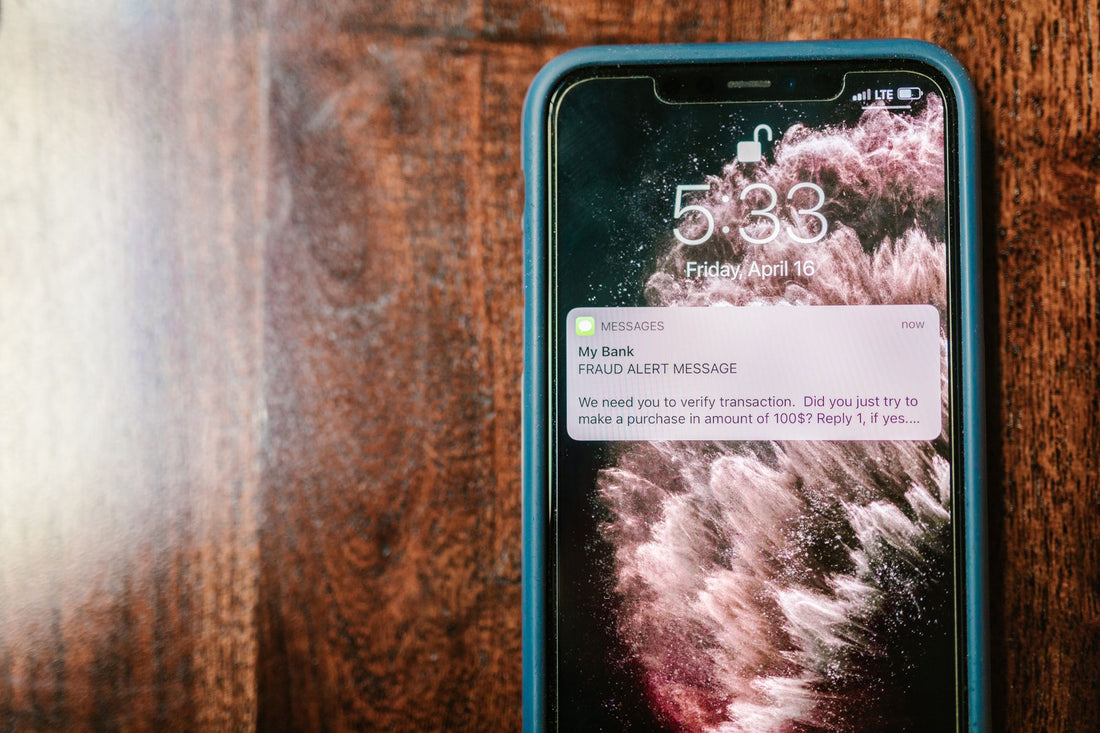
By far, the most sensitive case is the bank. Every time you shop online, log into the app, or make a Bizum, your bank sends you an SMS with a code: this is two-step verification, also known as 2FA. If you're traveling and that SMS doesn't arrive, you're blocked just when you need it most: paying for a car rental, booking an excursion, or trying to withdraw money.
For the bank SMS to arrive abroad, three things are needed, and only three:
- Your Spanish line must be active (do not deactivate it when inserting the travel eSIM).
- You must have voice/SMS roaming enabled on that line, which is not the same as data roaming.
- There must be network coverage at your destination, which is common in tourist areas and cities.
With these three points, the code comes in just like at home. And there are some prior steps you can take to avoid problems:
- Notify your bank of your travel dates if their app allows it, so they don't block transactions due to "suspicious activity" from another country.
- Check the associated number with your bank and key apps: it must be your current Spanish number, not an old one you no longer use.
- Do not deactivate your Spanish SIM/eSIM thinking you're saving money. You would lose all codes, and the savings would be false.
A tip that saves a lot of trouble: more and more banks allow you to confirm the operation with a push notification within their own app, instead of via SMS. If yours offers this, activate it before traveling. It works with data, so it's perfectly valid with your travel eSIM even if your number had a bad coverage day.
How much does it cost to receive an SMS abroad?
We've already mentioned it, but it's worth seeing in a table because this is where people get confused. Receiving costs zero; the expense appears when sending messages outside the EU or browsing with data. This is the indicative reference for Spanish travelers, and as always, we recommend confirming the current price with your operator, because every plan is different:
| Action with your Spanish number | Within the EU | Outside the EU |
|---|---|---|
| Receive SMS (code, bank, 2FA) | Free | Free |
| Send SMS | Same as in Spain | May incur a cost per message (check your plan) |
| Receive call | Free | May incur a cost |
| Mobile data roaming | Included (within your plan's limit) | May exceed several €/day or charge very high rates per MB |
The takeaway is clear: incoming SMS is never the problem. The bill-buster is data roaming outside the EU, which can skyrocket without you realizing it. That's why the winning formula is always the same: Spanish number for codes + travel eSIM for data. If you want to compare the two options in depth, you can find it in eSIM vs roaming, and if you're traveling within Europe with Orange, check the details in Orange roaming price in Europe.
How to configure your phone to avoid losing codes
Five minutes before boarding and you save yourself half the travel scares. This is the recommended setup for a Dual SIM phone with a travel eSIM already installed:
- Spanish SIM/eSIM: activated. Calls and SMS ON. Data roaming OFF (this line does not browse).
- Travel eSIM: activated and marked as the default data line. This is what you'll use for all internet access.
- Voice/SMS roaming for the Spanish line: activated, to receive codes, bank SMS, and emergency calls.
- WiFi Calling: activate it if your operator allows it. With some operators, certain SMS and calls come through WiFi without using roaming, which is very useful in the hotel.
With this setup, you receive every verification SMS on your Spanish number while browsing cheaply with the eSIM. This combination avoids the classic "my code isn't arriving" in the middle of a payment. If you share internet with another device, first check if your eSIM allows it in how to share internet with an eSIM.
What almost no one tells you about SMS abroad
Here are the fine details, the ones you only learn from traveling (or from getting stranded once):
- SMS delay is real and sometimes long. In some countries, the code takes longer than usual to arrive due to re-routing between networks. If you're making a time-sensitive payment, don't keep retrying frantically: wait a minute before requesting the code again, because sometimes two arrive at once and you use the expired one.
- Restarting your phone upon landing helps. If you notice it's not connecting well to the local network, a restart forces the phone to register cleanly on the country's network. It's the simplest trick and the one that works most often.
- SMS 2FA is the most fragile of all. It depends on coverage, roaming, and your operator forwarding correctly. That's why, for your critical accounts, don't leave it as the only method (you'll find the backup plan below).
- Beware of airplane mode and removing the SIM "to save battery." Result: no codes. With data roaming off, your Spanish line consumes virtually nothing just listening for SMS.
- WhatsApp verifies the number, not the eSIM. If it asks you to re-verify during your trip, the SMS or call goes to your Spanish number. With the line active, no problem.
None of these cost money, and all of them save you the unpleasant experience of a rejected card because the code doesn't appear.
Alternatives to SMS for 2FA while traveling
SMS is convenient but fragile when you're abroad. If you rely heavily on two-step verification, have a backup plan that works only with data, i.e., with your travel eSIM:
- Authenticator apps (Google Authenticator, Microsoft Authenticator, Authy): generate the code within the phone itself, without needing SMS or coverage from your number. They even work offline once configured.
- Bank push codes: many banks confirm transactions with a button within their app using the internet. Zero reliance on SMS.
- Backup codes: save recovery codes for your important accounts (email, bank, social networks) before you leave. They are single-use and will get you out of any trouble.
With an authenticator app configured, even if your number had coverage issues, you would still be able to access your accounts using only the data eSIM. This is, without exaggeration, the best security net a traveler can have. And it doesn't eliminate the need for your number: it complements it.
Where are you going? Prepare your data before you leave
The SMS part is already resolved with your Spanish number. For data, the ideal is to have the eSIM purchased and installed from home, active as soon as you land. If you're traveling across the continent, an eSIM for Europe with 30 countries covers you in almost any border. For distant trips, you have options like the eSIM for the United States or the eSIM for Japan, ready to browse without roaming and with your codes coming in on your usual number.
Frequently Asked Questions
Can I receive SMS abroad without data roaming?
Yes. Receiving SMS depends on voice/SMS roaming, not data roaming. You can have data roaming turned off (and browse with your travel eSIM) and still receive all codes and bank SMS on your Spanish number, at no cost for the incoming message. They are two different switches in your phone's settings.
Why am I not receiving my bank code when I travel?
Almost always because you deactivated your Spanish SIM/eSIM or voice/SMS roaming when you installed your travel eSIM. Keep your usual line active for SMS and calls, use the eSIM only for data, and check that your operator has roaming enabled in that country. Restarting your phone upon landing also helps it connect well to the local network.
Does the travel eSIM receive my verification SMS?
Normally not. Most travel data eSIMs are internet-only and do not have a number for incoming SMS. Codes will still arrive on your Spanish number, which is why it's advisable to keep that line active alongside the eSIM in Dual SIM mode. The eSIM gives you data; your number gives you codes.
How much does it cost to receive an SMS while outside Spain?
Receiving an SMS is free both inside and outside the European Union; your operator does not charge for incoming messages. What may incur a cost is sending them outside the EU or browsing with data roaming, which is where the bill can skyrocket. Always check the current price of your plan for international sending.
What should I do if I rely on SMS to access my accounts?
Before you travel, set up an authenticator app (Authenticator or Authy) and activate push codes from your bank. Both work with data only, so they are valid with your travel eSIM even if your number has coverage issues. Also, save the backup codes for your most important accounts.
Do I receive SMS with a data eSIM if I remove the physical SIM?
No, if the physical SIM was the one with your Spanish number and you remove it, you will stop receiving codes. The data eSIM does not replace your number. The solution is to use Dual SIM: your Spanish number active for SMS and the travel eSIM for data, coexisting on the same phone.
Does WhatsApp work with the travel eSIM?
Yes. WhatsApp works with data, so it will perfectly use your travel eSIM for chatting and video calls. You only need your Spanish number (with the line active) on the day WhatsApp asks to re-verify via SMS, which happens very occasionally. For daily travel, WhatsApp uses the eSIM's data.
Conclusion
Receiving verification SMS outside Spain is free and simple if you clearly separate the two things: your active Spanish number for codes and a travel eSIM just for data. This way, every bank SMS comes through while you browse cheaply. Prepare your phone with Dual SIM, activate voice/SMS roaming, and carry a backup authenticator app. Land with internet, no roaming, and no stress, with a PuraSIM eSIM ready in a minute.






