
In short: An eSIM for Washington D.C. gives you mobile data as soon as you land at Dulles, Reagan, or BWI, without roaming or SIM stores. Buy the US eSIM plan, activate it via Wi-Fi before you fly, and you'll have 4G/5G coverage on the National Mall, the metro, and in tourist neighborhoods from minute one.
Landing in the US capital with Google Maps open and WhatsApp working completely changes your first day. An eSIM for Washington D.C. gives you internet as soon as you arrive at Dulles or Reagan airport, without having to search for a SIM card store or pay your carrier's roaming fees. In this guide, we'll tell you about the coverage you'll have, how many GB you'll need for sightseeing, and how to get everything ready before you take off.
Does an eSIM work in Washington D.C.?
Yes. An eSIM works perfectly in Washington D.C. because it connects to the same antennas of the major US networks that a local mobile phone would use. You download the profile via QR before your trip, land, activate it, and you have data in less than a minute, without changing cards or touching the physical chip of your Spanish number.
The difference compared to a traditional SIM is that you don't have to go to any store or fill out forms with your passport. The digital profile is already installed on your phone and only turns on when you want it to, usually upon landing. Meanwhile, your Spanish line remains in your phone to receive a bank SMS or an important call, because compatible phones support two profiles at once.
Washington is a very walkable city and very mobile-dependent: museum hours, Capitol tickets with advance reservations, metro and Uber apps, National Mall maps... All of that requires constant connection. That's why arriving with your data already sorted avoids the classic lost first day searching for Wi-Fi in a coffee shop.

Washington D.C. is not Washington State
Before buying anything, clarify a very common confusion: Washington D.C. (the capital, on the East Coast, where the White House and the Capitol are located) is not the same as Washington State (in the northwest corner, whose major city is Seattle). They are more than 3,800 kilometers apart. Choosing the wrong search will lead you to plan the wrong trip.
The good news for your connection is that it doesn't matter: the eSIM for the United States covers the entire country, so it works for the capital as well as for Seattle or any other state. You don't buy an eSIM "for Washington city," you buy one for the United States and use it wherever you land. That gives you total freedom if your route combines several cities.
Many Spanish travelers combine the capital with New York or Philadelphia on the same trip. If this is your case, a single data plan covers everyone for the entire stay. If you also plan to jump to another coast, the same eSIM continues to work without recharging anything, as long as you have gigabytes left.
Coverage and airports: Dulles, Reagan, and BWI
The Washington metropolitan area has three airports: Dulles (IAD), the most common for international flights from Spain; Reagan National (DCA), close to downtown and very convenient; and Baltimore/Washington (BWI), a bit further away. At all three, you will have 4G or 5G signal as soon as you land if you activated the eSIM in advance.
Coverage in the city center and in tourist neighborhoods —National Mall, Georgetown, Capitol Hill, Dupont Circle— is excellent. Inside the metro (WMATA), there is signal on most platforms and reformed tunnels, although it might drop for a moment in some older sections; nothing that prevents you from orienting yourself.
Tip: activate the eSIM profile and put your phone in airplane mode during the flight. Upon landing, turn off airplane mode with the data already configured, and you'll be connected in seconds, without looking for airport Wi-Fi.
If your plan includes excursions to the surrounding areas (Arlington, Alexandria, or even a day trip to the country White House in the Blue Ridge), the signal on the road is solid on all major East Coast corridors.

How many GB do you need for your getaway?
Washington can be seen well in two or three days, and many travelers visit it just like that, as part of an East Coast tour. For a short getaway with maps, messaging, social media, and some searches, 1 GB for every 2-3 days is more than enough if you use the hotel Wi-Fi at night. If you make a lot of videos or live streams, upgrade to 3-5 GB.
| Trip duration | Light usage (maps, chat) | Medium usage (social media, photos) | High usage (video, live streams) |
|---|---|---|---|
| Weekend (2-3 days) | 1 GB | 2-3 GB | 5 GB |
| Week (7 days) | 3 GB | 5 GB | 10 GB |
| East Coast trip (10-14 days) | 5 GB | 10 GB | 15-20 GB |
The key is that in Washington you have free Wi-Fi in many places: the hotel, a good part of the Smithsonian museums, and almost any coffee shop. By downloading offline maps and reserving streaming for your accommodation, your gigabytes go a long way. If you run short, you can always extend or buy another plan without returning to Spain.
Internet on the National Mall and in the museums
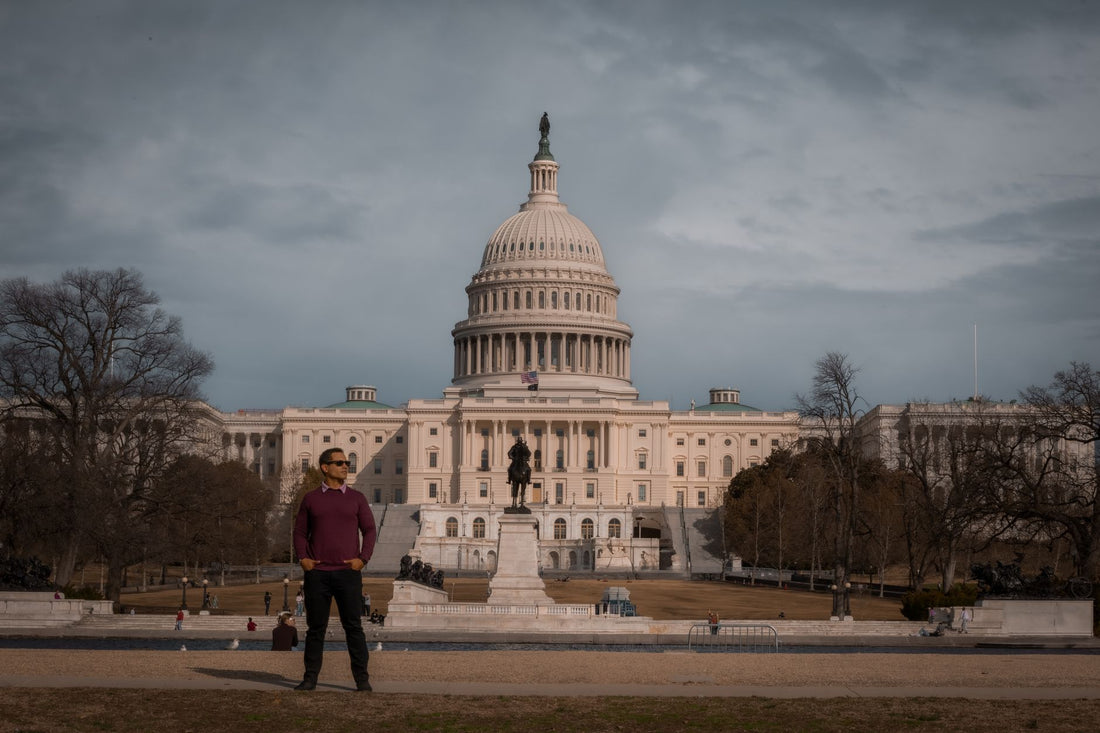
The National Mall is a huge open-air esplanade with the Capitol at one end and the Lincoln Memorial at the other. Here, your mobile phone is your guide: museum hours, monument maps, security queues, and mandatory reservations for places like the Capitol or the World War II memorial. Without data, managing all that is a hassle.
The Smithsonian museums —Air and Space, Natural History, the National Gallery— are free and usually offer Wi-Fi, but it's slow and gets saturated. With your eSIM, you can browse at your own pace and share photos without depending on a network shared by thousands of visitors. For app-guided tours or QR codes in the halls, having your own connection makes a difference.
If you move between the Mall, Georgetown, and the monument area on foot, your battery and data will drain quickly with active GPS. A good habit is to download the day's route in the morning using the hotel's Wi-Fi and save the eSIM for specific queries. This way, you'll have plenty of gigabytes left by evening.
How to activate the eSIM before flying
Activating the eSIM is the easiest part of the trip. You buy the US plan, receive a QR by email, scan it from your phone settings, and the profile is installed. You schedule the activation for the day you land, and that's it: upon arriving in Washington, you turn on your data and have internet in 1 minute.
- Check that your phone is eSIM compatible (almost all iPhones since the XS and mid-to-high-end Androids are).
- Buy the plan and scan the QR with Wi-Fi, calmly from home.
- Keep your Spanish line for calls/SMS and put the data on the eSIM.
- Upon landing at Dulles or Reagan, turn off airplane mode: you are now connected.
If you have doubts about what an eSIM is exactly and if your phone supports it, you can find detailed guides on what a virtual eSIM is and how to install it step by step. Do it calmly in Spain and land worry-free.
What almost no one tells you before going to Washington with your eSIM
There are a couple of things that don't appear in normal tourist guides and that it's good to know before assuming that "with data, everything is sorted." The eSIM solves the internet problem, but there are specific city procedures that require something else.
A real example: to pay for parking meters in the center, ParkMobile is widely used, and several parking reservation or event apps require verification with an SMS to a US number. Your eSIM gives you data, not an American phone line, so for that specific procedure, you will need your Spanish number (with roaming activated only for that SMS) or pay directly at the physical parking meter. This is not an eSIM fault: it's that these specific apps do not accept foreign numbers.
Another surprising detail: Washington organizes its streets into four quadrants (NW, NE, SW, SE), and the same address —for example, "G Street"— can exist in all four at the same time, in completely different parts of the city. Without data to check the quadrant on the map, it's easy to end up forty minutes from where you wanted to go. With the eSIM active, the GPS corrects it automatically, but always look at the quadrant letter when you write down an address.
If you feel like watching something on RTVE Play or listening to Spanish radio from your hotel at night, keep in mind that many platforms block their content outside of Spain due to broadcast rights, and browsing with a US IP address will run into that wall more than once. The solution involves a VPN on your phone; in the guide on eSIM, VPN, and travel privacy, we explain how to combine them without losing speed, although for a short weekend, you probably won't even need it.
The Capitol, the White House, and several memorials require online reservations in advance, and during cherry blossom season (late March, early April), spots sell out quickly. The eSIM won't get you a spot, but without data in your pocket, you can't react if a last-minute spot opens up or if you need to reschedule due to rain.
And here's the honest part, because you don't always need to spend more: if your trip is for business, with meetings in hotels and offices with Wi-Fi all day, and you barely go out to dinner near your accommodation, you'll probably be fine with the hotel's Wi-Fi and your carrier's basic roaming for scattered moments. The eSIM really makes a difference when you're moving around the city from sunrise to sunset: tourism, scattered appointments, public transport. For two nights locked in meeting rooms, consider it before buying too much.
If you're weighing the roaming of your Spanish company against the eSIM, the difference is primarily felt in your wallet: outside the European Union — which is exactly the case for the United States — roaming rarely has a reasonable flat rate, and the cost can skyrocket depending on the operator. We explain this calmly in this comparison of eSIM vs. roaming and in the guide on what data roaming is, if you want to see it before deciding.
And if you've ended up with a tight gigabyte plan, a couple of adjustments can significantly change consumption: deactivate automatic video playback on social media, download music offline before leaving the hotel, and pre-load the day's map using the morning Wi-Fi. You can find more specific tips in this guide to saving data with your eSIM on any trip.
Frequently Asked Questions
Does the Washington eSIM work for all of the United States?
Yes. There is no eSIM exclusive to Washington city: you buy a United States plan that covers the entire country, including the capital, New York, Seattle, or any state. The same eSIM is valid even if your route combines several cities in the same trip.
How many days do I need to see Washington?
With two or three full days, you can see the essentials: the National Mall, the main monuments, and a couple of Smithsonian museums. Many travelers include it as part of an East Coast itinerary with New York or Philadelphia, and in that case, a single eSIM covers all destinations.
Will I have coverage in the metro and at the monuments?
Yes. Downtown, the National Mall, Georgetown, and Capitol Hill have excellent 4G/5G signal, and most metro platforms do too. In some old tunnels, the signal may drop for an instant, but it recovers as soon as you go above ground or reach the station.
Can I use the eSIM and my Spanish number at the same time?
Yes, if your mobile is Dual SIM with eSIM. You leave your Spanish line active to receive bank SMS or calls and put the data on the US eSIM. This way you don't pay roaming for browsing and you remain reachable on your usual number.
When should I activate the eSIM, before or upon arrival?
Install it in Spain with Wi-Fi and schedule the activation for the day you land. Installation does not consume anything; the day or gigabyte counter starts when you connect to a network at your destination. This way, you arrive in Washington with everything sorted and with data in 1 minute.
Do I need a U.S. phone number for online reservations?
For the vast majority of procedures, no, but it is required for some very specific apps, like ParkMobile to pay for parking meters downtown. The eSIM gives you data, not an American phone line; for those specific cases, use your Spanish number with roaming activated only for that SMS, or pay directly at the physical machine.
Can I make regular calls with the eSIM in Washington?
It depends on the plan: most travel eSIMs are data-only. You continue to make traditional calls and send SMS with your Spanish line if you have roaming active, or via WhatsApp and FaceTime using the eSIM's data, which is what almost everyone does today to avoid paying extra.
Conclusion
Washington D.C. is a city for walking with your phone in hand: monument reservations, Mall maps, and transport apps require constant connectivity. With a US eSIM, you land at Dulles or Reagan with immediate internet, no roaming, and no searching for stores. Get your data sorted before you fly with PuraSIM's eSIM for the United States and dedicate your time to the capital, not to finding Wi-Fi.









