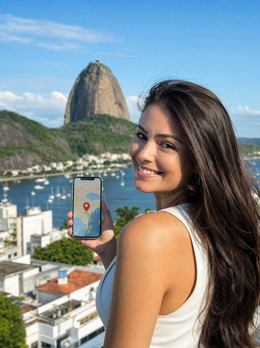
In short: There is no city eSIM for Rio de Janeiro: what you need is the Brazil eSIM, which covers Copacabana, Christ the Redeemer, and the rest of the country from the moment you land in Galeão. Activate it upon arrival, estimate between 3 and 10 GB depending on the number of days, and forget about roaming and queues for a physical SIM.
Arriving at Galeão airport and being able to order a taxi, open Google Maps, or announce your landing without fumbling with a physical card is half the battle won for your trip. An eSIM for Rio de Janeiro gives you internet from minute one, without queues at a phone shop or roaming surprises. In this guide, we'll tell you how much data to bring for a few days between Copacabana and Christ the Redeemer, how coverage works in the city, and why buying the country's eSIM is the most practical move for a visit to Rio.
Is an eSIM for Rio worth it?
Yes. For a trip to Rio de Janeiro, an eSIM is the most convenient way to have data: you install it before leaving home, it activates automatically upon landing, and you avoid your operator's roaming, which outside the European Union is charged separately and can significantly inflate your bill without you realizing it. You won't have to depend on finding a SIM card store or providing your passport at a counter.
Rio is a city for getting around: you go up Corcovado, down to the beach, change neighborhoods several times a day. With an eSIM, you always have your map, Uber, Waze, and WhatsApp at hand, which is something you want to have well-sorted in a big city with tourists. And since it's 100% digital, you neither lose your Spanish number nor have to remove your home SIM card: you activate the eSIM on a second line and continue to receive your usual calls and SMS.

Internet as soon as you land in Galeão
Rio's International Airport, better known as Galeão (GIG), is about 20 km from the city center. This is exactly where you need data the most: to request a transfer to your hotel, confirm your reservation, or let someone know you've landed. With an eSIM already installed, as soon as the plane touches down and you switch off airplane mode, your phone connects to the Brazilian network and you can start browsing.
The trick is to install the eSIM before you travel, using your home or hotel Wi-Fi. You scan the QR code or use the one-touch installation, set up the line, and activate it when you arrive. This way, you don't depend on airport Wi-Fi, which often requires registration and is slow. If you want to review the step-by-step process, you can find the guide on how to install an eSIM with screenshots.
Tip: activate the eSIM when you are already in Brazil, not before. Many plans start counting days from the first connection, so if you turn it on upon landing, you make the most of each full day.
Coverage in Copacabana, Christ the Redeemer and Sugarloaf Mountain
The good news is that the places you'll be visiting have the best coverage. Copacabana and Ipanema, with hotels and businesses everywhere, have plenty of 4G for uploading photos and using maps. In the south zone of Rio, the most touristy area, the signal is almost always stable.
At the Christ the Redeemer on Corcovado and at Sugarloaf Mountain, you'll have coverage for the basics: sending photos via WhatsApp, checking train schedules, or locating the next cable car. Being at high altitude and surrounded by vegetation, the signal may drop occasionally, but you'll rarely be completely without data. In the historic center, in Lapa, or at the Sambadrome, the connection also works well. For reference, with an eSIM, you connect to the local 4G networks of Brazil just like a Brazilian mobile phone would, without being treated as a guest.

How many GB do you need for a getaway?
For a long weekend or four to five days in Rio, most travelers manage perfectly fine with 3 to 5 GB, provided they use the hotel's Wi-Fi at night. If you're going to use a lot of maps, upload videos to social media, or share your connection, aim higher. Here's a realistic guide:
| Traveler profile | Days | Recommended data |
|---|---|---|
| Basic getaway (maps, WhatsApp, some social media) | 3-4 days | 3 GB |
| Active tourist (photos, Instagram, daily Uber) | 4-6 days | 5 GB |
| Intense use (videos, streaming, data sharing) | 5-7 days | 8-10 GB |
If you're unsure about your usage, check out our tips for saving data with an eSIM on a trip and adjust the plan to your actual pace. We almost always spend less than we think if we take advantage of the accommodation's Wi-Fi.
Rio is a city: buy the Brazil eSIM
Here's the important part: there is no eSIM specifically for Rio de Janeiro. Rio is a city within Brazil, so what you buy is the country's eSIM, which works in Rio, Búzios, Petrópolis, or any other corner where your trip takes you. This is an advantage: if you take a day trip or change destinations, you still have data without buying anything else.
Therefore, when looking for your eSIM, always choose one that covers Brazil as a country, not a hypothetical city eSIM that doesn't exist. If your itinerary continues afterwards to other parts of South America — it's common to combine Rio with Peru and a trip to Machu Picchu, for example — you'll need to activate a different line for each country unless you use a regional plan: here's the guide for eSIM for Peru and Machu Picchu if that's your next stop. Hesitating between an eSIM and activating your company's roaming? In Brazil, roaming can skyrocket your bill due to the real cost of data roaming; we break it all down in eSIM vs. roaming.
How to activate it in one minute
Having data in Rio is a matter of three steps that take less than a minute. First, you buy the Brazil eSIM and receive the QR code by email. Second, you install it from home using Wi-Fi: in settings, you add a mobile data plan and scan the code. Third, upon landing in Galeão, you activate the data for that line, and you're good to go.
Before buying, check that your mobile is compatible: almost all iPhones from the XS onwards and recent mid-to-high-end Androids are. A useful detail for worry-free travel: as it's a second line, you can keep your Spanish SIM for calls and use the eSIM only for data. If the QR doesn't arrive or gives an error, don't panic, there's a quick solution and you have 24/7 support in Spanish to help you during your trip.
Myths and what almost no one tells you
Myth: Buying a physical SIM card at Galeão as soon as you land is faster and cheaper. Not always. Some Brazilian operators require a CPF (the local tax identification number) to sell a line, a process designed for residents that complicates the purchase for a tourist fresh off the plane, including queues and the counter closing at certain hours. If you're interested in comparing the two options in depth, we explain it in detail in international physical SIM vs. eSIM.
What almost no one tells you: In Copacabana during Réveillon or Carnival, the signal "drops" even if your phone shows full coverage. It's not a Brazilian network problem; it's a capacity issue: with several million people concentrated in the same stretch of beach connected at once, the network gets saturated, and messages take time to send even if you see four bars of 4G. If you're there during those dates, download a map of the area beforehand and notify whoever is waiting for you with plenty of time, because WhatsApp might stay "sending" for a while.
The Wi-Fi in the hostels and guesthouses of Santa Teresa, the bohemian neighborhood of old houses on the hill, is one of the most erratic in the city: buildings from another era, thick walls, and one router for the whole house. If you're staying there, count on the eSIM as your primary connection and Wi-Fi as a backup, not the other way around.
Save the email with the eSIM QR code somewhere that doesn't depend on your mobile phone (your email from your laptop, for example, or a note in the cloud). Rio has a well-deserved reputation for phone snatching on the street and at the beach: if you lose your phone halfway through your trip, being able to reinstall the eSIM on another device in minutes makes the difference between continuing your trip with data or spending half an afternoon in a shop trying to explain yourself in Portuguese.
Be careful with open Wi-Fi in cafes for payments or checking your bank. Brazil is heavily reliant on Pix, the instant payment system, and you'll see "wifi grátis" signs everywhere; for sensitive operations, it's better to use your eSIM data or add an extra layer with a VPN. We tell you how and why in eSIM, VPN, and privacy while traveling.
What if I run out of data halfway through the trip?
It happens more often than it seems: a day of non-stop photos and Uber, and the counter drops faster than expected. It's not the end of the world. You can top up the data package of the same eSIM without reinstalling anything, use the accommodation's Wi-Fi in the meantime, or contact 24/7 Spanish support if something isn't right. What you shouldn't do is wait until the last day to check how much data you have left: review your usage every couple of days so you can decide with plenty of time, not with your phone battery at 12% and not knowing where you are.
Frequently asked questions
Is there a specific eSIM for Rio de Janeiro?
No. Rio is a city in Brazil, so you use the country's eSIM. That same line works in Rio, São Paulo, and any other part of Brazil, giving you total flexibility if your trip includes multiple stops or excursions outside the city.
Will I have coverage at Christ the Redeemer and on the beach?
Yes. In Copacabana, Ipanema, and the city center, you'll have stable 4G. At Christ the Redeemer on Corcovado and Sugarloaf Mountain, the signal is sufficient for WhatsApp, maps, and sending photos, although being at high altitude and with vegetation, it can fluctuate at specific moments.
How many GB do I need for a few days in Rio?
For three or four days, about 3 GB is usually enough if you use the hotel's Wi-Fi at night. If you upload a lot of photos or videos, use Uber daily, or share your connection, go for 5 GB or more to avoid running out halfway through your trip.
Can I install the eSIM before leaving Spain?
Yes, and it is recommended. Install it with your home Wi-Fi, leaving the line prepared, but do not activate it until you arrive in Brazil, because many plans start counting the days from the first connection. Upon landing in Galeão, turn on the data and you'll be able to browse.
Do I lose my Spanish number while using the eSIM?
No. The eSIM is a second line for data only, so your Spanish SIM remains active for receiving calls and SMS. You can have both at once and choose which line uses data. Many travelers use the eSIM for browsing and their usual number for important calls.
Is it better to buy a physical SIM card at the airport instead of an eSIM?
In most cases, no. Besides the queue and the time you lose right after landing, some local operators require a CPF to sell you a line, a bureaucratic process designed for Brazilian residents that complicates the purchase for a tourist. With an eSIM, you save yourself this hassle because you activate it from your own mobile.
Does the Brazil eSIM also work if I go from Rio to Búzios, Petrópolis, or Paraty?
Yes. Since the eSIM covers the entire country and not just the city, it continues to work just as well on any day trip or change of destination within Brazil, without having to buy or activate anything new.
Conclusion
Rio is best enjoyed with internet in your pocket: maps to navigate neighborhoods, Uber for getting around, and WhatsApp to share everything. Remember that what you're buying is the Brazil eSIM, which covers Rio and any other stop in the country. Install it before you travel, activate it when you land in Galeão, and relax. Arrive in Rio connected with the Brazil eSIM and start enjoying from the airport.