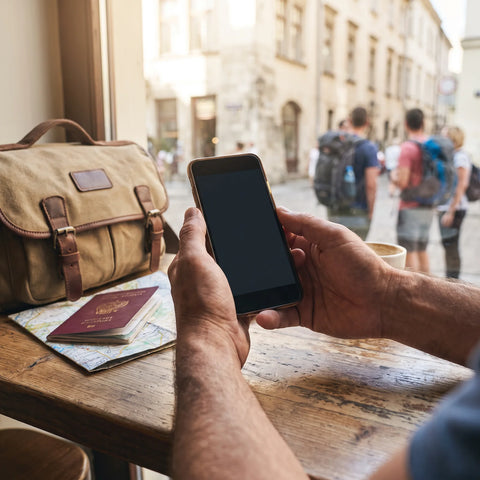
In short: an eSIM for São Paulo is, in fact, a Brazil eSIM: there are no city-specific plans. Install it at home using Wi-Fi, activate it upon landing at Guarulhos, and you'll have data on Avenida Paulista, Vila Madalena, the subway, and anywhere else in the country, without expensive roaming or physical cards to lose.
São Paulo is not a walkable city. It’s a 1,500 km² city where a trip that looks short on the map can take 40 minutes by Uber on Marginal Pinheiros during rush hour. Arriving without data in a place like this is not just inconvenient: it means wasting real time looking for Wi-Fi, driving around with a misspelled address, or waiting for a map to load while the taxi meter is running. With an eSIM already active from Guarulhos, you move around as if you had a lifelong Brazilian line, and that's exactly the idea: landing with internet, no roaming, no stress.
What an eSIM for São Paulo is (and isn't)
Many people search for "eSIM São Paulo" thinking there's a specific plan for the city, like a subway pass. That's not how it works. Brazilian operators sell national coverage, so what you're buying is a Brazil eSIM that works equally well in São Paulo, Salvador, or a town in Minas Gerais. This is good news: if your trip includes a weekend getaway to Ilhabela or a jump to another city, you don't need to buy anything new; the same line follows you.
Technically, an eSIM is a digital profile installed by scanning a QR code, without inserting or removing any physical card. It coexists with your Spanish SIM: your usual number remains active for calls and SMS, and the eSIM handles only mobile data while you're in Brazil. If you've never used one, it's a good idea to read our step-by-step guide on how to install an eSIM, as the process varies slightly between iPhone and Android.
Connection as soon as you land at Guarulhos (GRU)
The international airport of Guarulhos (GRU) is about 25 kilometers from the city center and receives almost all intercontinental flights arriving in São Paulo. The journey to the center can take about an hour, and even longer if you land during rush hour on a weekday: Rodovia Presidente Dutra and city access roads can get easily congested. This is precisely the kind of long journey where you want Google Maps or Waze to work properly, not in fits and starts with airport Wi-Fi.
The trick is not to activate it at the airport, but to have it ready before leaving home. Install the profile using your home Wi-Fi a few days before your flight: that way, you arrive at Guarulhos with the eSIM already configured and only need to turn off airplane mode and activate data for that line. In seconds, you're connected to a Brazilian network, calling for your transfer or sharing your location with whoever is waiting for you, without queuing at a phone counter at six in the morning with jet lag.
A detail many people miss: GRU itself has free Wi-Fi, but it requires registration with personal data and can be slow during peak traffic. If your connecting flight leaves in less than an hour, don't waste that time trying to connect to a public network; with an active eSIM, you have your own connection and avoid the airport Wi-Fi lottery.
eSIM vs roaming in Brazil: the real cost
Brazil is outside the European Union, so your Spanish operator's roaming is not included in your usual plan: it is billed separately, usually per megabyte or daily blocks, and the cost skyrockets as soon as you start using maps, social media, or video with any regularity. If you want to understand how this mechanism works, we have a clear explanation of what data roaming is and why it's so expensive outside the EU.
eSIM works differently: you buy a fixed plan before you travel, with a defined number of GB, and you know exactly how much you're going to spend before getting on the plane. There are no surprises on your next month's bill or messages from your operator warning you that you've exceeded a limit. If you want to see a full comparison, with pros and cons of each option depending on the type of trip, you can find it in eSIM vs roaming.
Useful tip: activate your eSIM data line on the same day you land in Brazil, not before. Most plans start counting validity days from the first network connection, so if you accidentally activate it at your departure airport, you're giving away hours of your plan without having used them.
Coverage by neighborhoods: Paulista, Vila Madalena, the subway and more
São Paulo has one of the densest mobile networks in South America, so coverage usually isn't an issue in areas a traveler would visit. On Avenida Paulista, the city's financial and cultural hub, there's plenty of 4G for maps, social media, and video calls even during peak hours. Vila Madalena and Pinheiros, the neighborhoods known for bars, murals, and nightlife, have good signal on almost every corner, although on Sunday afternoons, with the Benedito Calixto fair packed with people all connected at once, it's normal to notice the network running a bit slower than usual.
São Paulo's subway is one of the busiest on the continent, and generally, you'll have coverage on the platforms of most stations. The signal does cut out in long tunnel sections between stations, for example on some parts of the Blue Line between the center and more northern areas; it comes back as soon as the train reaches the next stop, so it's not a real problem, just something good to know so you're not surprised. Above ground, Ibirapuera Park, the Municipal Market, and the historic center function normally.
With an eSIM, you connect to local mobile networks like any Brazilian user, not like a guest with strange limits: same antennas, same speed, no differentiated treatment just because you're from abroad.
How much data to take for your trip
Since it's such a sprawling city, you'll rely heavily on maps, transportation apps, and probably sharing photos on the go. This table gives you an idea based on the type of trip you're taking:
| Usage type | Typical duration | Suggested data | What consumes the most |
|---|---|---|---|
| Business trip (email, maps, some social media) | 3-4 days | 3 GB | Email with attachments, Uber, occasional video calls |
| Active tourism (daily Uber, photos, social media) | 5-7 days | 5-6 GB | Google Maps in the background, stories, messaging with photos |
| Intensive use (streaming, data sharing, remote work) | 7-10 days | 10 GB or more | Streaming video, long video calls, hotspot for another device |
A counter-intuitive tip: in São Paulo, data consumption doesn't come so much from social media as from having GPS open in the background during long journeys. An Uber trip from Pinheiros to Guarulhos with the map active the whole time can eat up more data than an entire afternoon browsing Instagram. If you want to maximize your plan without running short, take a look at these tricks to save data on a trip, especially downloading the map of the area in offline mode before leaving the hotel.
São Paulo is just the beginning: think about the country, not the city
Since the eSIM is for Brazil and not just São Paulo, the same line will work if your itinerary continues to other parts of the country or continent. Many trips that land in Guarulhos continue to other South American destinations, and it's wise to plan ahead for those: if your route continues to the Andes, we have a complete guide to eSIM for Peru and the route to Machu Picchu that can save you from buying a new line on the fly. And if your return flight has a layover in the United States, keep in mind that your Brazilian eSIM stops working as soon as you leave Brazil: for that layover, you'd need separate coverage, like that provided by the United States eSIM.
This also answers a common question: no, buying a separate "São Paulo eSIM" and "Rio eSIM" doesn't make sense and only makes you spend twice for the same thing. A single Brazil line covers the entire country.
Installation and activation step-by-step
The complete process takes a couple of minutes if you do it calmly before traveling:
- Purchase the eSIM and receive the QR code by email instantly, with no waiting or shipping.
- Install it at home with Wi-Fi, a few days before your flight: go to your phone's mobile data settings, add a new plan, and scan the QR code.
- Leave the line installed but not activated until you land in Brazil, to avoid using up validity days unnecessarily.
- Upon arrival at Guarulhos, turn off airplane mode, activate the mobile data of the eSIM line, and select that line as the one for internet, not your Spanish SIM.
Before purchasing, check if your mobile supports eSIM: most iPhones from the XS onward and a good number of recent Android phones do, but it's worth checking in settings before paying, not after. If something goes wrong during installation, the QR doesn't scan, or the phone doesn't recognize the profile, Spanish-language support is available to resolve it before or during your trip, without having to search for help in Portuguese in a hurry.
What almost no one tells you before traveling
Beyond the obvious, there are a few details that are learned by stumbling upon them, and that are worth knowing in advance:
Activating the eSIM too early is one of the most common mistakes. If you activate it at your departure airport "to test if it works," you start using up validity days even before takeoff. Just leave it installed and don't toggle the data switch until you are on Brazilian soil.
Your phone might continue to use your Spanish SIM for data by mistake. With two active lines, some phones keep the physical SIM as the default data line even if you've installed the eSIM. Check your settings to ensure that the selected mobile data line is the Brazil eSIM, or you'll end up paying for roaming without realizing it while thinking you're using the plan you purchased.
Banking apps may block you for "suspicious location." It's common for online banking to trigger a security alert when detecting access from Brazil. This isn't an eSIM fault; it's your bank protecting you. Keep your verification app or bank's phone number handy just in case. If you also plan to use public Wi-Fi in cafes or the airport for sensitive transactions, it's worth reading about eSIM, VPN, and travel privacy before you leave.
Hotel Wi-Fi is not always as good as the review promises. In areas like Vila Madalena, many small accommodations share a single fiber line among all rooms, and at night, with everyone connected at once, it's noticeable. Having an eSIM as a backup avoids relying on that single network when it fails precisely when you need it most, for example, to check in online for your next flight.
When you do NOT need to buy an eSIM for São Paulo
Being honest is also part of giving good advice. If your stopover in São Paulo is a short one of a few hours without leaving the connection area of Guarulhos, the airport's free Wi-Fi is probably enough to check emails or the status of your next flight; there's no need to buy data for that. And if you're already going to have a Brazilian line by other means, for example, because a family member or a local host lends you a physical SIM during your stay, there's no point in duplicating the expense with an eSIM that you'll barely use.
Where it clearly pays off is on any multi-day trip where you rely on Uber, maps, or online reservations from the very first moment at Guarulhos: there, the difference between arriving connected or not is noticeable on every journey.
Frequently asked questions
Is there an eSIM just for São Paulo?
No. São Paulo is a city in Brazil, and operators sell national coverage, so a Brazil eSIM is used. That same line works in São Paulo, Rio, or any other part of the country, which is very useful if your trip includes several cities or an escape outside the capital of São Paulo.
Is there coverage in the São Paulo subway?
Yes, on most platforms and sections, you'll have enough signal for maps and messaging. In some long tunnels, such as certain sections of the Blue Line, the signal may cut out for a moment, but it recovers as soon as the train reaches the next station. Above ground, coverage is stable in tourist and business areas.
How many GB do I need for São Paulo?
It depends on how you use your phone, but for a multi-day trip with regular Uber and maps use, between 5 and 6 GB is usually fine if you take advantage of hotel Wi-Fi at night. If you're going to make long video calls, share data with another device, or stream content, aim for 10 GB or more.
Does the eSIM work as soon as I land at Guarulhos?
Yes, as long as you've installed it beforehand with Wi-Fi at home. Upon arrival, you just need to turn off airplane mode and activate the eSIM line's data. In seconds, your phone will connect to a Brazilian network, and you can request a transfer or open the map directly from the airport.
Can I use the eSIM and my Spanish number at the same time?
Yes. The eSIM is a second line solely for data, so your Spanish SIM remains operational for calls and SMS. You can have both active and choose in settings which one uses mobile data; typically, the eSIM is used for internet during the trip, and your usual number for important calls/texts.
When should I activate the eSIM, before leaving Spain or upon landing?
Install it before leaving, with Wi-Fi at home, but activate it only upon landing in Brazil. Most plans count validity days from the first network connection, so activating it prematurely will deduct days from your trip without you having used them.
What happens if my Brazil eSIM stops working during a layover in the United States?
That's normal: the Brazil eSIM provides coverage within Brazil, not outside. If your flight has a layover in another country and you need data during those hours, you'll need a different line for that leg, such as an eSIM for that specific country.
Conclusion
São Paulo is big, fast-paced, and requires you to stay connected so you don't waste time on endless journeys. The Brazil eSIM gives you data from the moment you set foot in Guarulhos and accompanies you through Paulista, Vila Madalena, the subway, and any corner of the country your trip takes you, without expensive roaming or physical cards to manage. Install it before leaving home, activate it upon landing, and dedicate your time in São Paulo to the city, not to finding Wi-Fi.