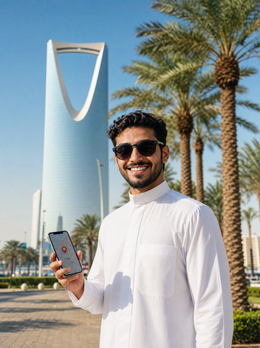
In short: an eSIM for Saudi Arabia gives you mobile data from the moment you land in Riyadh or Jeddah, with no roaming or queues to get a local SIM card with your passport. It relies on the STC, Mobily, and Zain networks, with solid 5G in cities and weaker coverage in the desert. It installs at home in a minute, and you keep your Spanish number active.
Does an eSIM work in Saudi Arabia?
Yes, and it works well. An eSIM in Saudi Arabia connects automatically as soon as the plane lands: it recognizes the 4G and 5G networks of local operators, and you have data from the terminal, without changing your physical card or relying on hotel Wi-Fi to send the first message home. You only need an eSIM-compatible mobile and to have it installed before leaving Spain.
The advantage over a physical SIM is twofold. First, you save yourself the hassle of registering a local card, a process that in Saudi Arabia requires a passport and, in many points of sale, a fingerprint. Second, you keep your Spanish number active in parallel to receive SMS from your bank or airline notifications while browsing with eSIM data. If this is your first time using this technology, it's worth reviewing what a virtual eSIM is and how it works, as the concept differs slightly from a traditional physical card.
Saudi Arabia has opened up to international tourism at a remarkable pace in recent years, with Riyadh, Jeddah, AlUla, and the Red Sea coast leading the way. The mobile network has grown at the same rate: in urban areas, coverage is among the strongest in the Middle East. The only point that requires prior planning is the stretch between cities and the desert, where the signal behaves as in any country with vast empty expanses.

Coverage by cities and desert
Mobile coverage in Saudi Arabia's urban areas is among the best in the region. In Riyadh (the capital), Jeddah, Mecca, Medina, and Dammam, you'll find stable 5G in the city center, hotels, large shopping malls, and airports. The 4G network covers almost the entire inhabited strip of the country, including the main roads connecting the Gulf cities with those on the Red Sea.
The nuance comes off the asphalt. If your itinerary includes AlUla, the Neom project, the less touristy Red Sea coast, or crossing stretches of the Rub' al Khali desert, you'll see areas with weak signal or no data at all. This isn't an eSIM failure: it happens with any local line, because there are kilometers of sand without antennas. The practical recommendation is to download offline maps for that specific area before leaving the city and not rely entirely on real-time GPS in the middle of nowhere.
Tip: at Riyadh (RUH) and Jeddah (JED) airports, the eSIM connects automatically upon landing. Activate data roaming when you get off the plane and check that the network appears before leaving the terminal, so you avoid the classic moment of looking for free Wi-Fi in the arrival hall.
Local operators: STC, Mobily, and Zain
Three main networks operate in Saudi Arabia, and a travel eSIM relies on them depending on the area to offer you the best available signal at all times. Knowing them helps to understand why urban coverage is so consistent.
| Operator | Network | Strong in |
|---|---|---|
| STC | 5G / 4G | Riyadh, Jeddah, extensive national coverage |
| Mobily | 5G / 4G | Major cities and western area |
| Zain KSA | 4G / 5G | Urban centers and eastern part of the country |
STC (Saudi Telecom Company) is the dominant operator and the one that appears most often in searches by travelers arriving in the country for the first time. The real advantage of a travel eSIM is that you don't have to choose or compare plans from each company yourself: your phone connects to the network with the best signal at each point, without you having to touch settings or ask in a store. If your route through the Persian Gulf extends to other neighboring countries, review how data roaming works before crossing borders, because each country requires its own eSIM profile or a regional plan.

How many GB do you need?
It depends on how many days you're staying and how much you use your phone. For a typical tourist trip (maps, WhatsApp, photos, some social media), a range of 1 GB for every 2-3 days is usually enough. If you make long video calls or share your connection with a tablet or laptop, it's better to calculate around 1 GB per day.
This table gives you a realistic reference based on your traveler profile in Saudi Arabia:
| Trip type | Days | Recommended data |
|---|---|---|
| Layover / short business trip | 2-3 | 1-2 GB |
| Riyadh + Jeddah tourism | 5-7 | 3-5 GB |
| Long route + AlUla | 10-14 | 6-10 GB |
| Remote work / hotspot | 15+ | 10 GB or unlimited |
If you run out of data halfway through your trip, you can top up the eSIM from your phone without buying another card or leaving your hotel. And if you're going to share your connection with your laptop to work for a few hours, consumption skyrockets more than it seems; here are some tips for saving data with an eSIM on a trip that work just as well in the desert as in downtown Riyadh.
eSIM, physical SIM, and roaming: what suits you
Before deciding, it's worth comparing the three options you have on the table when planning connectivity for a trip to Saudi Arabia. Not all of them cost or work the same, and the difference is especially noticeable in your wallet and the time you waste on procedures.
| Option | On-site procedure | Approximate cost | Keep your number |
|---|---|---|---|
| Travel eSIM | None, activates automatically upon landing | Fixed price per GB, known before departure | Yes |
| Local physical SIM | Passport, sometimes fingerprint, queue in store | Variable, must compare plans on-site | No, replaces your line |
| Roaming from Spanish operator | None, but billed per MB or per day | Can exceed several euros per day in countries outside the EU | Yes |
The difference with roaming is what weighs most on the bill. Saudi Arabia is outside the European Union, so your Spanish tariff charges international roaming, and these types of tariffs outside the EU can easily exceed several euros per day or high figures per MB, to the point where checking a map a couple of times is more expensive than the entire travel eSIM. Before comparing specific figures, always check the current price with your operator, as rates change and it's not advisable to rely on an outdated number. If you want the complete breakdown with examples, we have an article dedicated to eSIM vs. roaming that compares both options in more detail.
Golden rule: activate the data limit alert on your phone for the Spanish line and deactivate data roaming for the physical SIM. This way, only the eSIM consumes data, and you avoid accidental charges from your home operator due to a momentary oversight.
How to activate it step by step
Installing the eSIM takes about a minute and is done from Spain, with Wi-Fi, before flying. The process is practically identical on iPhone and Android: you receive a QR code by email, scan it from your phone's network settings, and that's it. You don't have to wait to set foot on Saudi soil to have it ready.
- Buy the eSIM and receive the QR instantly in your email.
- On your phone, go to Settings > Mobile Data > Add eSIM.
- Scan the QR and confirm the line installation.
- Leave data roaming activated for that eSIM.
- Upon landing in Riyadh or Jeddah, it connects automatically without you having to do anything else.
If you get stuck at any step, follow our complete guide to installing an eSIM with screenshots of each screen. The key is to install it calmly at home, but without activating the data plan until the day of the flight if your tariff starts counting from the first connection to a Saudi network.
WhatsApp, maps, and calls in the Kingdom
Good news: WhatsApp, Google Maps, Instagram, and other usual applications work normally using eSIM data. WhatsApp calls and video calls work without any problem, which is especially useful because voice over internet (VoIP) calls have had occasional restrictions in the country depending on the application and the moment; it is advisable to have an alternative installed (WhatsApp, FaceTime, Google Meet) in case a specific service causes problems that day.
A practical detail of the destination: Saudi Arabia has a single time zone (GMT+3), so with active data, your phone adjusts the time automatically, and you don't get confused with flight or prayer times, which set the rhythm of daily life in the country. To get around Riyadh or Jeddah, Google Maps with real-time data is your best ally against rush hour traffic. If at any time it loses signal, check that data roaming for the eSIM is activated and that you have selected it as the primary mobile data line, because your phone sometimes defaults back to the physical SIM even if it's empty.
If you're traveling for work, with meetings or conferences in Riyadh, the same mechanism helps you avoid relying on hotel Wi-Fi for an important video call; take a look at our guide to eSIM for business trips and corporate events if connectivity is part of your job and not just leisure.
Common myths and mistakes (what almost no one tells you)
There are a few ideas circulating about staying connected while traveling to Saudi Arabia that need to be debunked before they complicate your trip.
"There's no good coverage in Saudi Arabia, I'd better buy a SIM there."
It's the exact opposite of what many people think. Saudi cities have some of the strongest 5G coverage in the Middle East, and the process for a local SIM (passport, sometimes fingerprint, queuing in a store) is usually slower than activating an eSIM before leaving home. A local SIM only makes sense if you're staying for months.
"All eSIMs are the same, and any phone accepts them."
Not exactly. Not all phone models have an eSIM chip, and some unlocked devices purchased outside the European Union come eSIM-locked by the manufacturer or original operator. Check your specific model's compatibility before paying; don't assume that "if it's from recent years, it surely does."
"With the eSIM activated, my battery drains twice as fast."
The real extra consumption comes from 5G and from having two lines searching for a network simultaneously in areas of weak coverage, such as the stretch between cities. In the center of Riyadh or Jeddah, with a good signal, the battery difference is minimal. The not-so-obvious trick: if you're going to spend hours in a desert area without data, activate airplane mode and only activate it every now and then to check messages, instead of letting your phone constantly search for a network.
"I can use any video call app without checking first."
Most work well, but it's advisable to have more than one option tested (WhatsApp, FaceTime, Meet) before an important meeting, in case a specific service has a temporary hiccup that day. It's a small detail that avoids a bad time precisely when you need it most.
"It doesn't matter when I activate the data plan."
If your plan starts counting days from the first connection to a Saudi network, activating it in advance at home will cost you travel days without you realizing it. Install the eSIM calmly in Spain, but leave the data roaming switch off until you are about to land.
Frequently asked questions
Can I buy a Saudi Arabia eSIM before traveling?
Yes, and it's recommended. You install it at home with Wi-Fi, and it's ready to connect as soon as you land in Riyadh or Jeddah. Just be sure to activate data roaming for the eSIM upon arrival. You won't waste time looking for a store or dealing with passport procedures at your destination.
Which operator does the eSIM use in Saudi Arabia?
It relies on the main local networks, especially STC, as well as Mobily and Zain depending on the area. You don't have to choose: your phone automatically connects to the network with the best coverage at each point, giving you a better signal than being tied to a single operator.
Is there coverage in the desert and AlUla?
In AlUla and tourist hubs, there is coverage, but in stretches of the desert and isolated roads, the signal drops or disappears, just like with any local SIM. For these areas, it's advisable to download offline maps and not rely on your phone for navigation in the middle of nowhere.
Does WhatsApp work with the eSIM in Saudi Arabia?
Yes. WhatsApp, its calls, and video calls work normally using eSIM data. This is one reason to use an eSIM instead of a local SIM, as some internet calling apps have had occasional restrictions in the country at certain times.
Do I keep my Spanish number?
Yes. The eSIM adds a second data-only line, so your Spanish number remains active for receiving bank SMS or important calls. You browse with the eSIM and keep your home line without paying roaming for data.
Do I need a special phone to use an eSIM in Saudi Arabia?
You need a phone that has an eSIM chip and is unlocked, without operator lock. Most mid-range and high-end phones from recent years include it, but it's advisable to check in your phone's settings (Settings > Mobile Data) before buying, especially if the phone comes from outside the European Union.
What happens if my eSIM runs out of data halfway through the trip?
You can top it up from your phone, without needing a physical store or another card. It takes a matter of minutes and doesn't interrupt your Spanish line, which continues to work in parallel for calls and SMS.
Conclusion
Saudi Arabia offers excellent 5G coverage in Riyadh, Jeddah, and the rest of the major cities, with the desert being the only area that warrants a backup plan of downloaded maps. An eSIM provides data from the moment you land, without roaming or passport procedures at a store, and keeps your Spanish number active for important matters. If your route continues through Europe afterward, also check out the eSIM for Spain for your return or a layover. Prepare your eSIM for Saudi Arabia before you fly and forget about connectivity from the first minute in the Kingdom.