
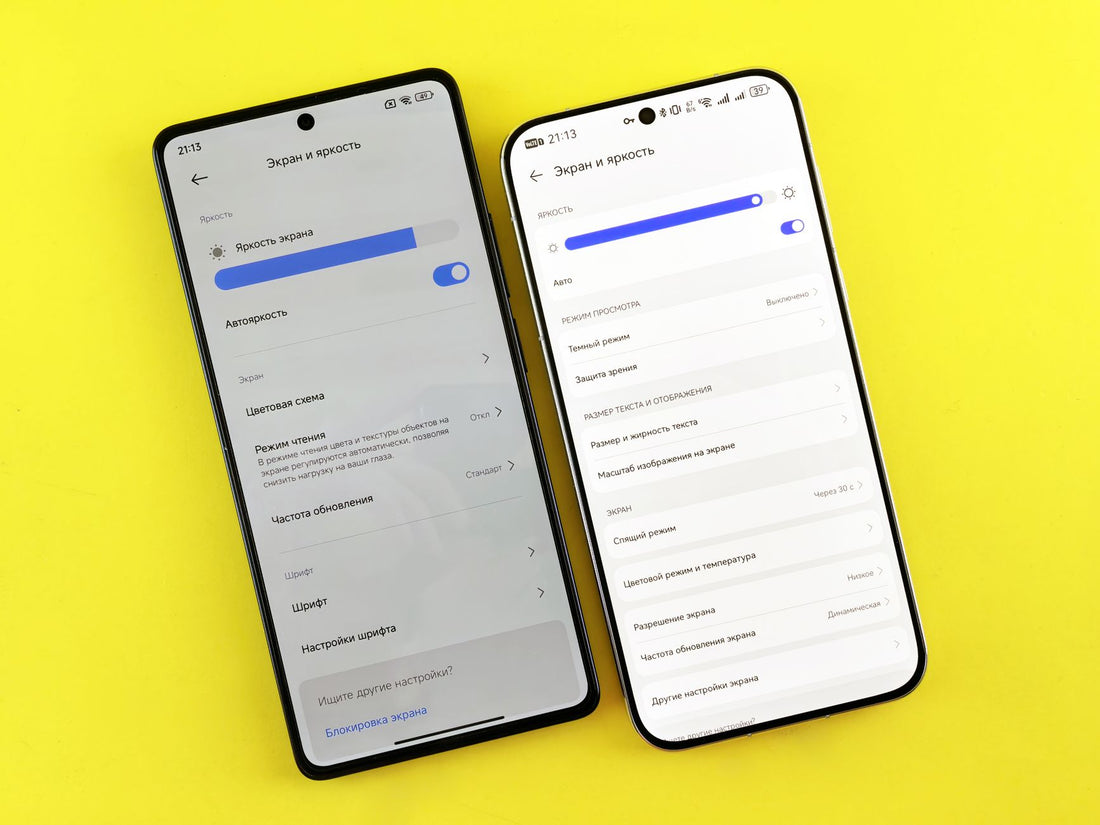
In short: dual SIM with eSIM is the combination of your active physical SIM from home alongside a data eSIM for the country you're in: one line handles calls and SMS from your usual number, the other handles data without roaming. It takes a couple of minutes to set up from your phone settings and works on most smartphones from recent years.
What is dual SIM with eSIM and physical SIM
Dual SIM with eSIM means having two active lines at the same time on the same phone: your regular physical SIM from home and a data eSIM installed for your trip. It's not a trick or an "advanced" phone mode — it's a standard feature found on the vast majority of mid-range and high-end phones for several years now. Your number still receives calls and SMS while the eSIM handles data, and you never have to remove or swap any physical card.
Don't confuse this with the classic dual SIM setup of two physical trays, which is becoming less common in Europe. Here we're talking about one physical tray + one digital eSIM profile living together on the same device — exactly the combination that matters when you travel: you don't give up your home carrier (to receive your bank code by SMS, for example, or so people who don't know you're away can still call you) and at the same time you avoid roaming by activating data you've bought for your destination.
Key idea: physical and eSIM don't compete — they split the work. One handles calls from your number; the other handles data from the country you're in. You decide what each one does from the settings, and getting that split right is what really matters.

How dual SIM works line by line
When you activate both lines, your phone lets you assign a role to each one. Understanding this split is what prevents bill surprises and coverage drops mid-trip:
- Main line: usually your physical SIM, with your number, for calls and SMS.
- Data line: the travel eSIM, which handles all data without roaming.
- Data roaming: turned off on your home SIM to avoid extra charges; data stays only on the eSIM.
You can have both lines on at the same time but choose only one to use data. That way you receive calls on your number without paying roaming, because all data (maps, WhatsApp, social media) goes through the local eSIM. Most phones alert you when they detect two active data lines and offer to pick a default one; if yours doesn't do it automatically, do it manually as soon as you land, before roaming starts racking up charges without you noticing. To understand the difference between this and paying roaming with your own carrier, take a look at eSIM vs roaming, and if you want the details on what data roaming actually is, we explain it in what is data roaming.
How to Set Up Dual SIM on iPhone
On iPhone (from the XS and later models) the process is straightforward. Once the eSIM is installed, go to Settings > Cellular and decide which line does what. When traveling, the best setup is to use the eSIM as your data line and keep your local SIM for calls only:
- Install the eSIM by scanning the QR code (Settings > Cellular > Add eSIM). Do this over Wi-Fi before you leave home, not at the destination airport with expensive data in play.
- Under "Cellular Data," select the travel eSIM as your default data line.
- Turn off "Allow Cellular Data Switching" so your phone doesn't jump to your local SIM and trigger roaming without warning.
- Keep your local number as the default line for calls and SMS, and enable "Automatic" call switching if you want to be able to answer on either line.
One important detail on recent iPhones sold in the United States: since the iPhone 14, those models have no physical SIM tray, only eSIM, so if you bought your phone there, the "physical SIM" is actually also an eSIM profile. The setup logic is the same; the only difference is that both lines are digital.

How to Set It Up on Android and Samsung
On Android the logic is the same, though the menus vary by manufacturer. On Samsung Galaxy, for example, go to Settings > Connections > SIM card manager and choose which SIM handles data and which handles calls. The key, just like on iPhone, is assigning the eSIM to mobile data and leaving your physical SIM for calls.
The point where most people get confused is switching from SIM 1 to SIM 2 for data: inside the SIM card manager you'll see a "Mobile data SIM" selector where you pick the travel eSIM. Turn off data roaming on your local line to avoid extra charges and leave the eSIM as your only data source. On Pixel phones the menu is simply called "SIMs" under Network & Internet, and on some Chinese models (Xiaomi, Oppo) you also need to manually enable "data roaming" on the eSIM even if it's a local line, because the system treats it as roaming by default: if you see no connectivity right after installing it, check that toggle before assuming the eSIM isn't working.
Real Pros and Cons of Using Two SIMs at Once
Dual SIM is convenient, but it's worth knowing its limits so you don't expect what it can't deliver. Here's the honest balance, no sugarcoating:
| Pros | Cons |
|---|---|
| You keep your home number active | Only one line can use mobile data at a time |
| Local data without roaming or bill surprises | Slightly higher battery drain from keeping two lines registered on the network |
| You don't swap or lose any physical card | Requires an eSIM-compatible phone (not all are) |
| You still receive bank SMS and 2FA codes | Initial setup takes a couple of minutes of attention |
| You can keep personal and work lines separate | Some carriers block data roaming by default and you have to check it separately |
In practice, the pros weigh much heavier for travelers: you stay reachable on your number and browse with data bought at your destination, without the roaming price lottery outside the European Union. The only real downside is spending a couple of minutes setting up which line does what before you leave home, not at the airport with your bag already checked.
When dual SIM works for you (and when it's not worth it)
The eSIM + physical SIM combination shines in very specific travel scenarios:
- Travel outside the European Union: local data via eSIM and your home number active for banking and contacts, without relying on your carrier's roaming.
- Separate work and leisure: one line for professional use (with your corporate number) and another for personal, without carrying two phones.
- Long routes across multiple countries: if you're going from Seoul to Busan or traveling across Korea from end to end, as we explain in the eSIM for South Korea guide, having stable local data without relying on hotel Wi-Fi makes a difference on every KTX leg.
- Areas with spotty coverage: on stretches like the Inca Trail to Machu Picchu, where the signal disappears completely at several points along the route (we detail this in eSIM for Machu Picchu), it's best to have the offline map downloaded before losing coverage, with or without dual SIM.
And here's the part almost no one tells you, and that at PuraSIM we prefer to say clearly: if you're spending a weekend in a European capital with your regular home plan, you probably don't need any of this. Since 2017, roaming within the European Union works with your home data at no extra cost, so setting up dual SIM for three days in Lisbon or Paris is overcomplicating things: just use your SIM as is. Dual SIM makes sense when you leave the EU, when the trip is long, or when you genuinely need to keep two numbers active for work. Outside those cases, it's a solution to a problem you don't have.
Myths and common mistakes almost no one tells you about
There are several ideas floating around about dual SIM that are worth debunking before they complicate your trip:
- "With both lines active I always use double the battery": it's not that simple. The extra consumption comes from keeping two lines searching for network at the same time, so if your home SIM loses coverage in a remote area (very common outside capitals), the phone uses more battery trying to latch onto a network that doesn't exist. If you're going to be several days in an area with poor coverage from your carrier, temporarily disabling that line saves more battery than any other setting.
- "The eSIM and physical SIM share the same phone number": no, each line has its own number. What is shared is the device, not the numbering. If you need to register the eSIM with a contact number during installation, use your home number without worry: it doesn't interfere with calls.
- "If I disable data roaming I also lose calls": voice roaming and data roaming are separate switches on most phones. You can disable only data roaming (so you don't get charged for browsing) and keep voice and SMS roaming active, which in the European Union has had no extra cost for years.
- "Any phone with two slots is dual SIM with eSIM": not necessarily. There are models with dual physical trays that don't have an integrated eSIM chip, and vice versa, eSIM-only models without a tray. Before assuming your phone works, check in settings if the "Add eSIM" option appears; if it doesn't, that specific device doesn't support it even if the general model does in other markets.
- "The eSIM QR can be scanned multiple times on multiple phones": normally not. Each QR is linked to one device when installed, so if you change phones you need a new profile, just scanning the same code again won't work.
Dual SIM vs. Other Options for Travel
Dual SIM with eSIM isn't the only way to handle data while traveling, and it's worth knowing what it competes against. Compared to a local physical SIM bought at the destination airport, the eSIM has the advantage of being installed before you leave home (so you arrive with data from minute one) and doesn't require fiddling with any tray or stashing your home SIM somewhere you'll never find it again; you can see the full comparison in international SIM vs. eSIM. If you want to understand exactly what an eSIM is and why some phones support it and others don't, we explain it from scratch in what is a virtual eSIM.
For those traveling within Europe with their local SIM, the usual case is that none of this is needed and your home plan is enough; but if the destination is outside the European Union and you want to keep the same dual-line setup, at PuraSIM we have eSIM for Europe and eSIM for the United States depending on the destination.
Frequently Asked Questions
Can I have two SIM cards with the same number?
Not exactly: each line has its own number. What you can do is keep your home number on the physical SIM and add an eSIM with local data from another number. You receive calls on your usual number and browse with the eSIM without roaming.
Can I use eSIM and physical SIM at the same time?
Yes. Dual SIM phones allow you to have your physical SIM and an eSIM active at the same time. Usually one handles calls and the other handles data. That's the standard setup for travel: you keep your number and use local data without paying roaming.
How do I switch from SIM 1 to SIM 2 for data?
On iPhone, go to Settings > Cellular and choose which line uses data. On Samsung and Android, in the SIM card manager there's a "Mobile data SIM" selector. Choose the travel eSIM there and turn off roaming on the other line.
Does dual SIM drain more battery?
A bit, yes, because the phone keeps two lines connected to the network at once. The difference is usually small in normal use, but it's more noticeable if one of the two lines loses coverage and the phone keeps trying to find it. If you notice high battery drain, temporarily deactivate the line you're not using.
Which is better, eSIM or dual SIM?
They don't compete with each other: eSIM is a type of line (digital, no physical card) and dual SIM is the phone's ability to use two lines at once, whatever type they are. When traveling, the ideal is to combine both: your physical SIM with your number plus a local data eSIM, working together in dual SIM mode.
Do I need to unlock my phone to install an eSIM from another country?
If your phone is locked to your carrier, that affects which physical SIM you can use, but it usually doesn't block installing an independent eSIM profile, since technically it works as an additional line and not as a carrier replacement. Even so, it's worth checking with your carrier before traveling if the lock is recent.
What if my phone only supports one active eSIM and I already have another installed?
Most phones let you store several downloaded eSIM profiles but only one active at a time (in addition to the physical one). If you're already using an eSIM from another trip, you can deactivate it from settings without deleting it and activate the new one; you don't need to remove the previous one if you think you'll return to that destination.
Conclusion
Using eSIM and physical SIM at the same time is the most practical formula for traveling outside the European Union: you keep your home number for calls and banking, and browse with local data without roaming. You only need a compatible phone and a couple of minutes of setup before leaving home. If your next destination is outside Europe, install the eSIM over Wi-Fi, activate it alongside your SIM in dual mode, and hit the road with internet working from the moment you step into the airport.








