In short: an Iraq eSIM gives you internet as soon as you land in Baghdad or Erbil, without expensive roaming or queues for a local SIM. It's installed before you fly, connects automatically to Zain, Asiacell, or Korek depending on the area, and with 5-10 GB you can cover a week of work or tourism without worries.

Traveling to Iraq, whether for work, cooperation, business in Erbil, or tourism in Kurdistan, always brings up the same question before checking your luggage: how to get internet as soon as you step foot in the airport. The cleanest answer, and the one increasingly used by professionals traveling to the area, is an eSIM for Iraq. It's installed before leaving home, connects automatically to the local network upon landing, and saves you from the worst moment of any trip: arriving and not knowing how to call a taxi, let people know you've arrived safely, or open the map.
In this guide, we'll get straight to the practicalities: what real coverage Iraq has, which operators are behind it, how many GB you need depending on your type of trip, how to activate it step-by-step, and what mistakes people make that they don't repeat on their next trip. No fluff, just what you need to know before booking your flight.
Does an eSIM work in Iraq?
Yes, and it works exactly the same as in any other destination with a modern mobile network. The digital profile of the eSIM connects to a local operator through the same roaming agreements that a physical card would use, and gives you data without having to open your phone's tray or look for a cutter. You only need two things: an eSIM-compatible phone and to have installed it before getting on the plane, to have internet as soon as you land in Iraq.
The big difference compared to a local card is that you don't have to find a store with your passport in hand, or a registration process that in Iraq can take longer than you'd like with your suitcase still on the trolley. You buy the plan online from home, install it by scanning a QR code, and when the plane lands, you activate the data. It's the fastest way for someone arriving at a meeting in Erbil first thing in the morning, or simply wanting to text "I've arrived safely" without struggling with airport Wi-Fi.
It's important to understand a technical nuance before continuing: a travel eSIM does not replace your usual line, it coexists with it. The phone has two active profiles, your physical SIM for calls and SMS as always, and the eSIM for roaming data. This way, you avoid strange numbers on your bill and keep your usual number reachable for anyone calling you from Spain.

Coverage by cities and zones
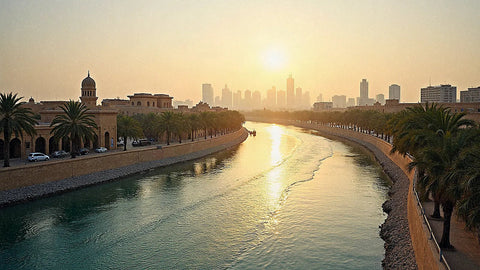
Data coverage in Iraq is solid in large cities, including Baghdad, Basra, and Mosul, and particularly good in the Iraqi Kurdistan region, with Erbil and Sulaymaniyah being the best-connected hubs in the country. In 4G, the speed is more than enough for browsing, messaging, maps, and short video calls; 5G is starting to appear in specific urban areas, although it is not yet the norm.
On inter-provincial roads and in rural or desert areas, the signal drops, which is to be expected in a country of this size and terrain. If your route crosses the oil-rich south or the mountainous north, expect stretches without data during the journey. For everyday use in the city, however, you'll have plenty of coverage to work from the hotel, request a transfer, or make a VoIP call without constant interruptions.
A tip that costs nothing to follow in any destination with these characteristics: download offline maps of your city before moving around. Google Maps and Maps.me allow you to save entire areas, so your GPS will still work even if you run out of data for a while on the road.
Local operators in Iraq
The Iraqi mobile market is dominated by three operators, and a good Iraq eSIM relies on their networks to give you the widest possible coverage depending on where you are at any given time:
- Zain Iraq: one of the largest operators in the country, with a strong presence in Baghdad and the southern provinces.
- Asiacell: very established in Kurdistan and the north, with good coverage in Erbil and surroundings.
- Korek Telecom: historically based in the north and with constantly expanding national presence.
You don't have to choose between them: the eSIM automatically connects to the operator with the best signal at each point of your journey. This saves you from having to compare local tariffs, understand terms and conditions in Arabic or Kurdish, or carry out in-person registration procedures. You just see "active data" on the screen and get on with your day.
| Operator | Strong area | Typical technology | Recommended use profile |
|---|---|---|---|
| Zain Iraq | Baghdad and south of the country | 4G, 5G in specific urban areas | Business trips and tourism in the capital |
| Asiacell | Kurdistan, Erbil, Sulaymaniyah | Stable 4G | Stays in the north and tourism in Kurdistan |
| Korek Telecom | North of the country, growing national coverage | 4G | Mixed routes between north and center |
Since your eSIM automatically switches networks based on available coverage, you don't need to memorize this table, but it helps you understand why in Erbil you'll notice a better signal than on a secondary road in the south, for example.
Tip: save a screenshot with your eSIM's support number and APN before you fly. If your phone doesn't get network when you arrive, restarting and forcing a manual network selection is usually enough to connect in seconds.

How many GB do you need
Consumption depends mostly on your travel style, but for a business trip or a short stay in Iraq, this reference helps you choose a plan without running out halfway through the week or paying too much for data you won't use:
| Travel profile | Duration | Recommended data |
|---|---|---|
| Basic messaging and maps | 3-5 days | 1-3 GB |
| Work: email, VoIP calls, some video | 1 week | 5-10 GB |
| Long stay with daily video calls | 2-4 weeks | 15-20 GB or renewable plan |
If you make a lot of video calls with the office, share live location, or upload high-quality photos and videos to social media, move up to the next tier in the table; it's better to have a little too much than run out of data on the day of an important meeting. And if you want to extend the plan you buy, our guide with tips to save data on an eSIM trip will come in handy: downloading offline maps, disabling automatic app updates, and leaving heavy downloads for hotel Wi-Fi are the three that will save you the most GB.
One point that almost no one asks but is worth clarifying: most travel eSIM plans offer consumable data until it runs out within a validity period, not an automatically renewable monthly rate. If your trip extends on the fly, you can buy an additional plan from your phone without having to reinstall anything.
How to activate it step-by-step
Installing the eSIM takes about a minute and it's best to do it calmly before traveling, with Wi-Fi at home and without the last-minute airport rush. The process is practically identical on most modern phones:
- Purchase the Iraq plan and receive the QR code by email.
- Go to Settings → Mobile Data → Add eSIM and scan the QR.
- Label the line, for example "Iraq Trip", and keep your usual SIM active for calls and SMS.
- Upon landing, activate "Mobile Data" on the eSIM line and also activate data roaming on that specific profile.
If this is your first time installing one and you have doubts with your phone model, our general guide on how to install an eSIM, which reviews the process on iPhone and Android with step-by-step screenshots, will be useful. And if you're not entirely clear what "data roaming" means or why it needs to be activated separately, this explanation about what data roaming is will clarify it for you in five minutes.
Alternatives: roaming and local SIM
You have three ways to connect in Iraq, and it's good to know all three before deciding, although the eSIM usually wins out in terms of convenience and predictable cost:
- Roaming from your Spanish operator: Iraq is outside the EU, so roaming is charged at international rates, which can easily exceed several euros per day or skyrocket if you consume by MB without a contracted plan. Convenient because you don't change anything, but it's the most expensive option if you don't check the conditions with your operator beforehand.
- Iraqi local SIM: theoretically the cheapest, but it requires a passport, in-person registration, and sometimes waiting in a store, which doesn't always fit well if you're arriving for work or have a tight schedule from day one.
- Travel eSIM: the middle ground sought by most travelers. Fixed price before leaving, no surprises on the bill when you return, online activation, and data available from the minute you land.
If you want to delve deeper into the comparison, check out our guide on eSIM vs traditional roaming to decide judiciously based on your specific case, especially if you travel frequently for work and want a solution you can repeat in every destination, not just in Iraq.
Common mistakes when traveling to Iraq with eSIM (what almost no one tells you)
Beyond the obvious, there are a number of details that you only learn by traveling, or by asking someone who has already been. Here are the ones that make the biggest difference:
Install the eSIM at the departure airport, not upon arrival
It seems like common sense, but it's the number one mistake: installing the profile requires an internet connection, and if you wait until you're in Iraq without data to do it, you'll be stuck without an easy way to download the QR. Install it at home, with calm Wi-Fi, days before flying.
Don't confuse "install" with "activate"
You can install the eSIM in advance and leave it in airplane mode until you land. This prevents you from starting to consume data or causing network confusion while you are still on the plane or at the departure airport. Activate it only when you are already on Iraqi soil.
Access to certain apps and services may vary
As in many countries, the availability of certain platforms or online services can fluctuate depending on the time and local connectivity policy. If your work depends on a very specific tool, it's a good idea to check in advance if there are known restrictions and consider using a VPN to maintain your privacy and connection stability while traveling; in our guide on eSIM, VPN and privacy in your travels we explain how to combine them without complicating your life.
The dual profile confuses some phones the first time
If you've never used eSIM and physical SIM at the same time, the first time you see two active lines in the settings menu, it can be confusing. Make sure the default data line for roaming is the eSIM, and not your Spanish line, or you'll end up paying for roaming without realizing it while you think you're using the eSIM.
If you travel for work, don't leave the purchase until the last minute
Those who travel to Iraq for corporate reasons, meetings in Erbil, cooperation projects or specific events, usually need reliable connectivity from the first minute, with no room for trial and error at the hotel. If this is your case and you travel frequently for work, you'll be interested in our guide on eSIM for business trips and corporate events, with ideas to simplify connectivity for the whole team, not just yours.
Battery life suffers if you constantly search for a network
If your phone is constantly searching for a signal in areas with weak coverage, the battery will drain faster than usual. In stretches of road where you know you won't have data, turning on airplane mode for a while significantly extends battery life until the next city.
Frequently asked questions
Does the eSIM give me an Iraqi phone number?
No, a data eSIM does not include a local number: it gives you internet. For talking, you use apps like WhatsApp, Telegram, or data calls (VoIP), which work perfectly with the eSIM connection and are common among travelers and professionals in the region.
Can I use it in Iraqi Kurdistan (Erbil, Sulaymaniyah)?
Yes. The Kurdistan region has very good coverage, especially with networks operated by Asiacell and Korek. Erbil and Sulaymaniyah are well connected in 4G, so you'll have stable data for both working and moving around the area without relying on coffee shop Wi-Fi.
Do I need to register my passport to use the eSIM?
No. Unlike the Iraqi local SIM, which usually requires in-person registration with a document in a store, the travel eSIM is purchased online and activated without in-country formalities. This is one of its great advantages in destinations where bureaucracy can take longer than you'd like.
Does it work as soon as I land at Baghdad or Erbil airport?
Yes, as long as you've installed it before flying. Upon landing, you just need to activate mobile data and roaming in the eSIM profile, and within seconds or a few minutes, you'll pick up a network. You don't have to find a store or struggle with airport Wi-Fi.
What's the difference between buying an Iraq eSIM and an eSIM that covers several countries?
If your trip is limited to Iraq, a country-specific plan usually better suits your actual consumption. But if you're going to continue your route through other destinations afterwards, for example if you continue traveling through Europe, it makes more sense to consider a plan designed for several countries, like our Europe eSIM, so you don't have to install a new profile at each border.
What do I do if I don't get a signal upon arrival?
Restart your phone, check that data roaming is activated on the eSIM, and if it still doesn't work, go to manual network selection and choose a local operator from the list. If it still fails, Spanish-speaking support is available 24/7 to help you resolve it without relying on finding Wi-Fi.
Can I continue using my WhatsApp and my usual apps with the eSIM?
Yes, absolutely. The eSIM only changes the data connection your phone uses, not your identity in apps. You continue to receive messages on your same WhatsApp, with your same number, only the internet connection now goes through the local network in Iraq instead of Wi-Fi or your Spanish operator.
Conclusion
Iraq is a destination where staying connected makes a difference, especially if you're traveling for work or have a tight schedule from day one. With solid coverage in major cities and Kurdistan, reliable local operators that the eSIM manages automatically, and activation that takes less than two minutes, you avoid both expensive roaming and local SIM queues. Prepare your eSIM for Iraq before you fly, and if after Iraq you continue your route to another country, check which plan suits you best: you'll land with data in your pocket and without thinking about it for another minute.