
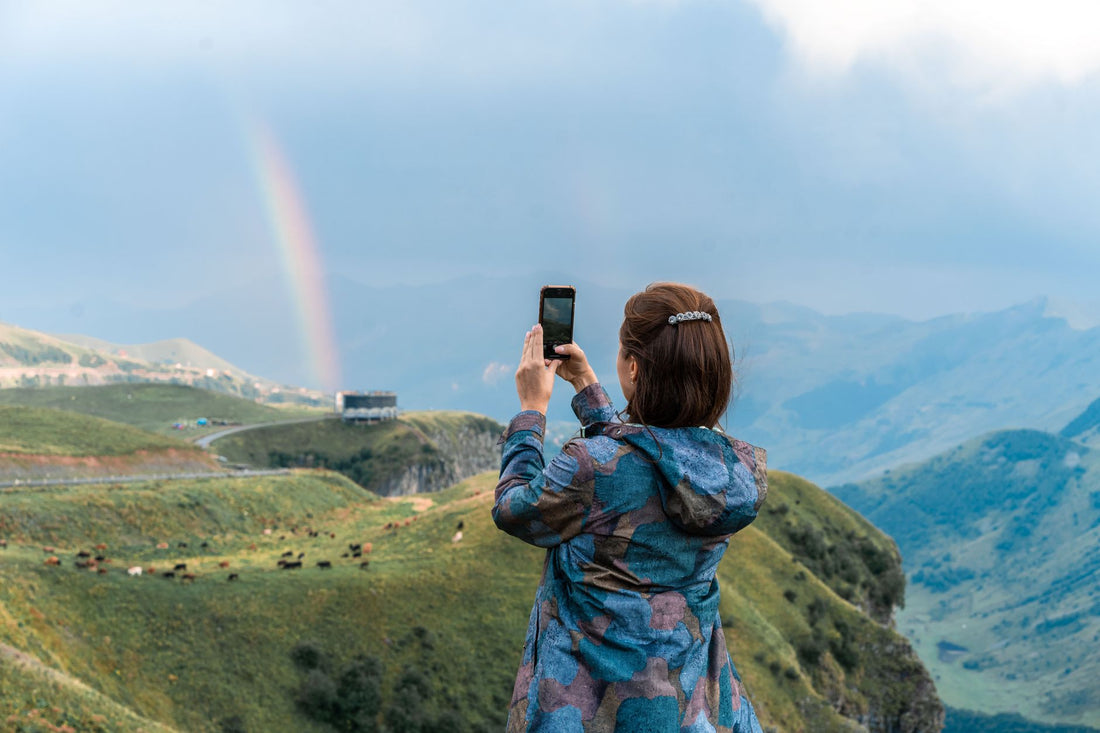
In short: Yes, you can put an eSIM on a minor's phone without any legal or technical issues: you purchase and configure it yourself, with your card, and the child simply uses it. 1-3 GB per week is usually sufficient, you avoid roaming, keep their Spanish number active, and can locate them in real-time throughout the trip.
Can a minor use an eSIM? The legal question, resolved
It's the first question any parent asks before booking a flight: Can I put mobile data on my child's phone without it being a line in their name? The answer is yes, unequivocally. A travel eSIM is not a phone contract or a line that requires end-user identification. It is, simply, a prepaid data plan that you buy online, with your own card and your own details, and then install on the minor's phone. They use it to browse, send WhatsApp messages, or open maps; you control it from the first minute because the management is linked to your purchase, not theirs.
This changes quite a bit compared to what many people imagine. There's no paperwork, no need to take the child's passport to any store, and no signing anything on their behalf. You buy the minor child eSIM plan from your phone or computer in five minutes, and it's ready to install whenever you want, even weeks before the trip.
The only real requirement is technical, not legal: that the minor's phone supports eSIM. Most recent models, both iPhone and mid-range to high-end Androids, have it, but it's worth checking before buying anything, because if it's a second-hand or older phone, the option of a physical SIM is still a valid alternative.

eSIM, local SIM, or roaming: what's best for a child
When it comes to a minor's phone, not all options for getting data abroad are equal. Roaming from a Spanish operator is the most convenient on paper—you don't have to do anything—but it also gives you the least control: it bills by usage, with no clear cap, and in some destinations outside the European Union, it can exceed several euros a day without you realizing it until you return home. For a teenager with their phone in hand all day, that's playing with fire.
A local SIM is cheaper than roaming, but it has a drawback that many parents don't anticipate: in many countries, buying a prepaid SIM requires registering an identity document, and they don't always accept a minor's without an accompanying adult. Also, you have to find the store, wait in line, and sometimes deal with language barriers, which is the last thing you want on the first day of vacation.
The eSIM solves both problems at once. The cost is fixed from the moment of purchase—it has a fixed data limit, so there are no surprise top-ups or skyrocketing bills—and it doesn't require any registration with the child's data, because you are the owner of the purchase. As a bonus, it keeps their Spanish line active in Dual SIM mode, so they still receive your calls and messages while using the eSIM's data for everything else. If you want to understand the reason for this price difference in more detail, we explain it in eSIM vs roaming, and if you're interested in the fine print of why roaming gets expensive outside the EU, you have the full explanation in what is data roaming.
| Option | Cost Control | Registration with minor's data | Keeps their Spanish number |
|---|---|---|---|
| Travel eSIM | High (fixed data plan) | Not needed | Yes, in Dual SIM |
| Foreign local SIM | Medium | Usually requires ID | No, except with physical Dual SIM |
| Operator roaming | Low (billed by day or MB) | No, but can be expensive | Yes |
How much data to give a child on a trip
Direct answer: for a minor on a family trip, 1 to 3 GB per week is usually enough. Families often share hotel, apartment, or restaurant Wi-Fi, and children mostly use their phones for messaging, music, and some occasional games, not for consuming mobile data all day. If they watch a lot of videos or series away from Wi-Fi, it's wise to provide a larger allowance from the start to avoid having to top up mid-trip.
As a general guideline by usage type:
- Basic use (messages, location, light music streaming): 1-2 GB per week is usually sufficient.
- Medium use (social media, some short videos, maps): better to aim for 3 to 5 GB per week.
- Intensive use (series, online games, lots of social media content): consider a more generous plan or be prepared to expand it if necessary during the trip.
Practical tip that many parents don't consider: intentionally give them a limited plan, not the largest possible. When a child sees that mobile data is limited, they naturally tend to look for accommodation Wi-Fi, which prevents their phone from becoming an unrestrained screen throughout the vacation.
If you're also traveling through several countries on the same continent, take a look at our Europe eSIM, designed precisely to cover multiple destinations with a single plan without having to buy a different eSIM at each border.
Parental control and eSIM: how to combine them well
The eSIM provides the connection, but you control what the child does with that connection using the tools already on the phone itself. On iPhone, you have Screen Time and Family Sharing; on Android, Family Link. With either, you can limit which apps they can open, during what hours, and whether they can make in-app purchases. This configuration works exactly the same with eSIM data as with Wi-Fi: parental control doesn't distinguish where the connection comes from, only what the device does with it.
The combination that works best in practice is simple: an eSIM with limited data so they don't browse endlessly or spend too much, plus parental control to decide which apps they can open and at what times of day. This gives them the autonomy to text you, call if you get separated, or check the map, but not a 24-hour open bar of internet. This is the balance most families traveling with children who have their own phones seek.
One detail that is often overlooked: check content restrictions and in-app purchases before leaving, not when the suitcases are still unpacked. Ten minutes at home can save more than one headache at the airport.
Location and security: a priority for parents
For many families, this is the underlying reason they consider putting data on their child's phone: to be able to locate them in real time. With active data, you can use Find My iPhone or Google Location and know where your child is at all times within a theme park, on an organized excursion, or simply walking through a large, unfamiliar city. Without mobile data, that function becomes blind the moment the child moves out of range of the hotel's Wi-Fi, which is usually exactly when it's most needed.
Data also allows them to text you immediately if they get separated from the group, or open the map to walk back to the meeting point without having to ask strangers in another language. It's a peace of mind that changes how you experience the trip, especially in crowded cities or destinations where language is a real barrier. Before leaving, take some time to teach them how to activate data, share their location with you, and what to do if the phone runs out of battery, which is the other scenario that should be planned for.
If the travel destination is outside Europe, it's also worth considering the privacy of the connection on public Wi-Fi networks in airports or accommodations: we explain this in more detail in eSIM, VPN, and travel privacy, useful for both you and for configuring the minor's phone with an extra layer of security.
How to prepare it yourself before leaving home
By far, the best thing is for you to get everything ready calmly at home with a good Wi-Fi connection, so the child only needs to carry the phone on the day of the trip. The process is the same as for any travel eSIM: you buy the data plan, scan the QR code on the minor's phone connected to your home Wi-Fi, and activate the data when you land at your destination. You have the full step-by-step guide, with screenshots, in how to install an eSIM, and if you've never used one and want to understand what it's all about first, start with what an eSIM virtual is.
- Check that the minor's phone supports eSIM (most recent models do).
- Buy a data plan tailored to the destination and duration of your trip.
- Scan the QR code on the child's phone while you are connected to home Wi-Fi, not at the airport.
- Set up parental control (Screen Time, Family Sharing, or Family Link) and activate shared location.
- Upon arrival at the destination, activate the eSIM data and deactivate roaming on their main line to avoid duplicate charges.
If the trip includes the United States, note that coverage conditions and areas with good signal vary greatly by state; we detail this in our USA eSIM. And if you are traveling within Spain on a school or family trip and the child needs occasional data outside their usual plan, the Spain eSIM is also a quick option to configure.
Common mistakes and what almost no one tells you
There are recurring patterns in this dilemma. These are the ones that truly make a difference:
- Buying the largest plan "just in case." It seems like the safe option, but in practice, it usually translates to more screen time without limits. A tailored plan, with the possibility to extend if necessary, works better for both your wallet and family harmony.
- Activating the eSIM on the same day of the flight. Installing it at the airport, with nerves and often unstable public Wi-Fi, is the perfect recipe for a last-minute failure. Do it at home, with time, and arrive at the airport with everything already configured.
- Forgetting to deactivate roaming on the main line. If you leave data roaming active on their physical Spanish SIM simultaneously with the eSIM, the phone might alternate between both networks without you realizing it, which is when unexpected charges appear. Deactivate it as soon as you arrive at your destination.
- Not checking the actual coverage of the destination. Not all plans cover rural areas, mountains, or small islands equally well. If the trip includes segments far from cities, it's advisable to check beforehand rather than discovering a lack of signal mid-route.
- Assuming parental control "is already included" in the eSIM. This is not the case: the eSIM is just the connection. You configure content filtering, schedules, and app limits separately, using the mobile's operating system tools.
- Not teaching the child what to do if they lose their phone or it runs out of battery. It's an uncomfortable topic, but a simple plan (where to find you, who to ask for help) is worth more than any amount of mobile data.
Frequently Asked Questions
Is it legal to put an eSIM on my minor child's phone?
Yes. The eSIM is a prepaid data plan that you purchase and configure as an adult; it is not a contract line in the minor's name nor does it require their documentation. You install it on their phone and control it from the purchase, just as you would pay for a credit top-up.
How many GB should I give a child for a week-long trip?
For a minor on a family trip, 1 to 3 GB per week is usually enough, as they often share accommodation Wi-Fi and primarily use their phone for messaging and music. If they watch a lot of videos, increase to 5 GB. Giving them a tailored plan also helps prevent excessive screen time.
Can I control what they do online with the eSIM?
Yes. The eSIM only provides the connection; you control what they do using the phone's built-in tools: Screen Time and Family Sharing on iPhone, or Family Link on Android. These limit apps, schedules, and purchases, and work the same with eSIM data as with Wi-Fi. Configure them before you leave for your trip, not when you're already away.
Will I be able to locate my child if they have an eSIM?
Yes, and it's one of its big advantages for many families. With active data, you can use real-time location (Find My on iPhone or Google's location) and know where they are on excursions or in large cities. Without data, this function stops updating as soon as the child goes out of Wi-Fi range.
Will they still receive my calls with the eSIM enabled?
Yes, if their phone keeps the Spanish SIM active in Dual SIM mode. The eSIM provides travel data, and their regular number remains operational for your calls and WhatsApp. To avoid roaming charges, set mobile data to only use the eSIM and the Spanish line only for voice.
At what age does it make sense to give a child their own eSIM?
There's no fixed age: it depends on whether the child already has their own phone and if you'll be separated at any point during the trip (excursions, camp, theme park). If they have a phone, an eSIM makes sense from the first trip where you want to be able to locate them or for them to be able to text you without relying on Wi-Fi.
What if I forget to install the eSIM before leaving home?
You can still install it at your destination if Wi-Fi is available (airport, hotel), but it's more convenient to do it calmly at home. If you have to do it abroad, make sure you have the confirmation email with the QR code accessible without needing mobile data to open it.
Conclusion
Giving your child's phone data abroad is easier, cheaper, and safer with an eSIM: you control it from the purchase, avoid roaming, and can locate them in real-time throughout the trip. Combine it with the phone's parental control and a tailored data plan, not too much and not too little, and you'll both travel more at ease. Choose the plan for your next trip's destination from all our destinations and get it ready before leaving home.






