
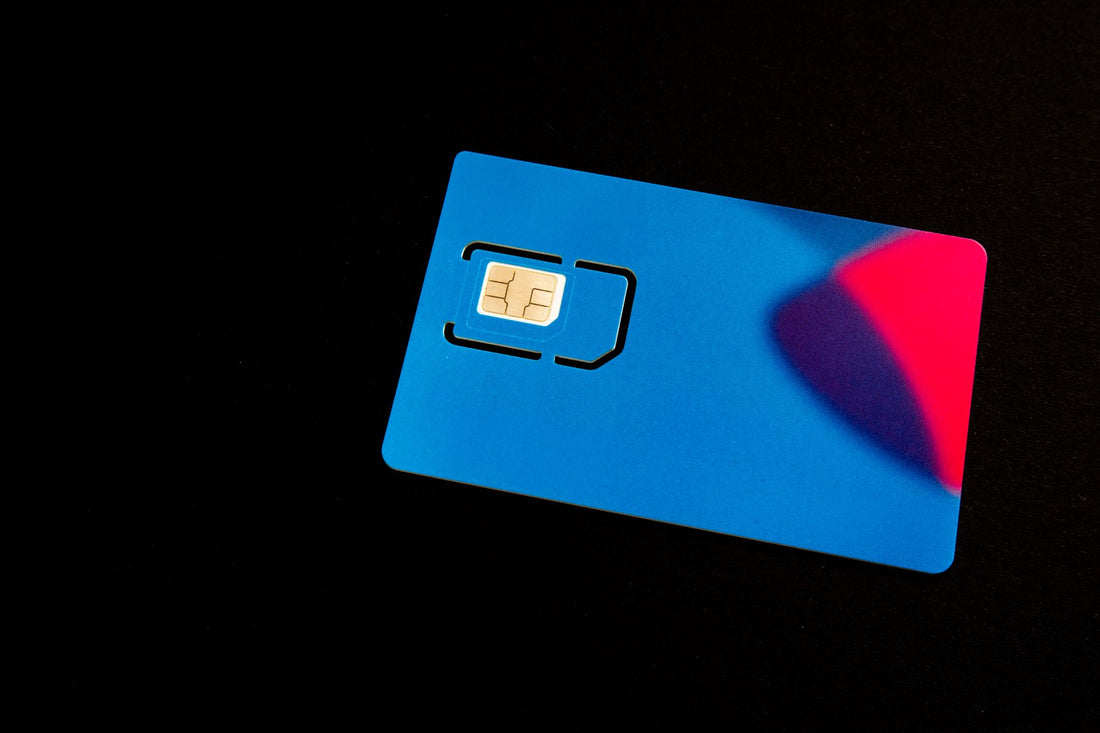
In short: Switching from eSIM to physical SIM (and vice versa) is a standard, reversible process authorized by your operator: they provide you with the new support for your same number and deactivate the old one. You keep your number, plan, and contacts. It's usually free or costs a few euros and takes minutes to complete.
If you've recently started using an eSIM and are now considering switching back to a physical SIM, or vice versa, this guide will clarify things for you without beating around the bush. You'll learn when each change is convenient, what steps your operator follows, how long it takes, what mistakes to avoid, and what to choose when you want to travel without roaming. No empty technical jargon: just concrete steps and genuinely useful advice.
Can I switch from eSIM to physical SIM?
Yes. Converting your eSIM to a physical SIM is a standard process handled by your operator: they provide you with a new card with your same number and deactivate the digital profile. The reverse change, from card to profile, also exists and is just as routine. In both cases, you keep your number, plan, and contacts; the only thing that changes is the physical support for the line.
The key is to understand that an eSIM is not a card you can physically move from one place to another: it's a profile recorded within the phone's module itself. That's why the change is always authorized by the operator; it's not done by "taking something out." It doesn't matter if you have Movistar, Vodafone, Orange, Yoigo, Digi, or an MVNO: all of them offer both directions, although each might call it something different (duplicate, change of support, conversion to eSIM...).
Typically, the process is free or costs a few euros for the new card, and it's resolved in minutes if you request it through the app or in-store. The only thing you cannot do is have the same number active on both the eSIM and the physical SIM at the same time: when one is activated, the other automatically deactivates. This is a system security measure, not a fault.

Real differences between eSIM and physical SIM
Before deciding, it's good to understand what you gain and lose with each format. The difference isn't just "one is plastic and the other isn't": it affects how you switch phones, how you travel, and what happens if your phone breaks.
| Aspect | eSIM | Physical SIM |
|---|---|---|
| Support | Digital profile inside the phone | Card inserted into the tray |
| Activation | Scanning a QR, in a couple of minutes | Inserting the card and waiting for coverage |
| Changing phones | Requires reactivating or transferring the profile | Removing the card and inserting it into the other phone |
| If you lose or break your phone | The profile remains tied to the phone | You can move the SIM to another phone instantly |
| Dual line | Ideal (eSIM + physical SIM at the same time) | Limited to the phone's slots |
| Physical risk | Cannot be stolen by removing it | Can be extracted if your phone is stolen |
| Travel | You add destination data without touching your home line | You usually change the card or pay roaming fees |
eSIM excels in convenience and for allowing two lines on a single phone, which is very useful for separating work and personal life or for travel. The physical SIM, on the other hand, wins in a very specific scenario: if your phone suddenly dies, you can take the card, put it in any other phone, and be operational in seconds. You can find full details in our comparison of eSIM vs. physical SIM.
From eSIM to physical SIM: step-by-step
This is the path to take when you want to switch back to a physical card, usually because you're moving to a phone without eSIM support, you want to be able to manually move the line between devices, or you prefer to have a spare plastic card just in case.
- Order the SIM from your operator. From their app, website, or store, request a "physical SIM duplicate" or an "eSIM to SIM change." It's the same number, not a new line; make sure the agent understands this so they don't set up a different service for you.
- Receive and activate it. The card arrives by mail or is given to you in-store. Upon activation, your eSIM profile is automatically deactivated. With some operators, the cut-off is immediate, while with others, you need to confirm activation via SMS or the app.
- Insert the SIM and restart. Place the card in the tray with the phone turned off, turn it on, and wait for coverage and your operator's name to appear.
- Check calls and data. Make a test call, send an SMS, and open a website to confirm that everything is working, both voice and mobile data.
Tip: Do not delete the old eSIM profile until you confirm that the physical SIM works for calls and data. If something goes wrong, the operator can reactivate the digital profile, but only if you haven't deleted it prematurely.
Many of these steps coincide with those for changing devices, so if you've recently got a new phone, the process will sound familiar.

From physical SIM to eSIM: step-by-step
The reverse change is becoming increasingly common: you switch from the traditional card to a digital profile to gain convenience and the ability to have a dual line.
- Confirm your phone supports eSIM. First, check that your model is compatible; you can see it in the list of eSIM compatible phones. If your phone doesn't support it, this change is simply not possible.
- Request conversion from the operator. Ask to "switch my line to eSIM." They will generate a QR code associated with your same number. Some operators do it instantly from the app; others send it via email.
- Scan the QR. In Settings > Mobile Data > Add eSIM (or Add Data Plan), you scan the code and the profile is installed. If you prefer detailed guidance, we have our step-by-step guide on how to install an eSIM.
- Remove the physical SIM. Once the profile is active, the old card stops providing service. You can keep it or destroy it; it's no longer valid for that line.
You can find the complete process, with screenshots for iPhone and Android, in the guide on how to convert your SIM to eSIM.
How long does it take and how much does it cost?
Time and money are the two star questions. The timelines depend on the channel you use, and the figures vary by operator, so take this as a general reference and confirm the current conditions with your company.
| Situation | Estimated time frame | Estimated cost |
|---|---|---|
| Switch to physical SIM in-store | You leave with the card immediately | Free or a few euros for the card |
| Switch to physical SIM via app or web | Delivery by mail, usually 1-3 business days | Free or a few euros, depending on the operator |
| Conversion from physical SIM to eSIM | QR instantly or by email in minutes or hours | Usually free |
| Subsequent activation of the new support | Almost immediate upon turning on or scanning | No cost |
In Spain, changing the support is not considered a new line activation, so it does not restart your contract duration or modify your plan. Still, each operator applies its own conditions, and some charge a small fee for the physical card, so a quick check in the app before ordering will save you surprises.
When is each one right for you?
There's no absolute winner: it depends on your phone and how you use it. Here's a quick rule of thumb to decide without overthinking it.
eSIM is suitable if you want to activate in a couple of minutes without waiting for shipping, if you need two lines on the same phone, or if you travel and want to add local data without removing your home line. Physical SIM is suitable if your phone doesn't support eSIM, if you frequently swap your card between several devices, or if you value being able to rescue your line by moving it to another phone when yours fails.
- New, compatible phone: eSIM, no doubt.
- Old or locked work phone: Physical SIM.
- Frequent traveler: eSIM as a second data line for the destination.
- Often changes devices: Physical SIM for the speed of moving the card.
- Concerned about theft: eSIM, because no one can remove it from the phone.
If your doubt is more fundamental, also consider security: an eSIM cannot be stolen by removing it from the phone, while a physical SIM can be instantly retrieved if the phone dies. Each advantage has its flip side, and there is no perfect option for everyone.
Common mistakes when making the switch
Most problems don't come from the format, but from skipping a step. These are the most common mishaps when switching between card types.
- Deleting the eSIM prematurely. If you delete the profile before activating the physical SIM, you'll be without service for a few minutes or hours. Wait to confirm that the new support is working.
- Believing it's a new line. The change keeps your number; you don't lose contacts or your plan. If they offer you "a new line," something has been misunderstood.
- Not checking compatibility. Switching to eSIM on a phone that doesn't support it is impossible: confirm this before requesting anything.
- Confusing your main line with a data eSIM. If you had a separate data eSIM (for example, for a trip), remember that this profile is independent of your main line and keeps its own number or is data-only.
- Confusing support change with porting. Changing from eSIM to physical SIM is not the same as changing carriers. If you also want to port the number to another operator, that is a different process with its own conditions.
Fact: In Spain, the process of changing support is usually free or costs a few euros for the new card, and it does not reset your contract duration or your plan.
What almost no one tells you
Beyond the step-by-step instructions, there are details you only discover when you're already knee-deep in the process. These are the ones you'll be most grateful to know beforehand.
- Make the switch with Wi-Fi nearby. To install an eSIM via QR or from the operator's app, you need a connection. If you run out of data in the middle of the process, you might get stuck.
- Save the email with the QR before scanning it. Many eSIM QRs are single-use. If the installation fails and you've already scanned it, you might have to request a new one.
- Changing support does not affect your contacts. Modern contacts live in your Google or Apple account, not on the card. If you have "old-school" contacts saved on the physical SIM, export them before removing it.
- A travel eSIM does not replace your line: it complements it. You can keep your Spanish number and, in parallel, a second eSIM for data only in the country you're visiting. This way, you receive bank SMS while browsing with a local plan.
- If your phone is stolen, the eSIM works in your favor. They cannot take your line to put it in another phone. Still, notify your operator as soon as possible to block it, just as you would with a physical card.
And for travel, what should I choose?
For travel, the eSIM has a clear advantage over a local physical SIM. You don't have to search for a store at the airport or change your home card: you install a data profile for the destination before leaving and land with internet, no roaming, no stress. And you keep your Spanish number active to receive bank SMS or important calls.
A travel eSIM activates in a couple of minutes and works as a separate profile, so it doesn't touch your usual line: when you return, you delete it and that's it. If you usually travel through Europe, the United States, or want coverage as soon as you land at home, you have specific plans like the eSIM for Europe, the eSIM for the United States, or the eSIM for Spain.
If you want to delve deeper, see why a data eSIM avoids expensive roaming. With a traditional operator, roaming outside the European Union can exceed several euros a day or be charged per megabyte at high prices; always consult the current rate with your company before leaving, because that's where billing surprises occur.
Frequently asked questions
Do I lose my number when I switch from eSIM to physical SIM?
No. The change of support keeps your same number, your plan, and your contract duration. Only the type of card changes: you switch from a digital profile to an insertable card, or vice versa. Your contacts remain on your phone or in your account, not on the SIM.
Can I have the same line on an eSIM and a physical SIM at the same time?
Not with the same number. When you activate one of the two supports, the other automatically deactivates. What you can do is have your line on a physical SIM and, separately, a data eSIM with a different number or data-only running in parallel.
How long does it take for the operator to give me the physical SIM?
If you do it in-store, you leave with the card immediately. Via app or web, it usually arrives by mail in one to three business days. Subsequent activation is almost immediate: as soon as you turn it on, the eSIM profile deactivates, and the card takes over.
Is it free to switch from eSIM to physical SIM?
It depends on the operator, but in most cases, it is free or costs a few euros for the new card. It is not considered a new line activation, so it does not reset your contract duration. Check the specific conditions in your company's app or customer service.
Can I transfer my eSIM to a phone that doesn't support eSIM?
Only by requesting a physical SIM with your number from the operator. The eSIM profile cannot be "extracted" or manually copied to another phone. If your new phone doesn't support eSIM, the only way is to convert the line to a physical card before transferring the number.
Does changing support reset my contract duration or my plan?
No. Switching from eSIM to physical SIM (or vice versa) is a change of support, not a new activation. You maintain the same plan, the same conditions, and the same contract duration you already had. Porting your number to another company is a different process.
What happens to my travel data eSIM when I return home?
Nothing that affects your main line. The travel eSIM is an independent profile: when the plan ends or you return, you can delete it from your phone without touching your Spanish number. If you plan to reuse it on another trip, first check its validity and balance.
Conclusion
Switching between eSIM and physical SIM is simple, free or nearly free, and keeps your number: just ask your operator for the change and confirm everything works before removing the old support. Choose based on your phone and how you use it, not on trends. And if your goal is to travel without bill surprises, a destination data eSIM is the most convenient way to land with internet, no roaming, and no stress.








