
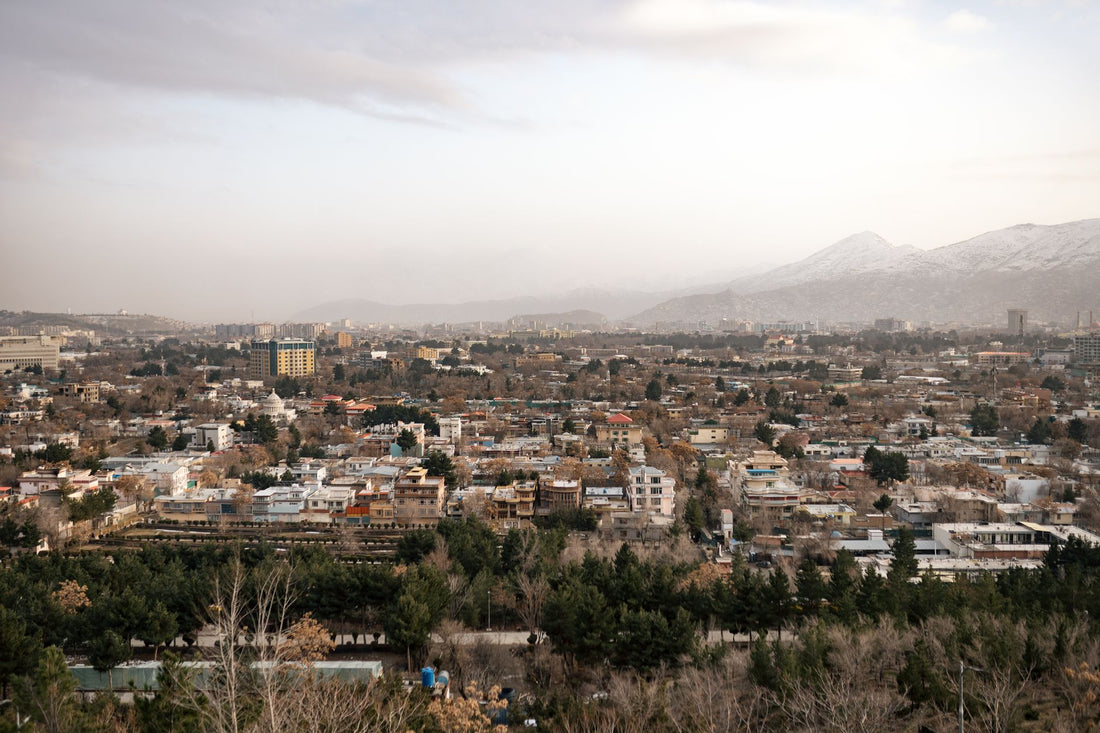
In short: an eSIM for Afghanistan works in Kabul, Herat, Mazar-i-Sharif, and Kandahar with acceptable 4G, and drops to 3G or disappears in rural and mountainous areas. It is installed before leaving home, does not require passport registration like a local SIM, and avoids roaming, which in this destination can easily skyrocket. With 3-5 GB, you'll cover a week of maps and messaging.
Does an eSIM work in Afghanistan?
Yes. If your phone supports eSIM (iPhone XS or later, Pixel 3 or higher, Galaxy S20 and similar models), an eSIM for Afghanistan connects to the local mobile network as soon as you land. You install it at home with Wi-Fi, before checking your luggage, and only activate data upon setting foot on Afghan soil. There's no need to unlock your phone or risk trusting a dubious store right after leaving Kabul airport.
The country has 3G and 4G coverage in major cities, and a travel eSIM relies on these local operators without signing a contract or going through paperwork. That said, Afghanistan is a sensitive destination in the most literal sense: before planning your trip, always check your country's official travel recommendations. Internet connection is the easy part of the trip; the rest requires serious preparation.

Operators and coverage by area
The Afghan mobile network is divided among four operators: Roshan, Afghan Wireless (AWCC), Etisalat Afghanistan, and MTN Afghanistan. A travel eSIM doesn't force you to choose a brand: it routes the connection through the operator with the best signal at each point of your journey, so you don't have to compare coverage before leaving.
Coverage is strong in Kabul, especially along the axis from Shahr-e Naw to the historical center, and reasonable in Herat, Kandahar, and Mazar-i-Sharif. In Jalalabad and Kunduz, 4G works in the urban core but quickly degrades when moving towards the outskirts. If your route includes Bamiyan or the Panjshir Valley, expect the signal to be intermittent 3G, and in mountainous road sections, there might be no coverage of any kind for hours: it's an area of closed valleys, and the Hindu Kush topography is unforgiving.
Roshan and Afghan Wireless are historically the operators with the most extensive network outside provincial capitals; MTN and Etisalat compete with good data rates within large cities, but their rural coverage is more limited. With an eSIM, this ceases to be your problem: the plan automatically finds the available operator with the best signal at all times, without you having to guess the correct SIM upon arrival or renegotiate anything if you change cities.
| Area | Typical technology | Quality |
|---|---|---|
| Kabul (capital) | 4G / 3G | Good in the center |
| Herat and Kandahar | 4G / 3G | Acceptable |
| Mazar-i-Sharif | 3G / 4G | Variable |
| Jalalabad and Kunduz | 4G in the urban core | Drops quickly on the outskirts |
| Bamiyan and Panjshir | Intermittent 3G | Irregular |
| Mountain roads | No signal for long stretches | Low |
How many GB you need for your trip
It depends on your usage, but for a short trip focused on maps, messaging, and internet calls, between 3 and 5 GB is usually enough for a week. If you plan to work on site, make many video calls, or frequently upload photos and videos, increase to 8-10 GB or choose a plan that allows top-ups without having to install anything new.
As an approximate daily consumption reference:
- Messaging and maps (WhatsApp, Google Maps): 150-300 MB/day.
- Social media with video: 500 MB - 1 GB/day.
- Video calls: about 300-500 MB per 30 minutes.
An important nuance for this destination: if your route combines Kabul with provinces where the signal is 3G or worse, you'll use more battery and more data than usual, because your phone constantly searches for a better network. It's a good idea to activate airplane mode in sections with predictably no coverage and reactivate it upon reaching the next city, instead of letting the phone "scan" for signal the entire way. If you also plan to move through several countries in the region, review this comparison of international SIM vs. eSIM beforehand to avoid carrying two solutions that do the same thing.
Tip: download offline maps of Kabul and your routes using Google Maps or Maps.me before you leave. In mountainous areas without signal, you'll still be able to navigate without using data or relying on the network.

How to activate your eSIM step by step
The entire process is done from home, with Wi-Fi, and does not depend on finding coverage upon arrival. The eSIM is installed by scanning a QR code:
- Purchase the eSIM and receive the QR instantly by email.
- On iPhone: Settings › Cellular Data › Add eSIM › scan the QR. On Android, the process is similar, within Mobile Networks or Connections.
- Label it "Afghanistan" to avoid confusing it with your main line.
- Upon landing, activate the data for that eSIM and data roaming for the line: without this step, even if the eSIM is installed, it won't connect to the local network.
If this is your first eSIM, this guide to installing an eSIM will walk you through it without surprises. And if you're still unsure what it is exactly and how it differs from a physical card, check out what an eSIM is before buying, especially if you're getting a new phone for your trip.
eSIM vs local SIM vs roaming in Afghanistan
Roaming with your Spanish operator in Afghanistan is among the most expensive you'll find: since there are no favorable roaming agreements with most European operators, the cost per MB can quickly skyrocket, and some plans don't even activate it for this country. It's advisable to check with your operator before leaving, because in more than one case, the answer is directly "not available."
A local SIM is cheap for data once you have it, but buying it involves passport registration procedures, finding a reliable store in a country where it's not always easy to verify which one is, and wasting the first hours of your trip on paperwork instead of being already connected. In some points of sale, biometric registration is mandatory, which as a passing traveler rarely benefits you.
A travel eSIM is the sensible middle ground: you set it up before you leave, you don't touch your Spanish SIM (you still receive calls and SMS from your usual number), and you avoid surprise bills upon your return. To understand the root of the roaming problem in general, this explanation of what data roaming is clarifies why rates skyrocket outside certain agreements, and this comparison of eSIM versus roaming breaks it down with specific cases.
| Option | Cost | Paperwork | Your Spanish number |
|---|---|---|---|
| Spanish operator roaming | Skyrockets, often unavailable | None | Active |
| Local physical SIM | Cheap once purchased | Passport registration, sometimes biometric | Replaced or inactive |
| Travel eSIM | Fixed payment for data plan | None, installed via QR | Active in background |
A non-trivial advantage in a country like Afghanistan: you keep your Spanish SIM active in the background, so if your bank sends you a verification SMS or an embassy needs to locate you via your usual number, you'll still receive it normally. The eSIM only handles data; your usual line remains intact for important matters.
Internet, VPN, and app access in Afghanistan
This is a point that many generic eSIM guides don't even mention, and in Afghanistan it matters: access to certain platforms and social networks has been subject to restrictions and intermittent outages in recent years, and the situation can change from one month to the next. Do not assume that all the apps you use daily in Spain will work the same once connected to a local Afghan network.
Before traveling, check which messaging and video call apps you actually have active and have an alternative installed in case any stop responding on the ground. A reliable VPN, configured and logged in before leaving home, is a reasonable precaution in this destination, both to maintain access to your usual services and for security on networks you don't control. If you're not sure how to combine this with your eSIM, this guide on eSIM, VPN, and privacy when traveling explains how to set it up without complicating things.
A practical detail: install and configure the VPN with Wi-Fi at home; don't rely on being able to download it in Afghanistan if app store access is limited at that time. It's the same principle as with offline maps: what you need, resolve before you leave.
What almost no one tells you
There are a series of details that don't appear in quick "eSIM for your destination" guides, and in Afghanistan, they make the difference between arriving calmly or spending the first day dealing with unexpected issues:
- Power outages affect antennas. In several provinces, power outages are common, and when the power goes out, some base stations operate on limited backup battery. If you notice the network faltering in the late afternoon in a provincial city, it's not your eSIM: it's the local infrastructure itself.
- On Fridays, the network gets saturated. It's the weekly day off and the day of highest domestic mobile usage in many cities; if you plan to make an important video call, try to do it at another time of the week if you have a choice.
- Don't assume your operator's roaming. Many European companies directly exclude Afghanistan from their active roaming zones; they don't just make it more expensive. Check beforehand instead of assuming that "like everywhere else, I'll just pay a bit more."
- The economy is still very cash-based. Don't expect to pay with your phone or find reliable free Wi-Fi in businesses like in other destinations; your own data connection is, often, the only one you'll have available during the day.
- Local SIM registration is not a minor process. If you still decide to supplement with a local line, be aware that biometric or passport registration can take longer than expected and may not always be available at the same place where you buy the card.
On-site connection tips
Some practical ideas to avoid running out of internet at the worst moment:
- Activate your phone's data saver and limit automatic app updates: in areas with weak coverage, a background update of several hundred MB can leave you without margin just when you need it.
- Put your phone in airplane mode on road sections where you know there will be no signal, to save battery and data.
- Save important documents, emergency contacts, and accommodation addresses offline, in addition to maps.
- If you're traveling with others, check among yourselves who has active data: it's not necessary for all four people in the group to maintain constant connection all day.
A final digital security tip: in any sensitive destination, it's advisable to avoid open public Wi-Fi networks for sensitive tasks like online banking. Having your own data with your eSIM allows you to connect on your own, without relying on questionable Wi-Fi, which reduces the risk of your information being intercepted at an airport or coffee shop. If you want more general tips for making your GBs go further in any country, this guide on how to save data with a travel eSIM has settings that make a noticeable difference in daily consumption.
PuraSIM covers over 200 destinations in its catalog, so if your route continues to other countries after Afghanistan, you don't need to find a different solution each time: check the catalog before you leave and sort out the rest of your trip all at once. And if something goes wrong with activation, 24/7 support in all languages is available via email and WhatsApp, without relying on finding coverage to make a call.
Frequently asked questions
Does the eSIM give me an Afghan number to call?
No. A travel eSIM is data-only: it connects you to local internet, but you keep your Spanish number on your main SIM. For calls, use WhatsApp, Telegram, or internet calls, which work with the eSIM's data as long as the app in question is accessible at that time.
Is there 4G in Kabul?
Yes, there is 4G in much of central Kabul and major cities, though speed varies by time and area. In rural and mountainous areas, the connection usually drops to 3G or disappears, which is common due to the country's topography and, at times, power outages affecting antennas.
Do I need to register the eSIM with my passport?
No. Unlike a local Afghan SIM, which requires in-person and sometimes biometric registration, a travel eSIM is activated with a QR code without paperwork or submitting documentation. This is one of its great advantages in a destination where buying a physical SIM can take time.
When should I install the eSIM before traveling to Afghanistan?
Install it at home with Wi-Fi before flying, but don't activate data until you land. This way, the plan starts counting when you actually use it, and you arrive fully prepared to connect as soon as you set foot in Kabul airport.
Does an eSIM for Afghanistan work the same throughout the country?
Not exactly. eSIM coverage in Afghanistan depends on the same local network you would use with any SIM: good in Kabul, Herat, Kandahar, and Mazar-i-Sharif, and more limited in provinces like Bamiyan or Panjshir. The eSIM doesn't improve the country's infrastructure; it simply connects you to the best available network at each point without you having to manage it.
Do I need a VPN in addition to the eSIM?
It is recommended. Access to certain platforms may be restricted or change over time, so having a trusted VPN already configured before leaving home is a reasonable precaution, both to maintain your usual apps and for privacy on networks you don't control.
What do I do if I run out of data in the middle of my trip?
You can top up the plan from the app or buy another eSIM in seconds, without installing anything physical or looking for a store. That's why it's good to overestimate your GBs: in a destination like this, it's better to have too much than to be cut off at the most inconvenient time.
Conclusion
Afghanistan is a demanding destination, and having your connection sorted out removes a problem from the first minute. An eSIM gives you data in major cities, avoids roaming costs that easily skyrocket here, and doesn't depend on finding a reliable SIM store as soon as you land. Prepare your eSIM for Afghanistan before you leave, add a reliable VPN and offline maps, and travel with your phone ready from the first minute in Kabul.









