
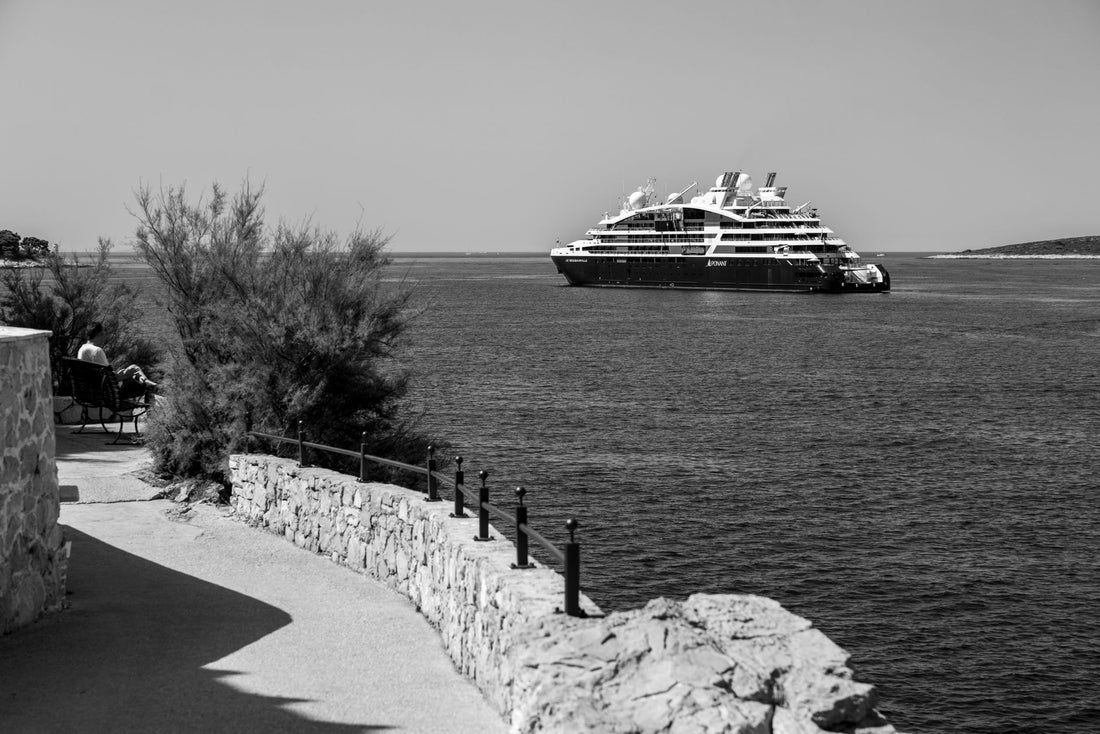
In short: an eSIM for the Mediterranean gives you mobile data at every port or island on your route without relying on expensive ship Wi-Fi or satellite roaming on the high seas. Since almost the entire itinerary is usually within the European Union, a single European regional plan covers Spain, Italy, Greece, and Croatia with the same eSIM, without changing plans at each stop.
What is an eSIM for the Mediterranean and who needs one
An eSIM for the Mediterranean is not a product distinct from a normal European eSIM: it is simply the way to name the specific use you will give it, because your route crosses several countries in a few days. A typical cruise touches Italy, Greece, and Croatia in a single week; an island-hopping getaway can take you from Athens to Naxos and from there to Santorini without stepping on the same country twice. Buying a physical SIM at each port is absurd, and activating roaming from your Spanish operator will cost you an arm and a leg as soon as you leave the EU (Turkey, Egypt, or North Africa are excluded). That's why the approach that works is a single digital profile that is activated before leaving home and that you turn on and off depending on the country you are in at any given moment.
It serves both those on an organized cruise and those traveling independently by ferry: on a cruise, you use it a few hours a day in port; on your own, you need it for almost everything. If you have never installed one, it's worth understanding first exactly what a virtual eSIM is and how the digital profile works.
Does it work on a cruise or only on land?
It works as soon as the ship is docked or sailing near the coast, because your mobile hooks up to normal land-based mobile antennas, the same ones any resident of the country uses. On the high seas, however, there is no terrestrial network that reaches the ship: if your phone searches for a signal there, the only thing it can find is the cruise's own satellite network, and that is precisely the problem to avoid.
The common misconception is to think that the eSIM "doesn't work at sea." It does work, but only where there is a terrestrial network to pick up. The real difference is in what you do with your mobile while navigating: if you leave it to search for a network on its own, it will end up connecting to the ship's antenna without you having decided it.

Ship roaming: the most expensive trap on the route
The most expensive mistake on a Mediterranean cruise is not forgetting to buy data: it's letting your phone connect on its own on the high seas. There, it hooks up to the ship's satellite network — usually appearing on your phone with names like "Cellular at Sea" or "MCP" — and that network charges maritime roaming rates that are among the most expensive in telecommunications. A few megabytes of background synchronization, without you even opening an app, can generate an unexpected charge.
Golden rule on board: as soon as you set sail and lose sight of the coast, activate airplane mode. Connect only to the ship's Wi-Fi if you have contracted it separately, and save your eSIM data for when you return to port.
With an eSIM, the approach is clean from the start: you keep your Spanish line's roaming deactivated at all times and use the eSIM's data only on land, where it connects to the local network of the country you are visiting. This way, you never touch the satellite antenna, not even by accident. To understand where these exorbitant rates come from, it's helpful to read exactly what data roaming is, and if you want to compare the real savings against activating your operator's roaming, the eSIM vs. roaming guide makes it quite clear: on a cruise, that difference is noticeable every day you spend outside the EU.
Which eSIM to choose based on your itinerary
Since a Mediterranean cruise or island route touches several countries, you don't want a single-destination eSIM but a regional one that covers them all with the same plan. These are the most common combinations and what coverage to look for in each:
| Typical Route | Countries usually touched | Coverage you need |
|---|---|---|
| Western Mediterranean | Spain, France, Italy | European regional eSIM |
| Eastern Mediterranean | Italy, Greece, Croatia, Montenegro | European regional eSIM |
| Greek islands by yourself | Greece (several islands, same country) | European regional eSIM (or Greek if it's a single island and direct flight) |
| Adriatic | Italy, Croatia, Montenegro | European regional eSIM |
| Route with a stop in Turkey or North Africa | EU + non-EU country | European regional eSIM + check for extra coverage for that segment |
Most of these routes are entirely within the European Union, so a Europe eSIM serves you for the entire journey with a single plan, without having to buy anything new at each stop. If your cruise departs from or arrives at a Spanish port and you also want to have plenty of connection before boarding or upon return, you can supplement with a Spain eSIM for those extra days on land. However, if the itinerary includes Turkey, Egypt, or any North African port, check that these countries are included in your regional plan's coverage before assuming that "Europe" covers them, as they are outside the European Union and some regional plans do not cover them.
Real coverage in ports and islands
In the major Mediterranean ports, coverage is among the best you'll find throughout your trip: Barcelona, Marseille, Civitavecchia (the gateway to Rome), Naples, Piraeus (Athens), or Dubrovnik all have solid 4G or 5G as soon as you step on the pier. As soon as you disembark, the eSIM connects to the local network and you can browse seamlessly for maps, last-minute bookings, or uploading photos.
On small islands, there are nuances. In Santorini, the signal is good in Fira and Oia, but drops on the path connecting the villages along the caldera rim; download the offline map before that hike. In Mykonos, something similar happens on the southern beaches. In the Croatian islands—Hvar, Korčula—the old town is well covered, but in coves accessible only by boat, there might be no signal. The rule that saves you trouble: download the offline map of the port and accommodation before getting off the ship, especially if you're traveling independently. The pattern is repeated throughout the route: old towns with plenty of signal, significant drop-off as soon as you move away from the center.
How many GB you need on board
Since you'll barely use data at sea — or none at all, if you use airplane mode — your actual consumption is concentrated during port hours. This usually means fewer GB than one initially calculates, because you're not browsing 24 hours straight as on a normal trip. For a one-week cruise with daily disembarkation, a reasonable reference:
- 3-5 GB: basic use in port (maps, messaging, some photos), relying on the ship's Wi-Fi for the rest.
- 10 GB: if you upload content to social media at each stop and share high-quality photos and videos.
- More than 10 GB: if you want to rely less on onboard Wi-Fi and make video calls from land at each port.
Hours of navigation on the high seas do not consume your eSIM if you have activated airplane mode: do not inflate the calculation for full cruise days, count only the actual hours you will spend disembarked. If you travel independently by ferry, consumption increases because you depend on your mobile almost all day; then check out some tricks to save data while traveling that extend the plan without running short.
What almost no one tells you before sailing
There are a series of details that are not included in most cruise guides and that make the difference between arriving relaxed or having a bad time with your mobile:
- Port Wi-Fi is not your friend. Many cruise terminals offer free Wi-Fi while you wait to board: it's an open network through which thousands of passengers' traffic passes daily. For banking or email, the eSIM is better; and if you do use open Wi-Fi at some point, it's wise to know how to protect yourself, something we explain in the guide to privacy and VPN while traveling.
- Airplane mode doesn't always disable roaming alone. On some phones, if you reactivate data without completely disabling airplane mode, the phone may search for a network again and connect to the ship's antenna without warning you. Check in settings that your physical line's roaming is deactivated separately.
- "No coverage" excursions are not always so. On inland routes of Greek or Croatian islands, the bus passes through mountain sections without signal, but the destination village does have it. There are specific sections without coverage, not entire islands in the dark.
- The days before or after in the departure port are already covered. If you fly to Barcelona, Rome, or Athens before boarding, the same European eSIM also serves you for those days on land, without contracting anything separate for the airport.
Island hopping on your own: tips that really matter
If, instead of an organized cruise, you go island hopping independently—jumping from island to island by ferry—the regional eSIM becomes even more useful, as you depend on constant internet for ferry schedules, last-minute accommodation, and maps in places where no one will guide you. Some tips that truly make a difference compared to generic ones:
- A single European eSIM for the entire route saves you from changing plans every time you cross countries, which on several islands can happen every two or three days.
- Save ferry tickets and reservations on your mobile before reaching the pier: some secondary ports don't have good signal at the dock.
- Share the hotspot with your companion from a single plan if you always travel together; it's more cost-effective than activating an eSIM per person.
- Check your mobile's compatibility before leaving home: discovering it doesn't support eSIM at the port, without Wi-Fi to fix it, is the worst possible moment.
Many island routes are concentrated on short breaks like Easter, with several countries in a few days: the logic is the same, a single plan that doesn't force you to be dependent on roaming at each border.
How to install it before leaving home
All of this works best if you have your eSIM installed and ready before you pack your suitcase, not at the check-in counter with spotty airport Wi-Fi. The process is the same as for any other destination: you scan a QR code, the profile is saved on your phone, and you just have to activate the data when you land or disembark for the first time. If it's your first eSIM, follow the step-by-step guide on how to install an eSIM calmly at home, with a good connection, and don't leave this task for the last minute at the departure port.
A practical recommendation: activate the plan one or two days before boarding, not on the same day. This way, you can check that the profile works, that you have data, and that there are no compatibility issues, instead of discovering it with your luggage already checked in.
Frequently asked questions
Does an eSIM work on a Mediterranean cruise?
Yes, as soon as the ship is in port or sailing near the coast, because it connects to land mobile networks just like it would in any city. On the high seas, there is no terrestrial network that reaches the ship, so you won't have eSIM data there: only the cruise's own satellite antenna, which should be avoided.
Why is ship internet so expensive on the high seas?
Because in the middle of the sea, your mobile connects to the cruise's own satellite network, with some of the highest roaming rates available. That's why it's best to activate airplane mode when you set sail and only use the contracted onboard Wi-Fi if you have it, reserving your eSIM data for when you return to port.
Which eSIM should I choose for a multi-country cruise?
A regional European eSIM that covers all countries on the route, not a single-destination one. Most Mediterranean itineraries are entirely within the European Union, so a single European plan is sufficient for the entire journey. Separately check if your route includes Turkey or North Africa, as they are outside the EU.
How many GB do I need for a one-week cruise?
Less than you might think, because you only consume data during port stops, not during navigation. 3 to 5 GB are enough for basic use, relying on the ship's Wi-Fi; increase to 10 GB or more if you upload content to social media and share photos and videos at each disembarkation.
Does the eSIM work well on small islands like Santorini or the Croatian islands?
In the towns and tourist areas of Santorini, Mykonos, or the Croatian islands, coverage is good. It might be weaker in secluded coves, paths between villages, or inland road sections, so download offline maps of the port and accommodation before getting off the ship if you are traveling independently.
Can I use the free port Wi-Fi instead of the eSIM?
You can, but it's not the most advisable for anything sensitive: these are open networks through which thousands of passengers' traffic passes daily. For quick inquiries, it's fine, but for banking, email, or reservations, it's better to use your eSIM data.
When do I NOT need to buy an eSIM for my Mediterranean route?
If your "cruise" is actually a short weekend getaway within the European Union with your usual Spanish plan, and your operator already includes EU roaming at no extra cost, you don't need anything else: your normal line covers you just like at home. The eSIM makes sense especially when the route includes several countries, lasts more than a few days, or you leave the EU at some point (Turkey, North Africa).
Conclusion
An eSIM for the Mediterranean turns any cruise or island hopping trip into a connected journey without unexpected bills: normal internet at every port and zero satellite roaming from the ship. Choose a European regional plan that covers the entire route, activate airplane mode on the high seas, and use data only on land. Prepare the installation before leaving home, not at the pier, and if anything goes wrong at any point during your trip, PuraSIM offers 24/7 support in all languages via email and WhatsApp, with over 200 destinations in its catalog for the rest of your itinerary. Sail calmly throughout the Mediterranean with a single plan.






