In short: An eSIM for the Camino de Santiago gives you internet on the route without expensive roaming, without physical cards, and without queues in stores upon arrival: it installs on your mobile in a minute, uses Spanish networks where there is coverage, and is especially useful if you come from outside Europe or want extra data for the stages.
The Camino is walked, with a minimal backpack and your mobile as a compass, diary, and lifeline. Here we tell you how to choose and use an eSIM for the Camino de Santiago, focusing on what really matters: battery life that lasts the stage, coverage in rural areas, useful apps, and zero extra weight. No technical jargon, just pilgrim advice for pilgrims.
Do you need an eSIM for the Camino?
If you are from Spain and already have data on your usual line, you don't need anything extra for the French or Portuguese Camino: your plan works the same in Galicia as in Madrid. The eSIM makes sense in three specific cases: you are coming from outside Europe and want to avoid expensive roaming, you are looking for a second data line that doesn't affect your usual plan, or you simply want more GB than you currently have for the route. In any of these cases, it installs in a minute, and you land connected from the first albergue.
The real question isn't "eSIM yes or no," but "how do I keep my mobile useful for 30 days of walking?" And that's where the eSIM helps because it's a lightweight profile, with no plastic to lose, that you can activate just for the stages and deactivate when you return home. For those arriving from America or Asia, it's the cleanest way to have internet without paying roaming for every photo.

How an eSIM works on the route
An eSIM is nothing more than a data profile that lives inside your mobile, without the physical card we're used to. If you've never used one, we explain it calmly in what an eSIM is: you scan a QR code or tap a link, the profile downloads, and in a couple of minutes you have active data, without opening your phone or touching any tray.
Install it before leaving home
The most practical thing is to do it before taking your flight or train to the starting point. You need Wi-Fi to download the profile, and once installed, you activate it the day you start walking. This way, you avoid depending on finding a store in Saint-Jean-Pied-de-Port or Porto with your backpack already loaded. The step-by-step is in how to install an eSIM.
A compatible mobile, a prerequisite
Almost all modern mobile phones come with eSIM capability as standard. It's advisable to check this before you leave, because if your phone is older or locked to a specific operator, the profile won't install. You can check this in five minutes by looking at your phone's settings.
Coverage in rural and mountain areas
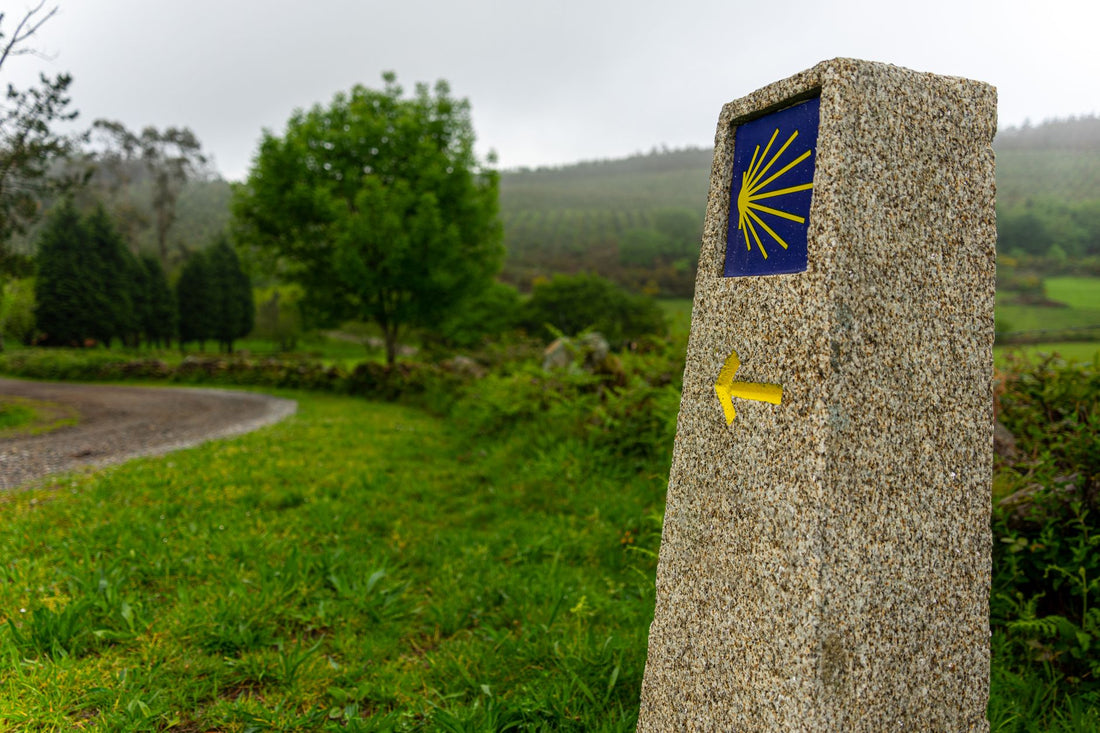
The Camino is not a fiber optic highway: it crosses tiny villages, Galician forests, and mountain passes where the signal comes and goes. It's good to know this so you don't get surprised right when you're looking for the next yellow arrow.
Generally, population centers and albergues have decent 4G coverage, and sections between villages may drop to 3G or lose signal for a few minutes. The most delicate points are usually mountain passes, such as the Montes de León or Los Ancares, and some isolated sections of the Primitive Way. The eSIM relies on Spanish operators, so you'll have the same coverage as a local SIM bought at any tobacconist.
Pilgrim's tip: download the map of the day's stage offline the night before, using the albergue's Wi-Fi. This way, you don't depend on the signal in the middle of the mountains, and if you get lost at a crossroads, the GPS will still work without data.
French Way
This is the busiest and best-covered route: villages every few kilometers and albergues with Wi-Fi on most stages. The weakest sections are the passes of Roncesvalles and O Cebreiro, where it's advisable to have the map already downloaded.
Portuguese Way
From Porto or Tui, coverage is usually good as it runs near urban centers. If you start in Portugal, keep in mind that you'll be changing countries: an eSIM that covers the entire peninsula avoids the connection cut when crossing the border in Valença.
Northern Way and Primitive Way
These are the most demanding in the mountains and the ones that become most depopulated between stages. Here, offline mode is almost mandatory: there are sections of several hours with hardly any coverage, especially in inland Asturias and in the highlands of the Primitive Way.

Battery: the scarcest resource
On the Camino, battery is king. You walk for hours with GPS open, take photos, check your stage diary, and sometimes there's no free outlet until late at night, when several chargers are already fighting for the few sockets in the albergue. Managing it well is more important than having the biggest data plan on the market.
An eSIM doesn't use more battery than a physical SIM: the consumption is identical. What does drain battery is mobile usage: live maps, high brightness, and constant signal searching in areas without coverage. Adjust these, and your phone will make it to the albergue.
- Download offline maps so the GPS isn't constantly pulling data and signal.
- Activate low power mode from the first hour of the stage, not when you're already at 15%.
- Carry a lightweight power bank: it's the perfect complement to an eSIM and doesn't weigh much.
- Lower the brightness and refresh rate of the screen when walking in the sun.
- Put your phone in airplane mode in sections without coverage; searching for a network without finding one is one of the biggest battery drains.
If you're concerned about data usage tied to battery life, this list of tips for saving data with an eSIM also helps your phone work less hard: the fewer apps requesting background connection, the less battery and data used.
How much data you use on the Camino
Data consumption on the Camino is surprisingly low if you play with offline mode. You're not watching entire series: you're navigating downloaded maps, sending messages, and uploading photos at night using the albergue's Wi-Fi. That weighs little compared to normal city use.
Typical usage reference: a pilgrim who downloads maps and uses the albergue's Wi-Fi for photos consumes very little data daily. For a complete French Way, a mid-range data plan is usually more than enough.
| Camino | Typical duration | Recommended data profile |
|---|---|---|
| English Way / last 100 km | 5-6 days | Light plan, basic map and messaging use |
| Portuguese Way (from Porto) | 10-12 days | Medium plan, maps + photos + occasional social media |
| Full French Way | 4-5 weeks | Ample plan, constant daily use for weeks |
| Pilgrim who teleworks | Any | High plan, daily email, video calls, and documents |
If you make daily video calls or upload videos using mobile data instead of waiting for Wi-Fi, consumption will be significantly higher compared to a pilgrim who only navigates maps and WhatsApp. It's also important to understand why roaming prices skyrocket outside your country, especially if you come from outside the European Union.
eSIM, physical SIM, or roaming: what suits you
Before leaving, almost every pilgrim asks the same question: should I buy a SIM at a tobacconist when I arrive, activate roaming with my home operator, or install an eSIM before I leave? All three provide internet, but not all fit equally well with a backpack and thirty days of walking.
Roaming is convenient if you're coming from within the European Union, as it's often included in most plans at no extra cost. If you're coming from outside Europe, your home operator's roaming is usually the most expensive option by far; the cost escalates per MB, so it's best to avoid it unless it's an emergency. We compare the three options in eSIM vs. roaming.
The local physical SIM has a problem specific to the Camino: you have to find a store as soon as you land, with your backpack on your back, and then keep it safe for weeks. The eSIM solves exactly that: it's installed before leaving home, and there's no card to search for, keep, or lose. The full comparison is in international chip vs. eSIM.
Common mistakes and what almost no one tells you
There are details that are almost never mentioned and that make the difference between arriving frustrated or arriving calmly in Santiago.
- Installing it on the same day you leave, in a rush. The profile downloads with Wi-Fi, and if you leave it for the airport with a bad connection, it can fail right when you need it most.
- Confusing coverage with speed. Having "one bar" of signal doesn't mean you can load a heavy map or make a video call. In mountain areas, save important things offline.
- Not checking albergue Wi-Fi before connecting. Open networks shared by dozens of pilgrims are not always reliable for entering passwords or accessing your bank. It's better to use your eSIM data for those transactions, or add an extra layer of privacy: we tell you how in eSIM and VPN for traveling with privacy.
- Carrying two physical SIMs "just in case." With an eSIM, you can keep your usual line for calls and SMS, and use the eSIM profile only for data, without carrying an extra card that can get lost among your clothes.
- Assuming that "the entire Camino has coverage" because the first day went well. Initial sections are usually better covered than inland ones; don't generalize the first stage to the rest of the route.
Pilgrims arriving from outside Spain
Each Camino has its starting point, and many pilgrims arrive from outside Spain. For them, the eSIM is even more useful, as it solves the connection from the first minute without relying on roaming.
- French Way: starts in Saint-Jean-Pied-de-Port or Roncesvalles; good coverage except in mountain passes.
- Portuguese Way: starts in Portugal, so an eSIM covering the entire peninsula is advisable to avoid losing connection when crossing the Miño.
- Northern Way and Primitive Way: more rural and mountainous; prepare offline content well before leaving.
If you come from a country in the European Union, your own roaming already covers Spain at no extra cost in most cases. If you come from outside the EU, an eSIM saves you from expensive roaming, as mentioned earlier. To cover only the Spanish route, our eSIM data plan for Spain is the most direct option; if your Camino starts in Portugal, the eSIM data plan for Europe prevents you from losing coverage when crossing the border.
When to walk: Easter and high season
The time of year significantly changes the experience. Easter is one of the busiest times for pilgrims: it coincides with holidays in several countries, albergues fill up quickly, and checking availability via mobile becomes almost essential. If you walk during these dates, it's advisable to have everything installed with plenty of time, without leaving it until the last minute.
Outside of Easter, summer is the season with the most pilgrims ahead and behind you on the same stretch, which also saturates the Wi-Fi in large albergues. Spring and autumn are usually quieter, although with albergues closing earlier, so checking schedules online helps avoid finding the door closed.
Essential apps for the pilgrim
With a light data plan and these apps, you'll have the Camino sorted without overloading your phone with services you won't use. The idea is to rely little on signal and a lot on already downloaded content.
- Offline maps (Google Maps or Organic Maps) with stages saved beforehand.
- Camino albergue app to check availability, hours, and exact location.
- WhatsApp for the pilgrim group that forms on almost every Camino.
- Weather app, crucial especially in Galicia, where rain dictates what clothes you wear.
- Camera and a cloud service that uploads photos only when it detects Wi-Fi.
Frequently asked questions
Is there coverage on the entire Camino de Santiago?
In towns and albergues, yes, with decent 4G in most sections. Between towns and in mountain passes, it may drop to 3G or lose signal for a few minutes, especially on the Primitive Way and in the passes of the French Way. The solution is to download the stage maps offline the night before, using the albergue's Wi-Fi.
How much data do I need for the complete French Way?
If you download maps and use the albergue's Wi-Fi to upload photos, daily consumption is low, so a medium data plan is usually more than enough for the four or five weeks of the route. With daily video calls or videos on mobile data, it's advisable to contract a larger plan from the start.
Does an eSIM use more battery than a physical SIM on the Camino?
No, it consumes exactly the same. What drains battery is mobile usage: live GPS, high brightness, and searching for a signal in areas without coverage. With offline maps, low power mode, and a lightweight power bank, your phone will last until the end of the stage.
I'm coming from outside Europe; is an eSIM suitable for me for the Camino de Santiago?
In most cases, yes. If you are coming from America, Asia, or another continent outside the European Union, the roaming costs from your home operator usually skyrocket. An eSIM data plan for Spain or Europe gives you internet from the moment you land, without queues to buy a local SIM or extra plastic in your backpack.
Can I still receive calls and SMS from my usual number with the eSIM activated?
Yes. The eSIM installs as an additional line alongside your physical SIM; it does not replace it. You can keep your usual line active for calls and SMS, and use the eSIM profile solely for data navigation during the Camino.
Does WhatsApp work the same with an eSIM?
Yes, without any change. WhatsApp is linked to your phone number, not to the data line you use at any given time, so you'll continue in your pilgrim group as usual; your number and contacts do not change.
Conclusion
For the Camino, the ideal connection is one that weighs nothing, covers you in villages, and doesn't leave you stranded with a dead battery halfway through the stage: offline maps, a lightweight power bank, and an eSIM that provides data without plastic or last-minute hassles. If you're coming from far away or simply want extra GBs without touching your home plan, a light eSIM for the Camino de Santiago is the perfect companion for the pilgrim.