
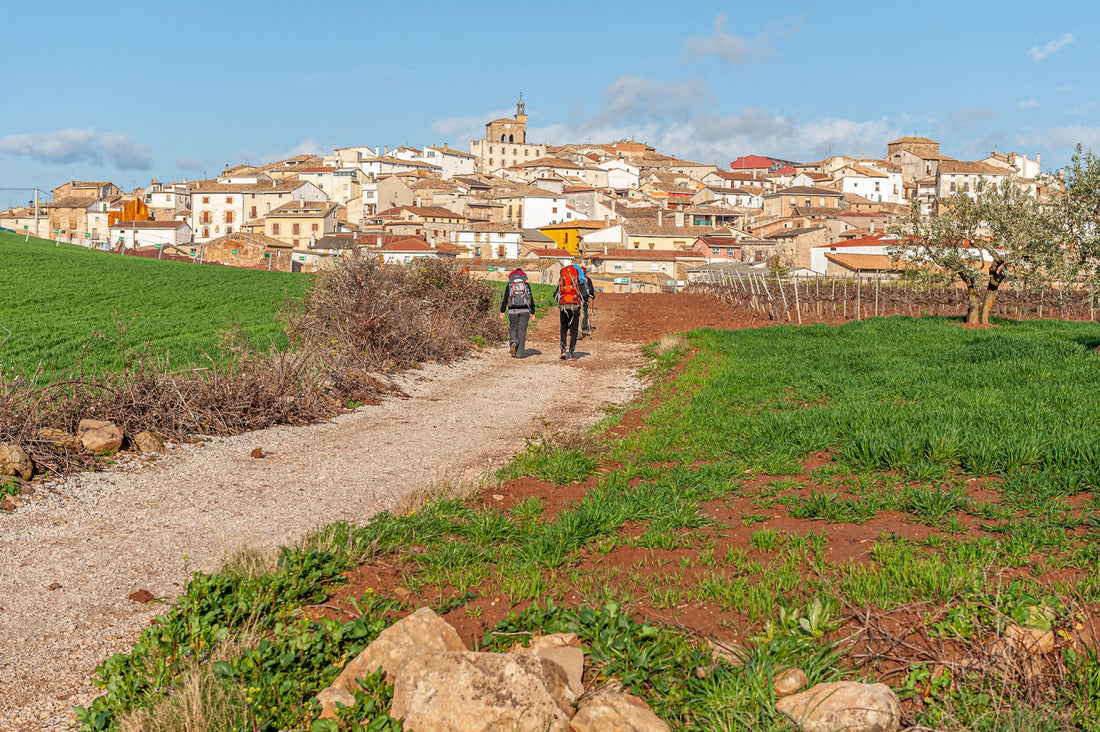
In short: An eSIM for the Camino de Santiago gives you mobile data from the first step, without looking for tobacconists or relying on the irregular Wi-Fi of hostels. It's installed before you leave and activated as soon as you arrive in Spain, ready for any stage, even in rural areas of Galicia or the Meseta where coverage is weaker.
The Camino de Santiago is not a hotel trip with complimentary Wi-Fi at every corner. It involves daily stages of 20-30 km, often through small villages, mountains, or open countryside, where your mobile phone stops being a luxury and becomes your map, your translator, your way of notifying that you're running late for the hostel and, at some point, your only contact with the outside world if something goes wrong.
If you're coming from outside Spain to do the Camino —and a very large part of pilgrims are—, the question isn't whether you'll need data, but how you'll get it without paying too much or depending on a SIM card shop being open in Saint-Jean-Pied-de-Port or Sarria on a Sunday. This is where the eSIM comes in: we solve it before leaving home.
What is an eSIM and why is it so well suited for the Camino?
An eSIM is a digital SIM card integrated into your phone. There's no plastic to insert or tray to open with a clip: it's installed by scanning a QR code and, from there, it works as a separate data line from your usual number. Most mobile phones from the last five years support it, although it's advisable to check before buying.
For a pilgrim, this has three very specific advantages over buying a physical SIM upon arrival:
- You install it before leaving home. You don't depend on finding an open shop at your starting point, which is often a small village with impossible hours.
- You keep your usual number active for calls and SMS (for example, for the bank or for your family to locate you), while data runs on the eSIM. This is known as dual SIM, and on the Camino, it's practically the ideal setup.
- There's no risk of losing a tiny SIM in your backpack, something that happens more often than it seems when you've been packing and unpacking your luggage in different hostels every night for thirteen days.
If you've never installed one, the process is simple and we explain it step-by-step in this eSIM installation guide. In general, it takes no more than five minutes, and you can do it calmly the week before catching your flight or bus to your starting point.
Mobile coverage on the Camino de Santiago: what to expect section by section
It's important to be honest here, because this is the real concern for anyone starting to plan: coverage on the Camino de Santiago is not uniform. Spain has one of the best mobile networks in Europe in cities and main roads, but the Camino precisely crosses the areas where that network is weakest: mountains, deserted areas, and closed valleys.
For large sections, this is what you usually find:
- French Way (Saint-Jean-Pied-de-Port to Santiago): generally reasonable coverage, with the typical exceptions of the Pyrenees crossing (climb to Roncesvalles), the O Cebreiro section, and some valleys of the Meseta between Burgos and León where the signal comes and goes.
- Northern Way: more irregular, with well-covered coastal sections and inland areas in Cantabria and Asturias where you might lose data for several kilometers.
- Primitive Way: it has the worst coverage of the main routes, due to its mountainous route between Asturias and Lugo. There are entire stages where it's normal to have no signal.
- Portuguese Way: generally good coverage, especially on the coastal section, with occasional drops near the border.
- English Way: short but with some forest sections without coverage between Ferrol/A Coruña and Santiago.
The practical lesson is simple: on no Camino can you assume you'll have data 100% of the time, so the offline map app (we'll see it below) is not optional, it's part of the basic equipment, at the same level as worn-out boots or rain gear.
How to get everything ready before starting to walk
Before leaving home
- Purchase your eSIM plan for Spain with the GB and days you calculate necessary (below we give you references by number of stages).
- Install the eSIM by scanning the QR while you have calm Wi-Fi at home. There's no need to activate it yet.
- Download offline maps of the regions you'll cross on Google Maps or Maps.me: Navarre, La Rioja, Castile and León, Galicia, or those corresponding to your route.
- Save the phone numbers of reserved hostels and the European emergency number, 112, on your mobile (or on paper, as a backup).
Upon arrival in Spain
- Deactivate airplane mode and activate the eSIM data line.
- Check that data roaming is enabled within the settings of that specific eSIM; otherwise, there will be no connection even if the line is active.
- Try loading any website to confirm that everything is working before you start walking on the first day.
- If you have doubts about the differences between this system and traditional roaming from your home operator, here's a clear comparison between eSIM and roaming that clarifies the most common doubts.
How much data do you need for the Camino?
Consumption on the Camino is usually lower than people estimate, because most of the day you're walking without looking at your mobile, and usage is concentrated at specific times: occasional navigation, WhatsApp messages, a few photos you upload at night, and checking the weather forecast for the next day. Even so, it's good to have some margin for days with more photos and video calls.
| Camino Duration | Typical Usage | Estimated GB |
|---|---|---|
| Short section (Sarria–Santiago, 5-6 days) | Maps, WhatsApp, occasional social media | 3-5 GB |
| Full French Way (30-35 days) | Moderate daily use + photos + occasional video calls | 15-20 GB |
| Full Northern or Primitive Way | Similar to above, with more sections without coverage saving data | 12-18 GB |
| Pilgrim who shares a lot of content (daily photos/videos) | Frequent uploads to social media, long video calls | 25-30 GB or plan with top-up |
If you run out of data halfway through the Camino, it's not a drama: you can extend or top up data from the client area without having to look for a physical store in the middle of Galicia. And if you want to make the most of your GB, here are specific tips for saving data while traveling that work just as well walking as on any other type of route.
Essential apps you will actually use on the Camino
You don't need to fill your phone with applications. With these few, you cover practically all the real needs of a pilgrim:
- Google Maps (with downloaded offline maps): so you don't depend on signal in mountainous sections where it's most needed.
- A Camino stage app or website (there are specific ones for each route) to check distances, elevation changes, and hostel locations for the next day.
- WhatsApp: to let people at home know you've arrived safely and to coordinate with other pilgrims in your group, without international SMS costs.
- Google Translate: although the Camino is mostly in Spain, many pilgrims are foreigners to each other, and the translator helps break the ice in hostels.
- A local weather app: to decide whether to take out your rain gear before leaving the hostel, something that is more appreciated in Galicia than it seems.
- Your bank: for payments and balance inquiries, always better via mobile data than an open hostel Wi-Fi.
eSIM, physical SIM, or roaming: what's best for the Camino?
This is the most frequently asked question when someone plans their first Camino from outside Spain. There isn't one single valid answer for everyone, but there are clear differences between the three options.
| Option | Main Advantage | Disadvantage on the Camino |
|---|---|---|
| eSIM (activated before leaving) | Ready from the first step, no need to search for shops in small villages | Requires a compatible mobile phone (most from recent years are) |
| Local physical SIM | Usually cheap if you can find one | You have to find a point of sale, and at the Camino's starting point, there isn't always one |
| Roaming from home operator | No installation needed | The cost of data outside your country can skyrocket; it's advisable to check before leaving |
To better understand the technical differences between carrying a physical chip from another country or solving everything with an eSIM, you have this comparison between international chip and eSIM. And if you want to understand what "data roaming" really means and why it affects your bill, here is the complete explanation about data roaming.
What almost no one tells you before you start walking
Beyond the obvious, there are a number of details that you only learn by walking, and that are worth knowing beforehand:
- Your phone battery drains faster when searching for a signal. In sections where coverage constantly comes and goes (typical in mountainous areas of the Primitivo or the Norte), the phone uses battery trying to connect to the network all the time. If you're going to spend hours in such an area, activating airplane mode and checking your phone only during breaks significantly extends battery life.
- Hostel Wi-Fi is anything but reliable. With dozens of pilgrims connected at once to a domestic router, it's common for it to be slow or not load anything at all. Having your own data avoids depending on that lottery for something as simple as confirming a reservation for the next day.
- Save your itinerary and phone numbers even offline. Not just maps: write down hostel reservations and important contacts in your phone notes (or on paper) in case there's no coverage at all on a particular day.
- Dual SIM has a trick. Many phones allow you to choose which line uses data and which uses calls by default. Configure it well before leaving so you don't accidentally spend roaming data from your usual line instead of the eSIM's.
- In rural areas, the privacy of open Wi-Fi networks is a real issue. If you're checking your bank or any sensitive data on a village bar's Wi-Fi, it's best to be aware of the risks: here's a guide on eSIM, VPN, and privacy when traveling that explains how to protect yourself without complicating your life.
- Not all "no coverage" sections are the same. Some are minutes, others are kilometers. If you're going to cross a long section known for having no signal (ask at the hostel the night before, they usually know), notify whoever is waiting for you beforehand so they don't worry if you don't show signs of life for a few hours.
If your Camino continues to another country afterward, or if you're coming from abroad and plan to explore more of Europe before or after the route, you can cover the entire journey with a single eSIM for Europe plan instead of contracting a different line for each country.
Frequently asked questions about the eSIM for the Camino de Santiago
Do I need an eSIM if I am Spanish and already have data on my usual plan?
If your Spanish line already includes enough data, you don't need an additional eSIM: the Camino de Santiago runs within Spain and there is no roaming cost for you. The eSIM makes sense especially for pilgrims arriving from another country who want data working from landing without relying on their home operator.
Can I install the eSIM before arriving in Spain and activate it only when I start the Camino?
Yes, and it is highly recommended. Install the eSIM at home calmly, with Wi-Fi, and leave it inactive. Plans usually start counting validity days from the first data usage, not from installation, so you can prepare everything in advance without losing days from your plan.
What happens if I lose coverage in the middle of a mountain stage?
This can happen in specific sections of the Primitivo, the Norte, or areas of O Cebreiro, among others. That's why it's always advisable to have the maps for that stage downloaded in offline mode before leaving the hostel. As soon as you return to an area with coverage, the eSIM will reconnect on its own without you having to do anything.
How many GB do I need if I only do the French Way from Sarria?
For the typical five or six days of that section, between 3 and 5 GB are usually sufficient for navigation, messaging, and some social media. If you're going to make a lot of video calls or upload video frequently, it's better to play it safe and get a bit more margin.
Can I share the eSIM data with my Camino companion via hotspot?
Yes, you can activate the personal hotspot and share the connection with another mobile or tablet. Keep in mind that hotspots consume GB faster than usual, so if you know you're going to share the connection throughout the route, it's advisable to purchase a plan with a bit more data from the start.
Does the eSIM work the same in small villages as in Santiago de Compostela?
The eSIM itself works the same everywhere: what changes is the mobile network coverage in the area, not the SIM technology. In Santiago, Pamplona, León, or any large city, the connection will be stable; in small villages, it will depend on the local infrastructure, just as it would for any Spanish line.
Does the same eSIM work if I continue traveling through Spain after the Camino?
Yes, an eSIM plan for Spain covers the entire national territory during its validity period, so you can continue using it if you stay a few more days in Santiago, on the Galician coast, or anywhere else in the country before returning home.
Install your eSIM before leaving home and arrive at your first stage with data working from minute one.
See Spain eSIM plans →







