
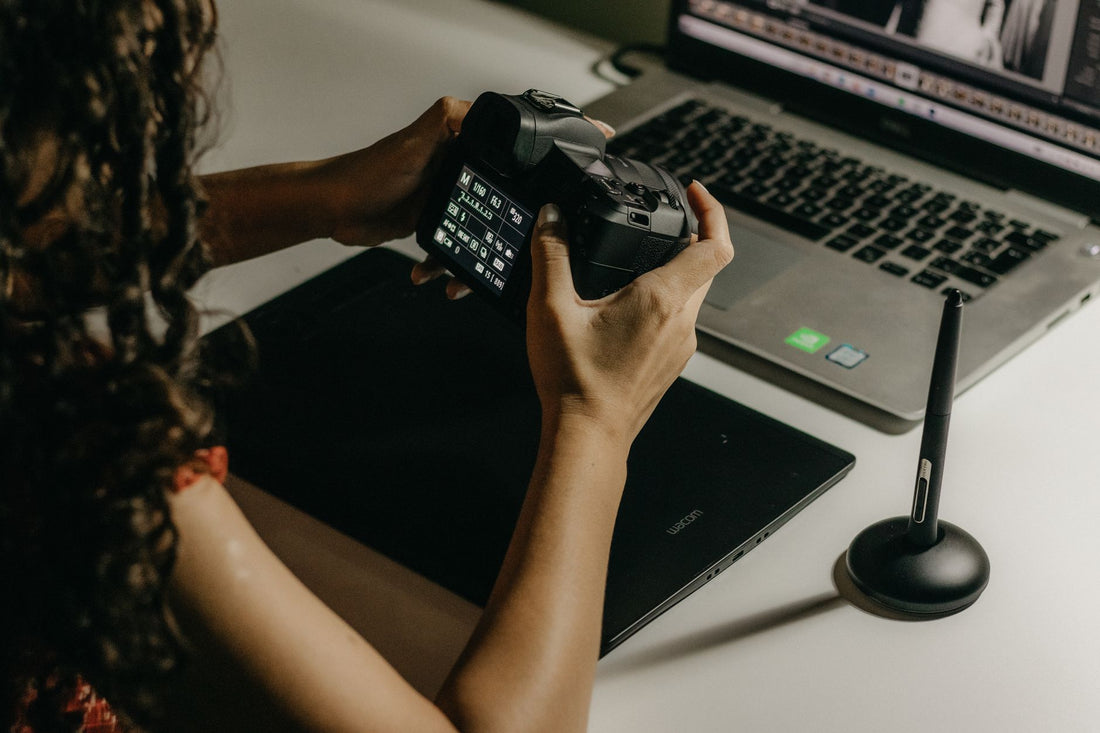
In short: an eSIM for travel photographers gives you your own mobile data to back up RAWs and videos to the cloud and publish without relying on hotel Wi-Fi. Estimate at least 20 GB for a week of intense work, prioritize a plan with good speed, and share the connection with your laptop via hotspot when editing.
If you're a travel photographer or content creator, your problem isn't taking photos: it's uploading them. A single day of shooting generates gigabytes of RAWs and 4K video that need to be backed up and published without relying on slow hostel Wi-Fi. A travel photographer eSIM gives you fast, stable data wherever you are, so you can upload to the cloud and publish without missing a beat. Here's how to set it up right.
Why a photographer needs their own connection
A travel creator lives by uploading content on time and backing up their material before their backpack is stolen or a card gets corrupted. Relying on public Wi-Fi is risky: it's slow for large files, it drops when you need it most, and it's insecure for transferring your work. Your own eSIM gives you total control over your connection.
The advantage over a local SIM is that an eSIM installs in 1 minute without going to a store, keeps your home country number for clients and WhatsApp, and works in over 200 destinations. For those who travel through multiple countries, having their connection sorted as soon as they land is half the battle won. If you're debating between activating your usual carrier's roaming or getting your own eSIM, in eSIM vs. roaming we compare the two options coolly: for a weekend reportage in a European city with good hotel Wi-Fi, it probably doesn't pay off; for a three-week tour across several countries, it definitely does, by a long shot.

How many GB does uploading photos and video consume?
How much data does a travel photographer use? Much more than a normal tourist: between cloud backups, social media uploads, and some live streaming, it's easy to exceed 30-50 GB per month. A day's worth of RAW photos weighs several gigabytes, and one minute of 4K video can be around 350-400 MB. Publishing and backing up quickly adds up.
To avoid surprises, these are estimated consumption figures per task. Adjust according to the quality you work at:
| Task | Approximate Consumption |
|---|---|
| Backup of 100 JPG photos to the cloud | 0.5-1 GB |
| Backup of 100 RAWs | 3-5 GB |
| Upload 1 min of 4K video | 0.35-0.4 GB |
| An Instagram reel/short | 0.1-0.3 GB |
| 30 min live stream in HD | 1.5-2 GB |
With these numbers, a plan of 20 GB or more is a reasonable minimum for a week of intense work. Fine-tune your calculation with our tips for saving eSIM data while traveling: disabling automatic photo syncing while shooting and only activating it at night, or uploading a compressed JPG selection first instead of the entire roll, are small changes that make a difference in your gigabyte bill without affecting the final content quality.
Speed: 5G for fast backups
For a photographer, speed matters as much as gigabytes. Uploading a roll of RAWs over a slow 3G network can take hours; with 4G/5G, minutes. That's why it's advisable to choose an eSIM that provides access to the country's high-speed networks, and to ensure your phone can act as a 5G bridge for your laptop.
5G is already widespread in the major cities of most popular destinations, and that's where you'll do your heavy backups: hotel, cafe, co-working space. The actual speed depends on the site's coverage, not just the plan, so save large uploads for when you have a good signal: in the center of a capital, you might have plenty of 5G, and three streets away or inside a covered market, it might drop to a struggling 4G. If you're concerned about coverage outside tourist areas in a specific destination, compare it with the physical card option in international chip vs. eSIM: a physical card sometimes wins in underdeveloped networks, but you lose travel time searching for and activating it.
Workflow tip: Schedule heavy cloud backups for the evening, at accommodation with good signal. During the day, use data for publishing and communication, and avoid competing with background uploads.

Sharing the connection with camera and laptop
Much of your work is done from your laptop or tablet: editing in Lightroom, exporting, and uploading. The eSIM is in your phone, so the key is the hotspot: you share your phone's data with other devices via Wi-Fi or cable. Many modern cameras also upload directly to the phone via their app, and from there to the cloud.
The hotspot works just like at home, but be careful: sharing to export a long video devours gigabytes at lightning speed. Keep an eye on your consumption while using it. Before activating it, make sure the profile is properly installed: review the process in how to install an eSIM step-by-step, because a misconfigured profile is a common reason why the hotspot doesn't share data even if the phone shows coverage. This way, you turn your phone into the router for your entire work setup anywhere in the world.
Workflow to avoid running out of data
A creator's nightmare is running out of data with unbacked-up material. This can be avoided with a simple workflow and discipline. The idea is to separate urgent tasks (publishing, notifying a client) from heavy ones (backing up RAWs and video), and doing each at the right time and on the right network.
- Batch backup: Upload RAWs and video at night, with a good signal.
- Compress for publishing: Export light versions for social media during the day.
- Use Wi-Fi when reliable: Reserve the eSIM for when Wi-Fi fails or is insecure.
- Monitor your balance: Check consumption daily and top up before running out.
With this order, you maximize every gigabyte without constantly checking the counter.
This workflow assumes there's a network where you are, but that's not always the case. If your route passes through areas with irregular connections – I'm thinking of the trek to Machu Picchu or mountain villages with only one antenna for the entire valley – no data plan will fix the physical lack of signal. In that case, the workflow changes: you back up to a spare SD card during the route and save cloud uploads for when you reach Cusco or Aguas Calientes, where there is good coverage. You can find details of what to expect in each section in eSIM for the Machu Picchu route. The lesson applies to any mountain or jungle destination: always carry a spare card, because there, battery and physical storage are your true plan B, not data.
Choosing a plan based on your trip type
There isn't one ideal plan: it depends on whether you're staying in one country or traveling through several. For a reportage in a single destination, a national plan with many GB offers better value per euro. If you're traveling through several countries (a tour of Asia, a European road trip), a regional plan saves you from having to change profiles at each border.
- One country, lots of content: National plan of 20 GB or more.
- Several countries on one route: Regional plan covering the entire area.
- Round-the-world trip or long tour: Global plan or top-ups by segment.
Whatever your situation, the important thing is not to run short on gigabytes or speed. You can compare all options and choose the one that fits your workflow in PuraSIM's eSIM catalog, with 24/7 support in all languages via email and WhatsApp in case anything comes up during filming.
Here are some specific examples to save you from doing the math from scratch. If your trip involves a wedding reportage or a concert tour across several European countries, a single regional plan saves you from changing profiles at each border: check out the Europe eSIM. If the trip is a long assignment in the United States with lots of material to upload daily, the United States eSIM with plenty of gigabytes simplifies daily life and avoids constant top-ups. And if your thing is a casual weekend in a city with good hotel Wi-Fi, be honest with yourself: you probably don't even need that, and the hotel connection is enough for urgent matters.
Mistakes and pitfalls almost no one tells you about
Beyond GB and speed, there are details of working on the road with an eSIM that you only learn after getting stuck once. Here are the most common ones.
- Hotel Wi-Fi with captive portal disconnects automatically: Many hotel networks require you to log in with your room number, and that session expires on its own after a few hours. If you leave a large backup uploading overnight, check that the session is still active before going to sleep, or you'll find it halfway done in the morning.
- Countries with blocked services: In destinations like China, services you take for granted (Google Drive, Instagram, Gmail) simply don't work. If your backup workflow depends on them, you need a solution before landing, not when you're already there without access. We explain this in more detail in eSIM and VPN for private travel.
- Public Wi-Fi is a risk for client material: Uploading wedding photos or commercial assignments over an open airport or cafe network is not just a matter of speed; it's exposing unencrypted files on a network you don't control. Your own data connection is inherently more secure than any shared Wi-Fi.
- Hotspot and GPS at the same time drain the battery in an afternoon: Shooting with geolocation activated, editing on your phone, and sharing a hotspot to your laptop all at once drains battery much faster than usual. Carry a power bank if you're going to do all three simultaneously.
- It's not all about the plan: If your phone isn't unlocked or is very old, it might not even support eSIM. Check this before buying anything; it's the silliest mistake and the one that ruins the most trips on the first day.
Frequently asked questions
How many GB does a travel photographer need?
It depends on whether you back up RAWs and video via data or only publish light versions. For a week of intense work with cloud backups, 20 GB or more is a reasonable minimum; for long tours, a larger plan or top-ups are advisable. If you back up via Wi-Fi at night, you'll use significantly less data.
Can I upload 4K video with an eSIM?
Yes, as long as you have 4G or 5G coverage in the area. One minute of 4K is around 350-400 MB, so it consumes data quickly: save those uploads for when you have a good signal, ideally at your accommodation. For daily use, publish compressed versions and leave heavy backups for night.
Does eSIM provide 5G for fast backups?
Yes, if you choose a plan with 5G access and are in a covered area, typically major cities. Actual speed depends on site coverage, not just the plan. For heavy transfers, look for a good signal and avoid doing them in rural areas or inside buildings with a lot of concrete.
Can I share the connection with my laptop?
Yes. You activate your phone's hotspot and share the eSIM data with your laptop or tablet via Wi-Fi or cable, just like at home. This is common for editing and exporting from your computer. Monitor your consumption, because exporting long videos via hotspot uses a lot of gigabytes in a short time.
Is an eSIM or a local SIM better for creators?
The eSIM wins in convenience: you install it in 1 minute without going to a store, you keep your number for clients and WhatsApp, and it works in over 200 destinations. A local SIM might be slightly cheaper in a single country, but you lose travel time and have to change cards at each border.
What do I do if I travel to a country that blocks services like Google Drive or Instagram?
In destinations like China, many of the apps and services you rely on for backing up and publishing simply don't work. You need to sort this out before leaving home, checking what privacy tools you can legally use in that country, rather than improvising once you're there without access to your own workflow.
What happens if I run out of data in the middle of a reportage?
You can top up the same eSIM profile without having to reinstall anything, so you don't lose your number or settings in the middle of your work. That's why it's good to monitor your consumption daily instead of waiting until you hit zero at the worst possible moment: check your balance every morning, just as you check your camera battery.
Conclusion
For a travel photographer or content creator, connection is just another work tool: without it, you can neither back up nor publish on time. Choose a plan with plenty of gigabytes and good speed, back up in batches with a reliable signal, and share with your laptop via hotspot. With that, your material travels safely and your content goes out on time. Compare data plans on PuraSIM and set up your connection before your next flight.








