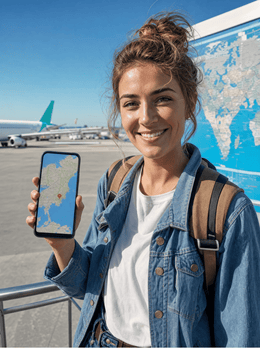
In summary: To follow the 2026 World Cup across the United States, Mexico, and Canada, you need reliable data at the stadium, always-loaded maps, and, if you're crossing borders, a plan that covers all three countries. This is exactly what people are looking for with terms like "stay connected maps world cup esim usa": a USA eSIM that lands with you, no roaming, and no physical cards.
The 2026 World Cup is the first to be held across three countries, completely changing travel logistics for fans. It's not just "going to a match": it's moving between airports, validating digital tickets, following scores from other groups, and finding the stadium without getting lost. An eSIM for the 2026 World Cup solves all of this from the moment you land: internet in the United States, Mexico, and Canada without changing physical cards or paying for roaming, which can easily skyrocket outside of Europe.
What you really need to stay connected during the World Cup
The tournament runs from June 11 to July 19, 2026, with 48 teams spread across the United States, Mexico, and Canada. That's almost six weeks of matches, so if you're going to be there for more than a few days, the question isn't "do I need data?" but "how much and for which country?".
The short list is simple: stable internet inside and outside the stadium, maps that load without relying on venue Wi-Fi, the ability to upload photos and videos without running out of data halfway through your trip, and keeping your local number active for WhatsApp and bank verification codes. An eSIM covers all four at once, and you install it before you leave home, so you arrive at the first venue with your network ready to connect as soon as you step off the plane.

The 16 venues across three countries
The tournament distributes its matches across 16 cities: eleven in the United States, three in Mexico, and two in Canada. The United States hosts the majority of matches and the final, while Mexico and Canada offer venues with their own unique atmosphere, starting with the opening match in the Mexican capital. This is the basic map to plan your route before looking at flights.
| Country | Main Venues | Tournament Impact |
|---|---|---|
| United States | New York/New Jersey, Los Angeles, Miami, Dallas, Atlanta, Seattle, and more | 11 venues and the grand final |
| Mexico | Mexico City, Guadalajara, Monterrey | 3 venues, opening match |
| Canada | Toronto, Vancouver | 2 venues on the coast and in the east |
The grand final will be played in the New Jersey stadium, near New York. If you are following a specific team, the group stage draw determines your actual route, and it is not uncommon to end up flying from one coast to another, or even changing countries, in a matter of days. The sooner you know your schedule, the sooner you can decide whether a single country eSIM is enough or if you will need combined coverage.
Maps, tickets, and stadium apps: why data is crucial
This is where most people get disappointed if they go without their own data. World Cup tickets are validated from your mobile, city transport works with its own apps (subway, bus, ride-sharing), and the map that takes you from the hotel to the stadium needs a connection to recalculate routes in real-time. Public Wi-Fi around a stadium with tens of thousands of people connecting at once usually moves at a snail's pace, if it's not completely saturated.
With your own active data, you avoid relying on that shared network: you load the map before leaving the hotel, have your digital ticket ready without waiting for "the page to load" at the access gate, and can notify those you're traveling with if you get separated in the crowd. It's the difference between entering calmly or doing so with your phone spinning around looking for a signal just as the turnstile is waiting for you.
Comparison: which eSIM fits your World Cup itinerary
This is the real decision for the 2026 World Cup, and the one most asked by those comparing eSIM options for the United States and North America before booking. If your trip stays within a single country, the answer is simple: you buy the eSIM for that destination and you have coverage for the entire stay. The trouble begins as soon as your route crosses borders following a team.
| Your World Cup Route | Which eSIM you need | Why |
|---|---|---|
| Matches only in the United States | United States eSIM | Full coverage in all 11 venues, without paying for countries you don't visit |
| Matches only in Canada | Canada eSIM | Local network in Toronto and Vancouver from landing |
| Combined USA + Canada route | Combined USA and Canada eSIM | A single plan that covers the jump between both venues, no reinstallation needed |
| Route including Mexico | Mexico eSIM + coordinated USA/Canada eSIM | Mexico is not always included in North American combos, so it usually comes separately |
Put another way: those looking for the best North America eSIM just for the World Cup often find that "a single plan for all three countries" doesn't always exist as such, and the most practical approach is to combine coverages for different segments of the trip. For the most common combination, jumping between United States and Canada venues, an eSIM designed for both countries saves you from buying plan after plan each time you change airports.
Fan Tip: If you're going to watch matches in two countries, buy the plans in advance and install them all before leaving your home country. This way, you only have to activate the data for each one when you cross the border, without searching for Wi-Fi or stores as soon as you land.
You can start with the combined United States and Canada eSIM if your calendar mixes those two venues, or stick with the United States eSIM if most of your matches are there. If your trip focuses only on Canadian venues, the Canada eSIM covers Toronto and Vancouver from start to finish. And if you need to understand first why an eSIM is better than your local operator's roaming, this comparison of eSIM versus roaming answers the question before you buy anything.
Coverage and operators in each country
All three host countries have strong mobile networks, with 5G widely deployed in major cities and around the main stadiums. A travel eSIM automatically connects to the best available local network, so you don't have to manually select a carrier upon arrival in each country.
In the United States, the major carriers are AT&T, T-Mobile, and Verizon, with solid coverage in all urban tournament venues. In Mexico, Telcel, AT&T, and Movistar dominate, with good signal in Mexico City, Guadalajara, and Monterrey; if your local operator tries to offer you roaming there, it's worth checking what AT&T roaming in Mexico actually covers, as prices can easily skyrocket without warning. In Canada, the main carriers are Rogers, Bell, and Telus, with 5G well established in Toronto and Vancouver.
An important nuance: the price of traditional roaming outside the European Union is not regulated like it is within Europe, so it can exceed several euros per MB if your domestic plan does not include those destinations. Before relying on "I'll just use my company's data there," confirm the exact conditions with your operator; a local or regional eSIM is almost always more predictable for your wallet. If you want to understand the full mechanism before deciding, this guide on what data roaming is explains it without jargon.
In crowded stadiums, with tens of thousands of mobile phones competing for the same antenna, even the most powerful networks feel the strain. It's normal for speeds to drop a bit during the match; what doesn't fail is the underlying connection for messages and light browsing, which is what you really need inside the venue.
How much data will you use following the cup
A fan following the World Cup uses considerably more data than a normal tourist: uploading videos from the stands, live streaming, coordinating with the group via chat, and finding transport between matches quickly adds up. It's better to overestimate than to run short right before an important game.
As a general guideline, intense usage with photos, maps, and some video is around 2 to 3 GB per day. If you frequently livestream from the stadium, that figure can go up significantly. This table helps you get an idea based on how many days of the tournament you plan to attend.
| Stay | Expected Usage | Estimated Data |
|---|---|---|
| One group stage (one week) | Photos, chat, maps | 10-15 GB |
| Two weeks of tournament | Frequent live streams and videos | 20-30 GB |
| Entire World Cup | Very intense use, multiple venues | Large or rechargeable plan |
If you're also traveling on a tight budget and want to stretch every GB, there are simple mobile configuration tricks that make a difference: this guide on how to save data with your travel eSIM gathers the settings most noticed by those who top up on the go.
How to activate your eSIM before traveling
The beauty of an eSIM is that you get everything ready from your couch at home. The process takes less than a minute per plan and you don't need to eject physical cards or visit a store upon landing, which is a relief when you arrive just in time for a match.
- Purchase the eSIM for the country or combo that covers your route and receive the installation code instantly by email.
- Install it before leaving home, connected to your home Wi-Fi, by scanning the QR code or with direct installation if your phone allows it.
- Upon landing at each venue, activate the data for the plan corresponding to that country or leg of the trip.
- Check that the local network appears in the status bar, and you'll have internet for tickets, maps, and chat.
If this is your first eSIM, don't overcomplicate it: the guide on how to install an eSIM walks you through the process step-by-step with screenshots, and in a couple of minutes you'll have your plan loaded and ready for your flight day.
Mistakes almost everyone makes at the World Cup
With an event of this scale, most connection problems are not the fault of the network, but of how the trip is prepared. These are the most common mistakes that you can avoid in five minutes before leaving home.
Installing the eSIM at the airport, in a rush. It works, but it's the worst time: queues, low battery, and Wi-Fi that sometimes fails just when you need it most. Install it at home, calmly, and only activate the data when you arrive.
Buying a different eSIM for each city within the same country. No need: that country's eSIM covers all its venues with the same national coverage.
Not downloading an offline map as a backup. Even if you have data, a massive stadium can experience saturation peaks. Downloading the area map in offline mode beforehand in the app is the safety net that almost no one prepares for and that is appreciated exactly when there are the most people around.
Relying on hotel Wi-Fi for everything. It's convenient at night, but during the day, between the stadium, transport, and restaurants, your own data is what will get you out of trouble. Save hotel Wi-Fi for large updates, not as your primary plan.
Forgetting privacy on open networks. With so many people connecting to public Wi-Fi around stadiums, it's a good time to review what data you share on networks you don't control; this guide on eSIM, VPN, and travel privacy explains how to protect yourself without overcomplicating things.
Frequently asked questions
Will a single eSIM work for the USA, Mexico, and Canada?
A single plan that covers all three countries at once is not always available. The most common approach is to combine coverages: a United States and Canada eSIM for that part of your route, and a separate Mexico eSIM if your schedule includes Mexican venues. Install all plans before leaving your home country and activate each one upon arrival in the corresponding country.
How do I stay connected and always have maps available at the World Cup (stay connected maps world cup esim usa)?
With a United States eSIM active from the moment you land, your phone will automatically connect to the local network, and maps will load just like at home. The extra trick is to download the stadium area in offline mode before leaving your hotel, so the map still works even if the network experiences a peak in saturation during the match.
What is the best eSIM for North America if I'm attending multiple World Cup matches?
It depends on your exact itinerary, but as a reference: if you're only moving between the United States and Canada, a combined eSIM for both countries is usually the most convenient option because you don't reinstall anything when crossing the border. If Mexico is part of the plan, add a specific eSIM for that part of the trip.
Does the eSIM work inside World Cup stadiums?
Yes. The eSIM uses the local mobile network, which usually holds up better than saturated stadium Wi-Fi. Even so, with very full stands, speeds may drop for everyone for a while. Activate tickets and download the map before entering, so you don't depend on the signal right at the entrance.
How many GB do I need to follow the World Cup for a week?
For one week with photos, chats, and maps, estimate between 10 and 15 GB. If you livestream from the stands or upload many videos, go up to 20 GB or choose a top-up plan. Hotel Wi-Fi at night helps you stretch your data for large updates.
Do I keep my domestic phone number during the trip?
Yes. The eSIM provides internet while your domestic number remains active for WhatsApp, calls, and verification SMS. You'll browse using the local network in each country and continue receiving your usual messages, which is especially useful for coordinating with those you're traveling with between venues.
When is the 2026 World Cup and where is the final?
The tournament runs from June 11 to July 19, 2026, across the United States, Mexico, and Canada, with 48 participating teams. The grand final will be held at the New Jersey stadium, near New York, the venue that hosts the championship's conclusion.
Conclusion
The 2026 World Cup will be a cross-border tournament, and arriving at each venue with internet already set up makes all the difference between enjoying it without a second thought and spending the day looking for Wi-Fi. Check your match schedule, decide if you need one or more plans depending on the countries you'll visit, and install them all before packing your bag. Land with internet, no roaming, and no surprises on your bill, and experience the cup connected from the first whistle.