
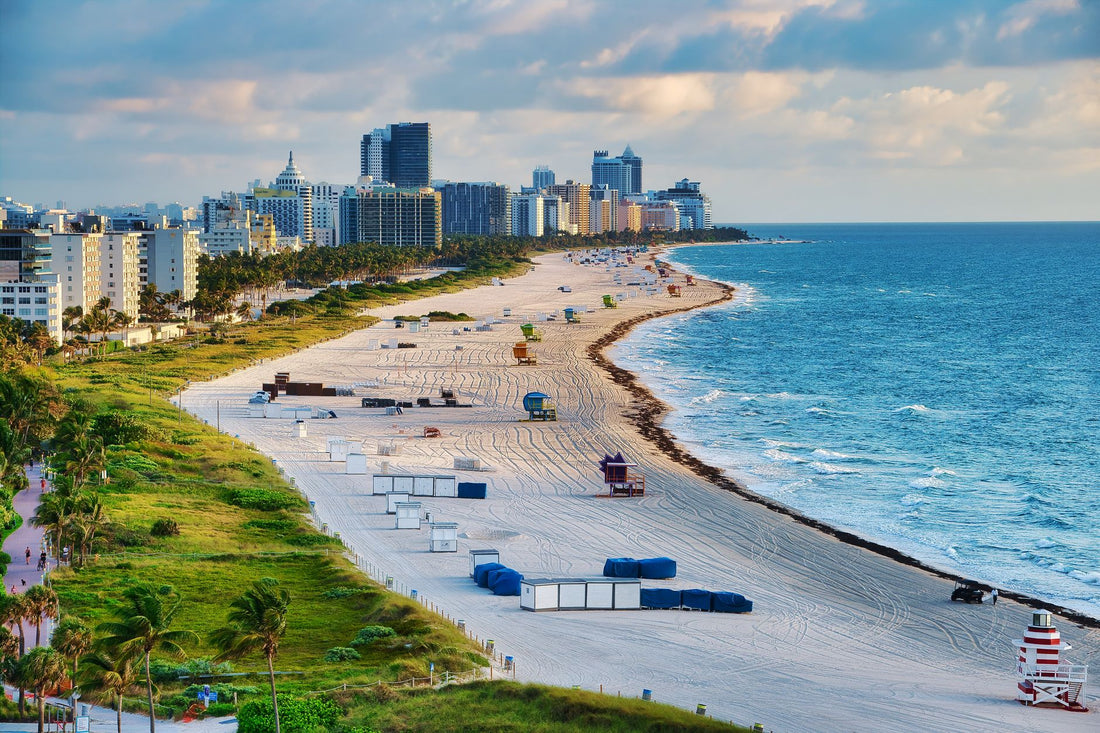
In short: an eSIM for Miami gives you internet as soon as you land at MIA or Fort Lauderdale, without looking for a store or relying on airport Wi-Fi. It covers all of Florida and the rest of the United States with the same plan, avoids your Spanish operator's roaming —among the most expensive outside Europe— and activates in a couple of minutes from your phone.
Do I need an eSIM for Miami or is roaming enough?
You leave the MIA terminal, your suitcase in hand, and you need three things at once: to order an Uber, open the map to your hotel in South Beach, and let someone know you've arrived. If your Spanish plan doesn't include the United States under reasonable terms, doing so with roaming activated is the fastest way to get an unpleasant surprise on your next bill. Roaming outside the European Union is not regulated as it is within the continent, and the United States is one of the destinations where this is most noticeable: operators usually charge for data blocks at a price much higher than what you pay at home.
With a local data eSIM, you pay a fixed rate before traveling, activate it as soon as you step on American soil, and browse without checking the meter every two hours. If you want to understand the fundamental difference between relying on your company's roaming or carrying your own data line, this comparison of eSIM vs. roaming breaks it down well, and if the concept of data roaming still sounds like gibberish to you, here's what data roaming is exactly and why it skyrockets outside Europe.
In Miami, you're going to rely on your mobile more than you think: transportation apps to get between neighborhoods that are more spread out than they appear on the map, restaurant reservations that require SMS or email confirmation, and that Google Maps that saves you from getting lost on the I-95 during rush hour. It's not a city for going "on an adventure" without data.

Coverage in Miami and surrounding areas
Miami has one of the strongest mobile coverages in the United States: 4G/LTE throughout the metropolitan area and widespread 5G in areas frequented by visitors. A travel eSIM relies on the same US networks that any resident uses, so in South Beach, Downtown, or Wynwood, the signal is strong and stable all day long, including Saturday night with half of Ocean Drive trying to upload stories at the same time.
| Area | Typical coverage | What you'll use it for |
|---|---|---|
| South Beach / Ocean Drive | 5G, very good | Photos, social media, lounge chair booking apps |
| Downtown / Brickell | 5G, very good | Work video calls, transportation |
| Wynwood / Little Havana | 4G/5G, good | Walking routes, restaurant reservations |
| Coral Gables / Coconut Grove | 4G/5G, good | Shopping, restaurants, strolling |
| Everglades | Variable 4G, with gaps | Download the map before entering |
| Road to the Keys / Key West | 4G for most of the trip | May fail in isolated sections of the Overseas Highway |
The only place where the signal is noticeably weaker is in the Everglades and some sections of the Overseas Highway on the way to Key West: these are mangrove and open water areas with few antennas nearby. If you take that excursion, download the itinerary offline before leaving the city; it's not a generic recommendation, it's what will save you if the GPS freezes right on the Seven Mile Bridge.
How to activate the eSIM upon landing at MIA or Fort Lauderdale
The beauty of the eSIM is that you do the work before getting on the plane, not when you get off. Whether your flight arrives at Miami International Airport (MIA) or Fort Lauderdale-Hollywood (FLL), you install it with your home Wi-Fi and get it ready; when you land, you just need to activate the data.
- Before flying: Scan the QR code with your home or office Wi-Fi and install the eSIM profile (without activating it yet).
- Upon landing: With airplane mode activated, turn on eSIM data and turn off roaming for your Spanish line to avoid using both at once.
- No queues or surprises: You avoid the operator counter queue at the airport and the public Wi-Fi in the terminal, which is usually slow and unreliable for a first Uber.
If this is your first time installing an eSIM, the complete step-by-step guide with screenshots is in how to install an eSIM. And if you're still not sure if your mobile supports dual SIM with eSIM, it's best to resolve it before leaving home, not at the boarding gate: review what a virtual eSIM is and how it works to understand the format before buying.

How many GB do you need for your Miami getaway?
For a 4-5 day getaway in the city, getting by with a few gigs per day is usually enough if you use the hotel Wi-Fi at night for heavy usage: maps, messaging, Uber, reservations, and social media in normal use don't consume as much as one might think. What really drives up consumption is video: a live stream on social media from the beach or watching a streaming series on your mobile eats up data much faster than anything else you do on a day of sightseeing.
Useful tip: an hour browsing with the map open in the car consumes relatively little. An hour of streaming on your mobile, however, can multiply that consumption several times. If you know you're going to watch content at the hotel, it's better to do it over Wi-Fi.
Adjust according to your travel style: if you're going to work from an Airbnb with video calls, or if you post a lot of videos on social media during the day, it's worth choosing a larger data package before leaving Spain, because topping up on the go from your phone is more convenient if you already have the eSIM profile installed and just need to add GB. To avoid running out or overpaying, here are specific tricks to save data with the eSIM on a trip without giving up anything essential.
Miami vs. rest of the United States: one plan is enough
Miami doesn't need a "city-specific" eSIM: data plans for the United States cover the entire country, so the same profile you activated at MIA will still serve you if you go up to Orlando to see the parks, cross over to New York for a few days, or extend your coastal route to Los Angeles. You buy an eSIM for the United States and move around the entire country without touching anything on your mobile.
Here it's worth being frank about something almost no one tells you: if your getaway is just a long weekend in Miami and then you're flying directly back to Spain, you don't need to buy the biggest data package in the catalog "just in case." Buy just enough for your actual days out; you can always extend from the profile itself if you find it's not enough, and that's better than overpaying for gigs you won't use.
Be careful if your itinerary includes a jump to the Bahamas or a Caribbean cruise departing from PortMiami: as soon as you leave US waters and territory, you are no longer covered by the US eSIM and will need another plan, or assume that on the ship you will have to use the Wi-Fi offered by the cruise line. Don't take it for granted because "you're still close to Florida": mobile coverage depends on the network of the country you're in, not on the distance on the map.
Mistakes that ruin your bill in Miami
The most common mistake for Spanish travelers is to land with their roaming activated "just in case" and use it for ten minutes before installing anything, thinking that it doesn't matter for a little while. With US rates, those first few minutes can already be expensive. These are the most common oversights and how to avoid them without complicating your life.
- Leaving Spanish roaming on: deactivate it the moment you activate the eSIM, not "when you have a moment."
- Not pausing automatic backups: uploading photos and videos in the background consumes data without you noticing until you check your usage.
- Relying solely on public Wi-Fi: Wi-Fi in bars, hotels, and shopping centers is usually slow and not secure for entering passwords or checking your bank; with an eSIM, you always have your own network available.
- Using banking apps on open networks: if you're going to check your bank or make a payment over public Wi-Fi, it's better to do it over the eSIM data network or add an extra layer of privacy; in eSIM and privacy while traveling, it explains when it's worth combining it with a VPN.
With these four controls, your only bill will be for the data plan you bought before leaving home. No surprises upon return, which is exactly what makes moving around North America so expensive without minimal planning.
What almost no one tells you about eSIM in Miami
There are a few details that aren't in the plan's description and make the difference between a smooth trip and one with silly scares.
The aggressive air conditioning in shopping malls and restaurants doesn't affect the signal, but the concrete structure of covered parking lots like those at Bayside Marketplace or Aventura Mall does: if you order an Uber right after leaving the parking lot, give your phone a few seconds to reconnect to the outdoor network before trusting the location it shows.
In Little Havana and parts of Hialeah, you'll see many small businesses without their own Wi-Fi for customers, so the eSIM is literally your only connection while strolling down Calle Ocho enjoying a cortadito; don't count on "I'll find Wi-Fi later" as a backup plan in that area.
If you rent a car, many GPS systems in rental vehicles in Florida rely on a mobile data connection linked via Bluetooth or Android Auto/CarPlay for real-time traffic; without active data, the car's navigator will take you on the "official" route without warning you of a closure on I-95, which is more frequent in Miami than one would like.
A detail worth checking before buying: not all "United States" eSIMs include the option to share data with another device (hotspot). If there are two of you and one wants to work with a laptop from the hotel, check this option in the plan's description before paying, because it's not a universal standard across all travel data plans.
And the one that's truly forgotten: if your return flight has a layover in another European country before arriving in Spain, the United States eSIM profile won't work during that layover. If you're going to need data during your connecting airport as well, check beforehand if it's worth combining it with another line, for example by comparing a physical international SIM card vs. an eSIM to know which format gives you more flexibility on multi-stop journeys.
Frequently asked questions
Does the eSIM for Miami work throughout the United States?
Yes. There is no exclusive Miami eSIM: the plans are for the United States and cover the entire country. With the same plan, you can travel from Miami to Orlando, New York, or California without changing anything. You only lose coverage when you leave US territory, such as in the Bahamas or on a Caribbean cruise.
How many GB do I need for 5 days in Miami?
For a five-day getaway, a moderate package usually covers most travelers if you use hotel Wi-Fi at night. If you do live streams on social media or watch a lot of streaming from the beach, it's advisable to increase the plan size. Maps and messaging consume little; video is what drives up consumption.
Can I activate the eSIM at Miami airport as soon as I land?
Yes. You install it before flying with your home Wi-Fi, and upon landing at MIA or Fort Lauderdale, you simply activate the eSIM data. In a few seconds, you'll have internet to request a ride or open your map, without looking for operator stores or relying on airport Wi-Fi.
Do I need an ESTA in addition to the eSIM?
These are different procedures and one does not replace the other. The eSIM provides your internet at your destination; the ESTA authorization is the entry requirement for the United States as a Spanish tourist under the Visa Waiver Program. You need an approved ESTA to travel, and you use the eSIM afterwards, once in the country, to have data.
Will I still receive calls from my Spanish number in Miami?
Yes, if you keep your Spanish SIM in your mobile in Dual SIM mode. The eSIM provides data and your usual number remains active for calls and WhatsApp. To avoid roaming charges, deactivate the data on your Spanish SIM and keep only voice activated.
Does the eSIM also work for trips from Miami to Orlando or the Keys?
Yes, because the plan covers the United States and not a specific city. On the route to the Keys and in sections near the Everglades, the signal may weaken in some isolated parts of the road; download the map offline before leaving Miami just in case.
What happens if I run out of data halfway through my trip?
You can extend the plan from the same eSIM profile without having to install anything new or look for a store. This is one of the advantages over traditional roaming: you see your consumption, decide on the fly, and avoid running out of data on your last day in South Beach.
Conclusion
Miami is much more enjoyable with your mobile connected from minute one, and roaming in the United States is too expensive to leave to chance. With an eSIM, you arrive with active data, move around South Beach, Wynwood, or Little Havana without relying on public Wi-Fi, and if your trip continues through the rest of the country, the same plan goes with you. Prepare your getaway with PuraSIM's eSIM for the United States and have internet ready before landing at MIA.









