You land at AICM, take out your phone, and want Google Maps, Uber, and WhatsApp working before leaving the terminal. An eSIM for Mexico City activated from home gives you data as soon as you touch down, with no queues or searching for a physical SIM. In this guide, we'll tell you about coverage, GB according to the number of days, and how to navigate CDMX while connected.
In summary: an eSIM for Mexico City is installed from Spain before flying and automatically connects to Telcel upon landing at AICM or AIFA. With 2-3 GB, you can cover a several-day getaway using Maps, Uber, and WhatsApp, without roaming or queues to buy a physical SIM.
Is an eSIM worth it in Mexico City?
Yes. An eSIM connects you to Mexican networks as soon as you land at AICM, without changing your physical card or paying your operator's roaming fees. You buy and install it before your trip, and it activates upon arrival in the city.
The classic alternative is to rely on European or American roaming, which outside your zone is usually expensive per day and skyrockets if you're not careful. Buying a physical SIM at an Oxxo or at the airport means queuing, providing documentation, and losing your number while you use it. The eSIM avoids all that: you keep your usual line for bank calls and SMS, and use Mexican data to browse. For a weekend getaway or a long week in CDMX, it's the most convenient and predictable option in terms of cost. If you want the complete picture of the country, we have our eSIM for Mexico with all GB options.

Coverage and operators in Mexico City
CDMX is one of the best-covered areas in the country. A good eSIM relies on Telcel, the network with the most antennas and best 4G/5G in the capital, with AT&T and Movistar as backup for some coverage areas.
In practice, within the metropolitan area, you'll have a stable signal almost all day: subway (on platforms and many stations), Reforma, the Historic Center, Coyoacán, or Xochimilco. It might weaken in very dense indoor markets or in some subway tunnel sections, which is normal in any large city. Telcel is the benchmark network in the capital because its coverage extends to peripheral areas and to the highway if you take a trip to Teotihuacán or Puebla. Before buying, if you're torn between getting a physical Mexican SIM or sticking with an eSIM, you might want to read international chip vs. eSIM to see why the latter wins in almost all cases.
Tip: activate the eSIM as your data line and leave your Spanish SIM only for receiving bank SMS. This way, you avoid any accidental data roaming charges.
Internet at the airport: AICM and AIFA
Both capital airports have free WiFi, but it's slow during peak hours and requires you to register. With the eSIM already installed, you leave the plane with your own data and order an Uber without depending on the airport's network.
AICM (Benito Juárez) is the main airport and is about 30-40 minutes from the Center depending on traffic; its WiFi works but gets saturated when several flights land at once. AIFA (Felipe Ángeles) is further away, to the north, and there having your own data is even more useful for checking bus routes or taxi prices before getting in. In both cases, the eSIM connects automatically when you exit airplane mode, without going through the airport's WiFi. If this is your first trip with this technology, take a look at eSIM vs. roaming to see the real cost difference.

How many GB you need for your getaway
It depends on the number of days and how much you use Maps and social media. As a quick reference: for a weekend, 1-2 GB is enough, and for a full week of heavy movement, between 3 and 5 GB is plenty if you use hotel WiFi at night.
The biggest data consumer in CDMX is Google Maps with active navigation, because you'll rely heavily on it between the subway, taxis, and the city's long distances. WhatsApp, Instagram, and searching for restaurants consume little in comparison. This table gives you an honest guide:
| Duration | Estimated usage | Recommended GB |
|---|---|---|
| Weekend (2-3 days) | Maps + social media + messaging | 1-2 GB |
| Getaway (4-5 days) | Daily tourist use | 2-3 GB |
| Full week | Intensive Maps + photos | 3-5 GB |
| Week + excursions outside | Road navigation | 5 GB or more |
If you usually upload a lot of videos or stream, round up. We have a dedicated guide on how to save data with an eSIM on a trip with specific tricks to extend your GB.
Connection by areas: Centro, Polanco, and Roma-Condesa
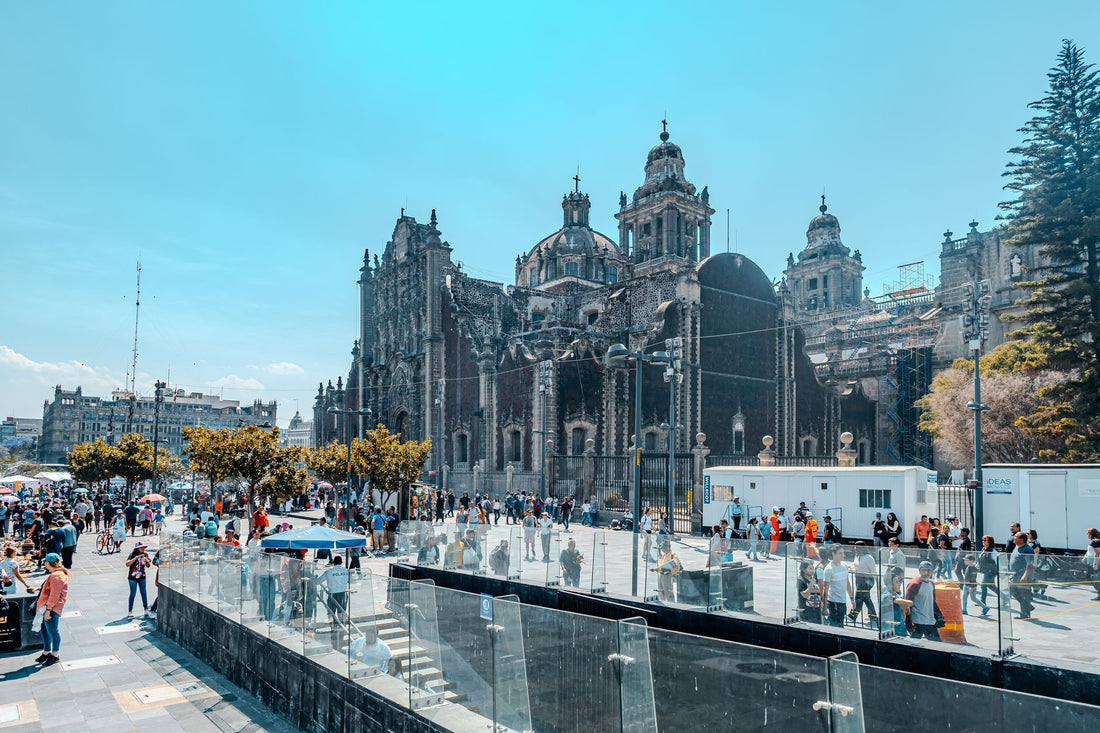
Coverage is good throughout the city, but each area has its own reality. In the Historic Center and the Zócalo, the signal is strong outdoors and somewhat weaker inside colonial buildings with thick walls.
Polanco and Reforma have the best 5G coverage in the city, ideal if you're traveling for work or want to upload content quickly. Roma and Condesa, the trendy neighborhoods for cafes and nightlife, have plenty of signal on the street and terraces. In Coyoacán and Xochimilco, further south, the network is still solid outdoors; on the trajineras (traditional boats) of Xochimilco, you'll have data almost the entire ride. If your plan includes an excursion to the pyramids of Teotihuacán, expect sections of the road where only Telcel provides a stable signal, so there, an eSIM supported by that network makes a difference. If you're also concerned about privacy when connecting in cafes with open WiFi in Roma-Condesa, take a look at eSIM and VPN for travel.
How to install the eSIM step by step
Installation takes less than a minute and can be done from home, with your WiFi. You buy the plan, receive a QR or activation link, add it in your phone settings, and leave it ready to connect upon arrival in Mexico.
The process is identical on iPhone and Android: you go to Settings, look for the option to add an eSIM or data plan, scan the QR, and choose when to activate it. Our advice is to install it in Spain and activate data only when you land in CDMX, so you take advantage of the validity days from the first moment. You have the complete details, with step-by-step screenshots, in how to install an eSIM. For any questions, our Spanish-speaking support is available 24/7.
Myths about eSIM in Mexico (what almost no one tells you)
There's a lot of misinformation circulating about eSIMs in Mexico, and some of those myths can cost you money or a bad time upon arrival. Let's debunk the most common ones.
"My operator's roaming is enough." It depends a lot on the company and the type of tariff, but outside the European Union, roaming is almost never included the same way it would be for a trip to France or Italy: if your plan doesn't explicitly cover Mexico, the cost skyrockets as soon as you connect, and some operators don't even notify you until the bill arrives. Before assuming your tariff covers you, it's worth understanding what data roaming really is and what zones your contract includes.
"All eSIMs work the same on any Mexican operator." Not exactly. Some travel eSIMs rely on AT&T Mexico instead of Telcel, and although both provide good service in CDMX, the difference is noticeable outside the capital, on the road, or in small towns, where Telcel usually has more antennas. If your itinerary includes rural areas, it's worth checking first how AT&T roaming in Mexico works before deciding.
"If my eSIM already worked in another country, it will work just as well in Mexico." Each destination has its own infrastructure and its own agreements with local operators, so an eSIM's performance depends on the specific country, it's not a generic data point. Before deciding on a GB plan, it's worth comparing the complete internet landscape in Mexico with that of your next destination.
"Buying a physical SIM upon arrival is cheaper." Sometimes yes, if you have the time and patience to queue at the airport or find an Oxxo with stock. But you lose the first 30-40 minutes of your trip without data, just when you need it most to order a taxi or confirm your hotel, and many stores ask for a passport and some paperwork that you weren't expecting. If your flight lands at night or you have a tight connection to another destination, that time without coverage outweighs the savings.
When you DON'T need to buy a data eSIM: if you're just making a technical stop at AICM without leaving the terminal, the free airport WiFi is enough to check your boarding gate and notify that you've arrived safely; don't spend GB on that. Nor is it necessary if your hotel and the areas you're visiting have reliable WiFi and your plan is to stay practically all day in the same neighborhood without relying on Maps to get around.
Frequently asked questions
Does the eSIM work as soon as I land at AICM?
Yes. If you installed it before traveling, it connects to the Mexican network as soon as you turn off airplane mode upon landing at AICM or AIFA. You don't need WiFi or to configure anything else; data starts automatically, and you can order an Uber from the arrivals gate.
Can I continue using WhatsApp with my Spanish number?
Yes. WhatsApp is linked to your number, not the SIM you use for data. You keep your usual number, and the eSIM only provides the internet connection, so you can chat and make video calls normally using Mexican data.
How many GB do I use when using Google Maps in the city?
Google Maps with active navigation is one of the apps that consumes the most data, although the exact consumption depends on the mobile model and whether you download offline maps. For a several-day getaway in CDMX, a 2-3 GB plan covers Maps plus social media and messaging comfortably.
Do I need a different eSIM if I go to Teotihuacán or Puebla?
No. The same eSIM for Mexico covers you throughout the country, including excursions outside the capital. Just keep in mind that on the road, stable coverage mainly depends on the Telcel network, the most widespread in rural areas.
What happens if I run out of data halfway through my trip?
You can top up or buy a new plan from your phone in minutes, without reinstalling anything. That's why it's advisable to estimate your GB with a margin before leaving, although you always have the option to extend it on the go.
Does the Mexico eSIM work the same on AT&T as on Telcel?
Coverage is good with both networks within CDMX, but Telcel usually has more reach outside the capital, on the road, and in rural areas. If your trip stays only in the city, the difference is barely noticeable; if you go to Teotihuacán, Puebla, or further, Telcel offers more leeway.
Can I use the Mexico eSIM if I have a layover at AICM without leaving the airport?
For a short layover without leaving the terminal, you don't need it: the airport's free WiFi is usually sufficient to check your boarding gate or notify that you've arrived. Save it for when you're actually going out into the city and need data outside the WiFi zone.
Conclusion
Navigating Mexico City with data from minute one changes your trip: Maps, Uber, and WhatsApp working as soon as you leave AICM, without queues or bill surprises. Calculate your GB according to the number of days, install the eSIM at home, and activate it upon arrival. Prepare your CDMX getaway with PuraSIM's eSIM and don't worry about your connection.