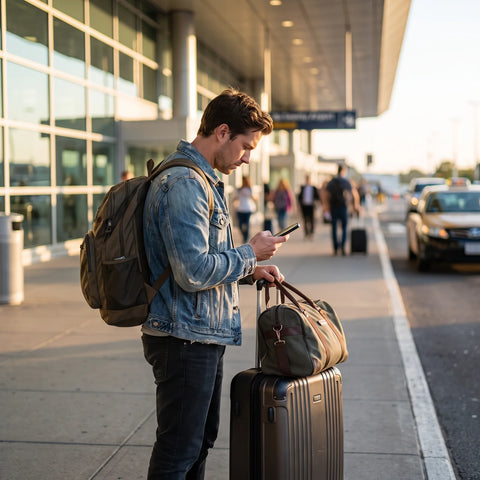
How to activate roaming abroad?
To activate roaming, open Settings and look for the Cellular or Connections section: there you will find the data roaming switch. Activate it before landing or right upon arrival, with airplane mode off and a network available. Without this step, your phone will not use data or make calls outside your country even if your plan allows it.
The order matters. These are the steps in the sequence that solves the problem in most cases, from most likely to least likely:
- Confirm that your plan includes international roaming. Many prepaid plans do not have it activated by default and you have to request it or contract it separately with your operator.
- Activate the data roaming switch on your phone. This is separate from the plan: even if your operator allows it, if the switch is off, you will not have data signal.
- Turn airplane mode off and on once you land. This forces the phone to search for the available network in that country again.
- If automatic network selection does not connect, select it manually from the same operator network menu.
- Restart the device. It seems obvious, but it solves a significant portion of cases where roaming was "activated" without actually connecting.
Step-by-step according to your phone
The exact names of the menus change between iPhone, stock Android, and the versions that Samsung, Xiaomi, or Motorola have. The logic is always the same: find the data roaming switch and confirm that it is on the correct line.
| Step | iPhone | Android |
|---|---|---|
| 1 | Settings > Cellular | Settings > Network & internet > Mobile networks (name varies by brand) |
| 2 | Activate "Data Roaming" | Activate "Data roaming" or "Roaming" |
| 3 | Check Data Options > Voice & Data, that it is not in restricted mode | Check preferred network (automatic vs. manual) if it doesn't connect on its own |
| 4 | If you have two lines, confirm that roaming is activated on the line you use for data | In Settings > SIM cards, activate roaming on the correct data line |
| 5 | Restart the device | Restart the device |
Roaming almost never fails because the phone is damaged. It fails because one of three switches was in the wrong position: airplane mode, data roaming, or the correct line when the device has two SIMs. Check them in that order before thinking about anything else.
How to tell if roaming is activated?
Your phone will tell you without you having to enter any menu. Look for these signs:
- A network name different from your usual operator appears in the top bar (for example, you see the name of a local operator in the country you are in). This means that roaming is connected and working.
- "Emergency calls only" appears or there is no network name. Roaming is not connected, even if the switch is activated.
- You have signal bars but no data loads. Here, voice roaming is usually active, but data roaming is not; check the specific data switch, which is independent of calls on several devices.
- Open an app that needs internet (browser, map) with Wi-Fi off. If it loads, data roaming is actually working, not just "activated" in the menu.

Why isn't my roaming working even though I activated it?
When the switch is on and there is still no signal, the cause is almost always one of these, ordered from most common to rarest:
- The plan does not include data roaming. The phone switch can still be activated, but if your operator has not enabled roaming on your line, it will never connect. This is confirmed or corrected directly with the operator, not from the phone.
- You are in a country without a roaming agreement with your operator. Not all operators have agreements with local networks in all countries; some destinations are simply out of coverage.
- Airplane mode reactivated, for example after an automatic device restart or going through airport security.
- The wrong line on a device with two SIMs. If you activated roaming on the line you don't use for data, it's as if you hadn't activated it.
- Insufficient balance on prepaid plans. Some operators automatically cut roaming if there is no available balance, even with the plan contracted.
- Incorrect network configuration on unlocked devices or those brought from another country, where the access point (APN) does not match your operator's.
Quick check before contacting support
Before wasting time waiting for a response, run through this list in order. It's quick and solves most cases without needing to talk to anyone:
- Activate and deactivate airplane mode.
- Confirm that the data roaming switch is still on (sometimes it turns off by itself after a system update).
- If you have two lines, verify that the correct one has data roaming activated.
- Select the network manually if the automatic one doesn't connect on its own.
- Restart the device once, not multiple times in a row.
- Check the balance or plan status from the operator's app, if it has one.
If it still doesn't work after this, the problem is no longer with the phone: it's on the operator's side (plan without roaming enabled, lack of agreement with the local network, or blocked balance). That's when contacting technical support makes sense, and where it's good to know how quickly and at what times they will respond.
In which countries is roaming free?
There is no fixed list that applies equally to all operators. Each operator in Mexico, Colombia, Argentina, Chile, or Peru negotiates its own agreements with local networks in each country, and those agreements change over time: a plan may include roaming at no additional cost in some neighboring countries one year, and no longer include it the next.
What you can do is verify it yourself before traveling, instead of assuming it:
- Check the terms of your plan in the operator's app or website, looking for the exact country you are going to.
- Specifically ask for "included data roaming", not just "available roaming": many plans charge for data separately even if calls are included.
- If the operator does not confirm in writing that the country is included at no additional cost, assume you will pay for use and decide with that information.
This is also why it is convenient to compare your operator's roaming with a fixed-price travel data plan, as explained in the comparison between eSIM and roaming: when the operator cannot confirm the exact cost in advance, a closed plan eliminates that uncertainty.
How much roaming can cost if you don't check your plan
Operator roaming almost never has a fixed price that you can know exactly before traveling: it is charged per megabyte, per minute, or per daily package, and the exact cost depends on the operator, the country, and when you ask. That's why the real risk is not "roaming is expensive", but that the final cost is defined after using it, not before.
To avoid surprises on your bill, before leaving the country, confirm these three points with your operator in writing (screenshot of the chat or email, not just what they tell you over the phone):
- The exact cost per megabyte or the price of the daily package in the country you are going to.
- If there is an automatic spending limit (some operators cut it automatically when a certain amount is reached, others do not).
- How to manually disable data roaming in case you decide not to use it and prefer to connect only via Wi-Fi.
If your operator cannot give you those three answers clearly, that is exactly the sign that it is convenient to look for an alternative with a closed price before traveling.

Operator roaming vs. international eSIM
These are two different ways to solve the same problem: having data outside your country. The difference lies in who controls the price and activation.
| Operator Roaming | International eSIM | |
|---|---|---|
| Activation | Depends on your operator; sometimes requires requesting it before traveling | Activation in approximately 1 minute, by scanning a QR code |
| Cost | Variable; defined by usage and may not be known exactly in advance | Data plan with a defined price before traveling |
| Coverage | Depends on your operator's bilateral agreements in each country | Available in over 200 destinations |
| Does your number or physical SIM change? | No | No; it is installed alongside your primary line |
| Support if something fails | Your local operator's support, according to their hours | 24/7 support in all languages by email and WhatsApp |
| Timeframe for activation | Not applicable | 180 days from purchase to activate it |
Operator roaming makes sense when your plan already includes it at no additional confirmed cost and the country you are visiting is well covered. An international eSIM makes sense when you cannot confirm that cost in advance, when your operator does not have good coverage at the destination, or when you have already tried the previous steps and roaming still does not connect.
How to activate an international eSIM as an alternative
If you've come this far because your operator's roaming doesn't connect or doesn't give you cost certainty, the next logical step isn't to keep insisting with the same operator: it's to install a data eSIM that works at your destination without relying on that roaming agreement.
Before installing one, confirm two things:
- That your device is eSIM compatible. Most phones from recent years are, but it's worth checking before buying: this compatibility guide lists the models that support it.
- What exactly an eSIM is and how it differs from the physical SIM you already use, if you've never installed one: this explanation covers it from scratch.
With that confirmed, the process is to install the profile (usually by scanning a QR code) and activate it upon arrival at the destination, just like you would activate roaming: the step-by-step installation guides you through each screen. If you use Telcel and want to compare directly against their roaming, we also have the specific guide for that network. You can check the available travel data plans in the international eSIM collection before you leave.
Frequently Asked Questions
Do I need to activate roaming before traveling or can I do it at the airport?
You can activate it upon arrival, but it's best to confirm with your operator before you leave that your plan includes roaming in that specific country. This way you avoid finding out at the airport, without Wi-Fi handy, that your plan doesn't cover it.
Does activated roaming consume more battery than usual?
A little, because the phone is constantly searching for the best available network, especially if the signal is weak. It's not a dramatic difference, but it's normal to notice more consumption than in your home country.
Can I leave roaming activated only for WhatsApp and not for data in general?
Not directly. The data roaming switch enables or blocks all data traffic over the cellular network. To limit consumption to a single app, you would need to disable background data for other applications from your device settings.
What happens if I don't deactivate roaming when I return to my country?
Generally nothing serious happens: when you reconnect to your local network, the phone automatically stops using roaming. You can leave it activated at no extra cost while in your country, although some prefer to turn it off out of habit.
Does roaming work the same for calls, messages, and data?
Not always. These are three functions with different switches and conditions depending on the operator and the plan: you can have active voice roaming and blocked data roaming, or vice versa. If something doesn't work, check each one separately.
Do I need a different SIM to use roaming?
No. Roaming uses your same line and your same SIM (physical or eSIM); only the network it connects to changes. This is different from installing an additional eSIM from a travel data provider, which is an independent profile.
How long does it take for roaming to activate after turning it on?
Normally, it's just a matter of the phone finding an available network and connecting automatically, without you having to do anything else. If it doesn't connect, check the list of causes in this guide before assuming it's normal.
What to do now
If you haven't already checked the activation steps, start there: data roaming switch, airplane mode, correct line if you have two SIMs, and device restart. This resolves most cases in minutes.
If you've checked all of them and roaming still isn't connecting, the problem is on the operator's side: plan without roaming enabled in that country, lack of agreement with the local network, or a cost they can't confirm in advance. At that point, continuing to insist with the same operator from abroad is rarely the fastest way to resolve it. An international eSIM gives you a data plan with a defined price before traveling, activation in approximately 1 minute, coverage in over 200 destinations, and 24/7 support in all languages by email and WhatsApp if something doesn't connect initially. You can check the plans available for your destination in the international eSIM collection, or first read the complete guide to eSIM for travel if you want to understand all the options before deciding.