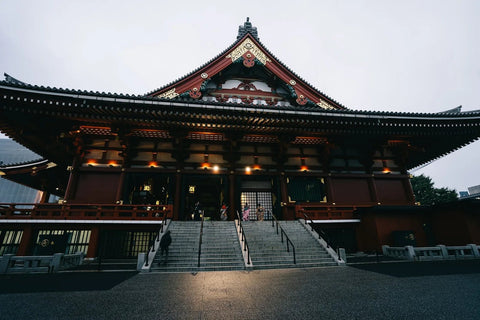
In short: to travel from Chile to Japan, a Chilean eSIM for Japan gives you local data from the moment you land, without relying on roaming from Movistar, Entel, or WOM (which often becomes very expensive as soon as you leave South America) and without looking for SIM card stores at Narita or Haneda. It installs from Chile via Wi-Fi in five minutes and activates automatically upon arrival.
If you've checked your carrier's app before a trip to Japan, you know the feeling: you activate international roaming, read the fine print, and decide it's better to turn off mobile data until you find Wi-Fi. This is the logical reaction, because roaming outside the region is almost never cost-effective for Chileans, and Japan is no exception. The alternative that more and more travelers are using is not to turn off their phone: it's to carry an eSIM purchased before leaving, specific for Japan, which coexists with your Chilean line without touching it.
This guide is designed for the real journey most people make from Chile: a flight with a layover in the United States, landing in Tokyo or Kansai, and a route through two or three Japanese cities in two or three weeks. Let's get practical: what happens with your roaming, how to prepare the eSIM before boarding the plane, how many GB to request depending on your itinerary, and what details almost everyone misses the first time they set foot in Japan.
What happens with your Chilean carrier's roaming in Japan
The three major Chilean carriers offer roaming packages for Asia, but Japan usually falls outside the "economical" zones of these packages and into the expensive country category. The pattern repeats: a fairly high daily or MB rate compared to what you pay in Chile, reduced speed once you exceed a certain daily consumption, and in some plans, you have to activate roaming manually before leaving (and it's charged anyway even if you don't use it that day). If you don't check your carrier's app before your flight, it's easy to end up with data turned off for the entire trip for fear of the bill, which is exactly the opposite of what you want when you rely on Google Maps to get around Tokyo.
The local eSIM solves this by design: you buy the gigabytes you'll use, at the provider's market price, with no surprises when you return to Chile and check your statement. Always check your carrier's current price before deciding, as rates change; what doesn't change is that a dedicated data plan for the country gives you total control over how much you'll spend before boarding the plane.
How an eSIM works for your trip to Japan
The eSIM is a digital profile that lives inside your phone, not a physical card. It is installed by scanning a QR code and your phone can store several profiles at once, switching between them from Settings. For a Chilean traveling to Japan, the process is this:
- You buy the data plan for Japan before leaving Chile, indicating how many days you will be there.
- You receive the QR code by email and install it using your home or office Wi-Fi.
- You configure the eSIM in data mode, leaving calls and SMS on your physical Chilean line.
- Upon landing in Japan, you activate the data line and the phone automatically connects to a local network.
- Your Chilean number continues to receive calls and messages normally throughout the trip.
There's no counter to look for at the airport, no queue at an Akihabara electronics store to ask for a physical SIM, and no deposit to return when leaving the country. You arrive with your phone already ready to open Google Maps as soon as you step into the terminal.
How many GB to request according to your route through Japan
Consumption primarily depends on how many cities you'll visit and whether you use your phone as a subway guide. A typical Chilean itinerary—Tokyo, Kyoto, Osaka, and perhaps Hakone or Nara in two weeks—heavily relies on maps and transportation apps, because the Tokyo subway is not easily memorized even on the second day. If your plan is more relaxed, with a fixed base and short outings, daily consumption drops significantly.
| Type of Trip | Primary Use | Approximate Daily Consumption | Plan Recommendation |
|---|---|---|---|
| Tokyo only, fixed base | Occasional maps, messaging, social media | Low-medium | Short plan, few GB |
| Tokyo-Kyoto-Osaka route | Constant navigation on subway and trains, reservations, translation | Medium-high | 2-3 week plan, ample GB |
| Long route with Hokkaido or Okinawa | Backup offline maps, streaming on long journeys | High | Long plan with top-up option |
| Business trip, stable hotel Wi-Fi | Email, occasional video calls, little map use | Low | Short plan or even dispensable |
A trick almost no one uses: if you're staying in the same city for several consecutive days in one hotel, activate the eSIM only when you go out and rely on the hotel's Wi-Fi for everything else. This greatly extends the duration of your purchased GB without needing to upgrade your plan mid-trip. You can review more tips like this in our guide to saving data with an eSIM on any trip.
The layover in the United States: when most people make a mistake
Most flights from Santiago to Tokyo layover in Los Angeles or Dallas with LATAM, American, or United. This is where many Chileans make the same mistake: they try to activate the Japanese eSIM during the layover, thinking they are "almost there," and find that the US airport Wi-Fi is slow, requires personal data registration, or simply fails in the boarding area. Install and prepare your Japan eSIM before leaving Chile, using your home Wi-Fi, and avoid depending on the Wi-Fi of a transit airport.
If your layover is long and you need real mobile data during those hours in US territory—to work, make a video call, or simply not rely on airport Wi-Fi—there is also a specific eSIM for the United States that you can activate only during transit and pause for the rest of the trip. For the Japanese leg, the Japan eSIM should remain active.
Time difference: why it affects how you use data
Between mainland Chile and Japan, there is usually a 12 to 13-hour difference, depending on the Chilean summer time season. In practice, this means that when you land in Tokyo in the morning, it's the night of the previous day in Chile, and your family is probably asleep. This isn't just a curious fact: it dictates when you'll most urgently need data (to let them know you arrived safely, even if it's Chilean dawn) and when you can afford to pause the eSIM without missing anything important. Activating the eSIM before landing, while the plane is still descending and there's a signal, saves you those first few minutes of uncertainty searching for coverage in the terminal.
Myths and what almost no one tells you about eSIM in Japan
There are a series of details that are only learned through travel or careful reading, and that make the difference between a smooth first day and a complicated one.
- The plug is not the problem, voltage almost never matters. Japan uses Type A plugs, different from Chilean ones, so you need a physical adapter. The good news is that practically all current mobile and laptop chargers are dual voltage and automatically adapt to Japan's 100V; the shape adapter is the only thing you really need to buy.
- Chilean banks block cards by surprise. This is a common cause of unnecessary scares: notify your bank of your exact travel dates before leaving, because a charge at a konbini in Osaka without prior notice can trigger a security block just when you most need to pay for something.
- The JR Pass and Japanese train apps need data, not just the physical pass. Reserving seats on the Shinkansen, checking for delays, or changing platforms at huge stations like Shinjuku depends on apps that rely on real-time connection. Without data, you'll have to rely on Japanese-only panels in stations where English is scarce.
- Earthquake alerts come via mobile data, not just SMS. Japan has an earthquake early warning system that pushes notifications to phones with active connections. Having data working is not just tourist convenience: it's an extra layer of information if a tremor occurs during your trip.
- The Suica card no longer needs to be physical. It can be added to Apple Wallet or Google Wallet directly from your phone and topped up with a card, without queues at station machines. You need data to set it up the first time, so do it with the eSIM already active as soon as you arrive, before getting on the subway.
- Free Wi-Fi at konbini (7-Eleven, Lawson, FamilyMart) exists but is limited. It usually requires session registration and cuts the connection after a certain time. It's useful as occasional backup, not as a substitute for having your own data all day.
When you DON'T need to buy an eSIM for this trip
Being honest about this builds more trust than selling you something you don't need. If your trip to Japan is a short stopover of one or two days within a larger itinerary, and you'll spend almost all your time in a hotel with decent Wi-Fi or following an organized tour with a guide who already has a connection for the group, you'll probably manage with Wi-Fi from establishments and a few offline hours with downloaded maps. It also doesn't make much sense if you're traveling for work with a corporate line that already includes reasonable roaming in Asia; in that case, check the actual conditions of the company plan first. The eSIM for Japan makes sense when you're moving from city to city, relying on public transport without a guide, and want to be reachable for your family in Chile without depending on third-party Wi-Fi.
Before leaving Chile: the short list
To avoid leaving things unfinished on the day of the flight, it's a good idea to know what to do from home and what to do once you're in Japan. If you've never used an eSIM, you might find it helpful to first review how to install an eSIM step-by-step and the practical difference between eSIM and traditional roaming before deciding on a plan.
- Verify that your phone supports eSIM (iPhones from XS onwards and most mid-to-high-end Samsung, Xiaomi, and Google phones from 2019-2020 onwards allow it).
- Purchase the Japan plan for the exact number of days of your trip, counting from when you land until you take off again.
- Install the profile with Wi-Fi at home, calmly, without the pressure of being at the airport.
- Download offline maps of Tokyo, Kyoto, and Osaka in Google Maps just in case, even if you have active data.
- Notify your Chilean bank of your travel dates and cities.
- Leave the eSIM installed but inactive during the flight, and activate it when the plane begins to descend over Japan.
If your Asia route also includes South Korea before or after Japan, also check the eSIM guide for Seoul and Busan: the installation logic is the same, but each country has its own network and it is advisable to buy separate plans per destination instead of a generic one for all of Asia. And if you need more general information about data plans within eSIM for Chile — for example, for the domestic leg before flying — that page covers domestic options in more detail.
Frequently Asked Questions
Can I still receive calls from Chile while using the eSIM in Japan?
Yes. The eSIM occupies an independent data line and your physical Chilean SIM remains active for calls and SMS with your usual number. To talk to Chile without international call charges, use WhatsApp or similar via the eSIM data.
Does the eSIM work on the Tokyo subway, which is underground?
Coverage at stations and platforms on Tokyo's main lines is generally good, though there may be stretches with weaker signals in very deep tunnels or on some private lines outside the city center. Downloading the route map before going down to the station avoids relying on signal at the worst moment.
Do I need to activate my Chilean carrier's roaming in addition to the eSIM?
No. If you're going to use the eSIM for data, you can leave your Chilean line's data roaming deactivated for the entire trip; this way you avoid any accidental roaming charges and only use the eSIM for browsing.
How long does the eSIM stay installed before the plan days start counting?
Installation and activation are different things: you can install the profile days or weeks before your trip without consuming anything. The plan countdown starts when you activate the data line, usually upon landing in Japan.
What if I run out of GB halfway through my trip?
You can extend or top up the plan from your mobile at any time you have a connection, without needing to buy a new plan from scratch or reinstall anything.
Does the eSIM also work if I go from Japan to another country in the region afterward?
No: each destination eSIM covers that country. If your itinerary continues to another Asian country, you need a different plan for that next stage of the journey, purchased and activated before crossing the border or taking the flight.
Is the eSIM better than a rental pocket Wi-Fi in Japan?
It depends on how many people are traveling together: a shared pocket Wi-Fi can be worthwhile for large groups, but it involves carrying an extra device, returning it when leaving the country, and relying on it having battery. The eSIM is directly on your phone, you won't forget it in a hotel drawer, and each person in the group can carry their own independently.
With the eSIM ready before leaving Chile, the first contact with Japan is no longer about finding Wi-Fi at the airport and becomes about opening the map and starting to move around. If your next destination after Japan is another, also check what options exist for having internet in Japan without relying on roaming and compare before deciding which one suits you for each leg of the trip.