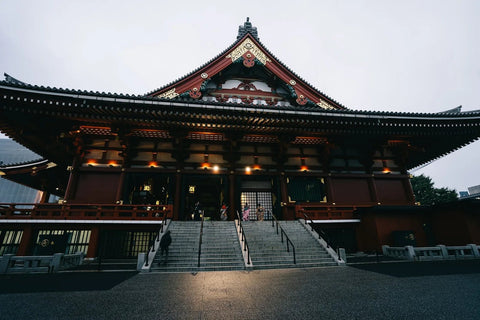
In short: An eSIM for Tokyo is no different from a Japan eSIM: it covers the entire capital with the same Docomo, SoftBank, and au networks. Activate it at home, leave data roaming on for that line, and upon landing at Narita or Haneda, you'll have Maps, a translator, and train tickets working, without needing counters or pocket Wi-Fi.
Landing at Narita or Haneda late at night, with luggage in tow and the Tokyo metro awaiting, is not the time to look for a SIM card counter. With an eSIM for Tokyo already active on your phone, you can exit the plane, turn off airplane mode, and everything will work instantly. In this guide, we'll tell you about coverage by neighborhood, how many GB you'll need for a city break, common myths about Japan and connectivity, and why, in most cases, an eSIM beats renting a pocket Wi-Fi.
Is an eSIM only for Tokyo, or do I need one for all of Japan?
Yes, and it works just as well as a Japan-wide eSIM. Tokyo doesn't have a separate network: it uses the same national carriers (NTT Docomo, SoftBank, au/KDDI), so any Japan eSIM will cover the capital one hundred percent. There is no "Tokyo exclusive plan" with different coverage; what changes is the volume of GB you choose depending on how many days you'll spend in the city.
If you've never used one, it's worth clarifying exactly what it is first: a digital profile that downloads to your mobile, without a physical card to insert or lose along the way. You can review it in what is a virtual eSIM if it's your first time.
The advantage of planning your trip "Tokyo-style" is to properly dimension the plan. A 3-4 day city break focused on the city doesn't need the same data volume as two weeks traveling through Kyoto, Osaka, and Hokkaido. Even so, if your flight has a layover or you have a spare day outside the capital, the same plan will continue to provide signal without you having to do anything.

Connect at Narita and Haneda from minute one
This is where the eSIM really makes a difference. Tokyo's two airports, Narita (further away, about 60 km from the center) and Haneda (much closer), receive most international flights. With the eSIM installed before leaving home, as soon as you turn off airplane mode, you're online: you can book the Narita Express or the Keikyu, buy tickets via app, and ask for directions without relying on the airport's free Wi-Fi, which sometimes requires registering with an email and waiting for a verification SMS that you won't receive without data.
The trick is simple: install the eSIM at home using Wi-Fi, set it as your secondary data line, and activate data roaming on that specific line, not your domestic line. This way, the instant you touch down at Haneda or Narita, your phone connects to the Japanese network without you having to do anything else. If you've never done it, the general step-by-step is in how to install an eSIM, and if the idea of "roaming" with a travel eSIM sounds strange to you, we explain it here: what is data roaming.
Practical tip: the JR Pass and many train tickets in Japan are managed via app or website. Arriving with active data from the airport prevents you from missing the first train while looking for Wi-Fi or queuing at a vending machine that only accepts Japanese cards.
Real coverage in the city, neighborhood by neighborhood
Tokyo is one of the best-connected cities on the planet. You'll have strong 4G and 5G in Shibuya, Shinjuku, Asakusa, Akihabara and the rest of the neighborhoods, and also underground: the subway network, one of the densest in the world, has signal on platforms and in a good part of the tunnels. With an eSIM that relies on Docomo or SoftBank, the quality is like that of a local, not a tourist with second-rate roaming.
That said, there are nuances that are often not mentioned. In massive intersections like Shibuya, with thousands of people concentrated at the same time using their phones, it's normal for the connection to feel somewhat slower during peak hours, not because of coverage failure but because the network is saturated with local traffic. And in very large shopping centers or multi-level underground floors, like some in Shinjuku Station (which is actually a labyrinth of connected commercial corridors), the signal can fluctuate between floors: if you're going to move around there without reliable coverage, download the section of the map you need beforehand.
Where you need to be careful is with consumption: Tokyo invites you to constantly use Maps, translate restaurant menus with the camera, and record stories at every intersection. All of this adds up data quickly. The good news is that almost every cafe, konbini (the ubiquitous 7-Eleven, Lawson, and FamilyMart), and station offer Wi-Fi, so you can download offline maps and save your mobile data for the street. Download the Tokyo map offline before leaving the hotel and you'll greatly extend your GB.

How many GB for a Tokyo getaway
For a city break, data consumption is driven by Maps, the translator, messaging, and streaming. This table gives you a realistic reference based on the days you spend in the capital:
| Tokyo Getaway | Days | Estimated GB |
|---|---|---|
| Stopover / 1-2 days | 2 | 1-2 GB |
| Long getaway | 3-5 | 3-5 GB |
| Full week | 7 | 5-8 GB |
| Content creator / streaming | any | unlimited plan |
If you plan to upload many videos or make video calls home, an unlimited data plan eliminates the worry of constantly checking your usage, which is precisely what you don't want to be doing in front of Senso-ji or while climbing the Skytree. And remember: if you run short halfway through your trip, you can always top up without buying another eSIM or going through the installation process again.
eSIM vs pocket Wi-Fi vs local SIM vs your operator's roaming
In Japan, the eternal question is "eSIM or pocket Wi-Fi?", but in reality, there are four options on the table, and it's worth comparing them all before deciding.
| Option | Pros | Cons |
|---|---|---|
| Travel eSIM | No devices, ready before you fly, keep your domestic number for SMS | Only for your phone, requires compatibility |
| Pocket Wi-Fi | Connects multiple devices simultaneously | Requires pickup, nightly charging, and return before flying |
| Local Japanese SIM | Lots of GB within the country | Requires visiting a store or counter, you lose your number temporarily |
| Roaming from your domestic operator | Zero setup | Cost skyrockets outside the EU; check current prices with your operator before activating |
For a solo traveler or couple moving with a mobile phone, an eSIM is by far the most convenient: you don't depend on carrying an extra device or syncing it via Bluetooth every time you leave the hotel. If you're traveling in a large group and want to share a single connection among cameras, tablets, and phones, then a pocket Wi-Fi makes sense. And if your domestic operator includes Japan in reasonably priced roaming plans (something uncommon outside the European Union), compare it before buying anything: for a very short trip, it might be worth simply activating that option. For more detail, here's eSIM vs. roaming and, if you're torn between an eSIM and an international physical chip, international chip vs. eSIM.
Myths and what almost no one tells you
Regarding eSIMs in Japan, there are some ideas floating around that should be debunked before they cause you to lose time or money on your trip.
- "Japan has poor coverage because it's a very traditional country in some ways." It's quite the opposite: Japan is among the countries with the most advanced mobile networks in the world, and Tokyo in particular has a very high antenna density. This myth comes from confusing cultural tradition with infrastructure, which have nothing to do with each other.
- "I absolutely need to buy Wi-Fi at the airport." No, and in fact, it's the worst way to do it: with the eSIM already active before you fly, you save yourself the queue at the pocket Wi-Fi counter right after landing, which is usually one of the longest at Narita.
- "If I have an eSIM, I lose my domestic number." No. The eSIM is added to your physical line as a second data line; your number remains active for calls and, especially, for bank verification SMS when you pay with a train app or in stores.
- "The konbini Wi-Fi is enough for me." It's good support, but not a reliable network: in many cases, it requires you to register with an email every time you change locations, the session expires on its own, and the speed varies greatly depending on the time of day. Good for updating apps while having coffee, bad as your sole connection for getting around the city.
- When NOT to buy a Japan eSIM: if you have a short layover in Narita without leaving the transit area, you don't need it; the airport Wi-Fi is sufficient for that short time. And if your phone is old or carrier-locked and doesn't support eSIM, it's best to check before buying rather than arriving in Tokyo with a profile you can't install.
One detail worth keeping in mind: using public Wi-Fi networks in konbinis or stations to check your bank or pay for something carries risks, which is more common than it seems on open networks without a password. If you're going to use public Wi-Fi for anything sensitive, take a look at eSIM, VPN, and privacy when traveling before you leave.
Tips to make your GB last in Tokyo
A few simple actions will make your GB last twice as long in the capital:
- Download the Tokyo map in Google Maps offline: navigating on foot doesn't consume data if you already have it downloaded.
- Use konbini and station Wi-Fi to update apps and upload large photos, not for browsing on the street.
- Translate restaurant menus with Google Lens in offline mode by downloading the Japanese language pack beforehand.
- Save your hotel and temple addresses in Japanese (screenshot or note) to show a taxi driver without relying on an internet connection.
- Activate your phone's data saver so background apps don't consume data while you're on your way somewhere.
With these habits, even a modest plan will be more than enough for a weekend getaway. If you want a more comprehensive list of tips applicable to any destination, here's how to save data with your travel eSIM.
If your trip continues beyond Tokyo
Many trips to Japan don't end in Tokyo: some connect to South Korea on the same ticket, or layover in Europe on the way back. Here, the eSIM works in your favor compared to a local Japanese SIM: you don't have to change it when crossing countries, just buy the plan for the next destination and activate it when appropriate, keeping the Japan plan until it runs out or expires. If Seoul or Busan are on your itinerary, you have the specific guide in eSIM for South Korea. And if your return passes through several European countries before reaching Spain, check out our eSIM Europe so you don't run out of data on the final leg of your journey.
Frequently asked questions
Can I use the Tokyo eSIM in the rest of Japan?
Yes. There is no "Tokyo-only" eSIM: Japan plans cover the entire country with the same national operators. If after the capital you go to Kyoto, Osaka, or Hokkaido, the same plan will continue to give you signal; just choose a data volume appropriate for the total days of the trip.
Does the eSIM work on the Tokyo subway?
Yes. The Tokyo subway has mobile coverage on platforms and in much of the tunnels, relying on Docomo, SoftBank, or au networks. You'll be able to check Maps and schedules underground without a problem, which is key to not getting lost in one of the world's densest subway networks. In very large stations with several underground commercial floors, the signal may fluctuate a bit between corridors, so have your destination saved just in case.
Is an eSIM or pocket Wi-Fi better for Tokyo?
For one or two people, an eSIM wins: nothing to pick up, charge, or return, and it's ready before you fly. Pocket Wi-Fi only makes sense if you're traveling in a large group and want to share a single connection among several devices at once, or if you need to connect a device without an eSIM slot.
Do I need to activate the eSIM at Tokyo airport?
No, and it's better not to. The ideal is to install it at home with Wi-Fi and leave data roaming activated on that specific line. This way, when you land at Narita or Haneda and turn off airplane mode, you'll be connected in seconds without looking for Wi-Fi or setting up anything else in the middle of the terminal.
How many GB do I use on a weekend getaway to Tokyo?
With normal use of Maps, messaging, and some social media, 1 to 2 GB is usually enough for two or three days, especially if you take advantage of free Wi-Fi in cafes and konbinis for heavy usage. If you do a lot of streaming or video calls, it goes up to 3-5 GB.
What if my phone is not compatible with eSIM?
If your phone does not support eSIM or is carrier-locked and cannot install them, this solution will not work for you, and you will need to consider pocket Wi-Fi or a local physical SIM. Before purchasing, check the compatibility of your specific model: not all phones from the same manufacturer include it, especially older versions or those sold outside Europe.
Will using roaming data noticeably affect my phone's consumption?
It shouldn't, if the eSIM is properly configured as an independent data line: your domestic line remains only for calls and SMS, without consuming its own roaming, while the eSIM handles all internet traffic. It's a good idea to check the settings before leaving home to confirm that the phone uses the correct line by default.
Conclusion
Tokyo is a city best enjoyed with data in your pocket: subway, translator, train bookings, and maps are with you from the moment you step foot in Narita or Haneda. A Japan eSIM covers the capital and the rest of the country, without extra devices or airport queues, and continues to serve you if your route continues through Korea or Europe. Install your eSIM before you fly and land in Tokyo already connected.