What is an eSIM and why your iPhone with Verizon already has it integrated
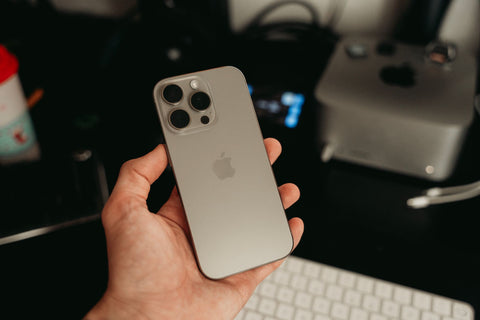
An eSIM is a digital chip integrated into your iPhone's motherboard that replaces the physical SIM card: instead of inserting a plastic card, you activate a line by scanning a QR code or with a few taps in Settings. Verizon-compatible iPhones have come with it pre-installed for several years, ready to use.
The practical difference is this: where before you needed to pop out your phone's tray with a clip to switch lines, now you can have several lines saved on the same phone and activate the one you need without touching any hardware. If you want to understand the concept in more detail, there's a complete explanation in what an eSIM is.
This opens up a possibility that most Verizon customers are unaware of: you can keep your Verizon line (your number, your messages, your calls) and, at the same time, add a second eSIM just for data when you travel. This isn't about switching carriers or complicating your phone: it's about using a feature your iPhone already has available.
Can I have an eSIM on my iPhone with Verizon
Yes. If your iPhone is eSIM compatible (we'll look at that in the next section) and your Verizon plan allows it, you can have your Verizon line working as an eSIM or as a physical card, and add a second eSIM from another provider without affecting your contract with Verizon. The iPhone can store multiple eSIMs and use two active lines at the same time (one for calls, one for data, for example).
This is exactly what you need for travel: you keep your Verizon number for essentials (so people can call you, receive a verification code via SMS) and use a second eSIM, contracted separately, exclusively for browsing with data in the country you're in. The two lines coexist on the same phone without interfering with each other.
Which iPhone models are compatible with eSIM
eSIM compatibility arrived on iPhones in 2018, with the iPhone XS, XS Max, and XR. Since then, practically all subsequent models include it. The following table summarizes what to expect based on your model:
| iPhone Model | eSIM Compatible | Notes |
|---|---|---|
| iPhone 8, 8 Plus, X and older | No | Physical SIM card only |
| iPhone XS, XS Max, XR | Yes | First models with eSIM, in addition to physical tray |
| iPhone 11, 12, 13 (all variants) | Yes | eSIM and physical tray combined |
| iPhone SE (2020 onwards) | Yes | Same as equivalent models of its generation |
| iPhone 14, 15, 16 (US models) | Yes | No physical tray: only work with eSIM |
To confirm this on your own device, go to Settings > General > About: if an "EID" or "Digital eSIM number" section appears, your iPhone supports it. If you have questions about other brands or models, there is a more extensive list in eSIM compatible phones.

How to activate Verizon eSIM on an iPhone
For your main Verizon line, activation is typically managed by the carrier itself: when purchasing a new iPhone with Verizon or transferring your number, they will offer to convert the line to eSIM directly from the store, the Verizon app, or by following instructions sent via email or SMS. The typical process on the iPhone is: Settings > Cellular > Add eSIM, and then follow the on-screen assistant, either by scanning a QR code or using in-app activation.
What's important for our purposes in this article is to distinguish between two things: activating your Verizon eSIM (your regular line, the one you use every day) and adding an additional eSIM from a different provider for travel data. The process on the phone uses the same mechanism (Settings > Cellular > Add eSIM), but each eSIM is contracted and activated separately, with its own QR code.
Does Verizon charge extra for using eSIM
Converting your Verizon line from a physical card to an eSIM, within the United States, typically does not incur a separate charge: it's a format change for the same line, not a new service. Where additional charges do appear is when you use that same Verizon line for data outside the United States: this is where Verizon's international travel packages come in, which are billed separately from your normal plan and are usually charged per day or per contracted data package.
It's a distinction worth clarifying before you travel: the eSIM itself (the digital format of the card) doesn't generate an extra charge; what can cost more is using your Verizon line to browse in another country without having previously purchased an international package.
Does Verizon allow using eSIM for international travel
Yes, Verizon offers options to use your line (physical or eSIM) in other countries, usually through international travel packages that are activated before or during the trip and added to your regular bill. It's a solution that works and keeps your usual number active abroad.
A travel eSIM does not replace your Verizon line: it complements it. You can leave your Verizon number available for important calls and messages, and use a second eSIM, contracted separately, solely for browsing with data while you are away.
That is precisely the alternative that many travelers don't know about: instead of relying on your own carrier's international package, you can install a second eSIM from a specialized travel provider, designed only for data, without touching your Verizon plan or your number.
The other option: a data-only eSIM for your trip
A travel eSIM is an independent line, without calls or SMS, that you install alongside your Verizon line and that serves exclusively to have internet in your destination. It does not require you to cancel or pause anything on your Verizon plan: the two eSIMs coexist on the same iPhone, and you choose which one uses data at any given time. You can read the complete comparison between both options in travel eSIM vs. carrier roaming.
| Aspect | Verizon Travel Package | Independent Travel eSIM (e.g. PuraSIM) |
|---|---|---|
| Your Verizon number | Active, used for everything (calls, SMS, data) | Remains intact on its own eSIM, untouched |
| Where to purchase | Within your Verizon account | Online, from an independent site, before the trip |
| Billing | Added to your monthly Verizon bill | A separate, one-time payment for the trip's data plan |
| Coverage | Depends on Verizon's roaming agreements in each country | Own coverage in over 200 destinations |
| Activation | Managed from the Verizon account or app | Via QR code, in approximately 1 minute |
| Support during travel | Standard Verizon channels | 24/7 in all languages via email and WhatsApp |
Neither option is "the only correct one": if you prefer to have everything under a single operator and a single bill, the Verizon package is reasonable. If you prefer to separate your number from your travel data, compare coverage by destination, and not rely on a single package, the independent travel eSIM gives you more control.

A real example: what a trip with a data eSIM looks like
Imagine you live in Chicago, have your iPhone with Verizon, and are going to spend ten days in Mexico City and then three days in Bogotá. Before leaving, you install a travel data eSIM on your iPhone (Settings > Cellular > Add eSIM, by scanning the QR code you received by email after purchasing it). You don't need to activate it yet: you can do so up to 180 days after purchase, so you leave it ready and activate the data on the day you land.
Upon arriving in Mexico City, you activate the data eSIM from the same menu and choose it as the default data line. Your Verizon line remains on the phone, with data roaming off, but available to receive calls or text messages if someone contacts your usual number. You browse, use maps, translation apps, and messaging with the travel eSIM, without relying on Verizon's international package.
When crossing into Bogotá, if your travel eSIM covers several countries in the region, it will continue to work without you having to do anything additional; if you purchased one specifically for Mexico, you simply install and activate another one for Colombia before crossing. In either case, your Verizon number never stopped being available for important matters. You can see more similar use cases in eSIM for iPhone on your travels.
How to install a travel eSIM on the same iPhone where you have Verizon
The step-by-step process is as follows:
- Purchase the travel eSIM online before your departure (you don't need to be at your destination or have your phone handy at that moment).
- You will receive a QR code and installation instructions via email.
- On your iPhone, go to Settings > Cellular > Add eSIM > Use QR Code, and scan the one you received.
- The iPhone installs the eSIM as an additional line, without affecting your Verizon line.
- When you arrive at your destination, activate the data for that line and, if you wish, define which of the two eSIMs uses data by default.
One detail that should be resolved before leaving on your trip, not at the airport: once both eSIMs are installed, go to Settings > Cellular and change the name of each line (for example, leave "Verizon" as is and rename the new one to "Travel"). This way, when you want to turn off data roaming for your Verizon line to avoid charges, you'll know exactly which switch to toggle, without risking accidentally deactivating the eSIM you actually need for browsing.
If something doesn't go as expected during installation (the QR doesn't scan, the line doesn't appear active, you have no data upon arrival), solutions to the most common cases are available in common problems when using an eSIM. And if you prefer to install the eSIM manually instead of with a QR, the step-by-step guide is in how to install an eSIM.
Frequently Asked Questions
Do I need to remove my physical Verizon SIM card to use a travel eSIM?
No. You can keep your physical Verizon card in the tray and add the travel eSIM as an additional line. If your iPhone is one of the models without a physical tray (eSIM only), both lines simply coexist as eSIMs.
What happens to my Verizon messages and calls if I use a data eSIM for travel?
They will continue to arrive normally on your Verizon line, as long as that line remains active on the phone. You only change which of the two eSIMs uses cellular data; calls and SMS can still come through Verizon.
Can I have two active eSIMs at the same time on an iPhone?
Yes. The iPhone allows you to store multiple eSIMs and have two lines active simultaneously (one for calls and SMS, one for data, for example), although only one eSIM can use cellular data at a time.
Does the travel eSIM work in any country?
It depends on the plan you purchase: there are eSIMs designed for a single country, for a region, or with coverage in over 200 destinations. Before buying, it's advisable to check that your travel destination is included in the chosen plan.
What do I do if my iPhone doesn't recognize the eSIM QR code?
This could be due to lighting, camera focus, or the QR code having been used before. Most providers, including PuraSIM, also offer manual installation with an alternative code when the QR doesn't work.
How long do I have to activate the eSIM after purchasing it?
With PuraSIM, you have 180 days from purchase to activate it. You can install it on your iPhone as soon as you buy it and leave it ready, then activate the data on the day your trip actually begins.
Do I need Wi-Fi to install the eSIM at the airport?
You only need an internet connection (airport Wi-Fi, for example) to install the eSIM the first time, as it's downloaded via QR code. That's why installing it before leaving home, with your usual Wi-Fi, avoids relying on the airport network.
Conclusion
If you have a compatible iPhone and a Verizon line, you already have everything you need to separate your number from your travel data: there's no need to change carriers or pause your plan. The difference lies in deciding whether you prefer to handle everything with Verizon's international package or if a separate, data-only travel eSIM is more convenient for you, with QR code activation in approximately 1 minute and 24/7 support in all languages via email and WhatsApp.
Before your next trip, install the eSIM with enough time (remember you have 180 days from purchase to activate it), check coverage for your destination in the international eSIM collection, and if you want the complete end-to-end process, the definitive guide to eSIM for travel covers each step in more detail.