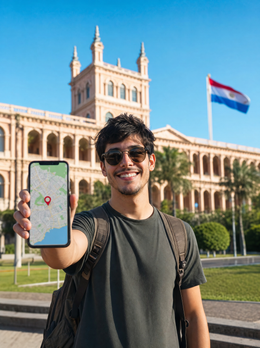
In short: To travel to Asunción and tour the Southern Jesuit Missions, you need a Paraguay eSIM that provides good coverage in both the capital and on the roads to Trinidad and Jesús de Tavarangue. Land with internet, no roaming, no physical SIM, and no reliance on hotel Wi-Fi to navigate the Jesuit route.
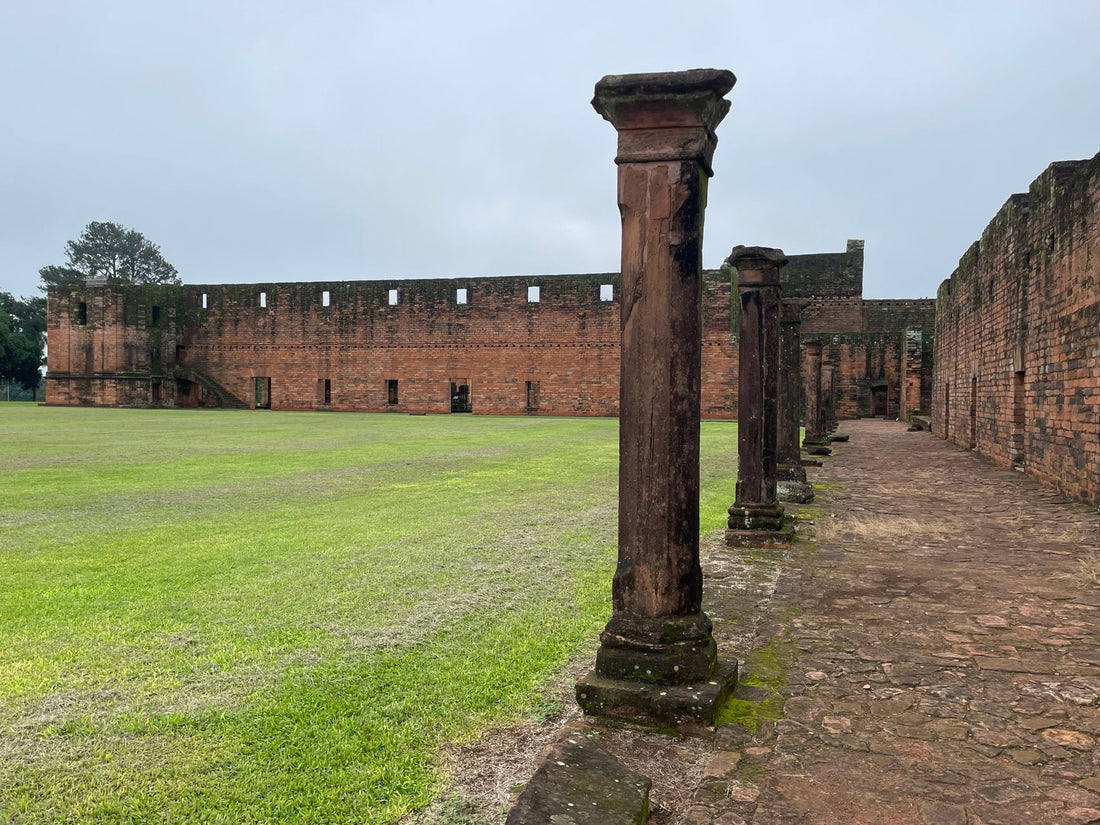
Asunción has little in common with the Southern Jesuit Missions. One is a capital city with its urban rhythm, avenues, and neighborhood life; the others are a collection of ruins in the middle of the countryside, between Trinidad and Jesús de Tavarangue, near Encarnación, several hours' drive away. This contrast is precisely what makes this route special, but also what complicates connectivity: having data in the center of Asunción is not the same as having it on the road to the south of the country.
In this guide, we focus on this specific itinerary: Asunción as a base and the Southern Jesuit Missions as a cultural destination. We'll tell you what coverage you can expect on each leg, how many GB make sense to contract, how to activate your eSIM before leaving home, and what mistakes many travelers make when planning connectivity for this type of route.
Why an eSIM makes more sense than roaming for this route
When the itinerary combines city and road, as it does between Asunción and the Southern Jesuit Missions, international roaming is particularly noticeable. European and other Latin American operators often charge for roaming in Paraguay with daily rates that skyrocket the longer you stay abroad, and often limit connection speed after a certain consumption. It's easy to unknowingly reach your plan limit just when you're trying to find the turnoff to Trinidad.
With a Paraguay eSIM like PuraSim's, on the other hand, you purchase the data you'll need for the entire trip in advance, activate the line before leaving home, and land with a connection already active, without having to search for a local operator's desk or worry about changing a physical card in the middle of your itinerary. It's the difference between arriving calmly and arriving blindly.
Furthermore, the eSIM works in parallel with your usual line: you continue to receive calls and SMS on your usual number while using the local eSIM data. There's no need to choose between being connected and being reachable.
If you're still weighing these two options, we have an in-depth comparison in our guide on eSIM vs. roaming, where we look in more detail at when each option is more advantageous.
Real coverage on the route: Asunción, Trinidad, Jesús de Tavarangue, and Encarnación
Mobile coverage in Paraguay is not uniform, and on this particular route, the contrast between the capital and rural areas is noticeable.
In Asunción
The capital has good mobile data coverage, with 4G networks available in practically all of the urban area and the neighborhoods where tourist accommodations are concentrated. Using maps, messaging, social media, or making a video call from the historic center, the Costanera, or the microcenter should not cause you any problems.
In the Southern Jesuit Missions
Trinidad and Jesús de Tavarangue are open-air archaeological sites, in a rural setting near Encarnación. The signal in the towns near the ruins is usually sufficient for basic data, although it's important not to assume you'll have the same speed as in Asunción. It's common to encounter stretches with more limited coverage depending on the exact point of the site you're in, especially if you move away from the main access area.
On the road between Asunción and the Mission area
The road trip to the south of the country passes through towns of different sizes, and coverage tends to fluctuate: good in population centers, more irregular in the stretches between towns. If you're driving or on a long-distance bus, don't rely entirely on real-time navigation for the entire journey; this is a stretch where having the map downloaded in advance makes a difference.
To better understand how this technically works—connecting to local networks without being a regular customer of a Paraguayan operator—we recommend reading about data roaming and how an eSIM leverages it.
How many GB do you need for Asunción and the Jesuit Missions?
There isn't a single valid number for everyone: it depends on how many days you spend in Asunción, how many you dedicate to the Jesuit route, and how much you use your phone for navigation, photos, and social media during the trip. As a guide, consumption is usually distributed as follows according to the type of use:
| Type of use | Typical activities | Estimated daily consumption |
|---|---|---|
| Basic use | Occasional maps, WhatsApp, quick searches | Low |
| Moderate use | Active GPS navigation on the road, social media, photos | Medium |
| Intensive use | Remote work, video calls, streaming, laptop hotspot | High |
The biggest consumption driver on this particular route is usually active GPS navigation during the road trip to the Missions: having the map open all the way consumes much more than checking it occasionally before leaving. If your plan is to alternate city days in Asunción with a one or two-day getaway to Trinidad and Jesús de Tavarangue, purchasing a plan designed for a full week of travel usually provides enough margin without needing to be too restrictive.
If you find yourself running low on data at the end of your trip, it's not a disaster: you can top up your eSIM data without buying a new line or going through the entire activation process again. Check the available eSIM plans for Paraguay and choose the one that best fits your actual itinerary.
How to activate your eSIM before leaving for Paraguay
The activation process is the same whether you're just exploring Asunción or completing the entire route to the Southern Jesuit Missions:
- Purchase your plan for Paraguay on purasim.com. You will immediately receive the activation QR code by email.
- Install the eSIM profile from Settings → Mobile Data → Add Data Plan on iPhone, or Settings → Connections → SIM Manager on Android.
- Scan the QR code you received, or manually enter the activation data if your device cannot scan at that moment.
- Set the eSIM as the data line, leaving your physical SIM as the voice and SMS line if you want to keep your usual number operational.
- Activate data roaming specifically for the eSIM profile: without this step, it will not connect to local networks even if the profile is installed.
The great thing is that you can do all of this at home, calmly, before catching your flight, and schedule the plan to start counting from the moment you land. This saves you the awkward moment of looking for Wi-Fi at Asunción airport as soon as you get off the plane. If it's your first time setting up an eSIM, we have a specific guide on how to install an eSIM step-by-step with screenshots for the most common systems.
Before buying, check that your phone supports eSIM: most iPhones from XS, Samsung Galaxy from S20, and Google Pixel from 3 are compatible. You can verify this in Settings → General → About, looking for the mention of "eSIM" among the device data.
Common mistakes and what almost no one tells you about connectivity on this route
There are a few common mistakes made by those planning a trip to Asunción and the Jesuit Missions without properly considering the connectivity aspect. Some are obvious, others less so.
- Assuming that "if there's coverage in Asunción, there will be everywhere." This is the most common mistake. The capital and a rural area near Encarnación are different worlds in terms of network infrastructure, even though they are in the same country.
- Not downloading the offline map of the Missions area before leaving Asunción. If you try to do this during the journey, when the signal is already starting to fail, it's too late: the download will be incomplete just when you need it most.
- Activating the hotspot for multiple devices without thinking. If you're traveling in a group and sharing your eSIM data with another person's phone, a laptop, and also using live GPS navigation, consumption skyrockets much faster than expected. If you know you'll be sharing a connection, it's better to purchase a plan with more margin from the start.
- Relying on "I'll find Wi-Fi when I get there." In an open-air archaeological site like Trinidad, there's no public Wi-Fi to speak of; and in Asunción, while there is Wi-Fi in cafes and accommodations, relying on it leaves you without coverage as soon as you step outside.
- Thinking that eSIM and physical SIM cannot coexist. It's quite the opposite: one of the advantages of eSIM is that you can keep your physical SIM for calls while using the eSIM solely for data, without touching anything on your phone throughout the trip.
- Not checking phone compatibility until the last minute. Checking in advance gives you time to calmly resolve it if your model is older and you need another alternative.
An unobvious tip: if your route includes crossing into Argentina near Encarnación, for example, to see the waterfalls or move around the Triple Frontier area, keep in mind that a Paraguay eSIM does not automatically cover another country. Double-check what territory your plan covers before crossing, so you don't run out of data just across the bridge.
eSIM, physical SIM, and courtesy Wi-Fi: what to use at each stage of the route
Not all connectivity solutions work equally well at every moment of the trip. This table summarizes what each option is best suited for on an Asunción and Southern Jesuit Missions itinerary:
| Option | Best for | Main limitation |
|---|---|---|
| Paraguay eSIM (PuraSim) | Entire trip: city and road, activation before leaving home | Requires an eSIM-compatible phone |
| Local physical SIM | Very long trips with a fixed base in one location | Must find a point of sale and waste time on the first day |
| Roaming from home operator | Occasional emergencies or very short trips | Cost skyrockets the longer it's kept active |
| Hotel and cafe Wi-Fi | Static work from accommodation | Useless on the road, at the ruins, or moving around the city |
If, in addition to Paraguay, your route continues through other countries in the region, check out our guide on eSIM for Peru and Machu Picchu, applying the same logic to another South American destination with distinct rural and urban areas. And if your next destination after South America is Europe, we also have eSIM plans for Europe.
How to stretch your data during the trip
With a well-sized plan, you shouldn't need to hold back throughout the trip, but a few habits help your GBs last longer, especially on the road trip to the Missions:
- Download the offline map of Asunción and the Trinidad and Jesús de Tavarangue area before leaving your accommodation, not when you're already on the move.
- Disable automatic app updates and background backups while you're out; they consume data without you realizing it.
- Save video calls and streaming for when you have Wi-Fi at your accommodation, and use mobile data primarily for navigation and messaging.
- If you're going to share your connection with other people in your group, mention it from the beginning to choose a plan with more margin, instead of discovering it halfway through the trip.
You can find more tips like these, applicable to any destination, in our guide on how to save data with an eSIM on a trip.
Frequently asked questions about Paraguay eSIM for Asunción and the Jesuit Missions
Do I need a different eSIM for Asunción and for the Southern Jesuit Missions?
No. A single Paraguay eSIM covers the entire national territory through available local networks, both in the capital and in the Trinidad and Jesús de Tavarangue area. You don't need to purchase anything additional when moving between cities within the country.
When is it best to activate the eSIM, before leaving home or upon landing in Asunción?
You can install the profile in advance and have it ready, then activate data roaming right after landing. This way, you avoid wasting time looking for Wi-Fi at the airport and have connectivity from the very first moment.
Is there data coverage within the Trinidad ruins site?
The signal is usually available in nearby towns and much of the surrounding area, though it may vary depending on the exact point of the site you are in. That's why it's advisable to have the area map downloaded in advance, so you don't rely on coverage at the exact moment of your visit.
Can I use the same eSIM if I cross into Argentina from Encarnación?
Not automatically: a Paraguay eSIM plan covers Paraguayan territory. If your itinerary includes crossing into another country, you will need a plan that also covers that destination or an additional eSIM for that part of the trip.
What happens if I run out of data halfway through the route to the Missions?
You don't suddenly lose coverage. You can top up your eSIM data from your customer panel or the PuraSim app as soon as you have a connection, without needing to buy a new eSIM or repeat the activation process.
Is my phone compatible with eSIM for this trip?
Most smartphones from recent years are: iPhones from XS, Samsung Galaxy from S20, Google Pixel from 3, among others. Check in Settings → General → About before purchasing the plan, to avoid surprises on your flight day.
Can I still receive calls on my usual number while using the eSIM in Paraguay?
Yes. The eSIM uses a data line independent of your physical SIM, so you can keep your usual number active for calls and SMS while browsing with the local eSIM's data.
Activate your Paraguay eSIM before you leave and land with data from the moment you arrive.
View eSIM plans for Paraguay →