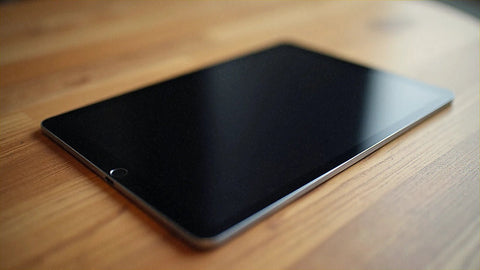
In short: Almost every iPad released since 2018 supports eSIM, but only in their "Wi-Fi + Cellular" versions. An iPad with eSIM gives you your own data on the go without relying on your phone's hotspot: scan a QR, activate the line, and land with internet — no roaming, no stress. Here is the full list by model.
If you travel with your tablet to work, stream shows, or navigate with Google Maps on a big screen, knowing whether your iPad with eSIM is compatible saves you the usual hassle of hunting for hotel Wi-Fi. The good news: compatibility is broad and activating the profile is as simple as on an iPhone. The catch is one word Apple hides in the specs: "Cellular."
What is an iPad with eSIM and why it matters when traveling
An eSIM is a digital SIM soldered inside the device. No plastic card to insert, no pin to eject: you download a data profile and you're done. On an iPad this changes travel a lot, because the tablet stops being a device that depends on your phone and gets its own mobile data connection wherever you are.
The key detail: the iPad eSIM only provides data. It doesn't have a voice number for traditional mobile calls (you can still use WhatsApp, FaceTime, Zoom, or Teams, which run over data). This is an important difference from the iPhone, and it explains why data plans fit so well with how a tablet is actually used when traveling.
Watch out for a nuance that rules out many people without them knowing: only "Wi-Fi + Cellular" iPads have eSIM. Plain "Wi-Fi" models — cheaper — have neither a SIM slot nor an eSIM chip. If you bought yours for the price and it only says "Wi-Fi," there's no way to add an eSIM: it needs to connect through another network.
Full list of iPad models with eSIM (2026)
Apple integrated eSIM into iPads starting in 2018. Since then, every range — Pro, Air, mini, and the standard iPad — includes it in their cellular variants. Here is the reference by family and year:
| Model (Cellular version) | eSIM | Since | Notes |
|---|---|---|---|
| iPad Pro 11" / 12.9" (1st gen and later) | Yes | 2018 | All Pro generations from 2018 |
| iPad Air (3rd gen and later) | Yes | 2019 | Includes Air M1, M2, and M3 |
| iPad mini (5th gen and later) | Yes | 2019 | Includes mini 6 and mini 7 |
| iPad (10th gen) | Yes | 2022 | Redesign with USB-C |
| iPad (11th gen) | Yes | 2024 | Current standard model |
| iPad (9th gen and earlier) | No | 2021 and before | Physical nano-SIM only in Cellular version |
| Any "Wi-Fi" iPad (without Cellular) | No | — | No modem: does not support eSIM or physical SIM |
The mental rule is simple: if your iPad is from 2018 onward and it's a cellular model, it almost certainly has eSIM. The 9th-generation iPad (2021) is the most common exception: its Cellular version still used only a physical nano-SIM. After that, Apple went all-in on eSIM.
How to know for sure if your iPad has eSIM
Don't rely just on the year. Check the actual hardware in two minutes: go to Settings → General → About and look for the EID or IMEI fields. If they appear, your iPad has a cellular modem with eSIM. Another quick way: go to Settings → Mobile Data; if you see the option "Add eSIM" or "Set Up Mobile Data," you're set. If those menus don't exist, you have a Wi-Fi-only model.

How to activate an eSIM on the iPad step by step
Installation is identical to the iPhone and takes no more than a couple of minutes. Before leaving home, with Wi-Fi:
- Go to Settings → Mobile Data → Add eSIM (or "Set Up Mobile Data").
- Choose "Use QR Code" or "Enter Details Manually."
- Scan the QR code from your plan with the iPad's camera.
- Label the line (for example, "Travel") and confirm.
- When you land, turn on Mobile Data and Data Roaming for that line.
That last step confuses a lot of people: turning on "roaming" on a travel eSIM doesn't mean paying expensive roaming charges. The eSIM uses the local networks in your destination country as if you were a regular user, and the roaming switch is simply the permission the iPad needs to connect to them. If you want to understand the difference in depth, we explain it in what data roaming is. And if this is your first eSIM, this guide to installing an eSIM walks you through it screenshot by screenshot.
Download the profile with Wi-Fi, always
Downloading the eSIM profile needs an internet connection, so do it over Wi-Fi before you travel or right after landing (many airports have free Wi-Fi). Once installed, the profile no longer needs Wi-Fi: it works on the destination's mobile network. Installing in advance and at home saves you the awkward moment of having no coverage to download your own eSIM.
How much data you need: real consumption by activity
Data plans for iPad are sold by the gig, and the universal question is "how many GB do I need?" It depends on what you do with the tablet. These figures are rough estimates of typical consumption per hour of active use:
| Activity | Approximate consumption | Traveler profile |
|---|---|---|
| HD video streaming (Netflix, etc.) | ~0.9 GB/hour | By far the biggest data hog |
| HD video call (Zoom, Teams) | ~0.6 GB/hour | Remote work |
| YouTube at 1080p | ~0.6 GB/hour | Entertainment |
| Web browsing and social media | ~0.12 GB/hour | General use |
| Music streaming (Spotify) | ~0.12 GB/hour | Long journeys |
| Email and documents | ~0.04 GB/hour | Light work |
In practice: for a one- or two-week trip with moderate use — maps, messaging, some web and social media — a plan of around 10 GB is usually more than enough. If you'll be working remotely with daily video calls or watching a lot of video, aim higher or download your shows before you leave. HD video is, by a huge margin, what drains your plan; dropping it to standard quality in the app stretches your data a lot. You'll find more ideas in our tips for saving data on your eSIM.
iPad with eSIM vs. other connection options
Before buying a plan, it's worth seeing why eSIM beats the classic alternatives when you travel with a tablet:
| Option | Advantages | Drawbacks |
|---|---|---|
| Data eSIM on the iPad | Dedicated connection, remote installation, clear data rates | Data only (no network voice); requires a compatible model |
| Hotspot from your phone | No extra plan if you already have data on your phone | Drains phone battery, unstable connection, uses your plan |
| Carrier roaming | Zero setup | Outside the EU can cost several euros per day; bill surprises |
| Finding public Wi-Fi | Free | Unreliable, poor coverage, and security risks |
If you're weighing the age-old question of digital data vs. your carrier's plan, we've compared both scenarios with data in eSIM vs. roaming. For most international trips outside the European Union, a data eSIM is clearly the better deal.
What almost nobody tells you about the iPad with eSIM
This is where the most common mistakes happen. Keep these warnings in mind:
- The cheap "Wi-Fi" iPad won't work for this. This is mistake number one. Many people buy an eSIM plan and then discover their tablet has no modem. Make sure yours is "Wi-Fi + Cellular" before anything else.
- An eSIM is tied to its device. You can't use the same profile on the iPad and the iPhone at the same time: each device needs its own plan. Think one plan per device you want to connect.
- The iPad doesn't have a voice phone number. If you expected to make regular calls from the tablet, that's not what it does. To talk, use data-based apps (WhatsApp, FaceTime, Zoom).
- Turn on data roaming or you won't get internet. This is the most common oversight when you land: the profile is installed, but without that switch on, the line won't connect.
- You can share the iPad's hotspot. A little-known trick: if your iPad has an eSIM with data, it can act as a router and share internet with your laptop or phone. Perfect for working from a café with no decent coverage.
- Install multiple profiles and switch between them. The iPad can store several eSIMs and activate the one you need in each country. It's the same logic as on the iPhone; we explain it in how many eSIM profiles an iPhone can have.
- Only delete the profile when you're sure. Deleting an eSIM from the iPad is usually permanent: you'd have to reinstall it from scratch. Don't delete it mid-trip "to make room."

Which eSIM plan to choose for your iPad based on your destination
The great thing about data plans is that they work the same for iPhone and iPad: if the device is compatible, the same plan works. The choice depends on the country or region you're traveling to, not the tablet model. Some common references:
- Europe: for short trips and routes across the continent, an eSIM for Europe covers multiple countries with a single plan, ideal if you're visiting several cities.
- United States: if you're flying across the Atlantic, a eSIM for the United States saves you from roaming, which is among the most expensive there.
- Heavy video use or remote work: choose a plan with more GB, and still download content over Wi-Fi to avoid burning through your data.
For exact pricing, always check the current rate on the plan page: prices vary by destination, gigs, and duration, and we prefer you compare the updated figure before buying. As a guide, carrier roaming outside the European Union can cost several euros per day, while a data eSIM usually spreads the cost into a single payment for the gigs you'll actually use.
What if I'm traveling with an iPad, iPhone, and Apple Watch at the same time?
Each device with its own connection needs its own plan, but you can save by using the hotspot feature. A simple strategy: put a data eSIM on the device you use as a base and share internet with the rest. If you also have a watch with connectivity, check out this guide to eSIM for Apple Watch abroad, because its data logic has its own quirks and it's worth planning ahead before you leave.
Frequently asked questions about iPad with eSIM
Do all iPads have eSIM?
No. Only "Wi-Fi + Cellular" models released from 2018 onward (except the 9th-generation iPad, which still used a physical nano-SIM). "Wi-Fi" only iPads don't have a modem, so they don't support eSIM or a physical SIM. Check your model in Settings before buying a plan.
How do I know if my iPad has eSIM?
Go to Settings → General → About and look for the EID or IMEI fields: if they appear, you have eSIM. Alternatively, in Settings → Mobile Data, if you see "Add eSIM" or "Set up Mobile Data," your iPad is compatible.
Can I use the same eSIM on my iPad and iPhone?
No. Each eSIM is tied to the device it's installed on, so you need one plan for the iPad and another for the iPhone if you want both connected at the same time. The good news is that data plans work for both types of devices.
Can I make calls with the eSIM on my iPad?
The eSIM on the iPad is data-only: it doesn't include a traditional mobile voice number. You can make calls over the internet with WhatsApp, FaceTime, Zoom, or Teams without any issue, since they run on data.
Does the iPad need Wi-Fi to install the eSIM?
Yes, downloading the profile requires an internet connection. It's best to install it over Wi-Fi before you travel or when you land at an airport with free Wi-Fi. Once installed, it works on the destination's mobile network without needing Wi-Fi.
Can I share internet from my iPad with other devices?
Yes. If your iPad has an eSIM with active data, you can turn on the personal hotspot and connect your laptop, phone, or another tablet, just like you would from an iPhone. It's a convenient way to give coverage to several devices with a single plan.
How many GB do I need for a one-week trip with my iPad?
For moderate use —maps, messaging, web, and social media— around 10 GB is usually enough for one or two weeks. If you plan to watch a lot of HD video or make daily video calls, go for a higher tier or download content over Wi-Fi before you leave to stretch your data.