In short: a travel Apple Watch eSIM is not installed directly on the watch because its eSIM depends on your iPhone's carrier through the One Number system. The practical solution is to carry your travel eSIM on your iPhone: the watch connects through it via Bluetooth, WiFi, or hotspot, and you'll have data without roaming.
If you're traveling with your smartwatch, you've probably wondered if an eSIM on the Apple Watch is the way to get data without relying on your phone. The short answer is more nuanced than it seems: the Apple Watch Cellular uses a very specific eSIM, and travel data eSIMs don't behave the same way as on a phone. In this guide, we'll tell you straight, so you know what to expect before crossing the border and landing with stress-free internet.
What is Apple Watch Cellular and its eSIM
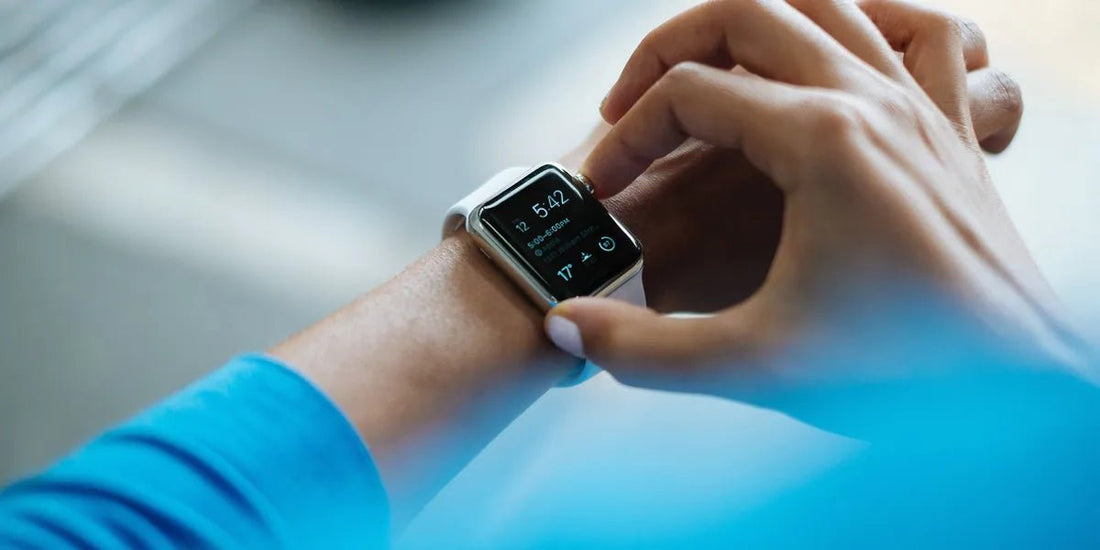
The Apple Watch comes in two variants: the GPS version, which only connects to the internet via your iPhone or a known WiFi network, and the GPS + Cellular version, which includes its own modem and an eSIM integrated into the watch. This eSIM theoretically allows the watch to receive calls, messages, and data even if you leave your phone at home.
Here's the first important nuance: the Apple Watch eSIM is not just any card that you can top up with any plan you want. Apple designed it to work using a feature called One Number, which means the watch shares the same phone number as your iPhone. For this to work, your iPhone's carrier must offer specific support for the Apple Watch and activate the corresponding plan. Not all carriers do this, and those who do usually charge a separate monthly fee. This is why the cellular-connected watch is tied to your phone's carrier and is not an independent device like a second smartphone.
If you want to delve into how this technology works from scratch, it would be useful to read what an eSIM is before continuing. And if you're unsure which devices accept digital profiles, the guide on eSIM compatible phones will save you more than a scare.
Why a travel eSIM doesn't install directly on the watch
This is the part that causes the most confusion, so we're going to be completely honest. Travel eSIMs (like those from PuraSIM) are data profiles designed to be installed on an iPhone or Android by scanning a QR code. However, the Apple Watch eSIM does not support manual installation of any data profile: it depends on your iPhone's carrier provisioning it and linking it to your account via Apple's One Number system.
In practice: the Apple Watch Cellular requires its eSIM to be linked to the same carrier as your iPhone. This is why a travel data eSIM, which is from another provider, cannot be loaded directly onto the watch.
In other words: there is no option (currently) on the watch to scan a travel eSIM QR code and install it as you would on a phone. The Watch's connectivity manager expects a profile provisioned by your carrier through the iPhone, not a third-party data profile. If someone promises you a travel Apple Watch eSIM that installs directly on the watch and works on its own in any country, it's wise to be suspicious. What is entirely real and practical is to use your travel eSIM on your phone and have the watch leverage that connection, as you'll see in the next section.
It's important not to confuse this with the normal limitations of an eSIM on the phone. On the iPhone, installation is as simple as following the steps of how to install an eSIM. The problem is exclusive to the watch.

How to get data on your Apple Watch when traveling
Good news: even if you can't install the travel eSIM on the watch, you can still keep your Apple Watch connected while traveling easily and reliably. The trick is to use your iPhone as a bridge. These are the three ways that actually work to have your Apple Watch with data without your phone in hand, as long as the phone is nearby:
- Near the iPhone (Bluetooth/WiFi): When the watch is within range of your phone, it communicates with it via Bluetooth or shared WiFi. If your iPhone has data thanks to a PuraSIM travel eSIM, the watch will use that connection for messages, notifications, maps, and apps. This is the most convenient option for most travelers.
- Internet sharing (personal hotspot): If you activate the hotspot on your iPhone (powered by your travel eSIM), the watch can connect to that network. This is useful for maintaining a connection several meters away from your phone inside a hotel or establishment. If you've never done it, see how to share data via hotspot with an eSIM step by step.
- Known WiFi networks: The Apple Watch can connect to WiFi networks that your iPhone has already connected to before, without relying on Bluetooth. Useful in airports, hotels, or cafes.
The conclusion is clear: carry your travel eSIM on your iPhone, keep your phone close, and your watch will work perfectly without paying roaming or extra carrier fees. With PuraSIM, you get data in more than 200 destinations, with no contracts or bill surprises. Land, activate your eSIM, and you're good to go: stress-free internet without roaming.
Apple Watch models compatible with eSIM
The integrated eSIM is only present in GPS + Cellular models. If you bought the GPS-only version, your watch will never have its own cellular connectivity: it will always depend on your iPhone or WiFi. Models with Cellular option include, among others, series from Apple Watch Series 3 onwards, Apple Watch SE, and Apple Watch Ultra and Ultra 2, which always come with cellular connectivity.
However, something important for travelers: having a Cellular model does not mean having coverage abroad. The cellular function of the watch is usually limited to your plan's country. That's why, even with an Ultra 2, abroad the practical way is still to connect the watch via your iPhone with your travel eSIM.
For the Apple Watch travel eSIM scenario, the key is not the watch model, but the phone you carry next to it. You don't need the most expensive watch to travel connected: you need an iPhone with a good travel eSIM that provides internet to your wrist.
Practical steps for traveling with your watch
Let's get concrete. These are the steps to arrive at your destination with your Apple Watch connected, without technical complications or unexpected expenses:
- Before you go: Buy your PuraSIM eSIM for your destination country. You will receive a QR code that you install on your iPhone in a few minutes. Deciding whether to activate the eSIM before or after traveling will avoid last-minute doubts.
- Upon arrival: Activate the data line of your travel eSIM on your iPhone and deactivate roaming on your main line to avoid charges. Your PuraSIM eSIM works without roaming.
- Pair your watch: Make sure your Apple Watch is linked to that iPhone. Keep it close, and it will automatically check the connection via Bluetooth or WiFi.
- If you move away from your phone: Activate your iPhone's hotspot so that the watch continues to have data at a distance within the same space.
A detail many overlook: keep your home line active only for SMS and calls, and use the eSIM only for data. This way, you still receive SMS with verification codes from your bank or WhatsApp while browsing with the travel eSIM.
Scenario table: what works and what doesn't
To give you an overview, here we summarize the most common scenarios with the Apple Watch and a travel eSIM. This will help you set realistic expectations before traveling.
| Scenario | Does it work? | How |
|---|---|---|
| Install travel eSIM directly on Apple Watch | No | The watch only accepts eSIM provisioned by your iPhone's carrier (One Number) |
| Watch with data near iPhone | Yes | Bluetooth/WiFi with the iPhone carrying the travel eSIM |
| Watch with data away from iPhone (same building) | Yes | iPhone personal hotspot with the travel eSIM active |
| Watch with data without carrying iPhone | No (generally) | Requires carrier Cellular plan with international coverage, not a travel eSIM |
| Watch on hotel or airport WiFi | Yes | Direct connection to known WiFi networks |
| Notifications, maps, and messages during travel | Yes | Via iPhone with PuraSIM eSIM |
Golden rule for travelers: if you carry your iPhone with an active travel eSIM, your Apple Watch will be connected. You only need the watch to work 100% on its own abroad if you leave your phone at the hotel, and that's another story that depends on your carrier.
What almost no one tells you: common myths and mistakes
This section is what saves you real trouble. These are things that rarely appear in ads and make the difference between a connected trip and an afternoon fighting with settings.
Myth: "If my watch is Cellular, I have data in any country"
False. Apple Watch cellular connectivity is almost always tied to your country and carrier. Abroad, that watch modem won't save you on its own: without specific international roaming for the Watch (which many carriers don't even offer), you still need your iPhone as a bridge. Don't trust the watch's coverage icon when you cross the border.
Mistake: leaving main line roaming on
This is the classic mistake that inflates your bill. If you don't deactivate roaming on your usual SIM card, your iPhone might connect to the local network with your home line and generate charges before you activate your travel eSIM. Deactivate roaming on the main line and keep data only on the eSIM. If you want to understand why this happens, read what data roaming is.
Little-known trick: selective airplane mode
On your iPhone, you can activate airplane mode and then only re-enable Wi-Fi, or disable data for your national line while keeping the eSIM active. This ensures that not a single byte goes through the wrong line.
Myth: "eSIM drains more watch battery"
It's not the eSIM that drains; it's active cellular connection. Since in your case the watch connects via iPhone over Bluetooth or Wi-Fi, the Watch's consumption is even lower than if it used its own modem. The iPhone's battery takes the hit, especially with the hotspot on. Keep the hotspot on only when you need it.
Tip: choose your plan based on actual consumption, not fear
The watch barely consumes data: notifications, a few maps, short messages. The bulk of data usage comes from what you do on your iPhone (videos, browsing, social media). Choose your plan by destination and actual consumption, not on impulse.
Alternatives and final tips
If your absolute priority is for the watch to function completely independently in another country, the options are limited and expensive: you would have to contract international roaming for your Apple Watch with your carrier, if available, with fees that can exceed several euros per day. It's advisable to check the current price with your carrier, as it's not worth it for most travelers.
The smart alternative is what we have already described: a travel data eSIM on your iPhone that powers both the phone and the watch. It is cheaper, more flexible, and works in any destination, with QR activation in minutes and Spanish support. Whether you travel to Japan, the United States, or several European countries, the approach is the same: eSIM on the phone, watch connected through it. Once you're clear, you can choose your eSIM in seconds and land with internet, stress-free.
Frequently Asked Questions
Can I install a travel eSIM directly on my Apple Watch?
No. The Apple Watch only accepts eSIMs provisioned by your iPhone's carrier through the One Number system. Travel eSIMs are installed on the iPhone, and the watch leverages that connection when it's near the phone, via Bluetooth, WiFi, or hotspot.
So, what's the point of a travel eSIM if I have an Apple Watch?
A lot. You install it on your iPhone, and as long as you carry your phone with you or nearby, your Apple Watch will have data via Bluetooth, WiFi, or hotspot. You'll get notifications, maps, and messages without paying roaming or extra carrier fees.
Does the Apple Watch work without the iPhone abroad?
Generally not with a travel eSIM. For the watch to work completely on its own outside your country, you would need a Cellular plan from your carrier with international coverage, which usually has additional fees. With a travel eSIM, the practical model is to have the watch plus iPhone nearby.
Which Apple Watch models have eSIM?
Only GPS + Cellular models: from Series 3 onwards, SE, and Ultra and Ultra 2. GPS-only models always depend on the iPhone or WiFi and do not have their own eSIM.
Do I need to deactivate roaming on my regular line?
Yes, it is highly recommended. Deactivate roaming on your main line and use the data from the PuraSIM eSIM, which works without roaming, to avoid surprise charges as soon as you land.
Does the iPhone hotspot consume more battery?
Yes, keeping the hotspot active consumes more iPhone battery. If you only need data near your phone, the Bluetooth or WiFi connection between the watch and iPhone is more efficient. Activate the hotspot only when you plan to move away from your phone.
Does the travel eSIM also provide internet to other devices?
Yes. As long as the eSIM is in your iPhone, any compatible device (Apple Watch, tablet, laptop) can connect via shared WiFi or hotspot. It's a convenient way to keep all your tech connected with a single data plan.
Conclusion
To recap honestly: a travel eSIM does not install directly on the Apple Watch, because its eSIM depends on the iPhone's carrier via One Number. But that's not a real problem for travel: you install your PuraSIM eSIM on your iPhone and the watch connects through it via Bluetooth, WiFi, or hotspot. You'll have data in more than 200 destinations, with a QR code in minutes, no roaming, and Spanish support. The practical way to travel connected with your watch is clear, simple, and economical. Choose your eSIM and start your trip or consult official Apple Watch support for details on your model.