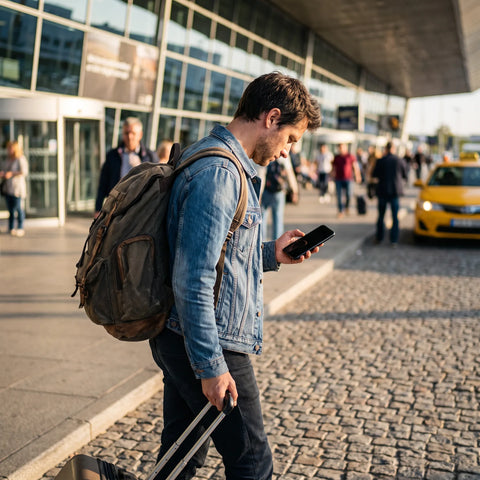
If you searched for "metro esim," you probably have one of two questions in mind: whether your Metro by T-Mobile phone can use an eSIM, or whether you'll have data signal when you go into the subway (the underground transport) on your next trip. Here, we resolve both, with concrete examples and no technical jargon.
What is an eSIM, in simple terms?
An eSIM is a digital SIM card: instead of a plastic chip that you insert into your phone's tray, it's a profile installed via software that stores the same data as a physical chip (number, operator, plan). It serves the same function as a traditional SIM, but you don't physically touch it.
The practical advantage is that a compatible phone can store several eSIM profiles (and in many cases also a physical SIM at the same time), and use whichever is needed at any given moment without opening the tray. This is precisely what makes it possible to keep your usual line and add a data line for travel without canceling anything.
"Metro esim": two different searches that blend
Before continuing, it's worth clarifying the ambiguity, because "metro" in this search can mean two very different things, and each has a different answer:
- Metro by T-Mobile: a prepaid cellular operator in the United States, owned by T-Mobile. If your question is whether this operator offers eSIM, the answer is in the next section.
- The subway as transportation: if what concerns you is whether you'll have data when traveling on the metro, subway, or metropolitan train (underground networks often have irregular coverage in several cities), that question has more to do with tunnel coverage than with the type of SIM card. You can review the topic in detail in our guide on data coverage on the underground metro.
The rest of this article focuses on the first interpretation —Metro by T-Mobile and the world of eSIMs in general— because it is the most common in related searches.
Does Metro have eSIM?
Metro by T-Mobile is an operator that runs on T-Mobile's network in the United States, and like most major operators in that country, it has been incorporating eSIM as an option alongside the traditional physical SIM. In practice, this means that if you have a compatible phone, you can have an active Metro line as a digital profile instead of a physical chip.
However, an operator "having eSIM" only tells you how the line is installed, not what coverage it gives you outside its country of origin. This distinction often causes confusion for travelers, and is the central theme of this article.

What is Metro by T-Mobile's eSIM?
Metro by T-Mobile's eSIM is nothing more and nothing less than the same prepaid line that the operator normally offers, but installed as a digital profile instead of a physical chip. It serves the same purpose as the physical version would: calls, text messages, and data within the coverage and plan you've contracted with that operator in the United States.
What doesn't change by being an eSIM is the plan itself: if your Metro plan doesn't include international use, switching from a physical chip to a digital profile doesn't add coverage in other countries or avoid roaming charges. The eSIM is the method by which the line is delivered, not an extension of where it works.
Which company has eSIM in Mexico?
In Mexico, major operators have been adding eSIM as an option for local lines, following the same trend seen in the United States and much of the world: it is increasingly common that, when contracting or porting a line, you are offered a choice between a physical chip or a digital profile. If your cell phone is compatible, you can usually check directly with the operator you use or are considering.
Here it's worth making the same clarification as in Metro's case: a local eSIM in Mexico (or in any country) is intended for your daily use within that country, not for when you cross the border. If your Mexican plan does not include international roaming, installing it as an eSIM does not change that condition.
Local eSIM vs. Travel eSIM: the difference that saves you money
This is the fundamental confusion behind almost all the previous questions: an "local operator" eSIM (whether Metro, a Mexican, Colombian, or Argentine operator) and a "travel" eSIM are not the same tool, even though they are technically the same type of digital card.
Your home cell phone's eSIM and a travel eSIM are not the same card: they are two distinct profiles that can coexist on the same phone, each with its own job.
An international travel eSIM, like those we offer at PuraSIM, is specifically contracted to use data in the destination country or region, at a price designed for that specific use, and is installed without affecting your usual line. It doesn't replace your Metro number or that of your local operator: it adds data, usually only for data, while you are away.
| Aspect | eSIM from your regular operator (e.g., Metro by T-Mobile) | International travel eSIM |
|---|---|---|
| What it's designed for | Your daily use in the country where you contracted the plan | Data in the country or region you are going to visit |
| What happens if you use it crossing the border | Depends on the plan: there may be roaming charges or no coverage | It is designed precisely for that destination |
| Your usual number | Remains, it is the line you already have | Does not replace it: usually installed only for data |
| Typical duration | Monthly billing cycle of the operator | Chosen according to the days of the trip |
| Where to contract it | Directly with the local operator | With a specialized travel eSIM provider |
The trick that almost no one explains is this: since the phone stores both profiles at once, you don't need to choose between "keeping my line" or "having data at the destination." You leave your operator's eSIM installed (to receive calls and messages with your usual number) and simply activate the travel one as an additional data line while you are away. When you return, you can leave it installed and deactivated, or delete it; neither action affects your main line.
Real example: a Metro phone traveling outside the US
Imagine someone with a Metro by T-Mobile line in the United States who travels two weeks to visit family in Colombia. If they simply leave their phone as is and use mobile data upon arrival, they enter an international roaming zone: depending on the plan, this could mean extra charges, very low data limits, or directly no coverage, according to what their Metro plan includes outside the United States.
The alternative is to install, before traveling or even at the arrival airport (if Wi-Fi is available), a travel eSIM for Colombia. The purchase and installation process takes only a few minutes, and the activation itself occurs in approximately 1 minute once mobile data is turned on at the destination. Their Metro number continues to work for calls and messages with their usual plan; data for maps, travel apps, and video calls with family back in the US goes through the travel eSIM.
Something useful that is not always mentioned: the travel eSIM does not have to be activated on the exact day of purchase. With PuraSIM, the digital card arrives immediately by email, but you have 180 days from the purchase to activate it when your trip actually starts, so you can buy it calmly and without rushing to install it ahead of time.

What is the disadvantage of the eSIM?
eSIM has clear advantages, but also some real limitations that should be known before relying on it for a trip:
- Not all phones support it. Older models or some budget versions sold in certain markets do not have the feature. Before buying a travel eSIM, it is advisable to check your device's compatibility, which we explain in detail in our guide on eSIM compatible phones.
- It cannot be physically "transferred" between phones. If you change phones, you usually need to reinstall the profile (sometimes via transfer, sometimes with a new code from the provider), unlike a physical SIM that you simply remove and insert into another device.
- A factory reset can erase the profile. If you restore your phone to factory settings, the installed eSIM is lost and must be reinstalled from scratch.
- Installation requires an internet connection. You need Wi-Fi or data available at the time of installing the profile (though not necessarily to activate it later), which is almost never a problem because most airports and hotels offer free Wi-Fi.
None of these disadvantages are reasons to discard eSIM as a travel option; they are simply points to consider, especially the first one. If your phone is not compatible, the logical alternative is still a local or travel physical SIM, and you can compare both options in our guide on eSIM vs. physical SIM.
| Aspect | Physical SIM | eSIM |
|---|---|---|
| Installation | Requires the physical chip and sometimes waiting for shipping or picking it up at a store | Installed with a QR code or a link, no waiting for a chip |
| Risk of loss | The chip can be lost or damaged | No physical part to lose |
| Changing profiles | Must remove and insert another chip | Changed from phone settings |
| Using two lines at once | Only if the phone has a dual physical tray | Many phones allow physical SIM + eSIM, or multiple eSIMs |
| Compatibility | Virtually any phone | Only relatively recent models |
How to activate a travel eSIM, step by step
The process is the same regardless of which country you travel to, and it doesn't require technical knowledge:
- Confirm your phone is compatible with eSIM before purchasing (check network settings or consult our guide on compatible phones).
- Choose your destination and trip duration in the international eSIM collection.
- Receive the QR code by email immediately after completing the purchase; if you've never installed an eSIM, we explain it with screenshots in our guide on how the eSIM QR works.
- Install the profile with Wi-Fi, ideally before leaving home or while you have an available connection; the complete installation process is detailed in how to install an eSIM.
- Activate it at your destination, by enabling mobile data and selecting the eSIM line as the one that uses data. Activation takes approximately 1 minute.
- Keep your usual line (Metro or whatever you use) active for calls and messages, if you prefer, and use the travel eSIM only for data.
If you have any questions about roaming, coverage, or which eSIM suits you best depending on the destination, our definitive guide to eSIM for travel compiles all common cases in one place, and the comparison between travel eSIM and traditional roaming helps you decide which is better for you based on how many days you'll be away.
Frequently asked questions
Do I need to remove my Metro eSIM to install a travel one?
No. Most modern phones allow you to have several eSIMs installed at once (and in some cases also an additional physical SIM). You can leave your Metro eSIM active for your usual number and install the travel one only for data, without deleting anything.
Can I use my Metro number and travel data at the same time?
Yes. The usual approach is to keep your regular line active for calls and messages, and choose the travel eSIM as the data line while you are at your destination. Both coexist on the same phone without conflict.
Does the travel eSIM work for calls and SMS, or only for data?
International travel eSIMs, like those from PuraSIM, are primarily designed for mobile data: browsing, using maps, social media, and messaging apps with internet (which cover most communications when traveling). Traditional calls and SMS usually continue to go through your regular line.
What if my phone is not eSIM compatible?
If your device does not support eSIM, you simply won't be able to install the digital profile; in that case, a physical travel SIM is still a valid alternative. Check the list of compatible models before purchasing to avoid that surprise.
How long do I have to activate the eSIM after purchasing it?
With PuraSIM, you have 180 days from the purchase date to activate the eSIM, so you can buy it in advance and activate it right when your trip begins.
Does the travel eSIM work if I change countries during the same trip?
It depends on the plan you choose: some cover a single country and others cover multiple countries or regions. When choosing your eSIM from the destinations collection, check what coverage it includes before purchasing if your itinerary crosses borders.
What do I do if I have a problem with the eSIM during the trip?
You can write to us by email or WhatsApp; we offer 24/7 support in all languages, so it doesn't matter the time or country you are in when you need help.
Conclusion: what to do before your next trip
If you've made it this far searching for "metro esim," it's most likely that the answer you need isn't about the Metro by T-Mobile operator itself, but about how to have data working when you cross a border without relying on your usual line's roaming. Metro (or whatever local operator you use in your country) handles your daily life at home; a travel eSIM specifically handles the days you're away.
The specific recommendation is simple: keep your usual line as is, check that your phone is eSIM compatible, and before your next trip, install a data eSIM for the exact destination you're going to. With over 200 destinations available and activation in approximately 1 minute once you're there, it's an additional layer that complements your existing line, not a replacement. You can check available destinations and choose a plan based on your travel days in PuraSIM's international eSIM collection.