What is an eSIM and how does it work?
An eSIM is a digital SIM card built into your phone: instead of inserting a physical chip, you download a profile with a QR code or a link, and that profile connects you to a data network in the country you are in. It works just like a traditional SIM, but without plastic or an ejector tray.
The chip itself is already soldered inside the phone from the factory (it's called eUICC). What you "install" is not a physical object, but a profile: a package of data and credentials that tells that chip which network to connect to, with what number, and with what plan. You can have several profiles saved—one for your home country, another for a travel destination—and switch between them from your phone settings, without touching any tray or losing any tiny chip at the bottom of your backpack.
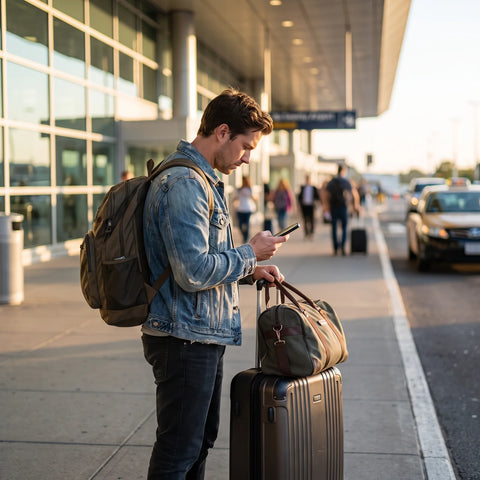
For a traveler, the practical implication is this: you arrive in another country, and instead of looking for a phone store, asking for ID, waiting in line, and waiting for a chip to be activated, you simply turn on the data plan you already installed before leaving home.
The difference between eSIM and physical SIM, without the jargon
A physical SIM is an object: a small plastic card with a chip that is inserted into a tray on the phone. To change it, you have to remove it with a tool or a paperclip, and it is exposed to being lost, bent, or incorrectly inserted. The eSIM eliminates that object: the entire process—buying, receiving, installing, and activating—happens within the phone itself, over the internet.
This changes two important things for travelers. The first is logistics: you don't depend on a physical counter or airport service hours. The second is reversibility: if something goes wrong with an eSIM profile, you can delete it and install another without anyone needing to give you a new card. The downside is that an eSIM depends on your phone supporting it and on you being able to connect to Wi-Fi to install it, something we'll delve into below.
A real-world example: what it looks like on a trip to Colombia
Imagine you live in Mexico City and bought a ticket to Bogotá for next week. Days before your trip, while at home connected to Wi-Fi, you buy a data plan for Colombia. You receive a QR code by email. You scan it from your phone settings, and the profile is installed but still inactive: it doesn't consume data or start counting days.
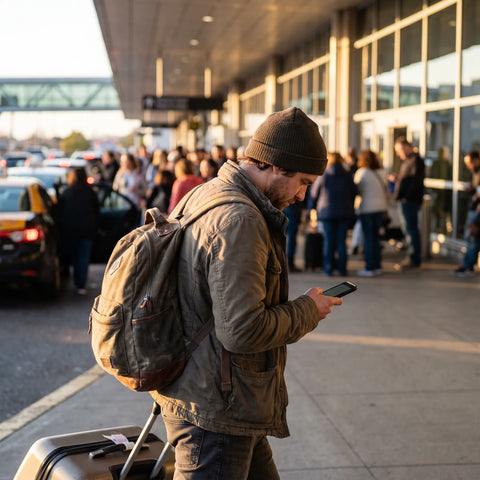
You land in Bogotá. Before leaving the plane, or while in the immigration line, you activate that plan from your phone. In about a minute, you have mobile data working, without having spoken to anyone or looked for a phone counter at the airport. Your usual number—from Mexico—remains on your phone's physical SIM, available to receive calls or verification messages if you need it.
The eSIM does not replace your usual number: it replaces the need to find where to buy a chip as soon as you get off the plane.
That is, in essence, the complete use case: buy before traveling, install calmly with Wi-Fi, activate upon arrival. The rest of this article explains each of those steps in more detail.
How to activate an eSIM step-by-step
The process has fewer steps than it seems, but there's a nuance that almost no one explains well: installing and activating are not the same, and separating them benefits you.
- Purchase the plan. Choose the destination and the amount of data you need for your trip.
- Receive the profile. You'll get a QR code (or a link) by email, usually within minutes.
- Install the profile, with Wi-Fi. From your phone settings, scan the QR. This requires an internet connection, so it's best to do it at home or in the office, not at a crowded public airport Wi-Fi.
- Activate the plan, upon arrival at your destination. Here's the tip that most people don't take advantage of: you can leave the profile installed days or even weeks before traveling, and only activate it when you turn on your phone in the destination country. The activation itself takes about a minute. As long as you don't activate it, the plan doesn't start consuming data or counting its validity days.
- Confirm the network. The phone should automatically connect to the corresponding data network; if it doesn't, simply enable data roaming for that profile in the settings.
If you want the technical details for each screen according to your phone model, there is a dedicated guide on how to install an eSIM step by step with screenshots.

Is your phone compatible? What to check before buying
Not all phones have the necessary eUICC chip to use eSIM, and some models have it but it's locked by the carrier they were originally purchased from. Before buying a travel data plan, it's worth checking two things: that the model supports eSIM and that the phone is unlocked (without a carrier lock), because a lock can prevent you from installing profiles from other companies even if the hardware is compatible.
The quickest way to check is to go into your phone's network settings and look for an option called "Add eSIM" or "Add data plan." If it appears, your phone is compatible. The full list of models, by brand and year, is in the guide to eSIM compatible phones.
eSIM vs physical SIM: comparative table
Neither is "better" in all cases: they depend on how you'll use your phone. The following table summarizes the most important differences for travelers.
| Criterion | eSIM | Physical SIM |
|---|---|---|
| How it's installed | With a QR code, online | By inserting a physical chip into a tray |
| Do you need to buy it in a store? | No | Yes, or receive it by physical delivery |
| Risk of losing it | Does not exist (it's not an object) | Yes, it's a small card and easy to misplace |
| Changing plans or destinations | Install another profile in minutes | You need another physical chip |
| Using two lines at once | Yes, along with the phone's physical SIM | Only if the phone has a dual physical tray |
| Depends on | The phone supporting eSIM | Local carrier coverage existing |
eSIM vs roaming from your usual carrier
Another alternative for getting data abroad is simply to activate international roaming with your usual carrier, without buying anything new. The main difference lies in how consumption is calculated and how predictable the outcome is.
| Criterion | Travel eSIM | Roaming from your home carrier |
|---|---|---|
| What you contract | A data plan with a predetermined GB limit | An extension of your local plan, according to your carrier's policy |
| Where it works | In the destination you choose when purchasing | Where your carrier has active roaming agreements |
| Your usual number | Remains active on the phone's physical SIM | Used directly for calls and data |
| Cost control | You buy a fixed plan before traveling | Depends on the conditions set by each carrier |
| Installation needed | Yes, a new eSIM profile | None, it's the same old line |
If you want to delve deeper into when each option is best depending on the type of trip, there's a complete analysis in eSIM vs roaming.
How to use eSIM and physical SIM at the same time (dual SIM)
Most eSIM-compatible phones allow you to have both lines active simultaneously: the physical SIM (your usual number) and the eSIM profile (the travel data plan). There's no need to choose one over the other.
From the network settings, each line can be configured separately. The usual setup for travel is to leave the physical SIM only for calls and text messages—so your number remains reachable—and assign mobile data to the eSIM, so that all browsing, maps, and applications use the plan you purchased for the destination. This prevents the physical SIM from accidentally consuming data roaming while you use your phone normally.
One detail to check: some phones allow both lines to be "active" for calls, but only one can use mobile data at a time (except for newer models with dual data connectivity). If you notice that your phone isn't handling both lines well, it's a good idea to check the common eSIM problems section, which explains the most frequent adjustments that need to be corrected.

Which companies offer eSIM in Mexico and the rest of Latin America?
There are two distinct categories, and it's important not to confuse them. On one hand, there are local carriers, which in several Latin American countries already offer eSIM options for regular national lines; the exact availability and activation process vary by carrier and phone model, so it's best to confirm directly with each company before canceling a physical line.
On the other hand, there are eSIM providers for travelers, specifically designed for those who will be in a country for a short time and don't want to contract a local line. This second category solves the case described in the Bogotá example: you don't need to become a customer of a Mexican, Colombian, or any other country's carrier; you just buy a temporary data plan before leaving. PuraSIM operates in over 200 destinations under this model, with 24/7 support in all languages via email and WhatsApp, which is relevant if the plan encounters any issues while you're away from home.
Real disadvantages of eSIM you should consider
No technology is perfect for all cases, and eSIM has limitations worth knowing before relying on it for a trip.
- Depends on phone compatibility. Older models, some entry-level phones, and carrier-locked phones simply cannot use it.
- Installation requires internet. If you try to install the profile at your destination, without Wi-Fi or available data, it can be complicated. That's why it's best to install it before leaving, as explained above.
- Changing phones is more manual. When you change phones, you can't just take out the chip and put it in the new one; you have to reinstall the profile, and in some cases, the provider may need to generate a new QR.
- Not all plans include a voice number. Many travel eSIMs are data-only, without their own phone line; for calls, you still rely on your physical SIM or messaging apps.
- If you lose your phone, you lose both lines. Unlike a physical SIM that you can retrieve and reinsert into another device, the eSIM profile is tied to that specific phone.
None of these points make eSIM a bad option for travel; they are simply the conditions under which it works well, and it's good to be clear about them before buying a plan.
Frequently asked questions
Do I need Wi-Fi to activate the eSIM?
You need Wi-Fi (or data) to install the profile, meaning to scan the QR code and download it to your phone. The activation itself—the moment it starts being used—can be done once your phone picks up the mobile network at your destination, without needing an additional Wi-Fi network.
Can I use the same eSIM in several countries on the same trip?
It depends on the plan you purchase. Some data plans cover only one country, while others include regional coverage for several destinations within the same trip. It's advisable to check the specific coverage of each plan before purchasing, especially if your itinerary crosses more than one border.
What if my phone isn't compatible with eSIM?
You simply won't be able to install eSIM profiles on that device. The alternative is still to buy a local physical SIM upon arrival at your destination, or activate international roaming with your usual carrier.
Does eSIM work the same way as a physical SIM for making calls?
Technically, it can also carry a voice number, but most travel eSIMs are sold for mobile data only. For traditional calls during your trip, the usual practice is to continue using your home carrier's physical SIM or resort to internet calls.
Can I share my eSIM with another device, like a tablet?
An eSIM profile is installed on a specific device; it doesn't transfer directly to another. If you need data on a tablet in addition to your phone, a separate eSIM profile is purchased for that device, or the connection is shared from your phone via a hotspot.
What happens if I lose my phone with the eSIM installed?
The profile remains on that device, so losing your phone means losing access to that data line. This is another reason not to rely solely on an eSIM for critical security functions during travel, just as would be the case with any lost physical chip.
Do I need to deactivate my physical SIM to use the eSIM?
No. Most compatible phones allow you to have both lines active at the same time, each with its own function: the physical for your usual number and the eSIM for destination data.
Should you use an eSIM on your next trip?
If you're traveling with a relatively recent and unlocked phone, an eSIM solves a specific problem: arriving in another country without having to search for where to buy a chip, wait in line, or rely on airport Wi-Fi to sort it out on the fly. You buy it before you leave, install it calmly from home, and activate it as soon as you land, in approximately one minute.
A practical detail worth remembering: you have 180 days from purchase to activate the eSIM, so there's no rush to install it or risk it "expiring" while you finish planning your trip. You can buy it as soon as you book your ticket and not worry about it until the day you leave.
If this is your first time using an eSIM, it's best to start with the definitive guide for traveling with eSIM, and then check the available plans by destination in the international eSIM collection to choose the amount of data that suits your itinerary.