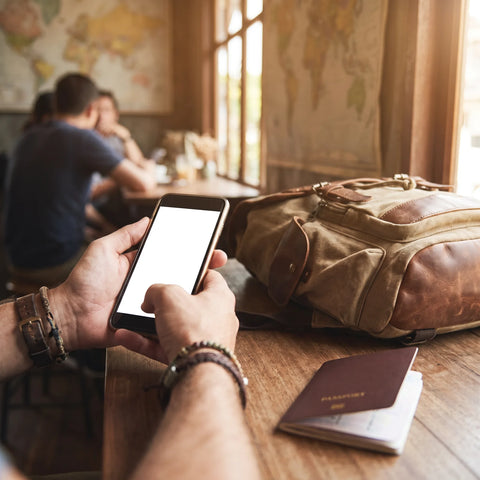
Roaming is the service that allows your phone to continue working when you travel and use a foreign operator's network instead of your usual company's. It sounds good on paper, but it's the number one cause of surprise bills when returning from a trip. In this pillar guide, we explain what roaming really is, how it works internally, when it's included and when it costs a fortune, and all the ways you can avoid it to travel connected without unpleasant surprises.
What exactly is roaming
The term roaming describes the situation where your phone connects to a network of an operator other than your own because yours doesn't have its own coverage in that location. When you land in another country, your company doesn't have antennas there, so it makes agreements with local operators to provide you with their network. You still have the same number and the same SIM, but underneath you are using another company's infrastructure, and that company charges yours for the service.
This wholesale cost between operators is what, outside Europe, ends up reflected in your bill. Roaming is not a service that you intentionally activate: most phones have it turned on by default, so as soon as you leave the country and your phone connects to a foreign network, you are already roaming. This is why it's so easy to incur costs without realizing it: it only takes an app to update in the background or for you to receive an email with an attachment. Understanding what roaming is is the first step to avoiding overpaying; the rest of the guide teaches you how to control it.
How roaming works step by step
Although it seems like magic, roaming follows a very specific sequence every time you cross a border. Knowing it helps to understand why sometimes your phone takes a while to connect or why you receive that welcome SMS from the local operator. The entire process happens automatically in a matter of seconds, without you having to do anything.
- Network search: upon arrival at your destination, your phone detects that it cannot find your operator and scans the available networks in the country.
- Partner selection: it chooses a local operator with whom your company has a roaming agreement.
- Authentication: the foreign network consults your original operator to verify that your SIM is valid and has permission to connect.
- Registration: you register with the visited network and regain signal, calls, and data.
- Billing: the local operator records your consumption and bills it to your operator, who then charges you according to roaming rates.
Point five is the one that hurts. Every megabyte, minute, or message you spend travels through a chain of charges between companies, and outside the European Union, these wholesale prices are very high. That's why an alternative like a data eSIM, which directly uses local rates, avoids this entire chain of surcharges.

Data roaming vs. voice and SMS
Not all roaming is the same, and it's useful to distinguish three types because they are billed separately and incur costs in different ways. Data roaming is, by far, the one that causes the most inflated bills, because the phone constantly consumes data without you noticing.
- Data roaming: this is the use of mobile internet (browsing, apps, maps, social media, video). It is charged by volume of data consumed and is the most dangerous, because apps work in the background even if you don't touch the phone.
- Voice roaming: calls you make or receive while abroad. Be careful: in many cases you also pay to receive calls, not just to make them.
- SMS roaming: sending text messages. It is usually the cheapest of the three, but receiving SMS is normally free.
The big difference is control. You consciously initiate a call or an SMS; data, on the other hand, flows automatically as soon as the phone has a connection. That's why the general recommendation when traveling outside the EU is to disable data roaming and, if you need internet, use a controlled alternative. Below we show you how to do it in a matter of seconds on iPhone and Android.
Roaming in the EU: why it's included
If you travel within the European Union, there's good news: since the "Roam Like At Home" regulation, using your mobile phone in another EU country shouldn't cost you more than using it in Spain. Your contracted minutes, SMS, and data are consumed at Spanish rates, without roaming surcharges, in the 27 EU countries plus some of the European Economic Area countries such as Iceland, Liechtenstein, and Norway.
This means that, for a weekend trip to Paris, Rome, or Lisbon, you usually don't need to do anything special: your usual rate covers you. Even so, there are a couple of important nuances worth knowing:
Free roaming in the EU comes with fine print: there is a "fair use policy." If you spend more time abroad than in Spain over several months, or if your data plan is very large, your operator may apply limits or small surcharges. For a normal tourist trip, you won't notice anything, but check your plan's conditions before temporarily moving abroad.
The UK, after Brexit, is no longer part of this system, and some Spanish operators have reintroduced roaming charges when traveling there. If you're going to London, check your rate or consider an eSIM. For country-by-country details, see our guide on which countries have free roaming, and if you want to compare options, check out eSIM vs roaming.
Roaming outside the EU: why it's so expensive
This is where roaming stops being your friend. As soon as you leave the European Union — United States, United Kingdom, Morocco, Turkey, Thailand, Mexico, Japan, or any "really" distant destination — European protection disappears, and you enter the territory of international rates. Here, roaming is billed at prices that can be between 50 and 200 times more expensive than at home.
Why? Because there is no longer a regulation that limits what local operators charge yours. These high wholesale costs are directly passed on to your bill, and are usually applied in blocks: for each megabyte of data, for each minute of call, and for each SMS. The problem is that a single social media video, a Google Maps route, or the automatic synchronization of your photos can use hundreds of megabytes in minutes.
The result are those horror stories of people returning from vacation with a bill for hundreds of euros without having done "anything unusual." The good news is that it is totally avoidable. You have the complete guide in how to avoid roaming, and below we summarize the key points so that it doesn't catch you by surprise.
How much roaming costs (indicative table)
Providing exact figures is complicated because each operator and tariff are different, and prices change over time. But we can give you a realistic order of magnitude so you understand the difference between paying for roaming outside the EU and using an alternative like an eSIM. Consider these figures as indicative, not official rates: always confirm with your operator before traveling.
| Zone / Method | Estimated Data Cost | Risk of Surprise Bill |
|---|---|---|
| Roaming within the EU | Included in your Spanish tariff | Very low |
| Roaming outside the EU (daily operator bundle) | ~€10-20 per day, depending on operator | Medium (they notify you upon activation) |
| Roaming outside the EU (without bundle, on demand) | Very high per MB; unpredictable bill | Very high |
| Local/regional data eSIM | From a few euros for several GB | None: you pay upfront |
The conclusion is obvious. Many operators offer "travel bundles" of around €10-20 per day to make roaming outside the EU more predictable, but if your trip lasts two weeks, that's between €140 and €280 just for data. A PuraSIM eSIM for the same destination usually costs a fraction of that, with no risk of overspending. Compare real numbers in our guide on Movistar roaming: price and alternatives.
How to disable roaming on iPhone and Android
If you take only one piece of advice from this guide, let it be this: before landing outside the EU, disable data roaming. It's the fastest way to protect yourself from a surprise bill, and it takes seconds. Here are the steps for both systems; menus may vary slightly depending on the version and model.
On iPhone (iOS):
- Open Settings.
- Go to Mobile Data (or "Cellular").
- Tap on Mobile Data Options.
- Turn off the Data Roaming switch.
On Android:
- Open Settings.
- Go to Connections or Network & internet.
- Go to Mobile networks.
- Turn off the Data Roaming option.
With data roaming off, your phone will stop consuming internet on the foreign network, but you will still be able to receive SMS and, usually, connect to WiFi networks. This is the basis of traveling worry-free. The next step is to get internet in a controlled way, and for that, the best option is an internet connection without roaming.
How to avoid roaming: WiFi, eSIM, and local SIM
Disabling roaming avoids expenses, but leaves you without internet, and today traveling without Google Maps, a translator, or WhatsApp is complicated. Luckily, you have three real alternatives to stay connected without paying roaming fees. Each has its advantages, but only one combines convenience, price, and zero paperwork.
- Free WiFi: hotels, cafes, and airports usually have WiFi. It's free, but it ties you to a fixed location, doesn't work on the street or in the car, and public networks can be insecure for sensitive data.
- Local SIM card: buying a physical card upon arrival gives you local rates, but it means finding a store, queuing, sometimes showing your passport, changing the SIM (and risking losing yours), and ending up with a new number that no one knows.
- Data eSIM: a digital SIM card that you activate on your own phone by scanning a QR code, even before leaving home. You keep your usual SIM and number, pay local rates, and don't touch hardware.
The eSIM takes the best of all worlds: the convenience of WiFi without being tied to a place, and the price of a local SIM without the hassle of buying it. That's why it's the option we recommend for most trips. If you want to see the head-to-head comparison, read eSIM vs roaming or find out what an eSIM is.
Why an eSIM is the best alternative
By now you have the complete picture: roaming is fine within the EU, but outside it is expensive and unpredictable. The simplest and most economical way to travel connected almost anywhere in the world is with a data eSIM, and this is where PuraSIM comes in. With a PuraSIM eSIM, you can forget about surprise bills forever.
These are the reasons why thousands of travelers have left roaming behind:
- No surprise bills: you pay upfront for a plan with fixed data. You know exactly how much you're spending before you leave home.
- Up to 90% cheaper than roaming rates outside the EU for the same data volume.
- Activation in 1 minute: buy, scan a QR, and you're done. No stores, no queues, no changing physical cards.
- Keep your number: your main SIM stays in for calls and SMS; the eSIM only manages data.
- No roaming: you use local networks at local prices, without entering international roaming.
- 24/7 Spanish support: if something goes wrong, we'll help you in your language at any time.
The process is as simple as choosing your destination, buying the data plan you need, and activating it by scanning the QR whenever you want. See all eSIMs and find one for your next trip. Romi, our messenger pigeon, will keep you connected wherever you go without a single surprise bill.
Conclusion
Roaming within the European Union is usually included, but as soon as you leave the EU, it skyrockets to €10-20 per day. The simplest and cheapest option is to disable data roaming on your SIM and use a travel eSIM: a fixed price, no bill shocks, and data from the moment you land. Check the EU roaming rules and, for the rest of the world, choose your eSIM at PuraSIM.
Frequently asked questions
Is roaming free in the EU?
Within the European Union (and EEA countries like Iceland, Norway, and Liechtenstein), roaming is included in your Spanish tariff thanks to the "roam like at home" regulation. You don't pay surcharges for using your data, calls, and SMS, although there is a "fair use policy" to prevent abuse. The United Kingdom, after Brexit, is no longer part of this system, and some operators apply charges there.
How do I disable roaming on my mobile?
On iPhone: Settings > Mobile Data > Mobile Data Options > disable "Data Roaming". On Android: Settings > Connections (or Network & internet) > Mobile networks > disable "Data Roaming". This prevents internet consumption on foreign networks, but you will still be able to use WiFi and receive SMS.
Which countries have free roaming?
The 27 European Union countries plus Iceland, Liechtenstein, and Norway have roaming included at Spanish rates. Outside this zone — United States, United Kingdom, Morocco, Turkey, Asia, Latin America, etc. — roaming is paid separately and is usually expensive. For these destinations, the most cost-effective option is a data eSIM. You can find a detailed list in our guide on countries with free roaming.
Does roaming consume data in the background?
Yes, and it is the main cause of surprise bills. Even if you don't touch your phone, apps continue to update: email, social media, photo backups, messaging... All that traffic counts as data roaming outside the EU. That's why it's advisable to disable data roaming before traveling and use an eSIM with controlled data.
Does roaming consume more battery?
It can be noticeable, yes. When you are roaming, your phone works harder to find and maintain a connection with the foreign network, which usually consumes slightly more battery than on your usual network. It's not a major problem, but if you combine roaming with poor coverage, your phone will drain faster than normal.
Does an eSIM completely avoid roaming?
Yes. A data eSIM directly uses the local networks of the country you visit at local prices, without entering international roaming with your original operator. You pay upfront for a fixed data plan, so there are no roaming fees or surprise bills. You keep your main SIM for calls and SMS, and the eSIM handles the internet. It is the simplest and cheapest way to travel connected outside the EU.