
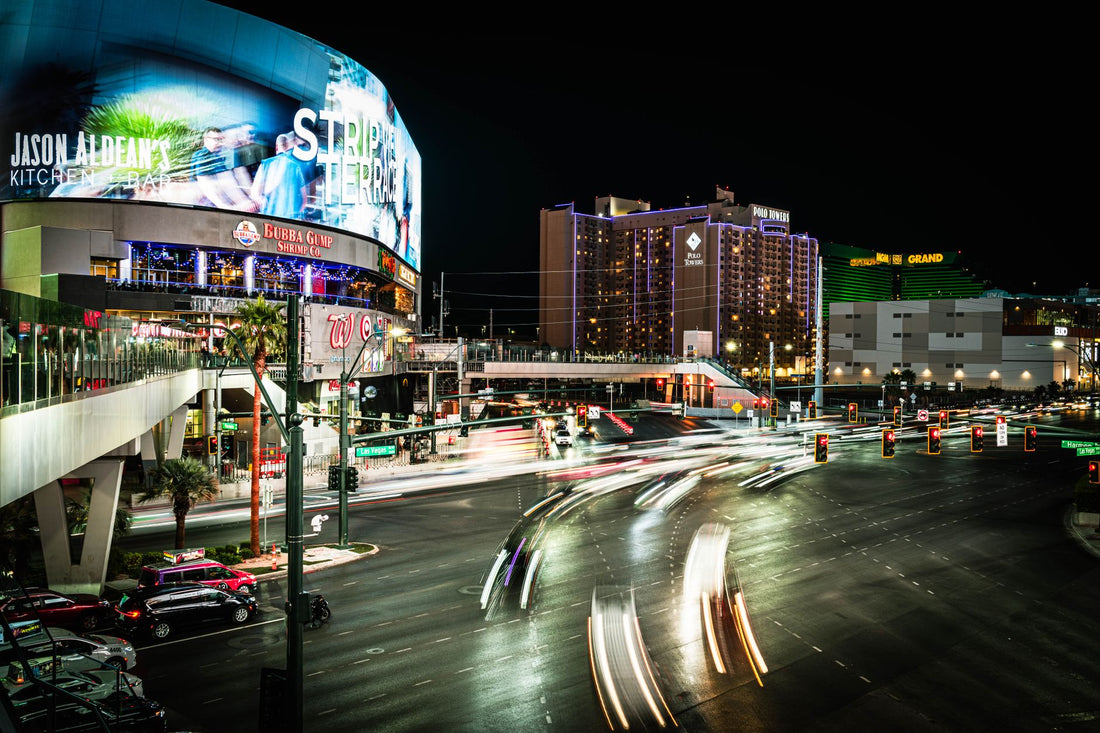
In short: to have data in Las Vegas, you need a USA eSIM (there is no such thing as a "city-specific" eSIM, nor is one necessary): it covers all of Nevada, has excellent coverage on the Strip, Fremont Street, and Harry Reid Airport, and only falters in the desert on the way to the Grand Canyon. It is activated before you fly and works as soon as you land.
You'll be exploring Vegas with your phone on all the time: the route to the Sphere on Google Maps, the show reservation you changed twice, the blackjack table you're sending a photo of to the WhatsApp group. If your Spanish carrier charges roaming fees outside the European Union (which is normal, except for specific plans), every MB in Nevada will be expensive. A USA eSIM connects you as soon as you land at Harry Reid Airport, without relying on casino Wi-Fi or waiting in line at carrier stores.
What is an eSIM and why is it useful for this trip?
An eSIM is a digital SIM card: there's no plastic to insert; it's installed by scanning a QR code from your phone settings. If you've never used one, it's a good idea to first understand what an eSIM is exactly and how it differs from buying a physical chip upon arrival, which you won't even need to look for in Las Vegas.
The advantage over roaming with your Spanish carrier is not just the price: it's the control. You see how much data you have left, you can extend the plan from the app itself if you run out, and your Spanish number remains active on the other line of your dual SIM for calls and SMS. If you want to understand the fundamental difference between paying for roaming and using local data, it's explained in eSIM vs. roaming, and if you want the technical reason why roaming is so expensive outside the EU, it's in what data roaming is.
Coverage on the Strip, Harry Reid Airport, and surrounding areas
Las Vegas is a prime location for mobile data: high antenna density, lots of tourism, and US carriers that have invested heavily in the area. The airport, by the way, has been called Harry Reid International Airport (LAS) since 2021 (formerly McCarran) and has plenty of coverage right from the terminal, so you can activate your eSIM as soon as you disembark, without waiting to get to the hotel.
| Area | Coverage | What to expect |
|---|---|---|
| The Strip (Las Vegas Blvd) | Excellent, 4G/5G | Maps, reservations, and streaming without interruptions |
| Harry Reid Airport (LAS) | Excellent | Activate eSIM directly from the terminal |
| Fremont Street / Downtown | Very good | Can get a bit congested during peak show times |
| Inside casinos and parking | Irregular | Parking basements and lower floors of some resorts lose signal |
| Outskirts, outlets, Summerlin | Good | Normal use, no surprises |
| Desert and excursions | Variable to none | Download maps before leaving the city |
One detail almost no one mentions: inside the hotel-casinos themselves, especially on the lower floors furthest from windows and in underground parking lots (Wynn's or Caesars Palace's, for example, are enormous), the signal can weaken because the building acts as a cage. It's not an eSIM fault: it's the resort's structure. If it happens, you just go to the lobby or the street and instantly regain coverage.

eSIM "for Las Vegas" or eSIM for the United States? Here's the key
Las Vegas is a city in Nevada, not a country, so there isn't (and you shouldn't look for) a specific eSIM for it. What you need is a USA eSIM, which covers Nevada just like any other state. It's the most flexible option: if you jump from Vegas to Los Angeles, cross to the Grand Canyon in Arizona, or go up to San Francisco, the same plan continues to serve you without buying anything new.
Here's where it's important to be specific about the plan size, not just the coverage:
- Just Las Vegas, 3-5 days: a short USA data-focused plan will be more than enough; you don't need call minutes because your Spanish line remains active for that.
- Vegas + Los Angeles or San Francisco: the same USA plan covers you without needing to change anything when you switch cities.
- Long route through the Southwest or to Canada: here it is advisable to check if your plan includes border coverage or if you need to extend it before crossing.
If your return home includes a layover in Europe or you're combining the trip with a few days on the continent, take a look at eSIM Europe before leaving Las Vegas: activating the new plan with the Wi-Fi at your origin airport is much more convenient than doing it during the layover.
How many GB do you need for your Las Vegas getaway?
In Las Vegas, data consumption soars: continuous maps, photos and videos of the Sphere, the Bellagio Fountains, Fremont Street at night, constant stories. It's not a "low data" trip: it's one of the highest data-consuming trips.
| Type of getaway | Days | Estimated data |
|---|---|---|
| Express weekend | 2-3 days | 3 GB |
| Classic getaway | 4-5 days | 5 GB |
| Full week with excursions | 7 days | 7-8 GB |
If you're someone who live streams or uploads high-quality videos without thinking, move up a tier from this table; video streaming is, by far, what consumes the most GBs. And here's the tip that truly saves data: most hotel-casinos in Las Vegas have Wi-Fi in the room (sometimes with a fee, sometimes included in the resort fee you already pay when checking in). Use it for large downloads—videos, phone updates, photo backups—and reserve your eSIM for the street, the Strip, and your commutes. If you also want to maximize every GB, you'll find specific tricks in how to save data on a trip with an eSIM.
That said, don't overbuy "just in case": if your plan is to stay almost all the time inside the same resort (casino, pool, spa, a show) and go out little, 3 GB and the hotel's Wi-Fi as backup will be more than enough. Buying 10 GB for that is a waste of money.
Excursions: Grand Canyon, Hoover Dam, Valley of Fire, and Death Valley
Most travelers to Las Vegas take at least one day trip outside the city: Hoover Dam is less than an hour away, the Valley of Fire is also not far, and the Grand Canyon (both the West Rim and the more distant South Rim) is the star excursion. Death Valley, already in California, is another classic for those who rent a car.
On all of these, coverage drops as soon as you leave the city and hit desert roads. This is not a fault of the eSIM or your carrier: these are unpopulated areas where no US network has antennas every few miles. The tactic that truly works:
- Before leaving the hotel, with excellent city coverage, download the offline area for the entire route in Google Maps (it takes seconds and doesn't take up much space).
- Write down or take a photo of the exact address of the meeting point if you are going with an organized tour; in the desert, without a signal, you won't be able to look it up.
- If you're driving, calculate your gas tank before leaving: in the middle of the Valley of Fire, there's no coverage to find the nearest gas station if you're overconfident.
- Upon returning to the Strip or Downtown, you'll instantly regain coverage and can upload all your canyon photos without using the hotel's Wi-Fi.
At the Grand Canyon West Rim (closest to Vegas, with the famous Skywalk), the signal is practically nonexistent for much of the journey; at the South Rim, a bit further away, there are occasional stretches with coverage near visitor centers, but it's not reliable either. Assume it's a data-free zone and plan your day accordingly.
How to activate your eSIM before flying to Las Vegas
The beauty of the eSIM is arriving prepared and not wasting a single minute of your trip searching for coverage:
- Check that your phone supports eSIM and is unlocked before purchasing the plan.
- Install the profile from home, using Wi-Fi, by scanning the QR code you receive by email from your phone's settings. The entire step-by-step process is in how to install an eSIM.
- Keep the data line deactivated until you land, so you don't consume data while flying or during layovers.
- Upon getting off the plane at Harry Reid, activate the data line and you're good to go: your Spanish SIM remains active for calls and SMS thanks to the dual SIM, without having to choose between one and the other.
If you're used to using physical chips on other trips and are wondering if it's worth switching, the practical comparison between the two options is in international chip vs. eSIM.

Mistakes and myths that almost no one tells you about
There are a few ideas circulating about traveling with an eSIM to the United States that should be clarified before they complicate your trip:
- "If I have an eSIM, I don't need the hotel's Wi-Fi." On the contrary: use them together. The resort's Wi-Fi is your ally for heavy downloads in the room; the eSIM is for moving around the street, the Strip, or excursions. Doing the opposite drains battery and data unnecessarily.
- "The bigger the plan, the better off I'll be." Not always. If your trip is mainly casino and shows with short excursions, buying too much only inflates the cost. Adjust the plan to the actual type of getaway, not the maximum available.
- "On New Year's Eve or a big event weekend, the coverage will be the same as always." Don't count on it. When Fremont Street or the Strip fill up for a massive event (New Year's fireworks, a big fight, a festival), the network gets saturated with so many people connected at once, and sending photos or videos can be slower than usual, even if you have plenty of coverage. It's not a data plan issue: it's pure physics, too many cell phones in the same stretch of street.
- "I need to turn off roaming on my Spanish SIM or it will charge me extra." With the eSIM active as a data line and the physical SIM in voice-only mode, you shouldn't have any surprises, but it's advisable to check your phone settings to ensure that mobile data for the Spanish line is deactivated. This is the silliest oversight and the most expensive if you forget.
- "With an eSIM, I can't use banking apps or verify things via SMS." Yes, you can: by keeping your Spanish number active for SMS on the other line, you continue to receive verification codes from your bank or any app without relying on the American data line.
And one that applies to almost any destination, not just Las Vegas: if you travel and plan to connect to public Wi-Fi networks at the airport or casino to save data at some point, be aware of the risks of these open networks and use encryption whenever possible.
Frequently Asked Questions
Do I need a specific eSIM for Las Vegas?
Not as such. Las Vegas is in Nevada, so any USA eSIM that covers the entire country will work for you. It's more flexible than looking for something "city-specific": the same plan works if you then move to Los Angeles, the Grand Canyon, or any other point in the USA.
Does my phone work well on the Las Vegas Strip?
Yes, 4G and 5G coverage on the Strip, Fremont Street, and Harry Reid Airport is excellent. It may suffer a bit inside the underground parking lots of some resorts and, especially, on desert excursions outside the city.
How much data do I use on a weekend getaway to Las Vegas?
For 2-3 days, 3 GB is usually enough if you combine your own data with the hotel's Wi-Fi for large downloads. If you're going to do a lot of live streaming or upload high-quality video non-stop, upgrade to a larger plan.
Does the USA eSIM cover the Grand Canyon and Hoover Dam?
It covers areas with network, but in the middle of the desert, on the road to the West Rim or the South Rim, the signal frequently drops. Before leaving Las Vegas, download offline maps and save meeting point addresses in case you lose data for a while.
Can I still use my Spanish number for calls and WhatsApp while in Las Vegas?
Yes. The eSIM is used as a data line while your physical Spanish SIM remains active for calls and SMS thanks to the dual SIM. WhatsApp works with data, so you will continue to receive messages normally using the eSIM line.
Can I activate the eSIM at Harry Reid Airport as soon as I land?
Yes, coverage in the terminal is excellent, so you can activate the data line the moment you get off the plane, even before reaching baggage claim.
Do I need a different eSIM if I'm going from Las Vegas to Los Angeles or San Francisco?
No. Since it's a USA plan and not specific to a city, it covers you anywhere in the country without needing to buy anything new when changing states or cities within the USA.
Conclusion
Las Vegas is much better enjoyed when connected: Strip maps that work instantly, last-minute show reservations, Sphere photos that upload effortlessly. Don't waste time looking for a "city-specific" eSIM: what you need is a USA eSIM well-sized for your getaway days. Activate it before you fly and land at Harry Reid already online, ready to experience Vegas from the first minute.









