
In short: an eSIM Montenegro gives you mobile data as soon as you land in Podgorica or Tivat, without queues or changing your card. As the country is outside the EU, your Spanish plan's roaming usually doesn't cover it, and the cost skyrockets. For a week-long trip, 3 to 5 GB is usually enough; activate it only upon arrival.
What an eSIM is and how it works in Montenegro
An eSIM is a SIM card that lives inside your phone's chip instead of being inserted into a plastic tray. You install it by scanning a QR code, and from then on, your phone connects to the Montenegrin network exactly as it would with a physical SIM. You don't have to look for a store, you don't have to show your passport at an airport counter, and you don't touch your usual card, which remains inside your phone receiving calls and SMS from your Spanish number.
The practical difference compared to activating your operator's roaming is mainly money. Montenegro does not belong to the European Union, so most Spanish plans charge international roaming here as soon as your phone gets coverage: no "roaming like at home." The cost easily skyrockets, either by daily rate or data consumption, and many companies don't even clearly show the price until the bill arrives. With an eSIM, you pay a fixed price for your gigabytes before leaving home and know exactly what you have contracted. If you've never used one, it's worth first understanding what a virtual eSIM is and how it works before buying yours.

A detail that surprises many travelers: Montenegro uses the euro as its currency despite not belonging to the EU (it adopted it unilaterally). Nothing changes in terms of data or roaming, but it saves you from exchanging currency upon arrival, which you will have to do if you continue your route to Serbia or Bosnia.
Real coverage: coast, cities, and mountains
Three networks operate in Montenegro: the local brands of Telekom, One, and Mtel. Travel eSIMs rely on these infrastructures, so the coverage you get is the same network any Montenegrin with a local contract uses.
The coast and cities: Kotor, Budva, Podgorica, Tivat
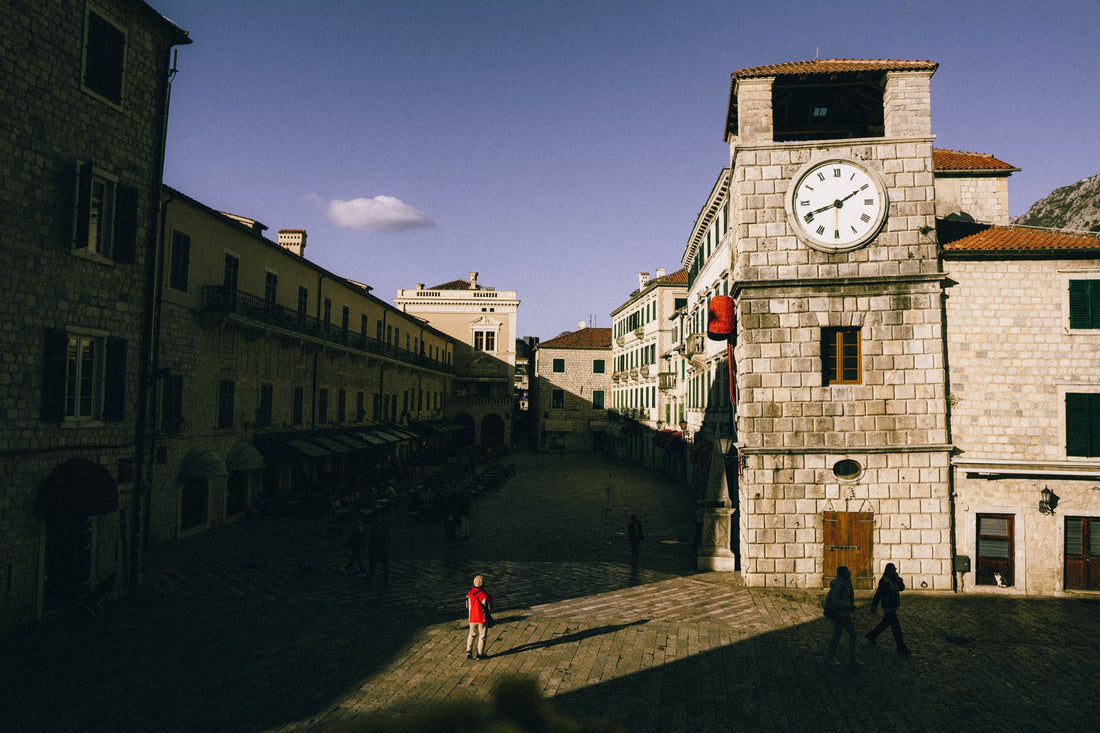
Here, the 4G signal is solid and stable. In Kotor Bay, things get a little complicated only in the old town, where the stone walls and very narrow streets of the medieval center sometimes cut the signal for a few seconds; nothing that isn't resolved by going out into an open square. In Budva, with its old town full of people in summer, the network holds up well even with the high season tourist influx. Podgorica, the capital, and Tivat, where people flying from Spain with a stopover usually land, have normal urban coverage without surprises.
The mountains: Durmitor and the Tara Canyon
If your route includes Durmitor National Park or the Tara Canyon —the deepest in Europe, in case you didn't know, and a magnet for rafters and hikers— be prepared for stretches without coverage. This happens with any operator, local or foreign: the mountain topography in the Balkans is like that. The practical recommendation is simple and you will forget it if you don't write it down now: download the offline map of the Durmitor area and the Black Lake (Crno Jezero) before leaving Žabljak, the last town with a good signal before entering the park.
For the rest of the trip, the logic is reassuring: in the areas where you will be most of the time —coast, urban centers, the panoramic road that goes up from Kotor to Njeguši— the connection is good and constant, enough for maps, uploading photos of the bay, or booking a table at a restaurant without planning it in advance.
How many GB you need
For a typical getaway of four to seven days, with maps, messaging, social media, and some video, 3 to 5 GB is usually sufficient. If you plan to stream regularly, make long video calls, or tether to your laptop, increase to 8-10 GB or directly to a high data plan.
| Travel Profile | Duration | Approx. GB |
|---|---|---|
| Light getaway (maps, chats) | 3-5 days | 3 GB |
| Active tourist (photos, social media, some video) | 1 week | 5 GB |
| Intense use (streaming, data sharing) | 1 week | 8-10 GB |
| Long stay or remote work | 2 weeks or more | 15 GB or more |
Real tip: most hotels and apartments in Kotor, Budva, or Tivat have decent Wi-Fi. Use it to download offline maps and TV show episodes before going out, and save your eSIM data for when you're out walking or driving. With that routine, 5 GB easily lasts a whole week, even if you're quite active on social media.
If you want to reduce consumption even further—useful if you're on a very tight data budget or combining several countries—there are specific tricks (disabling automatic updates, lowering streaming quality, limiting photo backup to Wi-Fi) that we explain in detail in this guide on how to save eSIM data while traveling.

eSIM vs. roaming vs. local SIM
All three options connect you, but they don't cost or inconvenience you the same way. Here's where it's worth taking a stance instead of just listing pros and cons:
- Roaming from your Spanish operator: This is the most convenient option because you don't do anything, but it can also be the most expensive since Montenegro is outside the EU. Before landing, check your operator's app for the specific rate outside the EU; often it's not even clear until you explicitly search for it.
- Local SIM: Data is cheap once you have it, but you have to find a store with your passport in hand, wait for them to activate it, and lose your Spanish number while you're using it, unless you use dual SIM.
- Travel eSIM: Fixed price before you leave, activation in a couple of minutes, and you keep your physical SIM for calls and SMS from your usual number.
To understand in more detail what exactly differentiates eSIM from traditional roaming—and why the price gap is greater outside the EU than within—you can refer to the comparison of eSIM versus roaming. And if you're debating between an eSIM and a traditional physical SIM card, the analysis of international chip versus eSIM clarifies when each makes sense.
That said, there's one case where it's not worth buying anything: if you're only going to be in Montenegro for a few hours, passing through to Dubrovnik for example, and your Spanish plan already includes an international data package that covers that leg. For such a short hop, the hotel or rental car Wi-Fi might be enough, and you save yourself the hassle.
Montenegro + Balkans in one trip
It's common to combine Montenegro with Croatia along the coast, continue south to Albania, or enter Bosnia inland. Here, it's wise to think carefully about the eSIM, because an eSIM bought only for Montenegro won't work as soon as you cross the border: each country needs its own coverage, unless you choose a plan that covers several at once.
The important nuance is that Croatia is in the European Union, so if your Spanish plan includes EU roaming, you might not need an eSIM at all in Croatian territory. The problem arises just when you cross back into Montenegro, where that European roaming suddenly stops applying. If your route includes several European countries —Croatia, and from there perhaps Italy or Slovenia—, an eSIM with European coverage can simplify your life compared to buying one per country. For the Montenegrin stretch specifically, its own eSIM is still needed, as Montenegro is not included in pan-European plans since it is not an EU member.
A detail that catches many people by surprise: the Debeli Brijeg border crossing between Croatia and Montenegro, the most used by those coming from Dubrovnik, usually has notably long queues in high season. Having your eSIM already installed and working before you reach the queue allows you to check alternative routes or traffic conditions without relying on Wi-Fi at border control, which isn't available.
How to activate it step-by-step
Activating the Montenegro eSIM literally takes a couple of minutes, and the process is the same as with any other destination:
- Purchase your Montenegro eSIM and receive the QR code via email.
- With Wi-Fi at home —never wait until you're at the departure airport in a hurry— go to Settings > Mobile Data > Add eSIM and scan the QR.
- Leave the eSIM installed but with mobile data disabled until you land.
- Upon arrival in Podgorica or Tivat, activate the eSIM data line and check that data roaming is specifically enabled for that line (this setting is often overlooked).
If you get stuck at any step, the general guide on how to install an eSIM reviews the most common cases, including phones that have problems scanning the QR. Your physical home SIM remains active in parallel throughout the process, so you continue to receive calls and SMS from your usual number without interruption.
Common mistakes and what almost no one tells you
Beyond the basic manual, there are details that are only learned by experiencing them or by studying them carefully. These are the ones that truly make a difference in Montenegro:
- Activating the eSIM before leaving Spain. This is the most common mistake: many plans start counting validity from the first connection to a network, so if you activate the data plan at home "to test that it works," you might be burning days of your plan without having even set foot in Montenegro yet. Install the profile with Wi-Fi, yes, but leave the data off until landing.
- Relying on public Wi-Fi in restaurants in Kotor Bay. It works, but it's often slow during peak hours and not always secure for banking queries or payments. If you're going to check your bank or handle sensitive matters, it's better to use your eSIM data directly; if you're also concerned about privacy on open networks, this guide on eSIM, VPN, and travel privacy explains when it's worth adding an extra layer.
- Thinking that "it's close to the EU" means roaming rules are the same. They are not. Montenegro is a candidate to join the European Union, the process has been ongoing for years, but as of today, it is still treated as any third country for roaming purposes. Don't assume your "Europe" plan covers you here without checking first.
- Not noting down the country code when dialing. If you need to call a local number (a restaurant, a taxi, your accommodation), Montenegro's prefix is +382. With eSIM data and messaging apps, this is rarely necessary, but for a traditional call, it is.
- Underestimating the Kotor to Njeguši route. It's a road with tight hairpin bends on a ledge, spectacular but demanding, and using your phone as a GPS while driving with intermittent coverage on some high sections can be more stressful than useful. If you're going to drive it, download the route offline in advance and don't rely on real-time connection on the tightest bends.
Frequently Asked Questions
Do I need an eSIM in Montenegro if I have a European plan?
Yes, almost certainly. Montenegro is not part of the European Union, so the "roaming like at home" from your Spanish plan usually doesn't apply here, and you'll be charged international roaming separately. Check the specific conditions of your operator outside the EU before leaving; in the vast majority of cases, a data eSIM is cheaper and more predictable.
How many GB will I use in a week in Montenegro?
For a tourist week with maps, messaging, social media, and some video, about 5 GB is usually enough. If you stream frequently, make long video calls, or share your connection with a laptop, increase to 8-10 GB. Using hotel Wi-Fi for large downloads greatly extends your eSIM data.
Does the Montenegro eSIM also work in Croatia or Albania?
No, unless you specifically purchase a plan that covers multiple countries. A Montenegro eSIM only covers Montenegro. If your route crosses into Croatia, note that Croatia is in the EU, and your European roaming may already work there; for Albania or Bosnia, you'll need different coverage, either an eSIM specific to each country or a plan that includes all of them.
Can I make phone calls with the eSIM?
The travel eSIM is for data, so you use WhatsApp, Telegram, or internet calls with it, but it doesn't give you a number for traditional voice calls. Your physical home SIM remains installed and active in parallel, so you receive calls and SMS from your usual number while using the eSIM data for everything else.
When should I activate the eSIM, before or after traveling?
Install the profile before leaving, with Wi-Fi at home, but keep mobile data turned off. Many plans start counting their validity from the first connection to the destination network, so if you activate it in Spain, you might waste plan days unnecessarily. Turn on data only when you land in Podgorica or Tivat.
Is there good coverage in the Tara Canyon or Durmitor?
This is the weakest area of the country in terms of signal, with any operator. In towns like Žabljak, coverage is normal, but inside the canyon and on the more internal hiking trails, it can disappear in stretches. Download offline maps before entering the national park; it's the only way to avoid relying on the network there.
Which phones are compatible with eSIM for traveling to Montenegro?
Most recent mid-to-high-end smartphones support eSIM: iPhones since the XS, many Samsung Galaxy models, and a good portion of Pixels. Before purchasing, check in settings that "Add eSIM" is available and that your device is not locked by the original operator, as this can prevent installing additional profiles.
Conclusion
Montenegro is one of those destinations that surprise you with how compact it is: in a week you can go from the walls of Kotor to the beaches of Budva and the trails of Durmitor, and in all those jumps you'll want maps, a translator, and Wi-Fi for your accommodation without relying on the very expensive roaming that applies because the country is outside the EU. An eSIM gives you data as soon as you land, a fixed price before you leave, and zero queues at stores, while keeping your home number for calls. Calculate your gigabytes according to your travel profile, consider if you're crossing into neighboring Balkan countries, and activate your Montenegro eSIM only upon arrival to avoid wasting your plan.







