
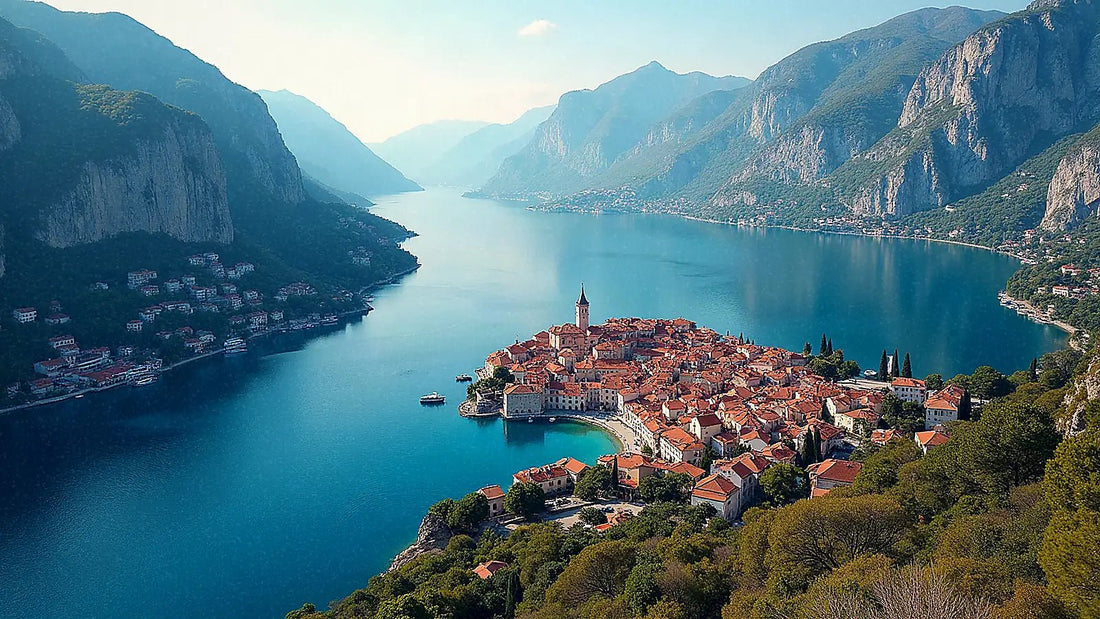
If you've already decided to buy data for your trip and the only thing left is to figure out how many GB you need for Montenegro, this guide is exactly for that. No comparisons of options: a well-reasoned number and the reasons to increase or decrease it, because two things confuse almost everyone here: that the country uses the euro but is not in the European Union, and that half the route is on mountain roads with your mobile acting as co-pilot.
The short answer: how many GB for Montenegro
For 10 days in Montenegro, most people will be fine with 5 GB. If you're using maps and WhatsApp, 3 GB will suffice; if you upload photos and videos daily, estimate 8-10 GB; and if you work remotely, 20 GB or an unlimited plan. Ten days, about 500 MB per day.
That's the number I use as a starting point and the one I give to anyone who asks me. The reason is that Montenegro is a small and dense destination: you can cover the whole country in a few hours by car, you almost always sleep in a place with Wi-Fi, and a good part of the day you spend away from your phone, looking at a bay or climbing stairs. The actual consumption for this type of trip is concentrated in three things: navigating with maps, sending photos via WhatsApp, and posting on social media.
What drives the number up isn't the country, it's you. An identical trip can range from 2 GB to 15 GB depending on whether you upload daily videos to the cloud from the car or wait for the apartment's Wi-Fi. That's why the rest of the article is about adjusting those 5 GB up or down with specific criteria, and not about selling you the biggest package.
If you want the general framework for calculating data for any destination, I have it explained in the main guide on how much data I need for travel. Here we go into Montenegrin specifics, which has its own peculiarities.
It uses the euro, but it's not the EU (and that changes the number)
This is the classic trap and it needs to be stated very clearly: Montenegro is not a member of the European Union. It has used the euro as its currency since 2002, unilaterally, and is surrounded by EU destinations like Croatia, but it is a candidate country, not a member state. Translated into your bill: your Spanish operator's European tariff does not cover you here, even if you pay for coffees in euros and crossed from Dubrovnik in two hours.
It's the mistake made on any route through the Balkans or sailing the Adriatic from Croatia: you leave an area where everything was included and enter another where every megabyte is billed separately, usually at prices you don't want to discover afterwards.
The currency does not determine the tariff. What determines it is the agreement between your operator and the network that provides coverage, and Montenegro is outside the EU umbrella.
Will it change? Possibly, but not yet. The European Commission proposed in February 2026 to open negotiations to extend the "Roam Like at Home" scheme to the six Western Balkan partners (Albania, Bosnia and Herzegovina, Kosovo, Montenegro, North Macedonia, and Serbia), and the Council authorized these talks in June 2026. Each country must align with European regulations before joining, and the declared goal is to eliminate surcharges by 2028. There are statements indicating Montenegro and Albania as first in line, but as of today, it is not in force: don't leave home assuming it is. How to connect in practice is detailed in internet in Montenegro.
How much each thing consumes: the consumption table
Before deciding how many GB to buy, you need to know what really consumes data. The usual surprise: maps consume very little and social media a lot. An entire day navigating in the car costs less than twenty minutes of vertical videos. Here are the reference figures I use:
| Activity | Approximate Consumption | Note |
|---|---|---|
| Maps navigating (GPS) | 5-10 MB per hour | Increases to 12-20 MB/h on long journeys and more with satellite view |
| WhatsApp, text only | 1-3 MB per day | Almost negligible |
| WhatsApp, voice call | 18-30 MB per hour | About 0.3-0.5 MB per minute |
| Video call (WhatsApp, FaceTime) | 200-500 MB per hour | About 300 MB/h on average; up to 480 MB/h in HD |
| Instagram or TikTok, browsing | Up to 700 MB per hour | The biggest data hog of the trip, by far |
| Uploading 20 photos from phone | 60-120 MB | Depends on whether they are compressed or in original quality |
| Uploading a 1-minute video | 50-150 MB | A Kotor reel costs as much as half a day of maps |
| Music streaming | 50-100 MB per hour | 150 MB/h or more in high quality |
| Video streaming, low quality | From 80 MB per hour | In HD, it can easily exceed 1 GB/h |
| Browsing and searching for places | 10-25 MB per hour | Restaurant websites, schedules, tickets |
If you like numbers, I have the detailed breakdown in the mobile data usage statistics by activity. The practical takeaway: someone who uses maps and messaging will hardly exceed 150-200 MB per day. Someone who lives on Instagram can spend that much on a coffee.
Curves, tunnels, and maps: driving with your phone in hand
Montenegro is best explored by car, and its roads are the kind that force you to look at the map. The winding roads that climb from Kotor Bay towards Njeguši, the detours towards Durmitor, the Tara Canyon road, the mountain passes in the north: these are stretches where there's not much generous signage and where taking a wrong turn can cost you forty minutes of winding roads. Your mobile acts as a co-driver almost the entire trip, and that scares people when they think about data.
Good news: navigating is cheap. At 5-10 MB per hour, five hours of driving a day won't even reach 50 MB. What is advisable is to download the map before leaving, not to save money, but because in the canyons and northern valleys there are sections without coverage where the online map simply stops refreshing. Download it at home via Wi-Fi and that consumption won't count towards your package.
Regarding coverage: the country has three mobile operators (Crnogorski Telekom, Mtel, and One) and 5G deployed in cities like Podgorica, Budva, or Cetinje, with good general coverage on the coast and main arteries. In mountain areas, the signal is uneven depending on the network, and inside the canyons, it disappears completely. This, for GB calculation, works in your favor: the hours when your mobile has no network are hours when you spend nothing.
Kotor and Budva: the stretch that consumes the most data
Here lies the real data drain of this trip. Kotor Bay, the walls, Perast, Sveti Stefan viewed from the viewpoint, Budva's old town at sunset: it's a destination that you photograph non-stop. And it's one thing to take photos (free) and another to send and upload them as you take them (that's where the package goes).
The silent culprit is usually automatic backup. If you have Google Photos or iCloud uploading with mobile data, every afternoon of 200 photos and four videos will cost you 1-2 GB without you consciously doing anything. Deactivate it and upload them at night from your accommodation's Wi-Fi: it's the setting that has the biggest impact on the entire trip.
This is how a normal day in the bay is distributed, with photos and some social media:
| Time of day | What you do | Data |
|---|---|---|
| Morning, road to Perast | Maps 1.5 h + finding parking | ~20 MB |
| Mid-morning | WhatsApp family, 15 photos sent | ~60 MB |
| Lunch | Finding restaurant, checking reviews, social media 20 min | ~250 MB |
| Afternoon on the walls | A couple of stories and a short reel | ~120 MB |
| Return to accommodation | Maps 40 min + music in the car | ~60 MB |
| Total for the day | Typical photogenic tourist | ~510 MB |
Half a gigabyte a day. Multiply that by ten days and you have the 5 GB of the initial recommendation, with some leeway. If you remove the social media time, that same day comes down to just over 150 MB.
Anchoring in the Adriatic: watch out for ship networks
Many people arrive in Montenegro by sailing or rent a boat to explore the bay and the coast to Sveti Stefan. If that's your case, there's a technical detail that can cost you more than all the gigabytes of the trip combined: out at sea, your mobile stops communicating with land antennas.
The terrestrial coverage of any operator generally reaches between 10 and 20 km from the coast. Within Kotor Bay and for coastal navigation close to the shore, you'll have normal network, and your data package will work the same as on land. But on more open voyages, your phone can connect to the ship's onboard network, which is a satellite network and is billed at maritime rates: we're talking prices per megabyte, not per gigabyte. No European tariff or local data plan covers this, because technically you're not on any country's network.
Rule of thumb for onboard: as soon as you cast off for a long journey, turn off mobile data or switch to airplane mode. You can turn them back on when you see land.
As a safety net, European operators automatically cut off service once a consumption of €50 plus taxes is reached outside the EU and must warn you by SMS beforehand, but don't rely on that as a plan: reaching the warning already means you've spent €50. For GB calculation, the important thing is that sailing hours do not consume your package: don't even count them.
Croatia, Bosnia, and Albania: your mobile jumps networks
Montenegro is narrow and has three borders very close by. In Herceg Novi and the entire northwest tip, you're a step away from Croatia; in the north, near Nikšić and Plužine, Bosnia is on the other side of the mountain; and in the south, between Lake Skadar and Ulcinj, Albania is just a stone's throw away. In these areas, your phone changes networks without asking your permission, because the strongest antenna it sees is on the other side of the border.
This doesn't consume more gigabytes, but it can cost money if the line you're using is Spanish and picks up a foreign network. And vice versa: if you buy data only for Montenegro and your mobile connects to a Croatian or Albanian network, you'll lose connection even if your package is full. Two simple solutions:
- Deactivate automatic network selection and manually set a Montenegrin operator when you're near the border.
- If your route actually crosses into Croatia, Bosnia, or Albania, don't buy a single-country plan: get a regional one that covers the Balkans and forget about it.
For a trip that stays within the country, a local plan works perfectly and is usually cheaper per gigabyte; I've broken it down in the guide to the eSIM for Montenegro. And a practical warning: if you go on a day trip to Dubrovnik or Shkodër, count that data separately, because the Montenegrin package doesn't cover it.
The important table: GB per profile and duration
This is the table you should look at before paying. Find your profile, cross-reference it with the number of travel days, and you'll have your number. These are calculated assuming nights in Wi-Fi-equipped accommodation, which is the normal scenario in Montenegro; if you're camping in Durmitor without Wi-Fi for several nights, bump up one level.
| Profile | 5 days | 10 days | 15 days | 30 days |
|---|---|---|---|---|
| Maps and WhatsApp (minimum use) | 1 GB | 2 GB | 3 GB | 5 GB |
| Photo and social media tourist | 3 GB | 5 GB | 8 GB | 15 GB |
| Road trip across the country | 2 GB | 4 GB | 6 GB | 10 GB |
| Family sharing (3-4 mobiles) | 5 GB | 10 GB | 15 GB | 25-30 GB |
| Digital nomad or remote work | 10 GB | 20 GB | 30 GB | 50 GB or unlimited |
Three honest notes about this table. First: if you recognize yourself in the top row, 1 or 2 GB is plenty and you don't need to spend more, no matter how many 20 GB packages exist. Second: the family row assumes sharing a connection from one mobile, so the real saving is that only one person carries data. Third: if you work remotely with daily video calls, move up to the next tier without thinking twice, because an hour of video conferencing consumes what three days of normal tourism would.
Calculate your own number before leaving
The previous table is an average, and averages often fail precisely when it comes to you. There's a much better way to get it right: ask your own phone how much you already spend. The data is already there and no application is needed.
- iPhone: Settings > Mobile Data and scroll down to the current period. Be careful, this counter doesn't reset automatically: check the date of "Last Reset" to know how many days it corresponds to.
- Android: Settings > Network & internet > SIM or Data usage, and there you have the monthly cycle with the breakdown by application.
Take the consumption of the last full month, divide it by 30, and you have your daily average. Now correct two things. Subtract what you do at home via Wi-Fi and will continue to do via Wi-Fi while traveling (series at night, backups). And add what you only do while traveling: maps every day, a translator if you get confused with the Cyrillic on a sign, looking for restaurants, sending photos to family.
Multiply that corrected average by the number of travel days and add a 25% margin for contingencies: a change of plans, a delayed flight using your mobile at Tivat airport, a rainy afternoon in the apartment with the Wi-Fi down. That result is your real number, and it usually closely resembles the rows in the table above, with the difference that you calculated this one yourself.
How to stretch the GB you buy
If you prefer to buy the small package and have plenty left over, here's the short list of adjustments that really move the needle. The first three are half an hour's work and will change your trip; the rest is complementary.
| Adjustment | Estimated savings in 10 days |
|---|---|
| Photo backups only via Wi-Fi | 1-3 GB |
| Montenegro maps downloaded before leaving | 0.3-0.8 GB |
| Disable auto-play video on social media | 0.5-2 GB |
| Streaming video at low or medium quality | 0.5-1 GB per movie |
| Automatic WhatsApp download only via Wi-Fi | 0.2-0.6 GB |
| Music and series downloaded from home | 0.5-1.5 GB |
| System data saver mode activated | 10-20% of total |
With these adjustments, the photogenic tourist who uses 500 MB per day comfortably lands at 250-300 MB, which turns a 5 GB package into one that lasts three weeks. I have a longer list, with screenshots and rare cases, in the tricks to save data while traveling.
A warning not to get too clever: don't deactivate data "just in case" while driving through the mountains. In Montenegro, the map and traffic information are worth far more than the 8 MB per hour they cost, and saving there is saving in the wrong place.
If you run short: better to top up than to overbuy
My advice, and I say this even while selling larger packages: buy low and top up if necessary. Running short in Montenegro is not a drama; overbuying is wasted money, because the gigabytes you don't use expire with the plan and don't come back.
What exactly happens when you run out: the data connection simply stops working. Your phone isn't blocked, you still have Wi-Fi at your accommodation and in any cafe, and you can buy more in a few minutes from that same connection. The only inconvenient time is running out of data right on the road, and for that you have downloaded maps and the notification that usually arrives at 80% consumption.
- Activate your phone's data usage alert with a limit that matches your package, so you'll know before it cuts off.
- Check the counter every two or three days, not every hour: on a ten-day trip, it stabilizes quickly.
- If halfway through your trip you're at half your data, you're doing well. If you're at 70%, top up when you have Wi-Fi and are relaxed.
And if it's your first time with a digital card and you're worried about the process of installing or topping up on the fly, it's easier than it seems: I explain it step-by-step in what an eSIM is. Topping up is done from your account and activates instantly, without having to go looking for a store in Budva in the middle of August.
Frequently Asked Questions
The questions I get asked over and over again, answered in two lines. If you're in a hurry, reading the first three will suffice.
How many GB do I need for a week in Montenegro?
3 GB is more than enough for a normal week-long trip. It's enough for daily maps, WhatsApp with photos, looking up places, and a bit of daily social media, assuming you're staying at accommodation with Wi-Fi. If you plan to upload videos daily, go for 5 GB.
Does my Spanish tariff work under European regulations?
No: Montenegro is not part of the European Union, even though it uses euros. Your tariff does not include the country, and your operator will bill separately for what you consume. The European Commission opened negotiations in 2026 to extend the community regime to the Western Balkans, with a target of 2028, but it is not yet in force.
Does the same plan work if I cross into Croatia, Bosnia, or Albania?
No, a single-country plan only covers that country. If your route crosses several Balkan countries, buy a regional plan. And near borders, manually set your network, because your phone tends to connect to the neighboring country's antenna, and you'll be left without a connection even with your package intact.
How much data does Google Maps use on mountain roads?
Between 5 and 10 MB per hour, and up to 20 MB/h on long journeys. Five hours of winding roads towards Durmitor won't even reach 100 MB. Having the map downloaded isn't so much about saving as it is about the sections of the Tara Canyon where there's simply no coverage.
Is there Wi-Fi in accommodations in Kotor and Budva?
Typically, yes, and many cafes and restaurants also offer it. Still, don't take it for granted or expect it to be perfect during high season: confirm it in your booking. Calculate your GB as if you only had Wi-Fi at night, and you won't get any nasty surprises.
What if I'm on a boat in the Adriatic?
Close to the coast you use a normal network; offshore, your phone might pick up the boat's satellite network. That is billed at maritime rates per megabyte and is not covered by any terrestrial data plan. On long journeys, use airplane mode, and don't count those hours in your gigabyte calculation.
Can I top up if I run out of data halfway through my trip?
Yes, and in a few minutes. When the package runs out, only the data connection is cut: you connect to the Wi-Fi at your accommodation or a cafe, buy more, and it activates instantly. That's why it's better to buy the small package and only expand if necessary.
Do I need more GB if I go north, to Durmitor and Tara?
No, you usually need less. In the northern canyons and valleys, there are sections without coverage, and without a signal, there's no consumption. What is advisable is to have maps and routes downloaded before heading up, because your phone won't rescue you there, even if you have plenty of gigabytes.
Conclusion
To summarize what I would do: 5 GB for ten days and enjoy. If your trip is about maps, messages, and little else, 2 or 3 GB will be more than enough; if you live by posting, go up to 8-10 GB; if you work from there, 20 GB or a large plan. And deactivate automatic backups before you leave, as that's the setting that saves the most gigabytes throughout the entire trip.
The only thing you can't ignore is that Montenegro is outside the EU framework despite the euro and having Croatia next door: here, data must be purchased separately. If you want to sort it out before boarding, check the eSIM plans for Montenegro and choose the size that appeared in the table: it installs in five minutes and activates upon landing in Tivat or crossing the border, with no queues and no surprises on your bill when you return.







