Preparing a trip to Belarus is very different from preparing a trip to Prague or Lisbon, and the connectivity section is where most people get a shock. Talking about internet in Belarus is not just about coverage or data; it's about the country's payment system being disconnected from the one you use daily, and that affects how you buy a line, how you top it up, and what happens if you run out of data halfway through your trip. In this guide, I'll tell you what I've been able to verify, with real prices in Belarusian rubles, operator names, and the points where it's best not to improvise.
Connecting in Belarus: the honest summary
To connect in Belarus, the safest bet is to bring an eSIM bought and paid for in Spain before flying: you land with data without relying on your card working there. A local SIM (A1, MTS, life:) is cheap, about 10-35 BYN, but requires a passport and cash payment. Spanish roaming is expensive.
The country's mobile network works better than many people imagine. There are three operators with their own commercial networks—A1, MTS, and life:)—and a shared 4G infrastructure that covers Minsk well, along with regional capitals, main roads, and tourist hubs. 5G exists, but it's symbolic: tests and specific areas of Minsk. Assume you'll be traveling on 4G, with perfectly decent speeds for maps, messaging, video, and video calls.
The problem isn't technical; it's about access: buying the connection. International sanctions have cut off the Belarusian banking system from the usual channels, which means you can't assume your Spanish card will pay for a SIM, a top-up, or an online purchase on a Belarusian portal. Add to that the fact that any local line is registered with a passport, and there have been documented episodes of internet and social media access restrictions, and you'll understand why it's worth sorting out connectivity before leaving home. The rest of this guide elaborates on each point with specific data.
The detail almost no one tells you: your card might not work
This is, by far, the most useful piece of information I can give you, and almost no guide explains it well. I'm going to be precise, because both extreme versions circulate, and neither is entirely accurate.
Visa and Mastercard cards issued by Belarusian banks have been blocked outside the country for years. In the opposite direction—your Spanish card within Belarus—the situation is irregular and unpredictable: sometimes it works, sometimes it doesn't. Rejections depend on the bank processing the payment (terminals and ATMs of sanctioned entities reject foreign cards), whether your own bank blocks operations in the country for regulatory compliance, and the type of transaction. Online payments to Belarusian businesses, which is exactly what you would need to top up your balance on the A1 or MTS website, are the most likely to fail.
Translated into practical terms: you cannot plan your trip assuming your card will work. The standard recommendation is to carry cash in euros—between €200 and €500 as a buffer—and exchange it at authorized banks or exchange offices. Be aware: in stores, you can only pay in Belarusian rubles (BYN); no one will accept euros at the checkout, and anyone who does will give you a terrible exchange rate. The exchange rate is around 3.4-3.6 BYN per euro, but check it on the same day.
And here's the connection to the topic of this guide: if you can't pay by card, you also can't easily buy or top up a local line. A connection paid for before traveling, with your usual card and in your country, avoids the entire problem.
The four options, compared
When you land at Minsk National Airport, you have exactly four ways to get internet. I've placed them side-by-side so you can see where each one falls short, because in this destination, the differences aren't about cents, but about whether you connect at all.
| Option | Estimated Cost | Do you need to pay there? | Paperwork | When it makes sense |
|---|---|---|---|---|
| Spanish Roaming | Non-EU zone rates: bundles of tens of euros or pay-per-MB | No | None | 1-2 day trips with minimal use |
| Hotel/Cafe Wifi | Included | No | Sometimes requires mobile or SMS | Complementary, never primary plan |
| Local SIM (A1, MTS, life:) | 10-35 BYN (~€3-€10) | Yes, in cash | Passport and registration | Long stays and tight budget |
| Travel eSIM | According to data plan contracted | No: you pay before you leave | None upon arrival | Most tourist trips |
The quick takeaway is that a local SIM wins on price per gigabyte but loses on friction, roaming wins on convenience but loses on price, Wi-Fi isn't a strategy, and an eSIM for Belarus is what solves the real bottleneck of this destination: payment. If you want the breakdown of that abstract comparison, I developed it in eSIM vs. local SIM. Here, I'll go into the specifics for Belarus, option by option.
Spanish roaming: Belarus is not the EU
Belarus does not belong to the European Union or the European Economic Area, so "Roam Like at Home"—the rule that lets you use your data in France or Italy without paying extra—does not apply. This is a very common mistake: people see a European country on the map and assume their data plan travels with them. It doesn't. Neither Belarus, nor Serbia, nor the United Kingdom, nor Switzerland fall under that umbrella.
In practice, Spanish operators classify the country into one of their non-EU pricing zones. Movistar, for example, places it in its Zone 2, where calls cost around €1.82/min plus a €1.21 connection fee, and data, once any allowance is exhausted, is billed per megabyte. Orange includes it in its international destinations service, and Vodafone has its own zone scheme. The figures change with each tariff review, so log into your customer area and check your specific zone before assuming anything.
What does this mean for your wallet? That a weekend using maps, WhatsApp, and a few photos in the cloud can quickly run into triple digits if you don't contract a specific bundle, and that these zone bundles often come with ridiculously small amounts of data for what a modern phone consumes. I crunched the numbers on the actual cost of this in this cost comparison, and the conclusion remains the same: for more than two days, it's expensive. If you have doubts about the general approach, here's the head-to-head between both formulas.
Local SIM: A1, MTS and life:)
All three operators sell prepaid plans aimed at visitors, and the prices, measured in euros, are almost comically low. The problem isn't the price: it's how to pay for it and what they ask for in return.
| Operator | Tourist Plan | Price | Approx. Equivalent |
|---|---|---|---|
| A1 | 7 days: 5 GB + 50 min + 50 SMS | 10.00 BYN | ~€3 |
| A1 | 30 days: unlimited data + 50 min + 50 SMS | 27.40 BYN | ~€8 |
| A1 | "Drive Tourist": unlimited 30 days + 700 national min | 35.00 BYN | ~€10 |
| MTS | Unlimited plan for visitors ("Bezlimitische") | 26.75 BYN/month | ~€7.50 |
| life:) | General prepaid, no published tourist plan with verified price | — | — |
Three honest warnings. First: you need your passport. SIM sales are identified, and the seller keeps a copy of your data; some tourist plans avoid additional registration with the authorities, but showing your passport is unavoidable. Second: that "unlimited" is commercial, not physical, and usually comes with a fair usage policy and speed reduction after a certain volume. Third, which connects to all of the above: you will pay in cash, in Belarusian rubles, because you cannot rely on your card. And if you run short, topping up from the operator's website with a foreign card is, at best, a gamble; the usual way is to do it at a physical payment terminal or in a store, again with cash.
Add the time: finding the store, the queue, the form in Russian or Belarusian, activation. Cheap, yes; convenient, no. life:) is usually the cheapest, but also performs the worst outside of cities.
eSIM: pay before you leave and land connected
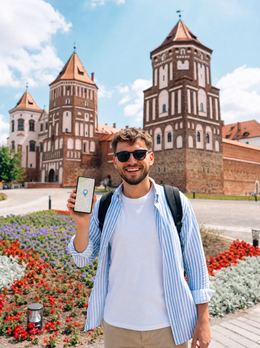
If you've read this far, you probably already understand why, in this specific destination, an eSIM is not just a convenience but a solution to a real problem. A travel eSIM is a digital profile you install on your mobile from Spain, using your usual card, in your currency, and in your language. When you land in Minsk, your phone connects to the local network and that's it: no stores, no cash, no photocopied passport. If you've never used one, here's an explanation of what it is and how it works.
The three points that really matter in Belarus:
- Payment happens before the trip. You buy from a European merchant, using the standard payment gateway. None of your money depends on a POS terminal in Minsk accepting your Visa.
- It relies on local networks. A travel eSIM doesn't set up antennas: it uses those of the country's operators through wholesale agreements, so the coverage you see is that of A1 or MTS, not a secondary network.
- You keep your Spanish number. The physical chip remains inside for bank SMS and calls; data goes through the new profile.
Two requirements you should check: that your mobile supports digital profiles and is unlocked by the operator —most phones from 2019 onwards— and that you install the profile before flying, using your home Wi-Fi. Installing it at the destination is possible, but it requires a connection, and if you arrive without data, you're in a Catch-22 situation. If you were considering a portable router as an alternative, I compared it here: eSIM vs. pocket Wi-Fi.
Hotel, cafe, and airport Wi-Fi
Public Wi-Fi in Belarus is more widespread than you might expect. Hotels in Minsk, cafes in the city center, shopping malls, and a good portion of restaurants offer free connection, and Minsk National Airport has its own network. As a complement, it works. As a sole plan, it does not.
The first reason is access: many public networks in the country require an SMS verification to a local number to let you in. If you've just landed without a line, that SMS never arrives, and you're left staring at the captive portal. It's a classic and catches many people off guard.
The second is real utility. Wi-Fi works when you're sitting in the hotel, but you need data precisely when you're out and about: looking for the train platform to Brest, checking the opening hours of Mir Castle, ordering a taxi, or translating a menu. Belarus is not a destination where English will save you everywhere, and the Cyrillic alphabet on signs makes the mobile translator a basic tool. Without mobile data, you depend on having downloaded everything beforehand.
The third is security. On open networks, avoid banking, shopping, and anything with sensitive passwords, and disable automatic connection to known networks. And add a country-specific detail: given that there have been episodes of restricted access to certain services, relying solely on a third-party network leaves you with no room to maneuver if that particular network behaves strangely.
Actual coverage by area: Minsk, Brest, Mir, Nesvizh, and Belovezhskaya Pushcha
I'll go zone by zone with what you can expect, because the Belarusian tourist map mixes large cities with deep forest.
Minsk. The capital and its Stalinist architecture—Independence Avenue, Victory Square, those monumental post-war blocks—is where the network is best: solid 4G on the surface and in much of the metro, and some specific 5G deployments. You won't have problems here.
Brest. 350 km southwest, near the Polish border. Both the city and the grounds of the Brest Fortress have decent coverage. The train journey from Minsk passes through rural areas where the signal comes and goes for long stretches: download what you need before boarding.
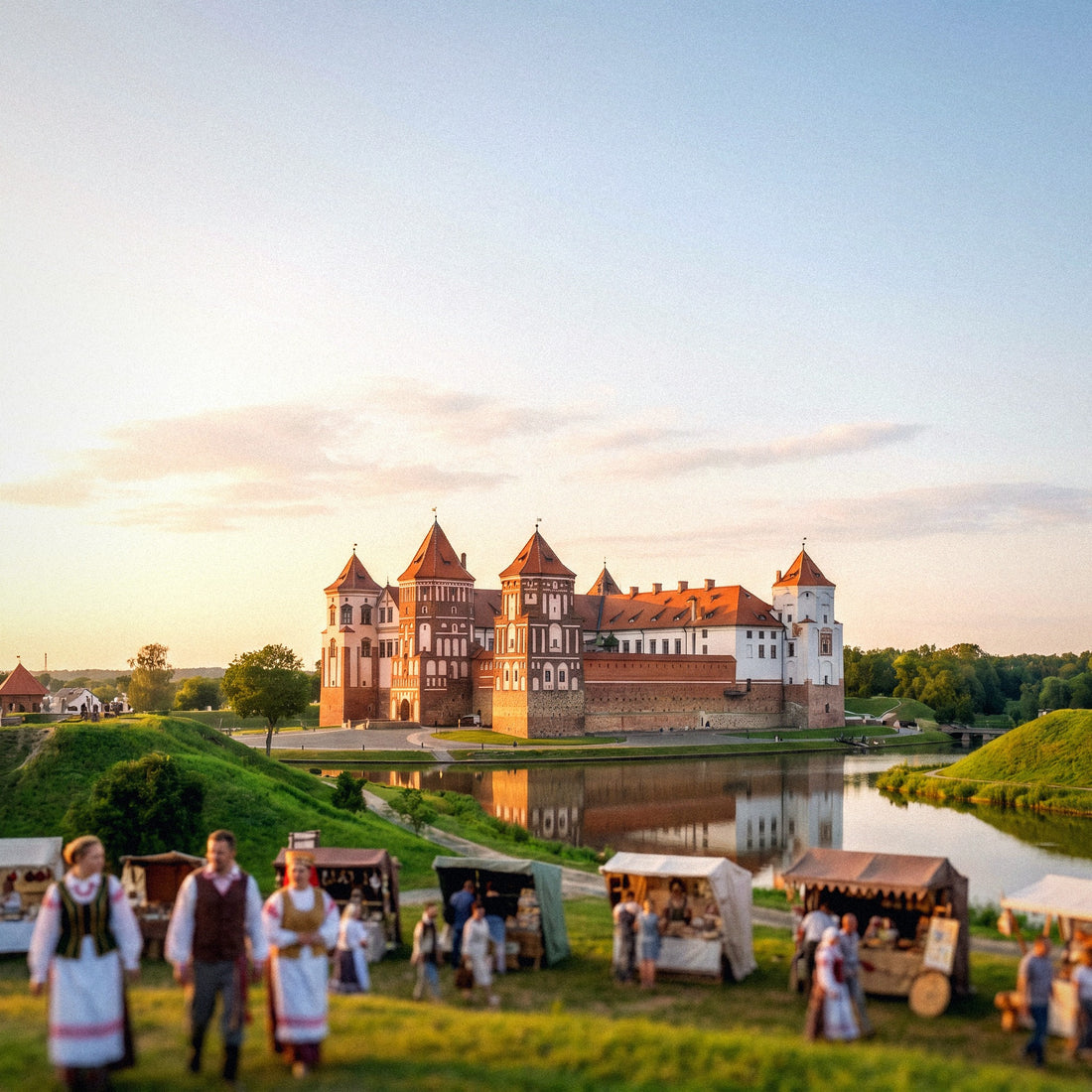
Mir and Nesvizh. The two World Heritage castles are about 100-120 km from Minsk and are day trips. The towns and roads leading to them are reasonably covered; inside the vaulted halls, as in any castle, the signal drops significantly.
Belovezhskaya Pushcha. Europe's oldest primeval forest, a World Heritage site and home to the European bison, is the exception. There's signal at the visitor center and access points; as you go deeper into the forest trails, it disappears. It's huge and it's a real forest.
Golden rule for Belovezhskaya Pushcha: download an offline map of the area and your route before entering. It's not a network failure; it's the nature of the place.
Network blockages and outages: what happened and how to prepare
This section is informative and practical, without going into judgment: it concerns you as a traveler because it affects your connection, just as you would be interested to know if a country has power outages.
The verifiable fact is that Belarus has experienced restrictions and outages of internet and social media access during periods of tension. The best-documented case is from January 2025: around the presidential elections, providers were ordered to restrict access to websites hosted outside the .by domain for several days, and weeks earlier, access to services like YouTube, Telegram, TikTok, Twitch, and Discord was blocked. Organizations monitoring the network, such as Freedom House, also document active VPN blocking through deep packet inspection. This same pattern—sporadic restrictions coinciding with significant dates—has been repeated on other occasions.
What does this mean for you, specifically:
- These restrictions affect all networks in the country: it doesn't matter if it's a local SIM, an eSIM, or hotel Wi-Fi. No one will honestly tell you otherwise.
- It is advisable not to rely on a single application for everything: have a second messaging channel and key contacts also saved via SMS or call.
- Download offline maps, tickets, reservations, and important documents to your phone before traveling.
- Check the status of private connection tools before relying on them; their functionality in the country is irregular.
And the obvious but necessary: review the official travel recommendations from the Ministry of Foreign Affairs before buying your ticket, as these are updated when something changes.
How many gigabytes do you really need
Almost everyone buys too much or too little. These are actual consumption figures for a typical trip, assuming hotel Wi-Fi absorbs some of the overnight load.
| Travel Profile | Duration | Primary Use | Recommended Data |
|---|---|---|---|
| Minsk Getaway | 3-4 days | Maps, messaging, translator, some social media | 3-5 GB |
| Classic Tour (Minsk + Mir + Nesvizh) | 1 week | Above + cloud photo backup and road navigation | 8-10 GB |
| Long Route with Brest and Belovezhskaya Pushcha | 10-14 days | Intensive use, video, video calls | 15-20 GB |
| Business Trip | Variable | Email, video conferencing, tethering | 20 GB or more |
References for calibration: Google Maps navigation uses around 5 MB per hour (very little); WhatsApp with text and photos, about 100-200 MB per day; a video call is around 500 MB-1 GB per hour; and high-definition streaming video consumes 1-3 GB per hour. The usual suspect for skyrocketing consumption is automatic photo and video backup: disable it on mobile data and only enable it for Wi-Fi, or your 5 GB will last two afternoons.
My advice for this particular destination: buy with a margin. In a country where topping up on the go depends on a payment working, running out has a higher cost than having a couple of gigabytes left over.
Checklist before flying: visa, insurance, money, and connectivity
Belarus is one of those destinations where prior preparation weighs more than on-the-ground improvisation. Here's what I would have sorted out before leaving home:
- Visa regime. There is a visa exemption for citizens of a group of European countries, including Spain, for stays of up to 30 days, with important conditions: entry and exit via Minsk National Airport and not applicable to flights from or to Russia. The validity dates have been extended, so confirm the exact status with the embassy and the Ministry of Foreign Affairs before buying anything.
- Medical insurance. It is an entry requirement, with a minimum coverage required and valid in the country. Carry it printed.
- Funds. You are required to prove sufficient financial means, around €25 per day of stay.
- Registration. Stays longer than five business days require registration; hotels usually process it for you, but ask when checking in.
- Cash in euros. €200 to €500 as a cushion, to exchange for BYN at a bank or authorized office. Don't rely on ATMs.
- Official recommendations. Read updated ones; they change.
- Connectivity resolved and tested. Profile installed and verified at home, offline maps downloaded, documents saved locally.
With these seven points done, the trip becomes much more pleasant: you arrive knowing that neither your money nor your internet depend on an external system cooperating with you that morning.
Frequently Asked Questions
These are the most common questions I receive about this destination, answered with what I have been able to verify and without embellishment.
Does my Spanish Visa or Mastercard work in Belarus?
Sometimes yes and sometimes no: you cannot count on it. Cards issued outside the country frequently and unpredictably get declined, depending on the bank processing the payment, whether your bank blocks transactions in the country, and the type of transaction. Online payments to Belarusian merchants are the most likely to fail. Bring cash in euros.
Can I buy a local SIM card without a passport?
No. The sale of SIM cards is identified, and they will always ask for your passport, of which the seller keeps a copy. Some tourist plans from A1 and MTS avoid additional registration procedures with the authorities, but identification at the point of sale is unavoidable.
Does EU roaming apply in Belarus?
No, not at all. Belarus is not part of the European Union or the European Economic Area, so "Roam Like at Home" does not cover the country. Your operator charges it as an international zone: Movistar, for example, places it in Zone 2, with calls around €1.82/min and data billed per megabyte outside your allowance.
Is there 5G in Belarus?
Very little and very localized. There are specific deployments in areas of Minsk, but the actual travel experience is 4G. This is more than enough for maps, messaging, social media, and video calls; don't count on 5G for planning anything.
Will I lose internet due to blockages?
It's a sporadic risk, not an everyday occurrence. There have been restrictions on internet and social media access during times of tension —the most documented case is January 2025, with blocking of websites outside the .by domain and services like YouTube, Telegram, or TikTok—. These affect all networks equally, so prepare alternative messaging and offline downloads.
How much does a local SIM card for tourists cost?
Between 10 and 35 BYN, about €3-10. A1 offers 5 GB with calls and SMS for 10 BYN for 7 days, or unlimited data for 30 days for 27.40 BYN; their "Drive Tourist" tariff with 700 minutes costs 35 BYN. MTS has an unlimited tariff for visitors for 26.75 BYN per month. Payment is in cash.
Is there coverage in the Belovezhskaya Pushcha forest?
At the entrances and the visitor center, yes; within the forest, don't count on it. It's a huge primeval forest, a World Heritage Site and a refuge for European bison, with forest tracks without coverage. Download the offline map and route before entering.
Do I need a visa to travel to Belarus from Spain?
There is an exemption for short stays, but with strict conditions. It applies to citizens of several European countries, including Spain, for up to 30 days, entering and exiting via Minsk National Airport and not in connection with flights from or to Russia. Medical insurance and proof of funds are also required. Verify the validity before buying your ticket.
Conclusion
Belarus is a rewarding destination: Minsk and its Stalinist monumentalism, Brest Fortress, Mir and Nesvizh castles, and the Belovezhskaya Pushcha forest with its bison. The mobile network is good: solid 4G in cities, on roads, and in tourist areas, with A1, MTS, and life:) offering prepaid at prices of 10-35 BYN. The obstacle is not coverage, it's access: you cannot count on your Spanish card working, a local SIM requires a passport and tickets, roaming does not have a community allowance because the country is not in the EU, and there have been episodes of network restrictions. Also check official travel recommendations and the current visa regime before booking.
That's why my recommendation here is stronger than for other destinations: get your connection paid for and tested before boarding the plane. You land with data, no queues, no passport photocopies, and without relying on a Minsk dataphone accepting your card. You can do it in two minutes with PuraSIM's eSIM for Belarus, and save your cash for what you really need it for there.