If you've come this far looking for internet in the British Virgin Islands, chances are your trip isn't just a hotel and a beach: it's a catamaran, a route of anchorages, and the question of whether you'll be able to send a photo from The Baths or notify that you'll be late to the marina. I'll tell you straight: here, your Spanish mobile plan suddenly becomes expensive, land coverage is decent in populated areas, and at sea, it's a lottery. There's also a specific trap—accidentally jumping to the US Virgin Islands network—that ruins many people's bills every season.
How to truly connect in the British Virgin Islands
To connect in the British Virgin Islands, you have four options: Spanish roaming (very expensive, the archipelago is outside the EU), hotel and marina Wi-Fi (port-only), a local SIM from Flow, Digicel, or CCT starting from 10-20 USD with a passport, or an eSIM purchased before flying.
The archipelago consists of more than sixty islands, islets, and cays, of which barely fifteen are inhabited. The bulk of the population and infrastructure is on Tortola, with Road Town as the capital and gateway to almost everything. Then come Virgin Gorda, Jost Van Dyke, and Anegada, and beyond that, we're talking about anchorages with two houses and a beach bar.
The official currency is the US dollar, not the pound, even though it's British territory. This simplifies things: all top-up and data plan prices you see are in USD, and there's no strange conversion. The telephone prefix is +1 284, within the North American numbering plan, which explains why your mobile so easily confuses this network with neighboring ones.
On land, in inhabited areas, there is functional 4G/LTE and enough for daily use: browsing, WhatsApp, maps, and uploading photos. Outside these areas—and especially on the water—things change. If you're not clear on what an eSIM is and why it has become the default option for such destinations, start there and come back later: the rest of the guide will make much more sense.
British territory, but outside the EU: no "roaming at home" here
This is the first thing to clarify, as it causes a lot of confusion. The British Virgin Islands are a British Overseas Territory, not part of the United Kingdom as such, and have never been within the European Union's roaming area. They are not an outermost region like the Canary Islands, Guadeloupe, or Martinique, where your Spanish plan works the same as in Madrid. None of that applies here.
Translated: as soon as your mobile connects to a local network, you enter the most expensive international rate in your operator's catalog. The Caribbean is usually in the last zone of the Spanish tariff plan, the one nobody looks at until the bill arrives. And if you don't contract a daily bundle, billing is per megabyte consumed, which is where three-figure surprises brew.
To give you an idea of the magnitude, roaming rates without a bundle in the archipelago are quoted at around 4.99 USD per MB. At that price, watching two minutes of video can cost you more than a dinner. You don't have to believe it blindly: check your own tariff plan before flying and compare it with what I explain in how much international roaming costs.
My initial advice, and this applies even if you end up choosing something else: deactivate data roaming before landing. Activate it only when you know exactly which network you are connecting to and at what rate. In this specific destination, this habit can save you hundreds of euros.
The four options on the table
Let's put them side by side, with their real pros and cons, without excessive bias. Each has its moment and type of traveler, and on a sailing trip, it's common to end up combining two.
| Option | Estimated Cost | Advantages | Disadvantages |
|---|---|---|---|
| Spanish Roaming | Daily bundles in expensive zone; without bundle, billed per MB | Zero hassle, same number | By far the most expensive option; risk of runaway bills |
| Free Wi-Fi | 0 USD (or included in rental) | Good for downloading maps and syncing | Only in port or restaurant; slow during peak hours; nothing at anchor |
| Local SIM | 10-20 USD for the card + top-ups from 6 to 55 USD | Local rate, native coverage | Requires going to a store with a passport during business hours; you change numbers |
| Travel eSIM | Purchased before departure, fixed price | Active upon landing, no store or paperwork; keep your number for WhatsApp | Requires compatible and unlocked mobile |
The picture is quite clear. Wi-Fi alone is not enough for a week-long trip hopping from bay to bay, a local SIM is well-priced but forces you to spend a morning in Road Town, and your operator's roaming only makes sense if you're staying for two days and will barely use data. If you want the long breakdown of that last comparison, you can find it in eSIM vs roaming.
Flow, Digicel, and CCT: what each local operator offers
There are three mobile operators in the archipelago, and it's good to know about them even if you don't plan to buy a physical card, because they are the networks on which any eSIM you contract will operate.
Flow is the historical operator —formerly LIME— and belongs to the Cable & Wireless group. It deployed 4G/LTE in 2016 and covers most inhabited islands. Digicel is the major Caribbean competitor, with a strong commercial presence and bundles that mix general data with data dedicated to social networks. CCT (Wireless) is the local operator of the islands themselves, smaller but with good implantation in Tortola.
| Operator | SIM Price | Top-ups and Data | Notes |
|---|---|---|---|
| Flow | ~20 USD in store | Top-ups from 6 to 55 USD, valid for 90 days | Passport required; top-ups at supermarkets and gas stations |
| Digicel | ~10 USD in store | “Ultra” bundles with data + minutes; without bundle, 0.20 USD/MB | Has expatriate SIM (~25 USD) and tourist eSIM options |
| CCT (Wireless) | ~20 USD in store | Prepaid data plans | Local operator; fewer stores outside Tortola |
Pay attention to Digicel's data: 0.20 USD per MB outside of a bundle is 200 USD per gigabyte. In other words, the local card can also bite you if you're careless and use up your bundle without realizing it. And the average price per gigabyte in the archipelago is around 9-10 USD, more than double the global average: it's not a cheap destination for data, no matter the method. If you're debating between a physical and digital card, in eSIM vs local SIM, I break down the calculation carefully.
Coverage island by island: Tortola, Virgin Gorda, Jost Van Dyke, and Anegada
Coverage follows the logical pattern of an archipelago: excellent where people live, patchy where no one lives. I'll break it down for the islands you're actually going to visit.
- Tortola: it is by far the best served. In Road Town, at Beef Island airport, in Cane Garden Bay, and in the main marinas, you will have 4G without a problem. The roads that cross the central mountain range have some shadow areas, which is normal with that topography.
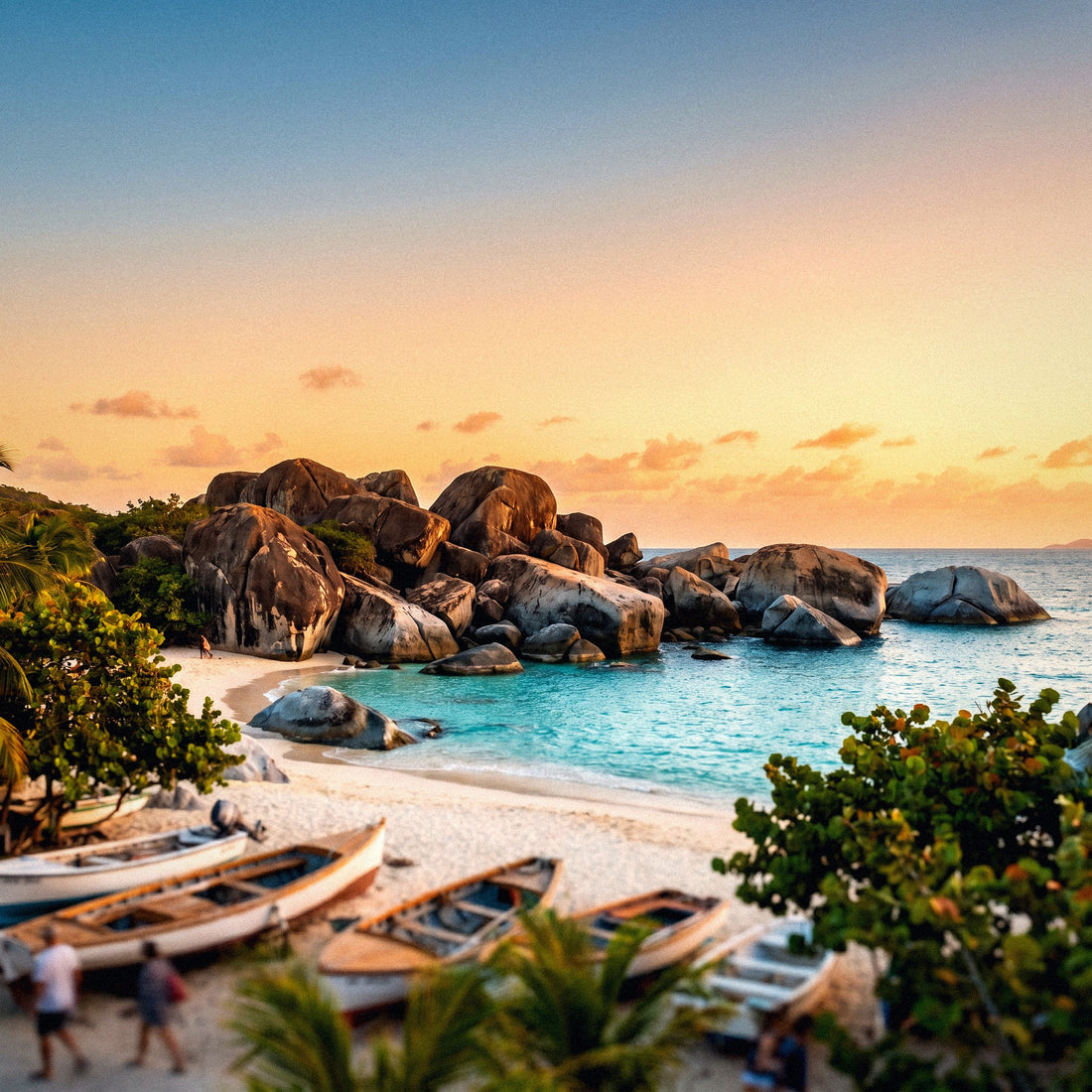
- Virgin Gorda: good in Spanish Town and the The Valley area. At The Baths, between the granite blocks and especially within the route of caves and crevices to Devil's Bay, the signal drops. It's solid rock: don't expect to go live from inside.
- Jost Van Dyke: there is coverage in Great Harbour and White Bay, the two areas where everyone goes. Being a small island and very close to the US Virgin Islands, this is precisely where the problem of network jumping that I explain below is most noticeable.
- Anegada: it is the flat and remote island of the group, about 24 km from the others. There is signal in the settlement and in the Setting Point area, but on the northern beaches like Loblolly Bay, things get thin.
The practical rule is simple: if you see houses, there's an antenna; if you only see beach and bushes, cross your fingers. And on the smaller islands —Cooper, Salt, Peter, Norman— the signal depends on the bay's orientation, because it bounces from Tortola. One side of the island has bars, and the other, none.
The million-dollar question: is there coverage when sailing between islands?
This is the real question for anyone chartering a catamaran, and it deserves an honest answer: yes, but in patches. The British Virgin Islands have a huge advantage for sailors and mobile users alike: most sailing takes place within the Sir Francis Drake Channel, a protected channel about 30 km long surrounded by islands on both sides. You're never very far from land, and therefore never very far from an antenna.
In that channel, coverage usually works reasonably well: the antennas on Tortola and the southern chain reach a good portion of the water. You can count on WhatsApp, checking the weather, and calling the charter base from most popular anchorages: The Bight on Norman Island, Cooper Island, Trellis Bay, Marina Cay, or Great Harbour.
Where it gets complicated is outside that corridor:
- The journey to Anegada, with two long hours of open sea, has frankly dead spots.
- The north side of Tortola and Jost Van Dyke, with the island acting as a screen between you and the antennas.
- Enclosed anchorages between high walls, where the boat's orientation can change the signal bars.
Onboard rule: weather forecasts, nautical charts, and the day's route are downloaded before setting sail, not halfway through the journey. And the real safety communication is VHF channel 16, not your mobile. Mobile is for convenience; radio is for safety.
A technical note: at sea, height helps. If you're on deck and not below, with your phone held high, you gain signal bars. It sounds like an old trick, but with bounced signal, it works.
The US Virgin Islands scare: how to avoid network jumping
Here's the trap almost no one tells you about, and in this destination, it's the expensive mistake par excellence. Saint Thomas and Saint John, in the US Virgin Islands, are literally visible from Tortola and Jost Van Dyke. Their antennas are powerful, and their signal crosses the water and reaches British territory without any problem.
What happens then? Your mobile, which by default chooses the network with the best signal, happily connects to a US network. And the United States is another country and another tariff: your British Virgin Islands data plan does not cover that network, and your operator bills you as if you were in Miami. The phenomenon is so well known that it works both ways: there are travelers in Saint John who are charged international roaming for connecting to British towers, with annual bills of four figures.
The solution takes a minute and you should do it as soon as you land:
- Go to Settings → Mobile Data → Network Selection.
- Deactivate the Automatic option.
- Manually choose Flow, Digicel, or CCT (they will appear as BVI or VG in the list).
- Repeat the check if you notice the network name changing on its own at any point.
And an extra tip for sailors: when you're in the western area, closest to the US Virgin Islands, keep an eye on the operator name in the status bar. If you see an unfamiliar name, you know what has happened. Manually setting the network is the difference between paying what's expected and getting a nasty surprise when you get home.
Marina, hotel, and beach bar Wi-Fi: what to expect after Irma
In September 2017, Hurricane Irma passed over the archipelago with Category 5 intensity and devastated much of Tortola: roofs, ports, boats, and, of course, telecommunications towers and power lines. The reconstruction has been long and has had a positive side effect: much infrastructure was rebuilt from scratch with more modern equipment.
That means today, Wi-Fi in rebuilt hotels and resorts is usually quite decent, and large marinas like Nanny Cay, Village Cay, or Scrub Island offer network access to their berthed guests. Iconic beach bars—those in White Bay on Jost Van Dyke, for example—usually have Wi-Fi for customers, though during peak hours, thirty people might share it, making it slow.
Now, what you should not expect:
- Wi-Fi on the boat: unless the charter includes a 4G router or satellite service, there's no dedicated network on the catamaran. And if there is, it's almost always an extra charge.
- Wi-Fi at anchor: anchored 200 meters from shore, the beach bar's network won't reach you. Period.
- Speed for work: if you have video calls, don't rely on shared Wi-Fi.
Regarding a portable Wi-Fi router, the typical alternative people consider for groups: on a boat, it has an obvious problem, which is that the device needs a battery and an outlet, and electricity on board is a rationed resource. Plus, it has to be picked up and returned at the airport, which is not very compatible with a route that starts and ends at a dock.
How many gigabytes you need according to your trip
Calculating data for a sailing trip is different from a city trip because you spend less time connected but consume more in bursts: downloading weather, uploading the day's video, making a video call from the anchorage. This table gives you a realistic starting point.
| Trip Profile | Duration | Recommended Data | What it covers |
|---|---|---|---|
| Short stopover / day cruise | 1-2 days | 1-2 GB | Maps, messaging, some web browsing |
| Classic charter week | 7 days | 5 GB | Daily weather, WhatsApp with photos, maps, social media without video |
| Trip with many photos and videos | 7-10 days | 10 GB | Uploading camera rolls to the cloud, stories, some video calls |
| Remote work from the boat | 2 weeks | 20 GB or more | Email, video calls, file sharing |
Three tricks that save much more than they seem:
- Download offline maps of the entire archipelago from home. They don't take up much space and save you at every anchorage.
- Disable automatic photo backup and only do it when you're on marina Wi-Fi. A 4K video reel can consume an entire data plan.
- Download shows and podcasts before flying. Nights at anchor are long and without signal.
And a warning about "unlimited" plans: almost all of them have fine print in the form of limited high-speed data and speed throttling afterward. Read it before signing up, both here and at any destination.
How to get everything ready before boarding
If you choose the digital route, all the work is done from your couch at home and you arrive with your cell phone working. This is the order I follow, and it saves me 90% of the problems.
-
Check that your cell phone is compatible and unlocked. Dial
*#06#: if you see an EID in addition to the IMEI, your phone supports a digital profile. - Contract before flying, with quiet Wi-Fi at home. Installing the profile requires a connection, and Beef Island airport is not the best place to discover something is wrong.
- Install but do not activate until landing, if your plan counts days from activation.
- Leave your Spanish line's data turned off and keep that line only for bank SMS.
- Upon arrival, manually set the network as I explained in the section on jumping to the US Virgin Islands. This step is the most important on the entire list in this specific destination.
One detail people forget: WhatsApp, Telegram, and your online banking are still tied to your Spanish number. By using data from another line, you don't lose any of that, because your number is still alive on your phone. Only where the data goes out changes.
The complete steps, with screenshots and the peculiarities of each phone model, can be found in the specific guide on eSIM for the British Virgin Islands. And if you are traveling in a group, do the installation all together the night before: there is always a rebellious phone and it is better to discover it at home than on the pier with packed suitcases.
Frequently Asked Questions
The most common questions I receive from those traveling to the British Caribbean islands by boat, answered directly.
Does my Spanish tariff work like in the EU in the British Virgin Islands?
No. The British Virgin Islands are an overseas British territory that has never been part of the European roaming area, so "Roam Like at Home" does not apply. You enter your operator's most expensive tariff zone, usually with billing per megabyte if you don't purchase a plan.
Is there mobile coverage when sailing between the islands?
Yes, in most of the Sir Francis Drake Channel, but with gaps. Since almost all sailing is between islands and a short distance from land, the antennas of Tortola and the southern chain cover a good part of the water. The crossing to Anegada and the north sides of the islands do have stretches without signal.
Why does my phone connect to a US network?
Because Saint Thomas and Saint John are visible and their antennas reach British territory. The phone chooses the strongest signal and jumps countries without warning you, with the tariff of another destination. This is fixed by deactivating automatic network selection and manually choosing Flow, Digicel, or CCT.
How much does a local SIM cost and what do I need to buy it?
Between 10 and 20 USD for the card, plus the top-up, and a passport is required. Digicel usually costs around 10 USD and Flow and CCT cost 20 USD. Top-ups range from 6 to 55 USD and in the case of Flow, they remain valid for 90 days. They are sold in official stores, mostly in Road Town.
What currency do I use to pay for the top-up?
In US dollars. Although it is British territory, the official currency of the archipelago is the USD, not the pound sterling. All prices for cards, plans, and top-ups are in dollars, and top-ups can be made in stores, supermarkets, gas stations, and kiosks throughout the islands.
Is there signal at the Baths in Virgin Gorda?
Yes, in the access area and on the beach, but not inside the granite labyrinth. The rock blocks completely block the signal in the cave route to Devil's Bay. Download what you need before entering and warn your group that you will be out of communication for a while.
Is the hotel or beach bar Wi-Fi enough for the whole trip?
Not if you sleep on board. Large marinas and resorts rebuilt after Hurricane Irma have decent Wi-Fi, and beach bars offer it to customers, but anchored in a bay, you won't get any signal. For a week of anchorages, you absolutely need your own mobile data.
Conclusion
To summarize the important points: the British Virgin Islands are an overseas British territory and are outside the European Union, so your Spanish tariff automatically enters the most expensive zone: roaming without a plan here is billed per megabyte and can reach absurd figures. Local operators —Flow, Digicel, and CCT— sell cards with a passport for 10-20 USD and top-ups starting from 6 USD, but they require you to visit a store in Road Town. Wi-Fi covers marinas and hotels, not anchorages. And most importantly: on the water between islands, there is quite a lot of signal within the Sir Francis Drake Channel, with gaps towards Anegada and on the north sides, and always with the risk that your phone might automatically switch to the US network of Saint Thomas.
If you're going to spend the week hopping from bay to bay, what you want is to arrive with data already working, manually set the network on the first day, and forget about it. You can prepare your connection for the British Virgin Islands before leaving home and dedicate the trip to what matters: anchoring, painkiller cocktails, and the Baths at sunrise.