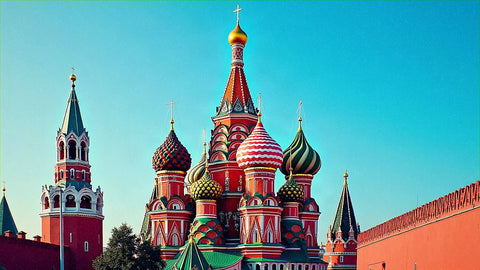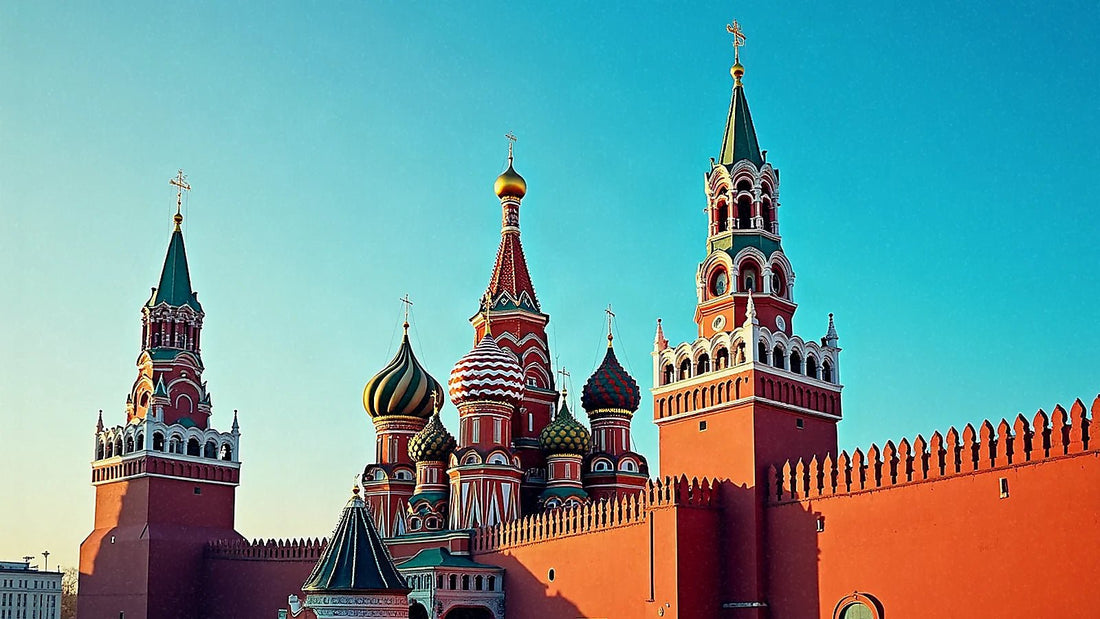
Preparing your internet in Russia is unlike preparing it for any other destination, and not because of coverage: the Russian mobile network is good and cheap. The problem is that you won't be able to pay for it with your card. Since March 2022, Visa and Mastercard suspended their operations in the country, so your Spanish card won't work in ATMs, stores, or on operator websites. This turns a trivial process —buying a SIM and topping it up— into a mess of cash, currency exchange, and paperwork. In this guide, I'll tell you about the four real ways to get connected, how much each costs, and why having your connection sorted from home is, quite simply, the least headache-inducing option.
How to get connected in Russia: the summary
To get connected in Russia, it's practical to bring an eSIM bought and paid for before leaving Spain: your Visa or Mastercard cards don't work there, so you won't be able to buy or top up a local SIM with them. Also, expect a 24-hour data block upon arrival.
Let's break it down, because there are two things to separate. One is the infrastructure: Russia has a wide, fast, and very cheap 4G/LTE mobile network for residents, with four national operators competing fiercely. Moscow and St. Petersburg are amply covered, including the metro. No drama there.
The other is access: to use that network as a foreigner, you either need to contract it there (and pay for it, and register it in your name), or arrive with a line that already roams on those same antennas. And that's where Russia has become an atypical destination: the bottleneck is not technical, it's administrative and payment-related.
Summarized in three sentences: roaming with your Spanish operator works but can be very expensive because Russia is not part of the EU bundle; a local SIM is very cheap but requires a passport, registration, and cash in rubles; Wi-Fi is fine for the hotel but won't help you out on the street. And most importantly: no matter which option you choose, if you don't sort it out before takeoff, you'll land without internet and no convenient way to buy it. That's what makes prior planning more valuable in this specific destination than any other.
The game-changing fact: your card won't work
This is the most useful point in the entire article, and I take it seriously because I've seen people arrive without knowing it. In March 2022, Visa and Mastercard suspended their operations in Russia. American Express did the same. The practical and verifiable consequence to this day: a card issued by a Spanish bank —debit or credit, it doesn't matter— does not work in Russian ATMs, in a store's card reader, or on Russian websites and apps. It's not that there's a commission: it's that the transaction simply doesn't go through.
What still works within the country is the domestic MIR system (you need an account with a Russian bank) and, partially, Chinese UnionPay cards, accepted in many hotels and large stores but not everywhere. For a Spanish tourist, the realistic answer is just one: cash, and bring it with you from Spain.
Bring it in euros or dollars and exchange it there. You can enter with the equivalent of 10,000 USD per person without declaring it; above that amount, you must declare it at customs and justify the origin. It's best to exchange money at bank offices —they have long opening hours— and not at the airport, where the exchange rate is usually worse. The currency is the ruble (RUB), around 95-100 RUB per euro, although the rate fluctuates and it's advisable to check it on the same day.
Now, apply this to your phone: buying a local SIM means paying in rubles with cash, and topping it up too. No using your Visa in the operator's app. That's exactly the hassle you avoid if you arrive already connected.

The four options, compared
Before going into detail, here's the full picture. These are the four ways to have data in Russia, with their payment method —which is more important here than the price— and their main drawback.
| Option | Estimated cost | How to pay | Main drawback |
|---|---|---|---|
| Roaming with your Spanish operator | International zone tariff (the most expensive in the catalog) | On your Spanish bill, with your card | Russia is outside the EU bundle; bill shock if you don't purchase a bundle |
| Wi-Fi in hotels, cafes, or trains | 0 € (included) | Not paid for | Common SMS registration; useless outside the venue |
| Local SIM (MTS, MegaFon, Beeline, T2) | From 300-700 RUB for the SIM; plans from 600-800 RUB/month | Cash in rubles, at a physical store | Passport, registration, and procedures that a tourist can rarely complete |
| Travel eSIM | Depending on data plan and days | With your Spanish card, before traveling | Compatible phone; 24-hour block upon arrival (see below) |
Look at the middle column, that's the important one. Three of the four options depend on a payment method that either doesn't exist in the country or isn't available on the street. The only one that can be completely sorted from the comfort of your home, with your usual bank and without exchanging a single euro, is the eSIM. It's not a matter of price: it's a matter of logistics.
If you're comparing formats, I've broken down the pros and cons of each in the guides on eSIM vs. local SIM and eSIM vs. pocket Wi-Fi router, which apply here with the exception of the payment detail.
Roaming with your Spanish operator: Russia is outside the EU
It's important to state clearly because it causes a lot of confusion: Russia does not belong to the European Union or the European Economic Area. The Roam Like at Home regulation, which allows you to use your Spanish tariff as usual in France or Portugal, does not apply here. Nor does it fall under "Europe" bundles or flat rates that many of us take for granted.
In practice, your operator places Russia in its most expensive international zone. There, megabyte consumption rates without a bundle are counted in euros, and just an auto-playing video or a background photo backup can cause your bill to skyrocket. Some Spanish operators offer daily travel bundles that cover the country, and others directly exclude it from their catalog, so call your company and ask about the specific country before you leave. Don't trust the fine print of the "World" bundle: coverage changes.
The good thing about roaming is that there's no paperwork: you turn on your phone and it works with your usual number, which is convenient if you're expecting bank SMS or work calls. The downside is the price and that you're still exposed to the same network blocks as any other foreign line.
If you want specific figures on what it costs to consume outside the EU and how those charges are calculated, I've broken it down in the guide on how much international roaming costs. My advice for Russia: if you bring your line, do so with mobile data deactivated and use another method for browsing.
Wi-Fi in hotels, cafes, metro, and trains
Russian Wi-Fi is better than many expect. Hotels in Moscow and St. Petersburg include it and it works well; coffee shop chains, shopping malls, and a good portion of museums also have it. The Moscow metro has Wi-Fi in stations and carriages, which is unusual in Europe, and long-distance trains on major routes offer connection in modern cars.
Now for the big drawback, especially for a foreigner: Russian regulations require user identification on public networks, and the usual method is an SMS code sent to a Russian number. If your line is Spanish, often the portal doesn't accept the +34 prefix or the SMS doesn't arrive. Result: you sit in the cafe, see the open network, and can't use it. In hotels, it's usually fine because they give you the password at reception after registering your passport, but on the street, it's a lottery.
Add to that the usual: Wi-Fi doesn't help you while walking, in a taxi, or when you need a map at eleven at night looking for your apartment building entrance. And in a country where you can't use your card to hail an emergency ride-sharing service, running out of data on the street is more inconvenient than usual.
I use it for what it is: a supplement for downloading heavy things at the hotel, never as the main plan. Download offline maps and tickets before you leave each morning.
Local Russian SIM: MTS, MegaFon, Beeline, and T2
The four national operators are MTS, MegaFon, Beeline, and T2 (formerly Tele2). The first three have national coverage of reference; T2 is cheaper but with a somewhat more limited network outside major cities. Tariffs for residents are ludicrously low compared to Spain.
| Operator | Coverage | Estimated plan (resident) | Approx. equivalent |
|---|---|---|---|
| MTS | National, most extensive | Packages of 10-30 GB with voice | ~6-9 €/month |
| MegaFon | National, very good in cities | 30 GB + 500 min for ~600 RUB/month; 50 GB for ~800 RUB/month | ~6 € and ~8 €/month |
| Beeline | National, strong in the west of the country | Similar packages with voice included | ~6-8 €/month |
| T2 (Tele2) | Good in Moscow and St. Petersburg, weaker in rural areas | The lowest prices on the market | ~4-7 €/month |
And now the reality of the process, which is where everything falls apart. Buying a SIM requires a passport and registration in the name of the holder at the official store. Additionally, since January 2025, regulations require each line to be linked to an account on Gosuslugi, the state services portal, which in turn requires a Russian SNILS number that a tourist does not have. Some points of sale even ask for a previous Russian number as a verification contact — the classic chicken and egg problem.
Translated: today, a tourist can rarely activate a local SIM without a Russian contact to help with the bureaucracy. And even if you succeeded, you would still need cash rubles to pay for it and for each top-up, because your card won't work in the operator's app.

eSIM: the option you pay for before traveling
This is where the piece fits. An eSIM is a downloadable SIM card: there's no plastic, it's installed as a profile on your phone and activated when you say. If you're unclear on the concept, I explain it in plain language in what an eSIM is.
What's relevant for this destination isn't the convenience of not having to change chips. It's the timing of payment. You buy it from home, with your Spanish card working normally, on a website not subject to the country's payment restrictions. You receive a QR or a link, install it via Wi-Fi in your living room, and land with data already contracted. Not a single on-site procedure: no searching for a store, no exchanging currency, no presenting your passport at a counter where they probably won't sell you anything.
Requirements: eSIM-compatible phone, unlocked by the operator. Most mid-to-high-end phones from recent years are —iPhone since the XS, Pixel since the 3, Galaxy S since the S20—, but check before buying anything.
Two important honest points. One: a travel eSIM works via roaming on Russian networks, so it's affected by the initial 24-hour block I mention in the next section. Two: don't assume it bypasses service blocks; plan your trip as if it doesn't. What it does guarantee is what's most scarce here: having a contracted and paid-for line without relying on cash. Specific plans for the country can be found in my guide to eSIM for Russia.
Blocks, VPNs, and mobile outages: what to expect
I'm telling you this in purely operational terms, without making value judgments, because it affects how you prepare your phone.
24-hour block upon arrival. This is the first thing you'll notice. When a phone with a foreign SIM or eSIM registers on a Russian network for the first time, mobile data and SMS are blocked for 24 hours. Voice calls usually work. From November 2025, it can be lifted earlier by verifying identity via a link sent by SMS, and operators publicly confirmed this. Also note: if the line remains inactive for a few days, the block may be reapplied.
Blocked or degraded services. Throughout 2025 and 2026, access to numerous Western services has been restricted. WhatsApp was officially blocked in February 2026, and the list of affected services includes YouTube, Instagram, Facebook, X, Signal, Viber, Discord, and various international media outlets. Telegram has experienced call and messaging limitations. The nationally promoted messaging app is MAX.
VPN. There are active restrictions: the regulator has blocked hundreds of VPN services and instructed operators to limit their use. Don't count on it as a backup plan.
Localized outages. There have been intermittent mobile internet outages in Moscow and other regions, of varying duration. Keep maps, tickets, and hotel addresses downloaded on your phone, and have the hotel's phone number and address on paper. That's the most useful advice I can give you.
Real coverage: Moscow, St. Petersburg, Kazan, and Trans-Siberian
Aside from the above, physical coverage is solid. In Moscow, you have 4G/LTE throughout the city and also underground: the metro, which is a tourist attraction in itself with its marble and mosaic stations, is covered. You'll be able to check the map in Komsomolskaya without a problem. Above ground, Red Square, the Kremlin, and the entire city center work fine.
In St. Petersburg, it's the same: the historic center, Nevsky Prospekt, the area around the Hermitage, and the surroundings of the Winter Palace have good signal. Inside the museum, as in almost any historical building with thick walls, coverage drops in some rooms; this isn't a Russian problem, it's a two-meter stone problem.
Kazan, the capital of Tatarstan and one of the country's most interesting cities due to its mix of white Kremlin and Qol Sharif Mosque, is well covered throughout the urban area.
The tricky case is the Trans-Siberian. The network follows the railway line and populated areas, so you'll have signal at stops and in inhabited sections, but between cities there are long stretches without coverage, sometimes for hours, especially in Siberia. I'm telling you this even though it might not suit my interests: no eSIM or local SIM will fix that, because there's no antenna. Download series, podcasts, and books before getting on the train and let people at home know that you'll be unreachable at times. The same applies to Lake Baikal and the natural parks in the east.
How many gigabytes you need and what to do before you leave
With downloaded maps and hotel Wi-Fi for heavy use, a tourist's actual consumption is moderate. Here's my reference by travel profile:
| Profile | Duration | Recommended Data | Typical Use |
|---|---|---|---|
| Moscow Getaway | 3-4 days | 3-5 GB | Maps, translator, messaging, light photos |
| Moscow + St. Petersburg | 7-10 days | 8-10 GB | Above, plus searches, train info, and some video |
| Route with Kazan or Volga | 10-14 days | 10-15 GB | Intensive browsing and photo uploads |
| Trans-Siberian | 2-3 weeks | 15-20 GB | Burst use at stops; long periods without network |
| Remote Work | Long Stay | 20 GB or more | Video calls and large files |
And the checklist before takeoff, in order:
- Visa. Spanish citizens need a visa to enter Russia. There is a unified electronic visa (e-visa) for stays of up to 16 days, which is processed online. Check the current regulations and deadlines before buying flights.
- Passport. With a minimum validity of six months and adjacent blank pages.
- Official recommendations. Consult the country's page in the travel recommendations of the Ministry of Foreign Affairs, which currently advises against non-essential travel, and follow its guidance.
- Cash. Enough euros or dollars for the entire trip, plus a margin.
- Connectivity and downloads. Set up your line and download offline maps and tickets.
All five points can be resolved from home, and that's precisely the spirit of this trip.
Russia is the only destination I know where connectivity isn't bought there: either you have it contracted from home, or you depend on a counter that probably can't sell you anything because your card doesn't work and you don't have a Russian number.
Frequently Asked Questions
Does my Visa or Mastercard work in Russia?
No. Visa and Mastercard suspended their operations in Russia in March 2022, and cards issued outside the country do not work in ATMs, stores, or Russian websites. American Express also does not work. You must bring cash in euros or dollars and exchange it there, preferably at a bank branch.
Can I buy a local SIM card as a Spanish tourist?
In practice, it's very difficult. You need a passport, registration in your name, and, starting from January 2025, the line must be linked to an account on the state portal Gosuslugi, which requires a Russian identifier. Some points of sale also ask for a previous Russian number. And everything is paid in rubles in cash.
Why don't I have data when I land in Russia?
Due to the initial 24-hour block. When a foreign line registers for the first time on a Russian network, mobile data and SMS are blocked for 24 hours; calls usually remain active. As of November 2025, it can be lifted earlier by verifying identity via a link received by SMS.
Does EU roaming apply in Russia?
No, Russia is not in the EU or EEA. The Roam Like at Home regulation does not apply, and your Spanish operator charges international zone rates, the most expensive in its catalog. Some travel bundles cover the country and others exclude it, so confirm exact coverage with your company before you leave.
Which apps are blocked in Russia?
Quite a few Western services. WhatsApp was officially blocked in February 2026, and YouTube, Instagram, Facebook, X, Signal, Viber, Discord, and several international media are also affected. Telegram has limitations. There are also ongoing restrictions on VPN services, so don't count on them as a solution.
Is there coverage on the Trans-Siberian Railway?
In segments. There is signal at stations and in populated areas, but between cities, there are long stretches—sometimes hours—without coverage, especially in Siberia. No SIM or eSIM can fix this because there simply are no antennas. Download entertainment and maps before boarding the train.
Do I need a visa to travel to Russia from Spain?
Yes, always. Spanish citizens need a visa regardless of the reason for travel. There is a unified electronic visa for stays of up to 16 days, which can be processed online. Consult the current regulations and travel recommendations of the Ministry of Foreign Affairs before booking.
How many gigabytes do I need for a week in Russia?
Between 8 and 10 GB for seven to eight days. With downloaded maps, hotel Wi-Fi for heavy use, and automatic backups disabled, typical consumption is around 1 GB per day. If you'll be making daily video calls or teleworking, calculate double.
Conclusion
Russia has a good network and very cheap rates, but a Spanish tourist cannot buy them: since 2022, your card does not work there, and a local SIM requires a passport, state registration, and cash rubles. Add the 24-hour data block upon arrival, blocked services, and occasional outages, and the conclusion is clear: connectivity must be arranged before leaving home, not at a Sheremetyevo counter. Also, check the visa and official Foreign Ministry recommendations in advance.
If you want to sort it out in five minutes with your usual card, the plans are ready here: PuraSIM eSIM for Russia. You install it from your sofa and land with your line already contracted.