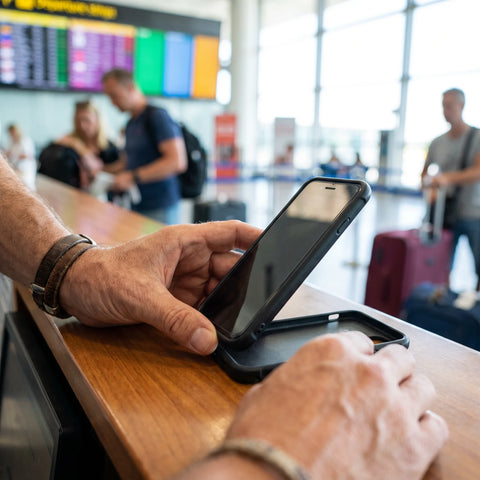
Do you need to register a SIM card as a tourist in Asia?
Usually yes. Most of Asia now requires real-name registration for a local SIM, so you hand your passport across a counter or upload it into an app before the number works. A travel eSIM from an international provider skips that local paperwork, because you connect as a roaming visitor rather than as a local subscriber.
That is where most articles stop, and it is not the part that costs you an evening. Registration is a know-your-customer check written into national law, but how it lands on you depends on which operator you walk up to, which document you hand over, and how much English the person behind the desk feels like using at 11pm. Some travelers report the rules are trivial; others report they are impossible. Both are describing real desks in the same country.
So the fix is not one more forum thread. It is deciding, before you fly, whether you need a local phone number at all. That single question decides whether registration is something you have to survive or something you can skip entirely.
Registration rules by destination, side by side
Here is the shape of the requirement in the four markets where travelers hit a wall most often. Treat it as a map of where the friction sits, not as legal text: several of these regimes were tightened recently, and operators add their own paperwork on top of the law.
| Destination | What a local tourist SIM typically asks for | Where it usually goes wrong | Sortable before you fly? |
|---|---|---|---|
| Thailand | Passport plus real-name registration, including a face check when the eSIM is bought online | The online verification flow: barcode scanning, a page that will not load, a selfie that fails without saying why | Partly. You can attempt it early, and an airport counter can finish it |
| India | Passport, visa page, photo and a local address on the subscriber form | The address field: hotel addresses are officially not accepted, so approval swings from desk to desk | No. This one is decided in person |
| Philippines | Passport-based registration under the SIM Registration Act, with a visitor registration window | Registering inside the window, and keeping the number alive once it closes | Partly. Documents can be prepared, but registration is tied to the SIM |
| Vietnam | Passport-based registration under tightened identification rules | Numbers registered to someone else, or not registered at all, going dead after purchase | No. Registration happens with the SIM |
| Elsewhere in Asia | Varies widely, and the direction of travel is toward more identification, not less | Assuming last year's forum post still describes this year's rule | Check the operator's own page for that country first |
Read the middle column again with one question in mind: is there anything in it you actually want? Comparing an eSIM against a local SIM card is not a price question first. It is a question about whether a local number matters to you.
Thailand: the registration screen everyone gets stuck on
Thailand is the clearest case of a rule that looks trivial on paper and eats an hour in practice. A local prepaid line means real-name registration, and buying an operator eSIM online rather than a plastic SIM in a shop pushes that registration into a verification flow on your own phone. Four specific things go wrong there, and none are documented where you would think to look.
The 13-digit serial number that is not printed anywhere
The form asks for a 13-digit serial number. Travelers who get through it keep making the same discovery: that field wants the last 13 digits of the eSIM's ICCID, the long identifier attached to the profile you just bought. There is no separate 13-digit code on a card or in an email. If you were hunting for one, you were hunting for something that does not exist.
Use manual entry instead of the barcode scan
The flow pushes you toward scanning a barcode, and that scan is where most people stall. Look for the manual entry option instead. Typing the digits in yourself is what travelers describe as the reliable path, and it is worth trying before you conclude the eSIM itself is faulty.
The verification page a VPN can fix, and also break
The identity step redirects to a third-party face-verification host. Travelers from certain countries report that this host is unreachable from home, so the page never loads and the process dies with no error message; switching a VPN on is what opens it. Confusingly, the reverse has also been described, by someone whose check only completed once the VPN was turned off. Both are traveler accounts rather than documented behavior, so try it both ways before deciding your eSIM is broken.
Blink. A lot.
The liveness selfie is the quietest trap. It fails for people who hold still and stare, which is the natural instinct in front of a camera, and it fails without explaining itself. Blinking repeatedly during the capture is what travelers describe as the thing that finally made it pass.
A travel eSIM does not beat local SIM registration by being exempt from it. It beats it by moving the paperwork to the week before your flight, where a failure costs you a quiet evening at home instead of an hour in an arrivals hall with a dead phone.
If the online check defeats you, it is not fatal
Almost nobody mentions the reassuring part. Travelers who give up on the online flow commonly describe walking to an operator counter at Bangkok's airport and having the same verification finished in a couple of minutes with a passport in hand. A failed pre-arrival check does not mean you wasted your money or that you are offline for the trip. It means you queue once on arrival, which turns a panic into an errand.

India: the counter that feels like a lottery
India earns its own section because the failure mode is different. Nothing technical breaks. The obstacle is a form field: the subscriber application wants a local residential address, and a hotel address is officially not accepted. That one line turns a documented process into something travelers describe as roulette.
The accounts are genuinely split. Some visitors leave Delhi airport with a working number in the time it takes to fill in a form. Others, holding the same passport and the same visa, are refused at a city shop for lack of an address the paperwork will accept. Neither group is wrong about what happened, and neither experience predicts yours.
If you want to try, arrive prepared: passport, visa page, a passport-sized photo, and an airport operator desk rather than a shop in town. Expect a verification call or SMS before the line activates, so you need some way to receive it. What you should not do is make that counter your only plan. If the SIM does not happen you are in an unfamiliar city with no maps and no ride-hailing, negotiating from the weakest possible position. Land connected, then treat the local SIM as an upgrade you can walk away from.
The Philippines SIM Act and Vietnam's tightened rules
Two more markets where the law moved and the internet did not catch up.
The Philippines runs SIM registration under a dedicated act: every SIM must be tied to a verified identity, and visitors register with a passport. The wrinkle for tourists is that a visitor registration is time-bound rather than open-ended, which matters if you plan to return with the same number or keep it alive between trips. Confirm the current window with the operator at the point of sale instead of trusting a post written before the rules were amended.
Vietnam tightened its identification requirements as part of a wider push against unregistered and fraudulently registered numbers. For a tourist, the consequence is that a number bought casually, or bought pre-activated in someone else's name from a street vendor, can stop working with no warning and no recourse. A SIM registered properly to your own passport at an official point of sale is the version that survives.
The pattern is worth naming: across Asia the direction is consistently toward more identity verification, driven by anti-fraud legislation rather than by anything aimed at visitors. Tourists are collateral, not the target, which is why the process is so rarely designed with a foreign passport in mind.
Why an eSIM does not automatically mean no registration
This is the distinction the current search results get wrong, and it is why people searching for an eSIM with no registration needed come away more confused than they started. Two very different products share the word eSIM.
The first is a local operator's eSIM: the same prepaid plan the shop sells, delivered as a digital profile instead of a plastic card. It is a local subscription, so it carries exactly the same legal registration obligation. The Thai verification flow described above is an eSIM purchase. Going digital did not remove the paperwork; it moved it onto your own phone screen, where no staff member can rescue you when it stalls.
The second is a travel eSIM from an international provider. Your device connects to local networks as a visiting device under the provider's roaming agreements, not as a newly minted local customer. No counter, no passport photocopy at a kiosk, no address form. If the concept is new to you, the primer on what an eSIM actually is covers the mechanics in plain language. What it does still ask of you: an email address, a phone that is unlocked and eSIM-capable, and an internet connection at install time. Then there is the real limitation.
Where a local SIM genuinely wins: local phone numbers
A data-only travel eSIM gives you data. It does not give you a local phone number, and in parts of Asia that is a real gap. Ride-hailing apps, delivery apps, some bank verifications and some booking confirmations send a one-time code by SMS, and a few refuse foreign numbers outright. Travelers heading to Indonesia in particular keep asking whether the big ride-hailing apps work without a local number, which tells you how often this bites. If your trip leans on those apps and your home number cannot receive the codes, a registered local SIM is the right answer and the registration is the price of admission. A side-by-side look at a tourist SIM card versus an eSIM makes the trade-off concrete.
Where nobody should promise you anything: mainland China
Travelers ask constantly whether an eSIM gets around the Great Firewall, and the answers online are a pile of confident contradictions. The honest position: whether a plan reaches services filtered inside mainland China depends entirely on how that specific plan routes its traffic. It is not a property of eSIMs in general, and no provider should guarantee it. A SIM bought from a Chinese operator is subject to local filtering by design. If China sits inside a wider East Asia itinerary, the guide to using one eSIM across China, Japan and South Korea is the place to work through it.
Can you use your US, UK, Canadian or Australian phone in Asia?
Yes, with three conditions, and all three can be checked tonight.
- The handset must be carrier-unlocked if you plan to use any SIM or eSIM other than your home carrier's. Phones bought on installment plans are often locked until the balance clears. Ask your carrier directly.
-
It must support eSIM if that is the route you choose. Dialing
*#06#displays your device identifiers, and an EID appearing there is a good sign. A supported phone will also offer to add a cellular or mobile plan in its settings. - The network bands must match. Recent phones sold in the US, UK, Canada and Australia are generally fine across Asia, but a very old or region-specific handset can be limited.
Running your home line alongside a travel eSIM is normal and often the smartest setup: your usual number stays reachable for calls and SMS codes while data runs over the travel profile. One setting matters here. Switch mobile data and data roaming off for the home line, and set the travel profile as the line that carries data. That is what stops the roaming data bill everyone fears. Know what it does not stop: while the home line stays registered on a foreign network, incoming and outgoing calls, and in some cases texts, can still be billed at your carrier's roaming rates. If you do not need that number at all while you travel, switch the line off entirely in your phone's settings. If your carrier sells a daily travel pass, the comparison of a travel eSIM against international roaming is worth a read, since on a very short trip a pass sometimes wins on simplicity even when it loses on cost.

How to activate a tourist SIM or a travel eSIM
Two different procedures. Mixing them up is how people end up in a terminal holding a QR code they cannot scan, because scanning it needs the internet they do not have yet.
At a counter, for a local SIM
- Bring your passport. Some countries also want the visa page, an arrival card, and occasionally a photo.
- Buy at an official operator store or airport desk. Street vendors and pre-activated numbers are where registration problems begin.
- Watch the staff register the SIM in your name, and ask for the number in writing before you walk away.
- Test data on the spot, and message yourself if the line includes calls. Problems get fixed at the counter, not from your hotel room.
Before departure, for a travel eSIM
- Buy while you are still on home Wi-Fi. PuraSIM plans cover more than 200 destinations, and you have 180 days after purchase to activate, so buying early costs you nothing.
- Install the profile at home. Activation takes about a minute, and the walkthrough for installing an eSIM on iPhone and Android covers both operating systems.
- Label the profile with the destination name so you can find it later among your lines.
- Leave it switched off until you land, then enable data roaming on that profile only. Roaming on the travel profile is how it reaches the local network.
- If anything looks wrong, sort it out before you are in transit. Support runs 24/7 in every language, by email and WhatsApp.
The reason for doing all of this at home is a line travelers repeat to each other constantly: do not let your first test of a connection happen in the arrivals hall. Landing after a long flight and finding you cannot load a map or open your booking is the exact failure this avoids.
Which option actually fits your trip
No single answer wins for everyone, and any page claiming otherwise is selling rather than advising. Find your own row.
| Your situation | Best option | Why |
|---|---|---|
| You need a local number for ride-hailing, delivery or bank codes | Registered local SIM | Only a local subscription gives you a local number. Accept the registration and budget the time |
| Short trip, mostly maps, messaging and bookings | Travel eSIM | No counter, no passport form, and it is already working when you switch the phone on |
| Several Asian countries in one itinerary | Regional travel eSIM | One profile instead of a fresh registration ritual at every border |
| India specifically | Travel eSIM first, local SIM optional | The address requirement makes the counter unpredictable, so do not arrive dependent on it |
| Long stay, months rather than weeks | Local SIM, registered properly | Local top-ups and a local number repay the one-time paperwork over that horizon |
| Locked phone, or a handset with no eSIM support | Physical local SIM, or a rented pocket router | An eSIM is not available to you, and wanting one does not change that |
If your row points to a travel eSIM, the eSIM plans for Asia are organized by destination, so you can check coverage for the countries on your itinerary before committing. If your row points to a local SIM, take the Thailand and India sections with you and skip the collection entirely.
Frequently asked questions
Is it possible to use a SIM card without registration?
Not a local one, in most of Asia. Real-name registration is written into national law in Thailand, the Philippines, Vietnam and India, among others, and a number that is unregistered or registered to someone else can be cut off after purchase. What you can do is avoid local registration altogether with a travel eSIM from an international provider, because you connect as a visiting device on partner networks rather than as a new local subscriber. That is a different arrangement, not a loophole.
Can I get a tourist SIM card in Asia?
Yes, essentially everywhere, and airport operator desks exist for exactly this. Bring your passport, expect your details to be recorded, and buy from an official operator counter rather than a street stall. The variable is not availability but how much friction the paperwork creates on the day: Thailand adds a face-verification step, and India adds a local address requirement that hotel addresses officially do not satisfy.
Can I use my US cell phone in Thailand?
Yes, as long as the handset is carrier-unlocked and reasonably recent. That leaves three routes: your carrier's international roaming or day pass, a local Thai SIM with real-name registration, or a travel eSIM installed before you fly. If you pick either of the last two, switch mobile data off on your home line so it does not quietly roam in the background while you sleep.
How do I activate a tourist SIM card?
For a physical local SIM, staff register it against your passport at the point of sale and the line usually goes live within minutes; test data before you leave the desk. For a travel eSIM, install the profile at home over Wi-Fi, keep it switched off until you land, then enable data roaming on that profile only. Installation takes about a minute, and with 180 days to activate after purchase there is no penalty for buying well ahead of the trip.
Does each person need their own eSIM, or can some of us share?
Every phone that needs its own connection needs its own profile, because an eSIM is tied to a single device. Sharing is still possible through a personal hotspot from one phone, and for two people walking the same city together that works fine. It stops working the moment you split up for the day, and the host phone's battery drains noticeably faster. For groups that separate, one profile each is the less annoying arrangement.
How much data should I buy for a trip to Asia?
Base it on behavior rather than trip length. Maps, messaging, ride-hailing and pulling up bookings consume very little. Video, photo uploads and tethering a laptop consume a lot. If you are mainly navigating and staying in touch, a modest allowance stretches across many days. Plans described as unlimited generally apply a fair-use threshold after which speeds are reduced, so read those terms rather than assuming the word means no ceiling.
Do I need an eSIM, a VPN, or both for China?
Possibly both, and nobody can promise you otherwise. Whether a given connection reaches services filtered inside mainland China depends on how that particular plan routes its traffic, not on it being an eSIM. A SIM bought from a Chinese operator is subject to local filtering by design. Check what the specific plan states about its own behavior, set up any VPN before you travel rather than after arrival, and keep a fallback for anything critical.
Is pocket Wi-Fi actually more reliable in rural areas, or is that outdated thinking?
Largely outdated. A rented pocket router is usually one radio on one network, with one battery that has to last your whole day, and it only helps if the network it uses covers that area better than the alternatives. Coverage comes from which network you land on, not from the shape of the device. In genuinely remote areas the answer is the same either way: find out which national network serves the region, then pick whichever option connects to it.
The bottom line
Decide one thing before you book anything else: do you need a local phone number, or do you just need to be online?
If you need the number, because a ride-hailing or banking app you depend on will not accept your home one, register a local SIM and treat the paperwork as part of the trip. Use an official operator desk at the airport, and do it on arrival rather than three days later when you are inland and out of options.
If you only need data, stay away from the registration counter. Install a travel eSIM at home the week before you fly and test it on your own Wi-Fi, so you land already connected. That applies with particular force to India, where the address requirement makes the counter unpredictable, and to Thailand, where an operator eSIM drags you through a verification flow that can stall on a barcode scan or a silent selfie failure.
If you are going to Thailand and want the local line anyway: use manual entry instead of the barcode scan, put the last 13 digits of your ICCID into the serial number field, blink through the liveness check, and if it still refuses, let an airport counter finish the job when you arrive.
And if your phone is locked to a carrier or has no eSIM support, none of the above applies. Sort the handset out first, or buy a physical local SIM and accept the registration that comes with it. That is a hardware decision, not a plan decision.