What does the word "hotspot" mean in Spanish?
Hotspot is an English word that translates to "punto de acceso" (access point) or "zona wifi portátil" (portable Wi-Fi zone) in Spanish. By activating the hotspot on your cell phone, your phone shares your mobile data with other devices — a laptop, a tablet, another cell phone — through a Wi-Fi network that your phone instantly creates.
The word does not have a single, official translation: in some countries, it's called "punto de acceso," in others simply "hotspot" (in English, as it appears in the cell phone's settings menu), and in older menus, you might still see "anclaje a red" (network tethering) or "compartir internet" (share internet). All refer to the same thing: turning your cell phone into a portable router.
What is a cell phone hotspot and how does it work?
A cell phone hotspot is a feature that uses the phone's mobile data antenna (the one that receives your carrier's 4G or 5G signal) to simultaneously create a second network: a local Wi-Fi network that only exists while the hotspot is turned on. Your cell phone acts as an intermediary between your carrier's tower and the devices you connect to that network.
Technically, this is called "tethering," and a hotspot is the most common way to do it because it doesn't require cables: any Wi-Fi-enabled device can join the network your cell phone creates, as long as it knows the network name and the password you define. There are also wired USB or Bluetooth variants, but they share much less bandwidth and are less commonly used.
The important thing is that a hotspot doesn't create internet out of thin air: it distributes the same data plan you have on your cell phone. If your plan has 5 GB per month, those 5 GB are consumed whether you use them directly on your cell phone or share them via hotspot with your laptop.
Hotspot, mobile data, and Wi-Fi: what's the difference?
These three terms are often confused because they are related, but each plays a distinct role in how your cell phone connects to the internet and how it shares that connection with other devices.
| Concept | What it is | Who uses it |
|---|---|---|
| Mobile Data | The internet connection your cell phone receives from your carrier's network (4G/5G). | Only your cell phone, unless you activate the hotspot. |
| Hotspot | The function that distributes that mobile data to other devices via a Wi-Fi network created by your cell phone. | Laptops, tablets, or other nearby cell phones. |
| Wi-Fi (fixed network) | An internet connection that comes via cable to a router, not relying on mobile data or a cell phone plan. | Any device within range of that network, without a cell phone's data limit. |
The key difference is the source of the connection: home or office Wi-Fi relies on a router connected to a fixed internet provider, while a hotspot relies entirely on your mobile data plan. Therefore, activating a hotspot does consume the same data package you use to browse or use apps on your cell phone; connecting to Wi-Fi in a location does not.
How to enable hotspot on your cell phone
Activating a hotspot takes less than a minute, and the process is practically identical regardless of the cell phone brand, although the menu is named differently on Android and iPhone.
| Step | Android | iPhone |
|---|---|---|
| 1 | Open Settings and look for "Portable Wi-Fi hotspot" or "Mobile hotspot." | Open Settings and tap "Personal Hotspot." |
| 2 | Activate the switch and define the network name and password. | Activate the "Allow others to join" switch and review the suggested password. |
| 3 | From the other device, find that network in the list of available Wi-Fi networks and connect with the password. | From the other device, find your iPhone's name in the Wi-Fi list and connect. |
One detail almost no one checks: on both systems, you can change the default password to one you can easily remember, and it's a good idea to do so if you're going to share your hotspot multiple times, for example with colleagues or travel companions.

Real-world example: using a hotspot when traveling to another country
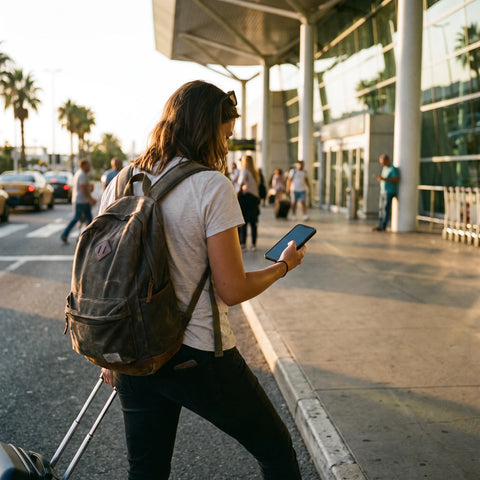
Imagine you're traveling from Mexico City to Bogotá for work. You have your cell phone and laptop, and you need to connect to a video call as soon as you land, before reaching your hotel. The airport has free Wi-Fi, but it's slow and asks you to register with an email. Instead of wasting time with that, you activate your cell phone's hotspot — which already has a data plan for Colombia active — and connect your laptop directly to that network.
In this scenario, the hotspot solves a real problem for a traveler: not having to rely on an unknown public Wi-Fi network for work, and having internet available from the moment you turn on your cell phone, without waiting to reach a place with reliable Wi-Fi. It's the same logic you would use in your city, only now the data plan you're sharing is designed to work in the country you're in.
What happens if you activate a mobile hotspot while traveling?
If you activate the hotspot with your local carrier's data plan (the same number and plan you use in your country) while abroad, what happens depends on whether that plan includes international roaming or not.
Most carriers do not charge differently for using data directly on the cell phone or for sharing it via hotspot: consumption is deducted from the same package. The problem is not the hotspot itself, but the international roaming that may apply to that package when you are outside your country.
This means that if your plan does not include roaming, activating the hotspot in another country can generate charges for every megabyte you consume, both on the cell phone and on any device connected to your hotspot, because for the carrier, all that traffic passes through the same antenna. Before sharing your connection on a trip, it's worth checking with your carrier if roaming is active and what it costs, or using a local data plan or an eSIM specifically designed for that destination.
What happens if you disable the hotspot?
Disabling the hotspot immediately cuts off the Wi-Fi network your cell phone was creating. Devices that were connected to that network lose internet instantly, although the cell phone that had the hotspot turned on remains normally connected to its mobile data.
There are no negative consequences to disabling it: no saved data is lost, it doesn't affect your plan or your number, and you can turn it back on when you need it. In fact, it's good practice to turn it off when you're not using it, because keeping it active in the background consumes battery even if no device is connected, as the cell phone continues to "broadcast" the Wi-Fi network constantly.
How much battery and data does a hotspot consume?
The hotspot itself does not add extra data consumption: it uses exactly the same amount that each device would use if it had its own connection. If your laptop plays a video while connected to your hotspot, it consumes the same amount as it would playing it directly with its own data; the difference is that now that consumption comes from your cell phone plan.
Where there is a real additional cost is in battery. Keeping the hotspot active forces the cell phone to do two jobs at once — receive mobile data and transmit Wi-Fi — which heats up the device and drains the battery faster than normal use. Therefore, it is advisable to have your cell phone connected to a charger or power bank when you are going to use the hotspot for long periods, for example during a several-hour bus ride or while working from an airport.

Hotspot vs. public Wi-Fi: which is better when traveling?
When traveling, you almost always have two options for connecting your laptop or tablet: the public Wi-Fi of your current location (hotel, cafe, airport) or your own cell phone's hotspot. Each has distinct advantages depending on what you need to do.
| Criterion | Public Wi-Fi | Your cell phone's hotspot |
|---|---|---|
| Security | Shared network with strangers; more exposed if you don't use a VPN. | Private network you control, with your own password. |
| Availability | Depends on being within range of the location and the network working. | Available anywhere with mobile signal, without relying on a specific location. |
| Pre-registration | Often asks for email, hotel room number, or to accept terms. | No registration required: only the password you defined. |
| Cost | Usually free, but consumes your time and sometimes limits speed. | Consumes your cell phone's data plan (or your travel eSIM). |
The most practical combination for frequent travelers is to use public Wi-Fi when available and reliable, and reserve the hotspot for times when you need a guaranteed connection: upon arriving at an airport, during a transfer, or when the hotel Wi-Fi simply isn't working well.
Hotspot with travel eSIM: the roaming-free alternative
As you saw in the previous section on roaming, a hotspot works best when the data plan you are sharing is already intended for the country you are in, instead of relying on your local carrier's roaming. This is where a travel eSIM comes in: a digital data plan that you install on your cell phone before or upon arrival at your destination, without needing to change the physical SIM.
With an active eSIM, you can activate the hotspot exactly as you would in your home country: your cell phone distributes that data to your laptop, tablet, or the cell phone of anyone traveling with you, without relying on the Wi-Fi of your location or worrying about roaming charges, because the plan is already designed for that specific destination. If you have never used one, you should first check how to install an eSIM and confirm that your cell phone is eSIM compatible before traveling.
PuraSIM offers data eSIMs for over 200 destinations, with activation in approximately 1 minute and 180 days from purchase to activate it when you need it. If you have questions during the process, support is available 24/7 in all languages via email and WhatsApp. You can review the available plans in the international eSIM collection.
Frequently Asked Questions about Hotspots
Are hotspot and tethering the same thing?
They are practically synonyms. Tethering is the technical term for sharing a cell phone's internet connection with another device, and a hotspot (or portable Wi-Fi zone) is the most common way to do it, because it doesn't require a cable. There is also USB or Bluetooth tethering, but they are much less used than Wi-Fi hotspots.
Does a hotspot use more battery than regular Wi-Fi?
Yes. When you use regular Wi-Fi, your cell phone only receives data. When you use a hotspot, your cell phone receives mobile data and simultaneously transmits its own Wi-Fi network, which demands more from the processor and antenna, and therefore drains the battery faster.
Do I need a special data plan to use a hotspot?
You don't need a different plan: the hotspot uses the same mobile data plan you already have. What you should check is whether that plan includes active roaming when you are in another country, because that determines whether sharing data via hotspot abroad incurs additional charges.
Can I use a hotspot with a travel eSIM?
Yes, a hotspot works the same with an eSIM as with a physical SIM: as soon as the eSIM is active and has data, you can turn on the hotspot and share that connection with other devices without additional restrictions from the eSIM.
How many devices can I connect to my hotspot at the same time?
The exact limit depends on the cell phone model and operating system: each manufacturer defines its own maximum limit in the hotspot settings menu. What is the same in all cases is that the more devices you connect at the same time, the more the available speed is divided among them all.
Why does my hotspot disconnect on its own?
This usually happens because the cell phone enters battery saver mode, which in many cases automatically turns off the hotspot after a period of inactivity, or because the connected device moved out of range of the cell phone's Wi-Fi signal. Checking the power saving settings usually resolves it.
Does a hotspot work without an internet connection?
No. A hotspot only shares an existing connection: if your cell phone does not have active mobile data (for example, because your plan ran out or you have no signal), the hotspot may appear to be "on," but there will be no real internet to share with other devices.
Is it safe to use someone else's hotspot?
It's safer than connecting to an open public Wi-Fi, as long as you trust the person sharing the network with you, because it's usually password-protected and only that person controls it. Even so, avoid entering banking passwords or other sensitive information on networks that are not your own, as a general precaution.
Conclusion: when it's convenient to use a hotspot
A hotspot is, at its core, a simple way to turn your cell phone into a router: it shares the mobile data you already have with any other nearby device, without cables or complicated configurations. It's useful both in your daily life — when your home Wi-Fi fails and you need to connect your laptop — and when traveling, when you prefer not to rely on public Wi-Fi at an airport or cafe.
The difference between a hotspot being a convenient solution or a headache with unexpected charges lies in what data plan you are sharing. If you are traveling outside your country, it is advisable to arrive with an active eSIM for your destination instead of relying on your local carrier's roaming: this way you can use the hotspot with the same freedom as at home, knowing exactly what you are paying for. You can start with the definitive guide to traveling with an eSIM in 2026 and, once you know your next destination, review the plans available in PuraSIM's international eSIM collection.
If you also want to understand other differences before deciding how to connect on your next trip, these related guides may be helpful: eSIM vs. roaming, eSIM vs. physical SIM, and common eSIM problems and how to solve them.