Which phones support eSIM and are compatible with Holafly?
A phone is compatible with Holafly—or any other eSIM provider, including PuraSIM—if its hardware comes with a factory-installed eSIM chip and is unlocked by the carrier. This includes most iPhones from the XS/XR onward, Samsung Galaxy S20 and later, and Google Pixel 3 and later.
The key word is "hardware": compatibility is not defined by the eSIM provider you choose, but by the physical chip built into your device at the factory. That's why the answer to "is my phone compatible with Holafly?" and "is my phone compatible with PuraSIM?" is exactly the same question with the same outcome. If your device supports eSIM, it works with either; if it doesn't, it works with neither.
The table below summarizes the phone families that typically include eSIM. These are general brand references: within each family, there may be regional variants without eSIM, so before buying any plan, it's advisable to check the exact model in your device settings (we explain how in the 3-step section) or in the guide to eSIM compatible phones.
| Brand | Model Family that usually includes eSIM | Important notice |
|---|---|---|
| Apple | iPhone XS, XR and all later models (11, 12, 13, 14, 15, 16 and their variants) | iPhones sold for mainland China do not have eSIM even if the same model does in other countries |
| Samsung | Galaxy S20 and later, Galaxy Note 20, Galaxy Z Fold and Z Flip from the first generation | Some versions sold in the USA under carrier contracts arrive with the eSIM locked |
| Pixel 3 and later (with nuances in the original Pixel 3, see dedicated section) | The Pixel 3a does not have eSIM; the 3 and 3 XL only activated it in some markets | |
| Motorola | Razr (foldables) and some recent high-end Edge models | Most of the G and E series do not include eSIM |
| Huawei | P40 and some subsequent models, depending on the region | Devices sold outside Europe often omit eSIM due to market restrictions |
Why compatibility depends on your phone, not the provider?
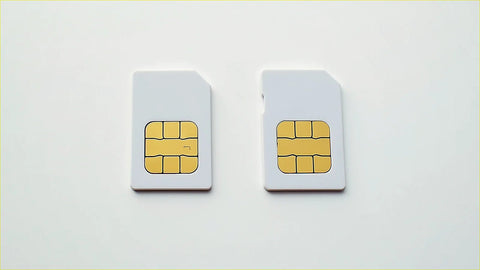
An eSIM is not a card you insert: it is a digital profile recorded on a chip soldered to the phone's board. If that chip was never installed at the factory, there is no way to "add" it later, neither with Holafly nor with PuraSIM nor with any other provider. This explains why the correct question is never "which eSIM works on my phone?", but "does my phone have the eSIM chip?".
An eSIM is not a physical card you can move between phones: it is embedded in your device's chip. If your phone does not come with it from the factory, no provider—including Holafly—can activate it.
This also means that comparing providers by "compatibility" is, in reality, comparing service, coverage, and support, not technology: the eSIM technology itself is a standard (eUICC) that works the same regardless of who sells you the data plan. If you want to understand how this standard works from scratch, the guide on what an eSIM is explains it without technical jargon.

iPhone: which models have eSIM
Apple introduced the eSIM with the iPhone XS, XS Max, and XR in 2018. Since then, all subsequent models—11, 12, 13, 14, 15, 16, and their Pro, Pro Max, Plus, and mini variants—include it. In the United States, since the iPhone 14, devices are sold directly without a physical SIM tray, so eSIM is no longer an option there: it is the only way to have service.
The detail almost no one mentions: if you bought your iPhone in mainland China (not Hong Kong or Macao), that device does not have eSIM even if the same model has it in any other country, because Apple manufactures it with a dual physical SIM tray instead. This is a regional decision by Apple, not a technical limitation of the model, and explains why two people with the "same" iPhone sometimes get different results when trying to install an eSIM.
Samsung Galaxy: which models have eSIM
Samsung added eSIM to its flagship line starting with the Galaxy S20 in 2020, and maintained it in the S21, S22, S23, S24, and their Ultra and Plus versions. It is also present in the Note 20, across the entire Z Fold and Z Flip foldable family from its first generation, and in some more recent A series models.
The nuance here is not geographical as with Apple, but contractual: certain Galaxy phones sold in the United States under carrier contracts arrive with the eSIM function software-disabled until the device is fully unlocked. If you purchased your Samsung on an installment plan with a carrier, it's worth confirming this in the settings before assuming it's incompatible.
Google Pixel and other Android brands with eSIM
Google was a pioneer in eSIM for Android: the Pixel 3 and 3 XL already included it, although at first it could only be activated in some countries and with Google Fi. From Pixel 4 onwards, compatibility is much broader and more stable. The Pixel 3a, however, does not have eSIM: this is a case where the model number is misleading because it sounds similar to the standard 3.
Outside the Apple-Samsung-Google ecosystem, eSIM has arrived more unevenly: Motorola includes it in its Razr foldables and some high-end Edge models, but not in the G or E series. Huawei added it to the P40 and some subsequent devices, though almost always in versions sold within Europe. Xiaomi, Oppo, and other Chinese brands have gradually incorporated it model by model, without as clear a pattern as the previous three manufacturers, so in those cases, checking the exact technical specifications of the model is essential.
Which phones do not support eSIM?
Generally, phones manufactured before 2018 do not support eSIM, nor do most entry-level and mid-range Android devices (where the eSIM chip increases manufacturing costs without adding margin), iPhones purchased in mainland China, the Pixel 3a, and any phone unlocked by software but never originally equipped with the physical eSIM chip—this cannot be corrected with an update.
It also doesn't work on very basic refurbished phones or many "factory unlocked" devices intended only for markets where eSIM is not yet regulated or sold. If your device falls into any of these categories, the alternative is still a physical SIM, and you can compare both options in the eSIM vs. physical SIM guide.

How to check if your phone supports eSIM: 3-step guide
The most reliable way to confirm this is not to search for the model name on a list, but to check the device itself: system settings only show the option if the chip exists.
- On iPhone: Go to Settings > Cellular and look for the "Add eSIM" or "Convert to eSIM" option. If neither appears, the device does not support it.
- On Android (Samsung, Pixel, and most brands): Go to Settings > Connections > SIM Card Manager and check if the "Add eSIM" or "Download eSIM" option exists.
- Dial the IMEI number: Dial *#06# and write it down. With that number, you can confirm directly with the manufacturer (Apple, Samsung, or Google) if your specific unit—not just the generic model—has an active eSIM chip. This is especially useful if you bought the device second-hand or imported.
If step 3 confirms that it has eSIM but the option does not appear in the settings, the problem is almost always that the device is still locked by the carrier: move on to the next section.
Unlocked phone: the requirement many guides forget
Having an eSIM chip is not enough. The second requirement, and one that many compatibility guides overlook, is that the phone must be unlocked by the carrier with which it was originally purchased. A locked device may show the "Add eSIM" option in settings and still fail to scan the QR code because the carrier restricts which network profiles that IMEI can accept.
Unlocking a phone depends on the carrier and country: some do it automatically when installment payments are complete, others require an explicit request. If you bought the device directly from the factory (without a carrier plan), it is usually unlocked from day one. When in doubt, dial *#06# to have your IMEI handy and consult with the original carrier to see if the device has any active restrictions before attempting to install any eSIM.
Holafly and other eSIMs for travelers: what to compare before buying
Holafly is one of the names that comes up most often when someone searches for "eSIM for travel," which is why many people come to this guide specifically asking about its compatibility. As we've seen, that compatibility depends on the phone, not on which provider you choose, so the eSIM chip you need to use Holafly is exactly the same one you need to use PuraSIM or any other eSIM on the market.
That said, once you confirm that your phone supports eSIM, the real decision lies in the service: coverage, support, activation window, and how clear the process is. Before buying any travel eSIM, here's what to check directly on the website of the provider you're considering, including Holafly, with the consultation date in hand because these conditions change:
| Criterion | What to ask before buying | PuraSIM Data (consulted August 2026) |
|---|---|---|
| Destination Coverage | How many countries does it cover, and are the ones you're visiting included? | More than 200 destinations |
| Support Channels | What happens if something goes wrong mid-trip, in a different time zone? | 24/7 support in all languages via email and WhatsApp (no phone line) |
| Activation Time | How long does it take for the eSIM to be ready after scanning the QR code? | Activation in approximately 1 minute |
| Purchase Window | Can you buy it in advance or only on the day of travel? | 180 days to activate from the purchase date |
| Fair Usage Policy | If the plan says "unlimited," is there a reasonable usage limit after a certain consumption? | Always review the plan's fair usage policy before purchasing, whether with PuraSIM or any other provider |
None of these criteria have a universal "correct" answer: it depends on your itinerary and how much you value each point. It's honest to say that Holafly is one of the most sought-after providers when someone plans a trip; what you need to do is compare these five points, one by one and on each provider's website, before deciding, instead of just going by which one appears first in a search. If you're buying for the first time, the definitive guide to eSIM for travel covers the entire process from start to finish, and if you prefer to compare eSIM technology against traditional roaming from your carrier, that contrast is in eSIM vs. roaming.
Which physical network you actually connect to
A travel eSIM is not a network of its own: it roams on local operators. Which ones you get decides your real coverage, and almost no provider publishes it. These are the networks a PuraSIM eSIM uses, taken from our own carrier agreements and checked on 2 September 2026.
| Destination | Networks you roam on | Technology | Top-up |
|---|---|---|---|
| Japan | NTT docomo · Rakuten Mobile · KDDI/au · SoftBank | 5G | Yes |
| United States | T-Mobile · AT&T | 5G | Yes |
| Spain | Orange · Movistar | 5G | Yes |
| United Kingdom | O2 · EE · 3 | 4G/5G | Yes |
| Thailand | TrueMove H · DTAC | 5G | Yes |
| Mexico | Telcel · AT&T | 5G | Yes |
| Greece | Wind · Vodafone | 5G | Yes |
| Turkey | Vodafone | 5G | Yes |
Two questions are worth asking about any travel eSIM, Holafly included. First, how many networks you get in your destination: where a plan runs on a single operator you have no fallback if that operator is weak where you are staying. Second, whether the plan can be topped up — if it cannot, running out of data means buying and installing a second eSIM mid-trip.
We publish this table because it is the part of the comparison you can check yourself: land, open your phone settings and read the operator name on screen. PuraSIM covers more than 200 destinations, and the network partners are listed on each destination page.
Frequently Asked Questions
Can I use two eSIMs at the same time on my phone?
Most compatible phones allow you to store multiple eSIM profiles, but only one or two active at a time depending on the model. If your device already has the maximum number of active profiles, you'll need to delete one before installing the next.
Does an eSIM-enabled phone automatically work in any country?
No. Your phone having an eSIM chip only confirms that it can receive a digital profile; actual coverage in each country depends on the plan and provider you contract, not on the device's hardware.
What happens if my phone supports eSIM but is still locked by the carrier?
The option may appear in settings, but scanning the QR code will fail or remain loading. You must first resolve the carrier lock (see the unlocked phone section) before installing any eSIM.
Do refurbished phones come with eSIM?
It depends on the original model, not on whether it's refurbished. A refurbished iPhone XS still has the eSIM chip because it's a hardware feature; what you should check for in second-hand devices is that they are unlocked and that the IMEI has no restrictions.
Do I need Wi-Fi to activate the eSIM?
It is recommended, though not always mandatory. Scanning the QR code and downloading the profile usually goes faster and without errors with a stable Wi-Fi connection, which is especially useful if you do it before leaving home.
Can I install the eSIM before traveling, instead of waiting until I arrive?
Yes, with most providers, you can purchase and install the profile in advance and activate data once you arrive at your destination. With PuraSIM, for example, you have 180 days from purchase to activate it, so there's no need to wait until the last minute.
What is the difference between not having eSIM and not having provider coverage?
These are two distinct problems that are often confused. Not having an eSIM chip is a limitation of the phone: no provider can solve it. Not having coverage is a limitation of the plan you purchased: in that case, you can change providers or plans to resolve it.
Conclusion
If you came to this guide wondering if your phone works with Holafly, the short answer is that it depends on your device, not the provider's name: any phone with an eSIM chip and unlocked by the carrier works equally well for Holafly, PuraSIM, or any other travel eSIM. Confirm this with the 3 steps in this guide—check settings, look for "Add eSIM," and note your IMEI by dialing *#06#—before purchasing any plan.
Once you know your phone is compatible, the decision that does depend on the provider is coverage, support, and activation conditions, which we reviewed in the comparison table. If your itinerary covers any of the more than 200 available destinations, you can review data plans with 24/7 email and WhatsApp support and activation in approximately 1 minute in the PuraSIM international eSIM collection, with 180 days from purchase to activate when you decide to travel. If you prefer to resolve specific technical questions beforehand, the guide to common eSIM problems and the guide to how to install an eSIM cover the process step-by-step.