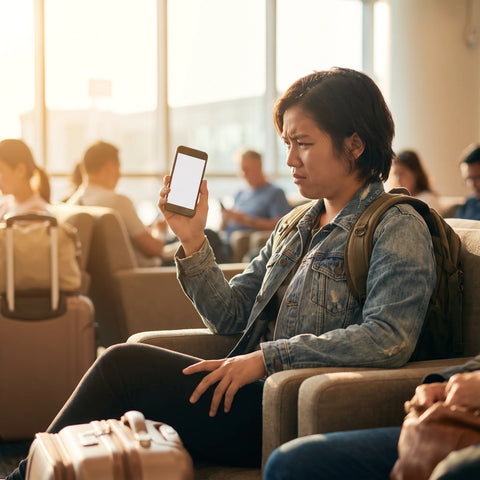
If you've landed here looking for how to activate your Holafly eSIM, you've most likely already purchased it and want to set it up before traveling, or something went wrong along the way. We'll resolve this using official Holafly documentation as a source, cited with a consultation date, without inventing anything we can't back up. At the end, you'll also find an objective comparison with PuraSIM, in case you're evaluating options for your next trip.
How to activate your Holafly eSIM step-by-step
Activating your Holafly eSIM takes three steps: installing the profile that arrives by email (by scanning a QR code or with manual installation), confirming it in your phone's settings, and activating data roaming only upon arrival at your destination, which is the step that actually starts the plan.
According to Holafly's official documentation, the QR code is sent immediately upon payment approval, and the line remains installed but inactive until you turn it on (Holafly, esim.holafly.com, consulted August 2, 2026). In practice, the process is divided into two separate moments, and it's best not to confuse them:
- Profile installation: This is done from your phone's settings, by scanning the QR that arrives by email (and, according to Holafly, also by SMS). This can be done days before your trip, even from another device if you need to view the code on one screen while scanning with your phone.
- Plan activation: This is a separate step, done at your destination, by activating data roaming for that eSIM line. That's when the plan starts.
The exact steps vary slightly between iPhone and Android, so you'll find them broken down by system in the next section with a comparative table.
When to activate your Holafly eSIM
Holafly's official recommendation is to install the eSIM profile whenever you want (even before leaving your country), but only activate data roaming upon arrival at your destination. This is because, according to their own documentation, "after installation, the line remains inactive until you arrive and turn it on" (Holafly, esim.holafly.com/faq/about-esims/how-long-will-take-to-receive-holafly-esim-qr, consulted August 2, 2026).
This has a direct practical implication: if you purchase the plan well in advance but activate it on the same day you land, you don't lose validity days for having bought it earlier. What you should avoid, however, is accidentally activating data roaming while you are still in your country, as this could cause the plan to start counting prematurely.
Installing on iPhone vs. Android: official steps side-by-side
Although the ultimate goal is the same, the menu path changes between iOS and Android. This table summarizes the steps Holafly publishes in its own installation guides for each system.
| Step | iPhone | Android (Samsung) |
|---|---|---|
| 1. Receive QR | Arrives by email (and SMS) after payment approval | Arrives by email after payment approval |
| 2. Start installation | Open camera and scan QR, or go to Settings → Cellular → Add eSIM | Settings → Connections → SIM card manager → Add eSIM |
| 3. Confirm profile | Press "Continue" and then "Done" | Scan provider's QR and press "Add" |
| 4. Label line | Assign a name, for example "Holafly" | Assign a name to the installed eSIM |
| 5. Configure data | Set iMessage/FaceTime to primary line and cellular data to eSIM as secondary, disabling automatic switching | In "Preferred SIM," set Cellular data to the Holafly eSIM |
| 6. Activate at destination | Settings → Cellular → select line → activate Data Roaming | Connections → SIM card manager → activate Data Roaming |
Source: Official Holafly documentation for iPhone and Samsung (esim.holafly.com), consulted August 2, 2026. Menus may vary slightly depending on the operating system version.
How to know if your Holafly eSIM is activated
The most direct way is to go to your phone's network settings: on iPhone, Settings → Cellular, where the Holafly line should appear as enabled with Data Roaming activated; on Android, Settings → Connections → SIM card manager, where the installed eSIM should appear marked as the active data line. If the signal icon shows the network of the country you are in (instead of "No service" or the name of your original operator), the line is working.
A detail that often causes confusion: having the profile installed is not the same as having it activated. You can see the Holafly line in the list of available eSIMs without it actually being connected to the network if data roaming is still off, so that's the specific switch to check.

How to activate your Holafly eSIM manually, without QR
If you cannot scan the code (for example, because you only have one phone and the QR arrived in that same email), Holafly offers a manual method using two pieces of information also sent by email: the SM-DP+ code and an activation code. According to their official guides, the process is:
- iPhone: Settings → Cellular → Add eSIM → "Enter Details Manually," and paste the SM-DP+ code and activation code there.
- Android (Samsung): Settings → Connections → SIM card manager → Add eSIM → "Enter activation code," and paste the manual code received by email.
After that, the rest of the process is identical to the QR installation: label the line, configure cellular data, and activate roaming upon arrival at the destination.
Which phones are compatible with Holafly eSIM
According to information published by Holafly (esim.holafly.com, consulted August 2, 2026), generally, iPhones from XS/XR onwards with iOS 12.1 or higher are compatible, as are Android devices with eSIM enabled, such as Google Pixel 3 onwards or Samsung Galaxy S20 onwards with Android 10 or higher. This list of compatible models changes over time as new devices are released, so before buying any eSIM (from Holafly or another provider), it's advisable to check the current list on the provider's website. If you have doubts about your own device, our eSIM compatible phones guide can help you confirm before you pay.
One point that applies to any eSIM, not just Holafly: phones factory-locked to a single operator (some models purchased under contract in the United States, for example) sometimes block the installation of additional eSIM profiles even if the hardware is compatible. If your device falls into that category, no provider will be able to install the profile until you unlock it.
QR doesn't arrive, doesn't install, or you've already used it
Before assuming something went wrong, it's a good idea to check your email's spam or promotions folder: Holafly indicates that the QR is sent automatically as soon as payment is approved, so if several hours have passed and it hasn't appeared, it's usually there.
"After your purchase is approved, your eSIM QR code is immediately sent to the email you used for payment." — Official Holafly documentation, consulted August 2, 2026.
There's a technical detail that explains a good part of the "the QR doesn't work" issues: an eSIM QR code is designed to be scanned only once. Holafly's own instructions for Android explicitly warn about this. This means that if you open the QR first on your computer screen "just to see it" and the email marks it as opened, or if a family member with whom you share the reservation tries to scan the same code on another phone after you've already activated it, the second attempt may fail without any error on your part: the profile has already been consumed. In that case, the solution is not to retry again and again, but to contact support directly to have the code reissued.
If the problem is that the profile installed but doesn't find a network upon arrival at the destination, it's advisable to first check that data roaming is activated on that specific line (and not on the physical one), and then restart the phone. We review these and other cases in more detail in our guide to common eSIM problems.
Install before traveling without using up plan days
As we saw earlier, installing the profile and activating it are two distinct steps, and that's precisely what allows you to get everything ready in advance without risking days of your plan. Holafly's recommendation is to install the profile calmly, on a stable Wi-Fi network, and keep data roaming off until you land. If you're traveling with long connections or layovers, it's safest to wait until you're in the final destination country before turning on data, as some regional or global plans may start counting as soon as they detect a network in the covered area.
Another practical point: if your flight has on-board Wi-Fi, it's tempting to activate the eSIM "to test" before landing. It's better not to do so if your plan has a fixed number of days, because any connection to a mobile network covered by the plan could count as the start of activation.

Holafly vs PuraSIM: objective comparison
If you're about to decide between Holafly and PuraSIM, this table summarizes the points we can verify from both sides. Where we don't have a public source with a date for Holafly data, we leave it blank instead of inventing it.
| Criterion | Holafly | PuraSIM |
|---|---|---|
| Activation code delivery | Immediate after payment approval (Holafly, consulted 8/2/2026) | Activation in approximately 1 minute |
| When the plan starts counting | Upon activating data roaming at destination, not upon installation (Holafly, consulted 8/2/2026) | Buyer has 180 days from purchase to activate the eSIM |
| Support channels | Chat and email from their official website (Holafly, consulted 8/2/2026) | 24/7 in all languages, via email and WhatsApp |
| Destination coverage | We do not publish a figure due to lack of a dated proprietary source | More than 200 destinations |
| Installation method | QR or manual code (SM-DP+), same on iOS and Android | QR or manual code, same on iOS and Android |
Where Holafly is strong, and it must be acknowledged, is in its step-by-step documentation by phone model: they have specific guides for different devices, which reduces friction for those who aren't very tech-savvy. The difference we can verify with source and date in favor of PuraSIM is the 180-day window to activate from purchase, useful if you tend to buy your eSIM well in advance of your trip. You can check the available plans in our international eSIM collection.
What happens if you run out of data or plan days
This depends on the plan type and provider, so it's best to check the specific terms of the plan you purchased rather than assuming general behavior. By design, a data eSIM stops providing internet connection when the contracted data or days run out, and the usual way to restore service is to purchase a top-up or a new plan; calls and messages via apps continue to work as long as you have a Wi-Fi network. Before traveling, it's advisable to calculate your expected consumption with a margin, especially if you'll be using maps or video, and keep your provider's support channel handy in case you need to extend your plan while already at your destination.
If this is your first time using an eSIM and you want to understand how the standard works in general, before comparing specific providers, our guide on what an eSIM is and the comparison between eSIM and traditional roaming might be helpful.
Which physical network you actually connect to
A travel eSIM is not a network of its own: it roams on local operators. Which ones you get decides your real coverage, and almost no provider publishes it. These are the networks a PuraSIM eSIM uses, taken from our own carrier agreements and checked on 2 September 2026.
| Destination | Networks you roam on | Technology | Top-up |
|---|---|---|---|
| Japan | NTT docomo · Rakuten Mobile · KDDI/au · SoftBank | 5G | Yes |
| United States | T-Mobile · AT&T | 5G | Yes |
| Spain | Orange · Movistar | 5G | Yes |
| United Kingdom | O2 · EE · 3 | 4G/5G | Yes |
| Thailand | TrueMove H · DTAC | 5G | Yes |
| Mexico | Telcel · AT&T | 5G | Yes |
| Greece | Wind · Vodafone | 5G | Yes |
| Turkey | Vodafone | 5G | Yes |
Two questions are worth asking about any travel eSIM, Holafly included. First, how many networks you get in your destination: where a plan runs on a single operator you have no fallback if that operator is weak where you are staying. Second, whether the plan can be topped up — if it cannot, running out of data means buying and installing a second eSIM mid-trip.
We publish this table because it is the part of the comparison you can check yourself: land, open your phone settings and read the operator name on screen. PuraSIM covers more than 200 destinations, and the network partners are listed on each destination page.
Frequently Asked Questions
Can I install the Holafly eSIM before traveling without losing days?
Yes. According to Holafly's official documentation, installing the profile does not activate the plan; the line remains inactive until you turn on data roaming at your destination (consulted August 2, 2026).
Does the Holafly eSIM work for calls and text messages?
Travel data eSIMs, as a category, are usually designed primarily for mobile internet; for traditional calls and messages, check the specific plan details you purchased on Holafly's official website, as it may vary between plans.
What do I do if my phone doesn't have the "Add eSIM" option?
This indicates that the device may not be eSIM compatible or may be locked by an operator. Check the provider's list of compatible models before purchasing any plan.
Can I use the same Holafly QR code on two different phones?
No. An eSIM activation code is designed to be scanned only once, as indicated in Holafly's own documentation for Android. If you need the line on another device, you must contact support to have the profile reissued.
Do I need Wi-Fi to activate the Holafly eSIM at my destination?
To install the profile, you do need a stable Wi-Fi network, according to their official guides. To activate data roaming once you arrive at your destination, this step is done from your phone's settings and does not require Wi-Fi, as long as the profile is already installed.
How do I contact Holafly support if the QR doesn't arrive?
According to information published on their website, Holafly offers support via chat and email from esim.holafly.com (consulted August 2, 2026). When you write, have the email you used for payment and your order number handy: this is what any provider usually asks for to reissue a code.
Does PuraSIM work the same way as Holafly to activate the eSIM?
The underlying mechanism is the same eSIM standard (profile via QR or manual code, activation of data roaming at destination). What changes between providers are policies such as the window for activation from purchase or support channels.
Can I reinstall the Holafly eSIM if I change phones?
Generally, eSIM profiles are tied to the first device they are installed on and cannot be freely transferred to another device without going through the provider's support. If you are going to change phones before your trip, complete the installation on the final device.
Conclusion
In summary, activating your Holafly eSIM boils down to two distinct steps over time: installing the profile (whenever you want, with stable Wi-Fi) and activating data roaming only upon arrival at your destination. Typical problems—QR "not working," plan seemingly not starting—are usually explained by confusing these two moments or by reusing a code that has already been scanned once.
If you are still deciding on the provider and not just how to install what you have already purchased, this guide's comparison provides verifiable data: the 180-day window to activate from purchase and 24/7 email and WhatsApp support are concrete points where PuraSIM has a clear public policy. You can review available plans by destination in our international eSIM collection, or first review the definitive guide to eSIM for travel if you want the complete picture before buying.