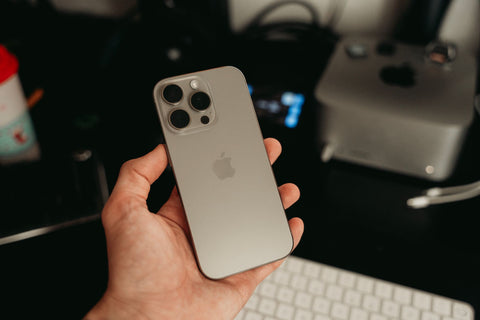
What are the disadvantages of eSIM on iPhone?
The main disadvantages are four: you cannot physically remove it if your phone runs out of battery or breaks, some models older than 2018 do not support it, changing phones requires transferring a digital profile (not moving a card), and you need an internet connection to install it the first time.
None of these four things make eSIM bad technology; it simply works differently from the card you've known all your life, and that change in logic is precisely what confuses first-time users before a trip. In the following sections, you will see each limitation explained in detail, without technical jargon, and with a real travel example at the end so you can see how it feels in practice.
It's worth clarifying something right away: an eSIM is not a "cut-down" version of a physical SIM. It's an operator profile stored on a secure chip that your iPhone already comes with from the factory. The physical card is replaced by software, and this brings advantages (almost immediate activation, no losing or bending the card) along with the limitations you will read about here.
Which iPhones are compatible with eSIM?
Not all iPhones support eSIM, and this is the first practical disadvantage: if your phone is old, the conversation ends before it begins. Apple incorporated eSIM starting with the iPhone XS and iPhone XR, released in 2018. Everything prior to these models—iPhone 8, iPhone 7, the first-generation SE, and older devices—only supports a physical card, with no software alternative.
Since the iPhone 14, in devices officially sold in the United States, Apple directly removed the physical SIM tray: these phones work exclusively with eSIM. If you bought or inherited a recent US iPhone, you have no option to use a physical card even if you wanted to.
| iPhone Model | eSIM Compatible? | Detail |
|---|---|---|
| iPhone XS, XR and later (outside the US) | Yes | Also retains the physical tray; you can use both lines simultaneously |
| iPhone 14 and later, US version | eSIM only | Apple removed the physical tray in the US market from this model onwards |
| iPhone 8, 7, SE (1st generation) and older | No | Physical SIM only; eSIM technology did not yet exist in these devices |
| Refurbished iPhone or brought from another country | Depends | Confirm the country of origin before buying an eSIM: an imported US device might be eSIM-only |
Before installing any travel eSIM, go to Settings > General > About on your iPhone: if an "EID" number appears in the identifier section, your device is compatible. If it doesn't appear, that particular phone does not support eSIM regardless of the model (some specific versions, especially in markets like mainland China, were sold without this feature). You can check compatible models in more detail in the guide to eSIM compatible phones.
What changes in daily life with eSIM?
The biggest difference is not noticeable when everything works well, but in the two or three moments when something goes differently than expected: changing phones, running out of battery on the street, or losing your device. The rest of the time, an eSIM behaves exactly like a physical card: it appears as another line on your iPhone, receives calls, sends messages, and consumes data like any other.
What does change is the installation logic. Instead of going to a counter and getting a chip, you scan a QR code or open the provider's app, and the profile downloads directly to the phone. This step requires you to have Wi-Fi or data available at the time of installation, something that was never necessary with a physical card.
How multiple lines coexist also changes. If your iPhone is compatible, you can have your local line active (for calls and messages) and a travel data eSIM working at the same time, each with its own visible name in Settings, without having to choose just one. To understand the basis of this technology before continuing, it's worth reviewing exactly what an eSIM is in the guide what is an eSIM.

The real limitations, one by one
Let's calmly review the four disadvantages we mentioned at the beginning, because each has nuances worth knowing before deciding if they affect you.
1. You cannot physically remove it. If your iPhone runs out of battery, gets wet, or stops turning on, there's no way to remove the chip and put it in another phone as you would with a physical card. The eSIM profile lives in the secure memory of that specific device. If you need emergency connectivity and your iPhone won't turn on, your only solution is a different phone with its own line.
2. Not all models support it. As we saw in the previous section: if your iPhone is from 2017 or older, eSIM is not an option, no exceptions.
3. Changing phones is not "take out and put in." When switching from one iPhone to another, you need to transfer or reinstall the profile, a process that depends on the provider and can take longer than simply moving a card from one device to another.
4. You need internet to install it. The first activation of an eSIM is done via Wi-Fi or existing data. If you arrive at a destination without coverage and without having installed the profile beforehand, you will be left without an easy way to download it until you find an available network.
An eSIM is not a smaller chip: it is a digital profile stored in the iPhone's secure memory. That's why it is not "lent," "removed," or "reinserted" like a physical card — it is transferred, reinstalled, or deleted.
To these four, a fifth, less-discussed point is added: some operators require additional verification processes to install an eSIM (confirming identity, waiting for an email, activating from their own app), which can add extra minutes compared to buying a card at a counter. You can see concrete examples of these inconveniences in common eSIM problems.
eSIM vs. physical SIM on iPhone: comparison
Side by side, eSIM and physical SIM solve the same thing—giving you a cell phone line—but with different mechanics. This table summarizes the differences that really matter when deciding which to use on your iPhone.
| Aspect | eSIM | Physical SIM |
|---|---|---|
| Installation | Scan a QR code or use the provider's app | Remove the chip from its holder and insert it into the tray |
| Visit a store or counter | Not necessary | Common, especially with travel SIMs purchased upon arrival |
| Changing phones | Transfer or reinstall the digital profile | Remove the physical chip and put it in the other device |
| Multiple lines on the same iPhone | Yes, along with your physical line or another eSIM, depending on the model | Only one at a time, except for devices with dual trays |
| If you lose your phone | The profile stays on that device; you need to request a new one | The chip can be recovered and inserted into another phone |
| Needs internet to activate | Yes, the first time | No |
| Risk of losing or damaging the physical object | Does not exist, no chip to lose | Yes, it is a small card and easy to misplace |
If you want to delve deeper into this comparison with more context on when each is suitable, the guide eSIM vs. physical SIM goes into more detail.
What happens if you change your iPhone or lose it?
This is, in practice, the scenario where the difference compared to a physical card is most noticeable. If you change iPhones within the same Apple family and continue with the same operator, in many cases you can transfer the profile from Settings without re-contacting anyone. But if the operator doesn't offer that automatic option, you will need to request a new QR code or repeat the activation process from scratch on the new device.
If you lose your iPhone or it gets stolen, the eSIM profile remains "trapped" on that device: you cannot physically recover it as you would by rescuing a card from a stolen phone that later reappears. What you can do is contact the provider of that line to have it replaced or deactivated, just as you would to block any lost line.
With a travel data eSIM, the situation is simpler than with your main line: if the profile remains on a lost device, you simply buy or activate a new one on the replacement phone. There is no personal phone number involved, so there's no need to cancel anything sensitive, just reinstall the profile.
eSIM vs. traditional roaming for travel
When you travel, the alternative to installing a data eSIM is not "having no disadvantages": it's activating international roaming for your usual line, and that option has its own limitations that are worth comparing. Roaming uses the same physical card you already have, so there's no need to install anything new or depend on Wi-Fi before you leave. In return, you are completely dependent on the agreements between your local operator and the operator in the country you are visiting, something you don't control and which can mean reduced speeds or service outages in certain areas.
A travel eSIM, on the other hand, connects you directly to a network in the destination country (or region), without depending on that roaming agreement. The disadvantage is what we already saw: you need to install it in advance and your iPhone must be compatible. The advantage is that you usually avoid the roaming charges that appear on your usual line's bill when you return.
Neither option is automatically better: it depends on how long you're away, how many countries you visit on the same trip, and whether you care about keeping your usual number active for calls while using data from another line. You can review this full comparison in eSIM vs. roaming.

Is it worth buying an eSIM for your iPhone?
It depends on your specific situation, and there is no single answer here. It makes sense to buy a travel eSIM if your iPhone is compatible (XS or later), if you are going to be away from your country for several days, and if you want to continue using your main line only for calls or messages while data runs through another channel.
It makes less sense if your iPhone is older than 2018—then the conversation ends in the compatibility section—, if your trip is only a couple of days within a region where your operator's roaming already covers the destination well, or if you won't have Wi-Fi available at any time before arriving to install the profile (uncommon, but possible if you leave directly from a place without connection).
What you can do, and what resolves a good part of the installation friction, is download the profile in advance from home or the office, before traveling: most providers allow you to install the eSIM days beforehand and activate it only upon arrival at your destination, so you don't depend on airport Wi-Fi or finding a signal as soon as you get off the plane.
A real trip, step by step
Imagine you live in Mexico City and are going to spend ten days in Colombia and Peru for work and tourism. Your iPhone is an eSIM-compatible model (XS or later) and you want to continue receiving calls from your Mexican line without paying roaming for data.
A few days before traveling, with Wi-Fi at home, you install the regional eSIM profile for these two countries from the provider's app or QR code. The profile is saved on the iPhone, but you don't activate it yet: there's no need to use data from that line before leaving.
On the day of the flight, your iPhone still shows your Mexican line as primary for calls and messages. Upon landing in Bogotá, you activate the eSIM data line from Settings and set it as the default cellular data line. Before putting your phone away, it's advisable to go to Settings > Cellular Data and disable automatic switching between lines: this way, if the eSIM signal weakens momentarily during a journey, the iPhone won't automatically switch back to your physical line to search for data and end up generating roaming without you realizing it.
During the ten days, you use maps, messaging, and networks with the eSIM data, while your usual number remains available for calls from Mexico. Upon your return, you simply stop using that data line; you don't need to cancel it or do any additional paperwork, because it's not tied to a personal phone number. You can see this same process illustrated with screenshots in the guide eSIM for iPhone on your travels, and the general installation step-by-step in how to install an eSIM.
Frequently asked questions
What's better, an iPhone with eSIM or SIM?
It's not that one is better than the other in all cases: eSIM is convenient when you want to activate lines quickly, without going to a store, and use several at once on the same iPhone. Physical SIM is convenient if your phone is not eSIM compatible or if you prefer to be able to move the chip to another device with your own hands without relying on the internet.
What are the disadvantages of eSIM?
The main ones are that it cannot be physically removed from a powered-off or damaged phone, it only works on compatible models (iPhone XS onwards), changing devices implies transferring a profile instead of moving a card, and you need an internet connection to install it the first time.
What happens if an iPhone has an eSIM?
Your line works just like with a physical card—calls, messages, and data—but stored as a digital profile within the device. You can have one physical line and one or several active eSIMs at the same time, each identified with its own name in Settings.
Is it advisable to buy an eSIM for iPhone?
If your iPhone is compatible and you're traveling for several days, then yes, it's usually convenient: you avoid searching for a store upon arrival and can install the profile in advance from home. If your device isn't compatible or the trip is very short within an area with good roaming, it might not be worth the extra step.
Can I have an eSIM and a physical SIM active at the same time on my iPhone?
Yes, on compatible models, you can keep your physical line for calls and an eSIM for data working simultaneously, each visible separately in Settings, without having to choose just one.
What happens if I lose my iPhone and had an eSIM installed?
The profile remains on that device and cannot be physically recovered. You must contact the provider of that line to have it replaced or deactivated, just as you would to block a lost physical card.
Does eSIM consume more battery than physical SIM?
There is no significant difference between the two simply because one is eSIM and the other is physical: battery consumption depends on the network you connect to (4G or 5G) and how much data you use, not the card type.
Do I need Wi-Fi to install the eSIM before traveling?
You need an internet connection—Wi-Fi or data from another line—only at the moment of installing the profile for the first time. Once installed, you can keep it saved on your iPhone and activate it only upon arrival at your destination.
Conclusion: eSIM on iPhone, at its fair point
eSIM on iPhone is not perfect or universal: you can't remove it from a powered-off phone, it doesn't work on devices older than 2018, switching phones means transferring a profile instead of moving a chip, and you need internet to install it the first time. None of these limitations are a reason to avoid it if your device is compatible; you just need to be aware of them to plan your trip with enough time, installing the profile in advance instead of leaving it until the last minute at the airport.
If your iPhone is compatible and you have a trip coming up, it makes sense to sort it out before you leave: install the profile from home, using Wi-Fi, and only activate it once you arrive. The international eSIM collection covers over 200 destinations, with 24/7 support in all languages via email and WhatsApp, activation in approximately one minute once you arrive, and 180 days from purchase to activate it when you need it. If it's your first time installing one, the eSIM getting started guide takes you from QR code to working data, without unnecessary steps.