In summary: an eSIM for Dubai gives you 4G/5G internet as soon as you land, without roaming or searching for SIM card stores, and bypasses local WhatsApp and FaceTime call blocking by routing traffic outside the UAE. It activates with a QR code in less than a minute and works throughout the entire country: Dubai, Abu Dhabi, and Sharjah.
You land at Dubai International Airport, turn on your phone, and even before setting foot in the desert, you already want a map, a taxi, and to send a "we've arrived" message via WhatsApp. With a Dubai eSIM, you'll have internet from minute one, without searching for SIM card stores or paying exorbitant roaming fees. But Dubai has a peculiarity that confuses almost everyone: in the United Arab Emirates, internet calls (WhatsApp, FaceTime) are restricted on local networks. In this guide, I'll explain how a travel eSIM solves exactly that, what coverage to expect, how much data you'll need, and how to activate it in a minute.
Why you need data as soon as you arrive in Dubai
Dubai is a city designed for being on the go with your phone in hand. Almost all easy transportation goes through apps: Careem and Uber for taxis, the metro map, safari bookings, or timed entry to the Burj Khalifa. Without a connection, you'll be stranded in a huge city where a "short" trip can be a 30-minute drive.
Hotel and mall Wi-Fi is inconsistent and insecure: it drops out just when you're ordering a taxi back and doesn't cover the street or the desert. That's why it's practical to arrive with your own data. With a PuraSIM eSIM, you download the profile before leaving home, connect upon landing, and forget about searching for physical SIM cards. Your carrier's rates in the Emirates are among the most expensive in the world, so avoiding roaming here means saving yourself a shocking bill. To understand it clearly, review what data roaming is outside Europe.
WhatsApp and calls in the UAE: the big question answered
It's the most frequently asked question, so let's get straight to the point. In the Emirates, voice and video calls over the internet (VoIP) are restricted by regulation. Apps like WhatsApp, FaceTime, or Telegram can send messages and photos, but the calling and video-calling functions are blocked on local UAE networks.
The key that almost no one talks about: this blocking depends on where your internet traffic exits, not your phone. Many travel eSIMs do not route your connection through the local Emirati network, but through a server in another country. For these apps, it's as if you were outside the UAE, and WhatsApp and FaceTime calls do work. This is the big advantage over a local SIM card.
To be clear: with a local UAE SIM, it's normal that you WON'T be able to video call; with many travel eSIMs that route traffic outside, you will.
It's not an absolute guarantee, but a consequence of the routing. If video calls are crucial for you, confirm it with our 24/7 Spanish-speaking support. If you're interested in better understanding where your traffic travels and what it gains in privacy, read about eSIM, VPN, and travel privacy.

Coverage and networks in Dubai: Etisalat and du
The good news is that Dubai is one of the destinations with the best coverage on the planet. The country operates with two major carriers, Etisalat (e&) and du, both with 4G/LTE and 5G networks that cover the entire city, shopping malls, the metro, and even a good part of the desert roads.
A travel eSIM relies on these networks through agreements, so in urban areas, you'll have plenty of speed for maps, streaming, and video calls. The signal only weakens where it's logical: in the middle of the desert during a safari, far from the road. For the bulk of your trip (city, Marina, Palm, Abu Dhabi), you'll have fiber in your pocket.
- Etisalat (e&): the historical operator, extensive coverage, and consolidated 5G.
- du: the second major operator, also with excellent 4G/5G network.
- 5G in Dubai: available in almost the entire city if your phone is compatible.
If you want to know how this technology works without a physical card, we explain it in what an virtual eSIM is.
How many GB you need based on your trip to Dubai
The million-dollar question: how much data should I contract? It depends on your usage, but in a destination as visual as Dubai, it's easy to underestimate. Between photos of the Burj Khalifa, Instagram videos, Google Maps all day, and video calls home, consumption goes up. This table will guide you:
| Traveler profile | Days | Recommended data |
|---|---|---|
| Short getaway, light use (maps, messaging) | 3-4 days | 3-5 GB |
| Average tourist (social media, photos, some video) | 5-7 days | 10 GB |
| Intensive use (streaming, daily video calls) | 7-10 days | 15-20 GB |
| Long trip or remote work | 10-15 days | 20 GB or unlimited data |
A tip: activate offline map downloads from Google Maps before you leave, and you'll save data for what matters. And with PuraSIM, you can share your connection via hotspot, so a single eSIM provides internet for your partner, tablet, or laptop. If you want to make every GB last as long as possible, check out these tips for saving data on a trip with an eSIM.
How to activate your Dubai eSIM with the QR code
Activating an eSIM is one of the easiest parts of the trip. After purchasing from PuraSIM, you'll receive a QR code with instructions via email. The process takes less than a minute and should ideally be done with Wi-Fi before leaving home.
- Check that your phone is eSIM compatible and unlocked (most iPhones from XS onwards and mid-to-high-end Android phones are).
- Go to Settings > Mobile Data > Add eSIM and scan the QR code.
- Label the plan ("Dubai") and leave your primary line for calls and SMS.
- Upon landing in the UAE, activate the mobile data for the eSIM profile and turn on data roaming for THAT profile (not your home one).
- Wait a few seconds for it to connect to the Etisalat or du network, and you're good to go.
Tip: install the profile at home, but don't activate the data until you arrive. This way, you don't use up your plan prematurely and land already connected.
If this is your first time using this system, take a look at the step-by-step guide on how to install an eSIM.
Areas and excursions: where you'll use the connection most
Dubai is a theme park of places where you'll want to be connected, both for navigation and to capture photos. These are the areas where your eSIM will work hardest:
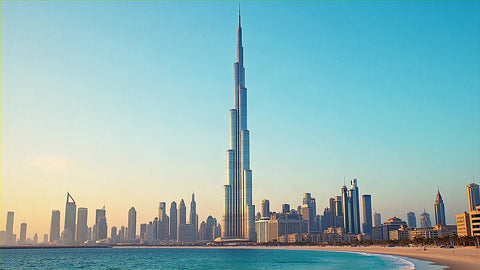
- Burj Khalifa and Dubai Mall: timed entry tickets, the mall map (it's immense), and virtual queues. Excellent coverage, almost certainly 5G.
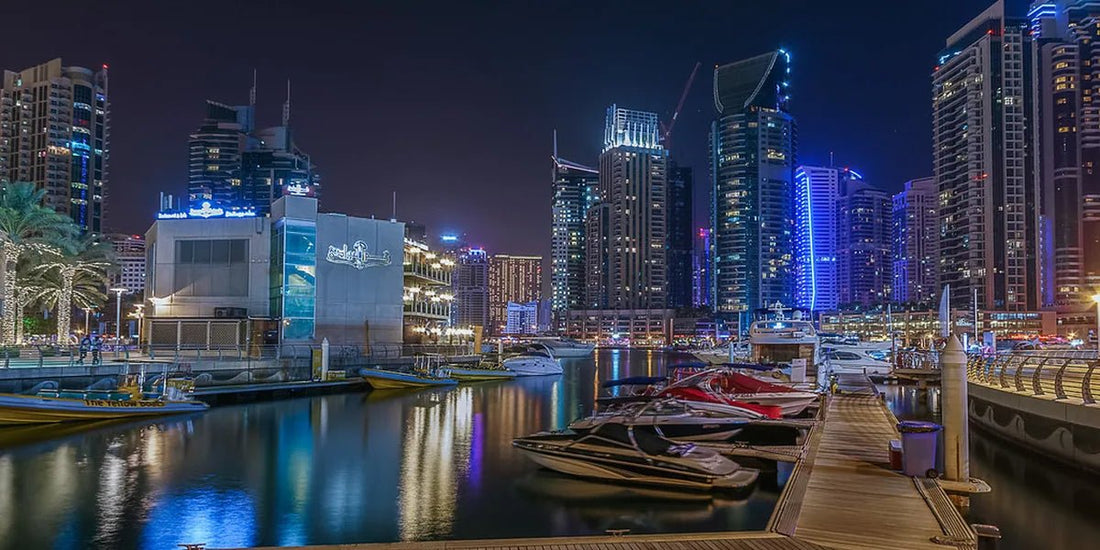
- Palm Jumeirah and Dubai Marina: seaside walks, restaurants, and the Atlantis. Ideal for maps and on-the-go bookings.
- Desert and safari: the signal drops as you move away from the road. Share your location before venturing into the dunes.
- Abu Dhabi: the Sheikh Zayed Grand Mosque and Ferrari World. The same eSIM works throughout the UAE.
For the desert, keep your phone at 100% and carry an external battery: the heat and signal searching drain it faster. In the city, however, you'll upload stories without a blink.
Practical tips for the United Arab Emirates
Beyond connectivity, Dubai has rules worth knowing. Jot down the essentials before packing your suitcase:
- Visa: EU citizens (including Spain) do not need a visa for short tourist stays; you enter with a valid passport. Always confirm the requirements before traveling.
- Currency: the Emirati Dirham (AED). You can pay with card almost everywhere, but carry some cash for taxis and markets.
- Dress and conduct: Dubai is cosmopolitan, but it is a Muslim country. In religious areas, cover shoulders and knees; overly effusive displays of affection are frowned upon.
- Heat: from May to September, temperatures easily exceed 40°C. Stay hydrated, seek shade, and take advantage of air conditioning.
- Rules: the UAE is very safe but strict; alcohol is only permitted in licensed venues, and do not photograph people without permission.
Having internet on hand helps with precisely this: translating a sign, checking a schedule, or paying for a taxi via an app without issues with change.
Myths and what almost no one tells you about eSIMs in Dubai
Before buying, it's worth distinguishing between what's said online and what actually happens in the Emirates. Some rumors are harmless; others make you overspend or arrive unprepared.
- Myth: "eSIM and my Spanish carrier's roaming are the same, just cheaper." No. Roaming uses your own line and your own routing (that's why WhatsApp can call without issue but you pay a fortune); a travel eSIM is a new data line that also usually routes through servers outside the UAE, thus solving the local VoIP blocking that regular roaming doesn't address in the same way. They are distinct mechanisms, not a low-cost version of the same service.
- Myth: "all eSIMs on the market unlock WhatsApp in Dubai." It depends on how each provider routes traffic, and that varies. If this function is crucial for you, ask before buying; don't take it for granted just because you read it in a review.
- Hidden gem: GPS "slips" inside Dubai Mall. With so much steel and glass, Google Maps sometimes places you on the wrong floor. To navigate inside, use the interactive map of the mall's own app; to get to the entrance, Google Maps is more than sufficient.
- Hidden gem: in organized safari camps (Al Marmoom area or the Dubai Desert Conservation Reserve), there's usually some Etisalat signal, though weaker than in the city; it's when you venture off the marked tracks, deep in the dunes, that you truly lose coverage. Share your real-time location with someone before losing signal, not after.
- Myth: "you have to manually adjust the APN for it to work." With a properly configured travel eSIM, you don't need to adjust anything: the profile already contains the network parameters. If your phone asks for a manual APN, something was installed incorrectly, and you need to reinstall the profile, not blindly fill in fields.
- When NOT to buy an eSIM for Dubai: if you're only making a few-hour layover at DXB airport without going into the city, you don't need anything; the airport Wi-Fi is free and sufficient to check your connecting flight and reply to a couple of messages. Save the expense for when you're actually out and about in the city.
To understand the fundamental difference between roaming with your home carrier and using a travel data line, the comparison of eSIM vs. roaming makes it quite clear.
Prices and which eSIM to choose for Dubai
The advantage of an eSIM over a local SIM or roaming is that you pay only for what you're going to use and you know it beforehand: no surprises on your bill. At PuraSIM, you choose your plan based on your GB and days, without permanence or fine print, and the same account works if your itinerary links Dubai with another stop.
| Type of trip | Suggested plan | Why |
|---|---|---|
| Layover / weekend | Low GB, short-term plan | Maps and messaging without overspending |
| Week of tourism | 10 GB | The balance for most travelers |
| Long trip or work | 20 GB or unlimited | Streaming and video calls without monitoring data usage |
Before deciding, check the start date, validity in days, and whether it includes hotspot (ours do). And if your route continues to Europe after Dubai, the same logic applies with the eSIM for Europe. Choose your eSIM in a couple of clicks.
Frequently asked questions
Does WhatsApp work for calling in Dubai with an eSIM?
Generally, yes. WhatsApp and FaceTime calls are restricted on local UAE networks, but many travel eSIMs route your traffic outside the country, so for those apps, it's as if you're not in the Emirates and they work. Confirm this with our 24/7 Spanish-speaking support.
Will the same eSIM work for Abu Dhabi and the rest of the UAE?
Yes. Plans for the Emirates cover the entire country, so the same eSIM works in Dubai, Abu Dhabi, Sharjah, and other emirates.
How many GB do I need for a week in Dubai?
For an average tourist staying 5 to 7 days, about 10 GB is enough for maps, social media, and photos. If you make daily video calls or stream, increase to 15-20 GB or choose an unlimited plan.
Is my phone compatible with eSIM?
Most recent phones are (iPhones from XS, Pixel, mid-to-high-end Samsung or Xiaomi) and must be unlocked. If "Add eSIM" appears in your settings, you are compatible.
When should I activate the eSIM, before or upon arrival?
Install the profile with the QR code at home, with Wi-Fi, but do not activate data until you land in Dubai. This way, you don't consume the plan prematurely.
Do I need a visa to travel to Dubai with a Spanish passport?
EU citizens, including Spain, do not need a prior visa for short tourist stays in the UAE; you enter with a valid passport. Even so, always confirm the current requirements before flying, as entry rules can change.
Will I have coverage during the desert safari?
In organized safari camps, near common tracks, there is usually some Etisalat signal, though weaker than in the city. When you go deep into the dunes away from the road, it's normal to lose it completely, so share your location with someone before entering and don't rely on your phone for navigation there.
Can I use the same eSIM if I have a short layover in Dubai without leaving the airport?
If it's just a few-hour layover and you don't leave the city, you probably won't need it: DXB airport's Wi-Fi is free and sufficient to check your boarding gate or reply to a message. Save it for when you're actually going to move around Dubai.
Conclusion
Traveling to Dubai with an eSIM is the most convenient way to stay connected: internet from landing, without roaming or surprises, and the great advantage of being able to use WhatsApp and FaceTime for calls thanks to traffic routing outside the UAE, something a local SIM rarely provides. Add excellent coverage on Etisalat and du, hotspot, and everything set up in a minute with the QR code. Choose your GB according to your days and enjoy. Choose your eSIM for Dubai and forget about roaming. To plan what to visit, check the official Dubai tourism website.