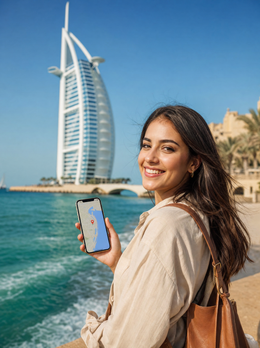
In short: For a layover in Dubai of more than 5-6 hours, an eSIM is worth it: you land with data in a minute, order a taxi or Careem, navigate to the Burj Khalifa, and get back on time without expensive roaming or relying on airport Wi-Fi. 1-3 GB will be more than enough.
Your flight has a layover in Dubai, and you have between 6 and 24 hours: to leave the airport, see the Burj Khalifa, maybe the Dubai Mall, and return to the boarding gate without taking risks. For all that, you need internet as soon as you land, not when you find functioning Wi-Fi. In this guide, I explain how to use an eSIM for your Dubai layover, what plan to choose based on the hours you have, and how to get around the city without losing connection or time.
Is an eSIM worth it for a layover in Dubai?
It depends on one question: are you going to leave the airport? If the answer is yes, an eSIM pays for itself. You land, activate data in a minute without looking for a store or changing physical SIM cards, order a taxi or open Careem, follow the map to the Burj Khalifa or Dubai Mall, and return with plenty of time. For a layover of 5 hours or more, it’s the difference between truly experiencing the city or being stuck in the terminal watching Wi-Fi load.
The alternative is roaming from your usual carrier, which in the United Arab Emirates can easily exceed €10-15 per day just for having your phone on—a waste for a few hours of occasional use. With a local or regional eSIM, you pay for the destination, not for your home carrier's contract. If you want to understand the difference between both options before deciding, we have a complete comparison in eSIM vs. roaming.
If your layover is only 2-3 hours and you don't plan to leave the terminal, the airport Wi-Fi might be enough to let people know you've landed and check your connecting flight. But as soon as you step outside, having your own data saves you time, money, and last-minute frustrations.

Coverage and operators in the United Arab Emirates
Dubai has one of the strongest network infrastructures in the Middle East. The two major operators in the country are Etisalat (e&) and du, with 5G coverage practically throughout the city, at DXB International Airport, on the metro, and in the most visited tourist areas.
An eSIM covering the Emirates connects to these same local networks, so you will have strong signal at the Burj Khalifa, Dubai Mall, the Marina, and throughout your taxi or metro journey. The administrative capital of the country is Abu Dhabi, but for an aerial layover, we almost always refer to Dubai and its international airport, one of the busiest on the planet and a common connection point between Europe, Asia, and Oceania.
Roaming vs. eSIM: how much you save on a layover
The calculation is simple. Traditional roaming charges per active day, not by actual hours of use, so an 8-hour layover can cost you the same as a full day of data roaming. A local eSIM, on the other hand, is usually sold by data volume and validity in days, adjusted to what you will actually consume on a short stopover. If you have never used data outside your country and the concept is confusing, we explain it from scratch in what is data roaming.
WhatsApp, FaceTime, and VoIP in Dubai
A detail that surprises many people: in the United Arab Emirates, VoIP calls (WhatsApp, FaceTime, Skype) may be limited by local regulations. Text chat and photo sending work normally, but if you need to make voice or video calls during your layover, the app might freeze without apparent reason. Many travelers solve this with a VPN over their eSIM data; we tell you how to set it up without complications in eSIM and VPN for travel.
Which plan to choose depending on your layover duration
For a layover, you don't need a plan with many days or many gigabytes. The ideal is to adjust the plan to the actual time you will spend on the ground and what you plan to do:
| Layover Duration | What you usually do | Recommended Plan |
|---|---|---|
| 2-4 h (no exit) | Messages, terminal map | Airport Wi-Fi or 1 GB |
| 5-8 h (quick exit) | Taxi, Burj Khalifa, photos | 1-2 GB, short-day plan |
| 10-24 h (city tour) | Navigation, social media, some video | 3 GB or more |
| 1-2 night stopover | Full city use | 3-5 GB plan per week |
| Business layover | Email, video calls, corporate VPN | 3 GB or more, stable coverage |
For typical layover use (maps, ordering a taxi, uploading a couple of stories, checking your flight), 1-3 GB is more than enough. Navigation and messaging consume little; what really drives up consumption is video streaming, so save that for when you have Wi-Fi. If you want to make the most of your plan without running out in the afternoon, check out these tricks to save data with your travel eSIM.
If your layover is part of a business trip with meetings or video calls, it's better to have plenty of margin than to run short; in eSIM for business trips and corporate events, you'll find specific recommendations to avoid losing coverage at the worst possible moment.

DXB Airport: free Wi-Fi vs. eSIM
Dubai Airport offers free Wi-Fi, and for a layover where you don't leave the terminal, it works perfectly: you can announce your arrival, check your next flight's boarding gate, and kill time. But it has clear limitations: registration can be cumbersome, speed varies by area and time, and most importantly, coverage disappears as soon as you step outside.
The eSIM solves precisely that: as soon as you hit the street, you remain connected without interruptions or networks to search for. It's what you need to order a taxi, follow the map to the city center, and not miss your way back on time. On a stopover, the biggest risk isn't running out of battery; it's losing track of time: with your own data and active phone alarms, you control every minute of your layover without relying on anyone.
Why install the eSIM before flying
My advice, and that of anyone who has done several long layovers: install the eSIM before boarding the plane and activate it as soon as you land. That way, while other passengers struggle with the airport Wi-Fi registration form, you're already ordering a Careem from the arrivals area. If you've never installed an eSIM and don't want to improvise in the immigration line, you can find the step-by-step process in how to install an eSIM.
How to get around Dubai on a stopover
With only a few hours ahead, efficiency is everything. These are the options to make the most of a layover in Dubai, all much easier with your own data on your phone:
- Dubai Metro: cheap and very fast; the Red Line connects the airport with the Burj Khalifa and Dubai Mall area in about 40 minutes and works with a Nol Card or contactless payment.
- Taxi or Careem: comfortable and not particularly expensive for short trips; it's essential to have data to request it, follow the route, and pay from the app.
- Organized layover tour: some agencies and Emirates itself offer city tours specifically designed for stopover passengers, with airport pick-up and drop-off.
- Visa: Spanish citizens do not need to apply for a prior visa for short stays; it is stamped directly upon entry into the country.
With an active eSIM, you follow the map in real-time, calculate how long it will take to return to DXB, and arrive with plenty of time, instead of cutting it close. The general recommendation is to be back at the airport at least 3 hours in advance for check-in, security, and the journey to the boarding gate, which at DXB can take time depending on the terminal. Dubai is a very common connection hub between Europe, Asia, and Oceania, so if your connecting flight continues its journey, it's worth having the data plan for your next destination sorted out as well.
Activating your eSIM before landing
The ideal logistics for a layover are to get everything ready at home, before checking in, and activate it in the air or upon landing in Dubai:
- Purchase and install the eSIM with Wi-Fi before your flight, never at the last minute at the airport.
- Schedule activation for the day of the layover if your provider allows it, so you don't waste extra plan days prematurely.
- Upon landing, turn off airplane mode and activate data roaming for the travel eSIM, leaving your primary line as secondary.
- Check the signal before leaving the terminal; if it doesn't connect initially, restart your phone or toggle airplane mode a couple of times.
Keep your Spanish SIM active in dual mode only for bank SMS and emergency calls, and use the eSIM for all navigation data, maps, and transportation apps. This combination causes the fewest scares and saves you the most battery and time by avoiding frantic setting adjustments in the middle of the terminal.
Common mistakes on a Dubai layover (what almost no one tells you)
Beyond the obvious, there are details you only learn after making a poorly calculated layover. Here are the most common ones:
Calculating layover time from gate to gate, not from plane to plane
The time stated on your ticket is from flight to flight, but between disembarking, passing outbound security, taking the metro or a taxi, and then going through security and immigration again upon return, more time is lost than it seems. Subtract at least 1-1.5 hours of extra margin in each direction beyond what you estimate casually.
Don't assume hotel or taxi Wi-Fi is reliable
If you book a transit hotel or an hourly room near the airport, the Wi-Fi might fail just when you need it most to confirm your return flight. Having an eSIM as a backup prevents a downed Wi-Fi from leaving you without access to your digital boarding pass.
Leaving data activation until the last minute
Activating the eSIM in the immigration line, with your phone almost dead and weak airport Wi-Fi, is the perfect recipe for losing the first 20-30 minutes of your layover struggling with settings. Activate it on the plane, using onboard Wi-Fi if available, or immediately upon landing before moving from the gate.
Relying solely on GPS without downloaded map data
Your phone's GPS works without data, but the map itself needs a connection to load streets and routes in real-time, especially in a city as sprawling as Dubai. As a backup, download an offline map of the Burj Khalifa and Dubai Mall area before leaving the airport, just in case the signal falters at some point.
Frequently asked questions
Is an eSIM worth it just for a layover in Dubai?
Yes, if you plan to leave the airport. With an eSIM, you land with data in a minute to order a taxi, follow the map, and get back on time, avoiding roaming charges that can exceed €10-15 per day. If your layover is short and you don't leave the terminal, airport Wi-Fi might be enough.
Does WhatsApp work for calls in Dubai?
WhatsApp chat works normally, but voice and video calls via VoIP (WhatsApp, FaceTime) may be limited by UAE regulations. To make calls without restrictions during your layover, many travelers use a VPN over their eSIM data.
How much data do I need for a one-day layover in Dubai?
For typical layover use (maps, ordering a taxi, social media, a few photos), 1-3 GB is more than enough. Navigation and messaging consume little; what significantly increases consumption is video streaming, so avoid it if you want to stretch your plan as much as possible.
Can I leave Dubai Airport during a layover?
Yes. Spanish citizens do not need a prior visa for short stays in the UAE; it is stamped upon entry. With a layover of 6 hours or more, there's time to see the Burj Khalifa or Dubai Mall, but it's advisable to return to DXB with about 3 hours of buffer for security and check-in.
Do I need a different eSIM if my layover continues to Abu Dhabi?
Not necessarily: an eSIM covering the United Arab Emirates usually works throughout the country, including Dubai and Abu Dhabi, with the same Etisalat or du coverage. If your route connects both cities or you stay longer, there's no need to change plans.
What if my connecting flight departs from another DXB terminal?
Dubai Airport has several terminals connected by internal bus or metro, and moving between them can take longer than expected during peak hours. With an active eSIM, you can check your boarding gate and flight status in real-time without relying on the Wi-Fi of each terminal, which is especially useful if your layover continues to Europe or the United States and you need to check your connection in advance.
Can I use the same eSIM when I reach my final destination?
It depends on the plan you purchase: if you choose an Emirates-specific eSIM, it will only cover you during the layover. If your trip continues to another country, it's advisable to look at the plan for your final destination in advance; for example, if you continue to the United States or return to Europe, you can review options such as the eSIM for the United States or the eSIM for Europe beforehand and have everything installed before landing at each leg.
Conclusion
A layover in Dubai offers a lot if you land with internet: taxi, Burj Khalifa, Dubai Mall, and back on time, without paying disproportionate roaming for a few hours of use. An eSIM for your Dubai layover solves it in a minute, also covers Abu Dhabi if your route extends, and lets you control every part of your stopover without relying on the terminal's Wi-Fi. Prepare your eSIM before flying, activate it upon landing, and make the most of every hour of your layover without anxiously watching the clock.